Jun 3, 2026
v1.2.7.24
The board remembers more: favorites reach across boards, sessions stay visible, and media becomes easier to understand.
The board flow gets easier to follow. Favorites help you jump to saved media across boards, Sessions makes browser access clear enough to clean up old devices, and media descriptions add a plain read on what an image or video contains.
Models & workflows
This release adds Gemini Omni Flash, Grok Imagine Video 1.5 for image-to-video, and Seedance prompt support up to 500k characters for longer scene ideas.
New (2)
Gemini Omni Flash: fast Gemini video generation option
Grok Imagine Video 1.5: new image-to-video generation option
Updated (1)
Seedance: prompt input now supports much longer prompts up to 500k characters
What's new
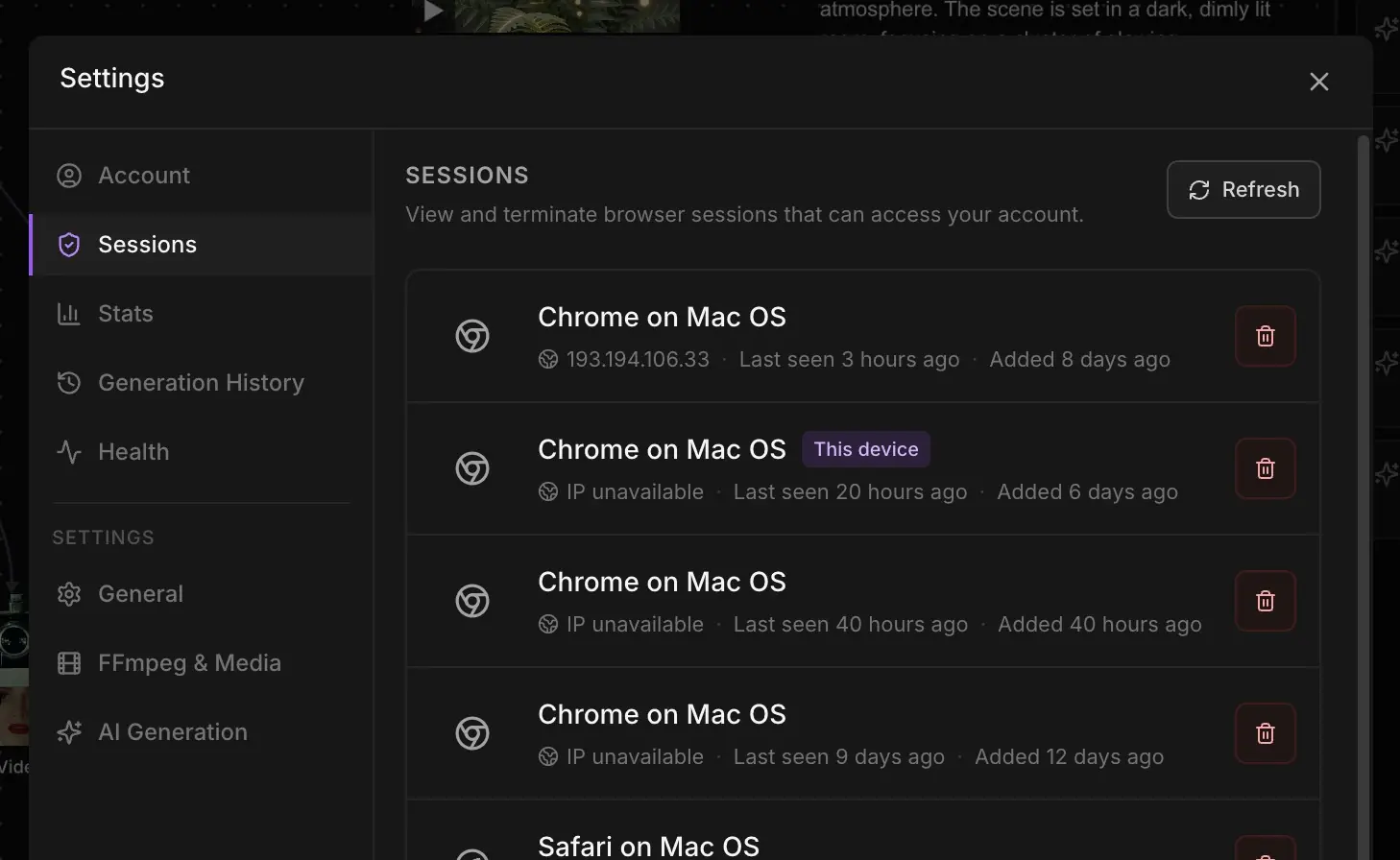
- Settings now includes a Sessions tab that shows browser, device, network, and last-seen details, with controls to close one session or sign out other devices.View
- Favorites now open from the bottom toolbar and group saved media by board, so you can scan everything or filter to one board and jump straight to the item.Watch
Opening the cross-board Favorites panel from the bottom toolbar and reusing favorite media across boards - Ask Gemini for a short description of an image or video, giving existing media a clearer read without needing to inspect the file again.Watch
Generating short descriptions for selected images and videos on the board
Fixes
- When Gemini Omni works from a source video, its timing now holds more reliably, so the clip comes back closer to the length and behavior you expected.
- A round of smaller fixes under the surface. The kind you do not notice one by one, but together they keep the board feeling steady.