 FlashBoards Learn
Color · Film language
Vectorscope
Also called: video vectorscope
A vectorscope is a video scope that plots every pixel of the image on a circle: the angle shows its hue, the distance from the center shows its saturation. Colorists and DPs read it to find color casts, keep skin tones natural, match shots and hold saturation inside legal limits.
- What it does
- Turns the color of an image into a shape you can measure instead of guess.
- Use it when
- Balancing neutrals, checking skin, matching cameras or shots, and testing saturation before delivery.
- Watch out
- It shows hue and saturation only, not brightness; read it next to a waveform.
- Try this prompt
Medium close-up, woman holding a grey card beside her face, neutral white balance, true grey wall, natural skin
What is a vectorscope?
A vectorscope ignores where a pixel sits in the frame and how bright it is. It keeps two values per pixel: hue and saturation. Each pixel becomes a dot on a round graticule. The center is zero saturation, so white, grey and black land in the middle; the further a dot sits from the center, the more saturated it is, and its direction names the hue.
Six target boxes mark the colors of standard color bars: red near 11 o'clock, magenta near 1, blue near 3–4, cyan near 5, green near 7, yellow near 9. Opposites face each other across the center, which makes the scope a working picture of color theory: a trace leaning orange is pulled back with teal-blue.
A grey room with one actor makes a small central blob with a short arm toward the skin hue; a neon street throws long arms toward magenta, cyan and blue. It is a basic tool of color work, built into grading apps and many on-set monitors.
How to read a vectorscope
1. Where is the center of the trace? Find something that should be neutral: a white shirt, a grey wall, a chart. If the image is balanced, it sits on the crosshair. Shifted toward blue, the shot has a blue color cast; toward yellow-orange, it is too warm.
2. Which way do the arms point? Each arm is a dominant hue. Arms toward orange and cyan mean a complementary colors look; one long green arm means a scene washed in green.
3. How far do the arms reach? Length is color saturation. A muted drama keeps the trace compact; arms far past the 100% targets usually mean the signal is out of gamut for delivery.
There is no brightness axis: a lighter and a darker color with the same hue and chroma land on the same spot.
Where is the skin tone line on a vectorscope?
Most vectorscopes draw a line from the center toward the upper left, between the red and yellow targets, at roughly 11 o'clock: the skin tone line, also called the flesh line or I-line. Skin of every complexion has nearly the same hue and differs mainly in brightness and saturation, so on a balanced image a face makes an arm along that line.
Window the face so only skin feeds the scope. An arm swinging toward magenta means pink, sunburned faces; toward yellow-green, sickly ones. Fix the overall balance first, then rotate skin back with a hue control. A deliberate green night look pulls skin off the line on purpose; the point is to know it.
Why DPs and colorists rely on it
Eyes adapt: after ten minutes in a grading suite a warm image reads as neutral. The scope does not adapt, so it is the fixed reference in the room.
- Balancing shots. Before any look, the colorist centers the neutrals of every shot.
- Matching cameras. Shooting one chart with every body shows which camera leans magenta or green, even with identical white balance settings.
- Building a look on purpose. A teal-and-orange grade, like the orange desert against teal sky in Mad Max: Fury Road (2015), shows up as two opposite arms. If skin drifts off its line while the background goes teal, the colorist sees it at once.
- Staying legal. Saturated reds and blues break delivery limits first; the scope shows them before QC does.
On set, a DP checks a grey card in the key light the way a false color mode confirms exposure: trust the measurement, not the monitor.
How to use it in a grade
- Balance first. Turn on the skin tone line, find a neutral and use offset or lift-gamma-gain until it sits on the crosshair.
- Check skin. Window the face; its arm should lie on the line.
- Build the look. Push the palette and watch the trace move. Stop when the look reads, not when the arms touch the edge.
- Match the scene. Compare two shots: shapes differ with framing, but the center and skin arm should agree.
- Check limits. Pull back arms beyond the targets, especially red and blue, with a saturation curve or gamut limiter.
Vectorscope vs. waveform monitor
A waveform shows brightness: it plots the image column by column, black at the bottom and white at the top, for exposure and contrast. A vectorscope shows only hue and saturation, with no brightness or position. Use the vectorscope for neutrals, skin and saturation, the waveform or RGB parade for blacks, highlights and contrast.
How to create a vectorscope with AI
3 promptsModels have no scope, but their frames can be read on one: drop a generation into your grading app and the vectorscope shows whether the model tinted everything or pushed skin orange. Fix it in the prompt by naming a neutral object, the white balance and each light's color. Keep scope screenshots beside the takes on one FlashBoards board.
Cinematic medium close-up in a bare studio: a woman in her early forties with a shaved head, deep brown skin, a gold septum ring and a small scar on her chin, in a plain white T-shirt, holds a matte grey card beside her face. Soft daylight key from camera-left, neutral 5600K white balance, plain mid-grey wall that reads true grey. Natural skin tone, moderate saturation, 50mm lens at eye level.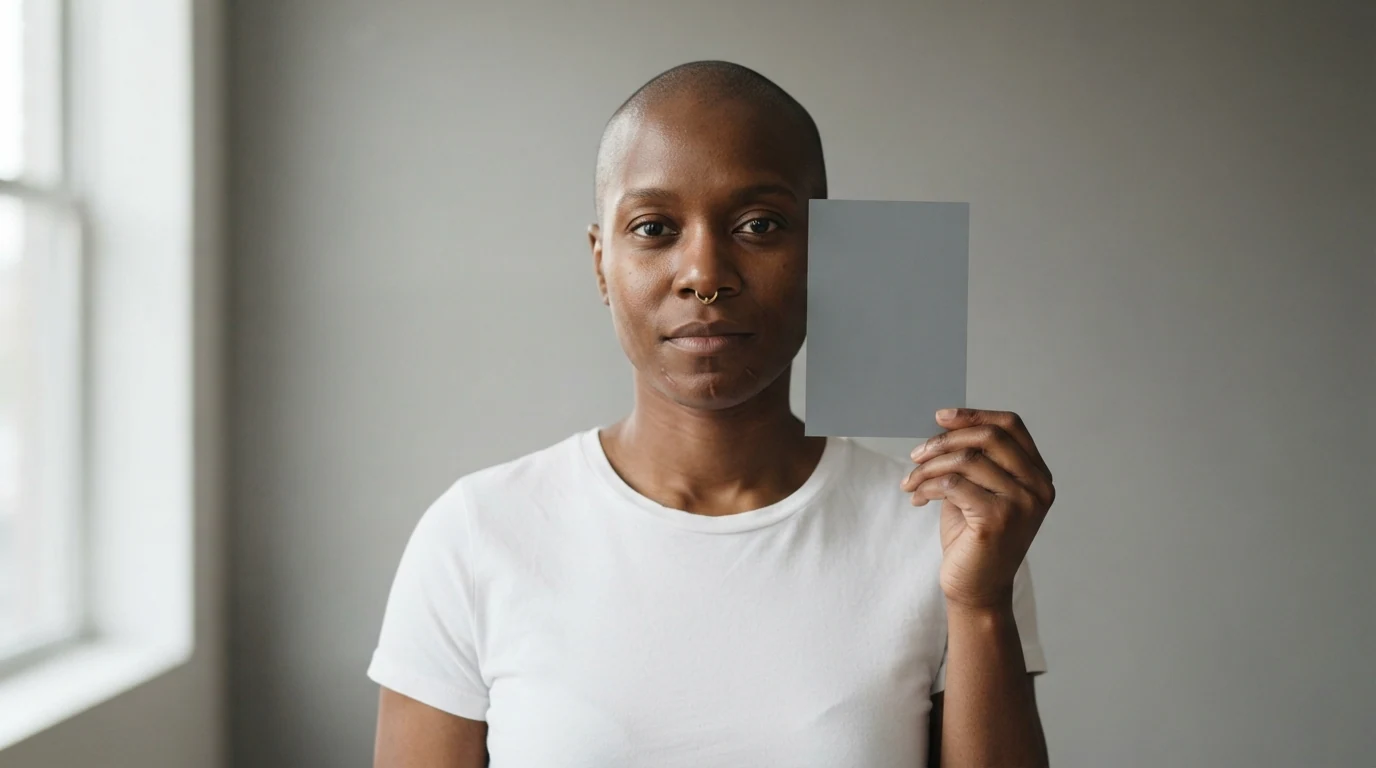
Grey card, white shirt and grey wall give three neutrals that should land in the center; neutral 5600K daylight stops the model warming everything, and moderate saturation keeps skin on the line.
Open FlashBoardsWidescreen night on a harbor pier: a lanky man in his twenties with a red buzz cut, pale freckled skin, a gap in his front teeth and a mustard-yellow raincoat stands under one warm 3200K tungsten lamp lighting his face. Water and sky behind him are deep teal. Warm light only on his face, teal only in the background, natural skin tone, 35mm lens at chest height.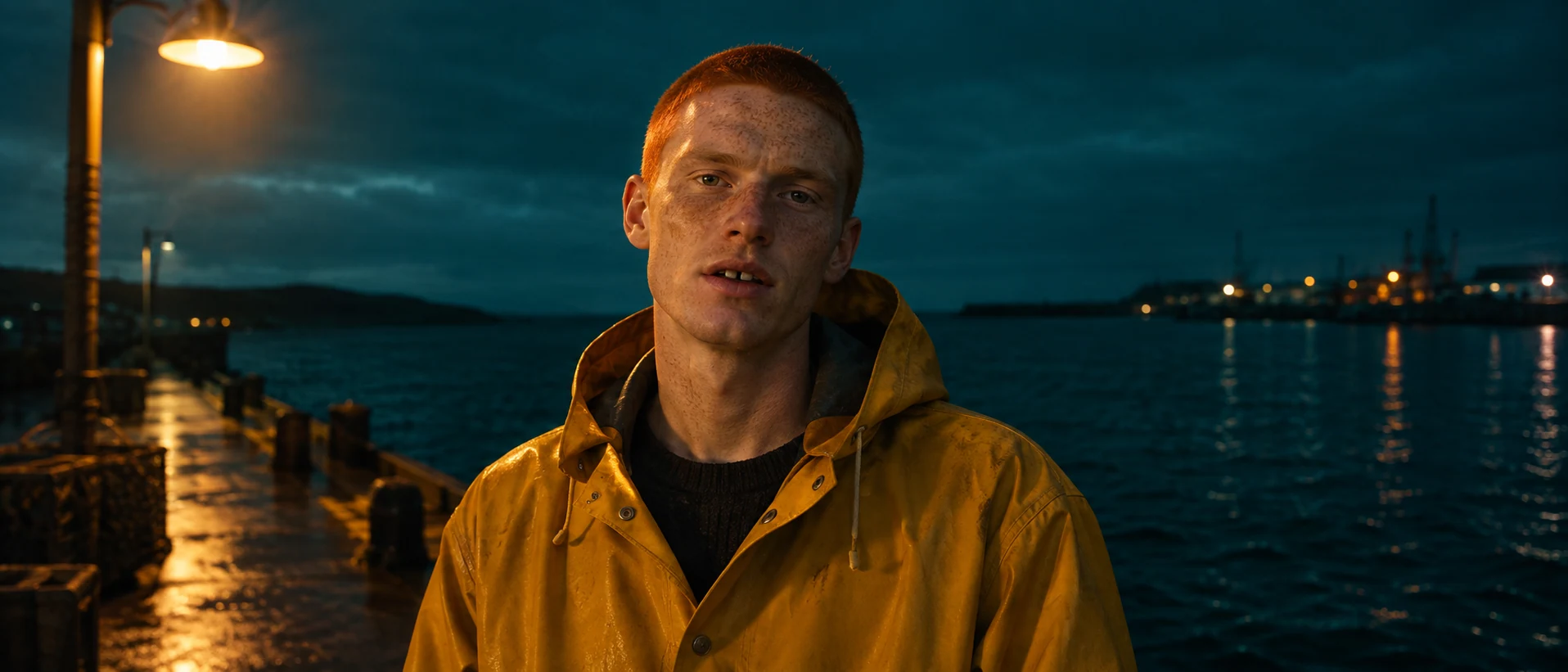
Warm only on the face and teal only behind gives two clean opposite arms with skin still on the line, instead of an orange face and a muddy overall tint.
Open FlashBoardsCamera: locked-off medium close-up at eye level, perfectly still. Action: She is already lowering the grey card from beside her face. She tucks it under her arm, looks into the lens and nods. She turns her head slowly toward the soft key light on camera-left, then back to the lens. The light stays soft and even on her and the grey wall.The card moves in the first frame, so the shot is alive at once. A locked-off camera and steady light make it a balance plate that reads the same on the scope in every frame.
Open FlashBoardsCommon mistakes
- Warm skin by default. Cinematic or golden pushes faces orange. Name the white balance and ask for natural skin.
- A tint over everything. Say which surfaces are warm and which are cool.
- No neutral to check. Put a grey card, white shirt or grey wall in frame.
- Fake scopes. Models invent graticules; measure real frames in your grading app.
Keep the reference frames, prompts and every generated take side by side — images and video in one canvas.
FAQ
5 questionsWhat is a vectorscope used for?
A vectorscope measures the color of a video image. Colorists and DPs use it to spot color casts by checking that neutrals sit in the center, keep skin tones on the skin tone line, match shots and cameras, and keep saturated colors inside delivery limits. Brightness is the waveform's job.
How do you read a vectorscope?
The center is no color. The angle of the trace shows hue, matching the six color targets around the circle; the distance from the center shows saturation. A trace shifted off-center means a color cast, long arms mean saturated colors, and a compact trace means a muted image.
What is the skin tone line on a vectorscope?
It is a line from the center toward the upper left, between the red and yellow targets, at roughly 11 o'clock. Skin of every complexion has nearly the same hue, so a balanced face makes an arm along it. Leaning toward magenta, faces look pink; toward yellow-green, sickly.
What is the difference between a vectorscope and a waveform?
A waveform shows brightness across the frame from left to right, so you set exposure, black level and contrast with it. A vectorscope shows only hue and saturation. Colorists read both: waveform for tone, vectorscope for balance, skin and saturation.
Can you use a vectorscope on AI-generated images?
Yes. Import the generated frame into any grading app with scopes and read it like camera footage. It shows whether the model tinted the image or pushed skin too orange. Then fix the prompt: name the white balance, a neutral object and which areas are warm or cool.
Related terms
3- Color TheoryColor
Color theory in film is the practical knowledge of how hue, saturation and brightness interact and how filmmakers use palettes, contrasts and color changes to guide the eye and shape emotion.
- Color SaturationColor
Saturation is how pure a color is — how far it sits from neutral grey; raising or draining it lets filmmakers build a vivid, heightened world or a muted, weary one.
- White BalanceCameras & Capture
White balance tells the camera which color of light to treat as neutral white — about 3200K for tungsten, 5600K for daylight — so skin and whites look natural, or are pushed deliberately warm or cool.
Further reading
Alexis Van Hurkman, Color Correction Handbook: Professional Techniques for Video and Cinema. Charles Poynton, Digital Video and HD: Algorithms and Interfaces.