 FlashBoards Learn
- Learn
- Camera Angles
- Shoulder-Level Shot
Camera Angles · Film language
Shoulder-Level Shot
Also called: shoulder height shot
A shoulder-level shot puts the camera at the height of the actor's shoulders, a hand's width below the eyes. The lens looks very slightly up, so the character feels a touch taller and more solid than at eye level, while the image still reads as a natural, unforced view.
- What it does
- Adds quiet weight and presence to a character without the obvious power statement of a low angle.
- Use it when
- A character should feel steady, capable or quietly in charge while the scene stays grounded and realistic.
- Watch out
- Too much upward tilt turns it into a low angle; nostrils and ceiling creeping in mean the lens is too low.
- Try this prompt
Shoulder-level medium close-up, camera at her shoulder height, lens nearly level, eyes in the upper third, 40mm
What is a shoulder-level shot?
A shoulder-level shot is defined by camera height, not shot size. The lens sits at the subject's shoulders, roughly 15–20 cm below the eyes, and stays level or tilts up only a few degrees. Because the optical axis runs through the shoulders, the eyes land above the center of the camera's perspective: the jawline reads a little stronger and the background horizon drops toward the chest.
In the camera angles ladder it sits between eye level above and hip level below, with the full low-angle shot further down. From hip level down, the angle itself becomes noticeable. It is most often paired with a medium shot or a medium close-up.
Why do filmmakers shoot at shoulder level?
Shoulder level is the angle of understated presence. Viewers don't notice they are looking up, but the character gains mass: broader shoulders, a higher head, more sky behind.
- Steady protagonists. Leads are often covered a little below eye level, so they carry a scene without looking like statues.
- Two-shots with weight. Side by side against the sky or rooftops, a pair feels substantial.
- Handheld realism. A camera on an operator's shoulder lands near the actor's shoulder-to-eye zone, so much handheld drama lives here.
- Quiet arcs. Moving a character's coverage from eye level down to the shoulders over a film shows growing confidence.
How to shoot a shoulder-level shot
Height. Set the center of the lens at the actor's shoulders: about 1.35–1.50 m for a standing adult, 0.95–1.10 m when seated at a table.
Tilt. Level, or up 2–5°. Past about 10° verticals converge and it becomes a low angle; door frames should stay nearly straight.
Lens. 35–50mm on full frame keeps the face natural. Wider lenses stretch the chin; long lenses flatten the height away.
Framing. With a level lens at shoulder height the eyes fall into the upper third on their own. If you must tilt hard to get them there, the camera is too low.
Gear. Tripod at mid-height, a dolly with a short riser, a shoulder rig with the operator crouching slightly, or a gimbal held at chest height for walk-and-talks.
Light. The lens sees a bit under the jaw, so add a low bounce or white card under the chin.
Shoulder-level shot vs. over-the-shoulder shot
A shoulder-level shot is a camera height. An over-the-shoulder shot is a composition: it frames one character past the back of another's shoulder and head.
The two often overlap, because the lens has to be near the foreground actor's shoulder for that shoulder to enter the frame. But a clean single can be shoulder level, and an over-the-shoulder shot can be rigged high or low. On a shot list, name both: "OTS on Maya, shoulder height" gives the crew framing and lens height.
Shoulder-Level Shot examples in film
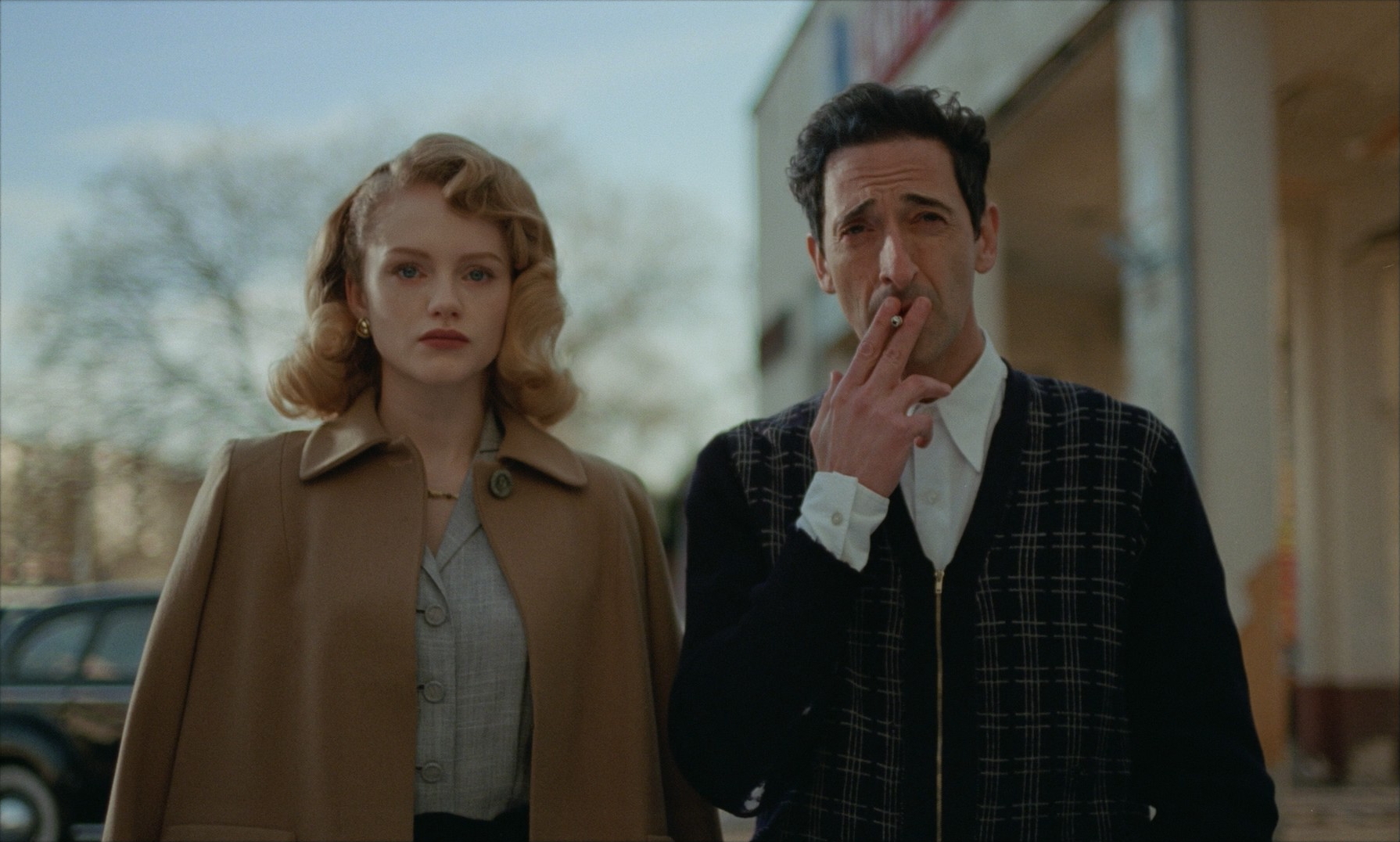
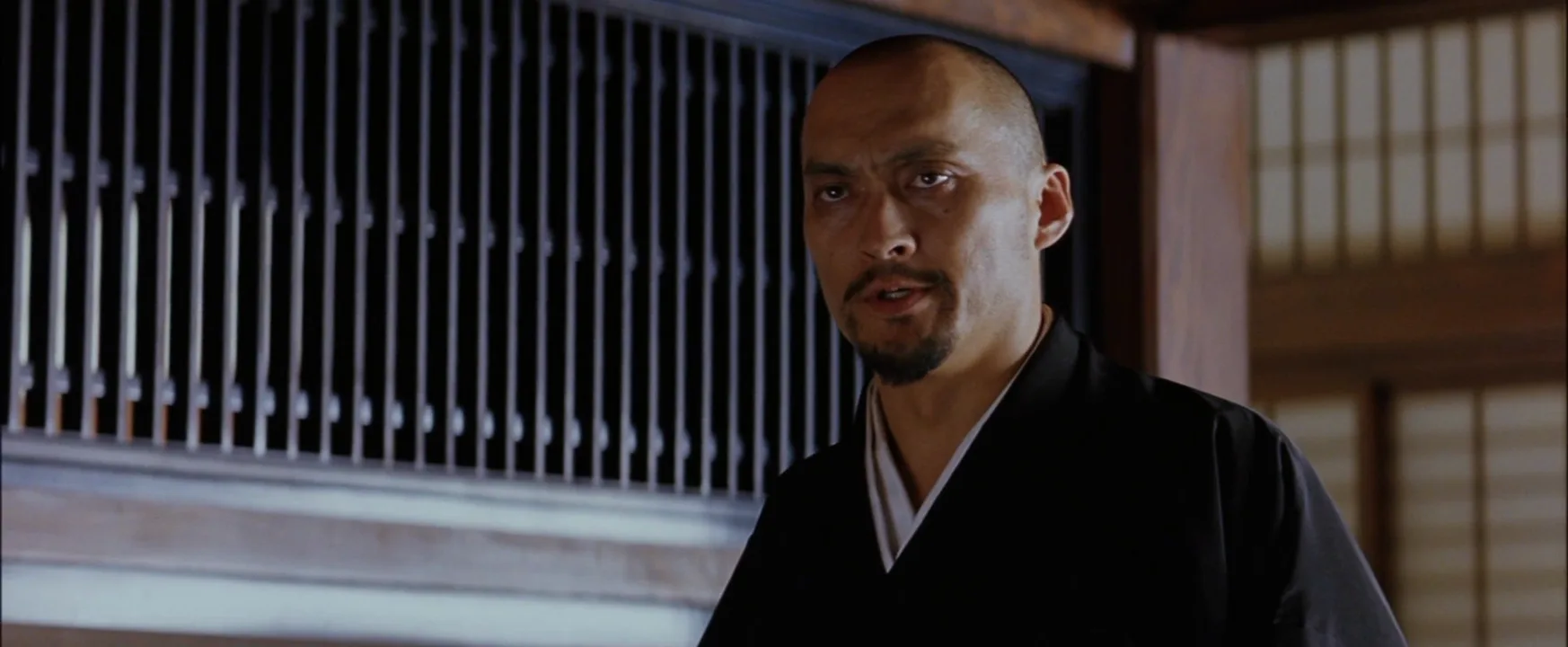
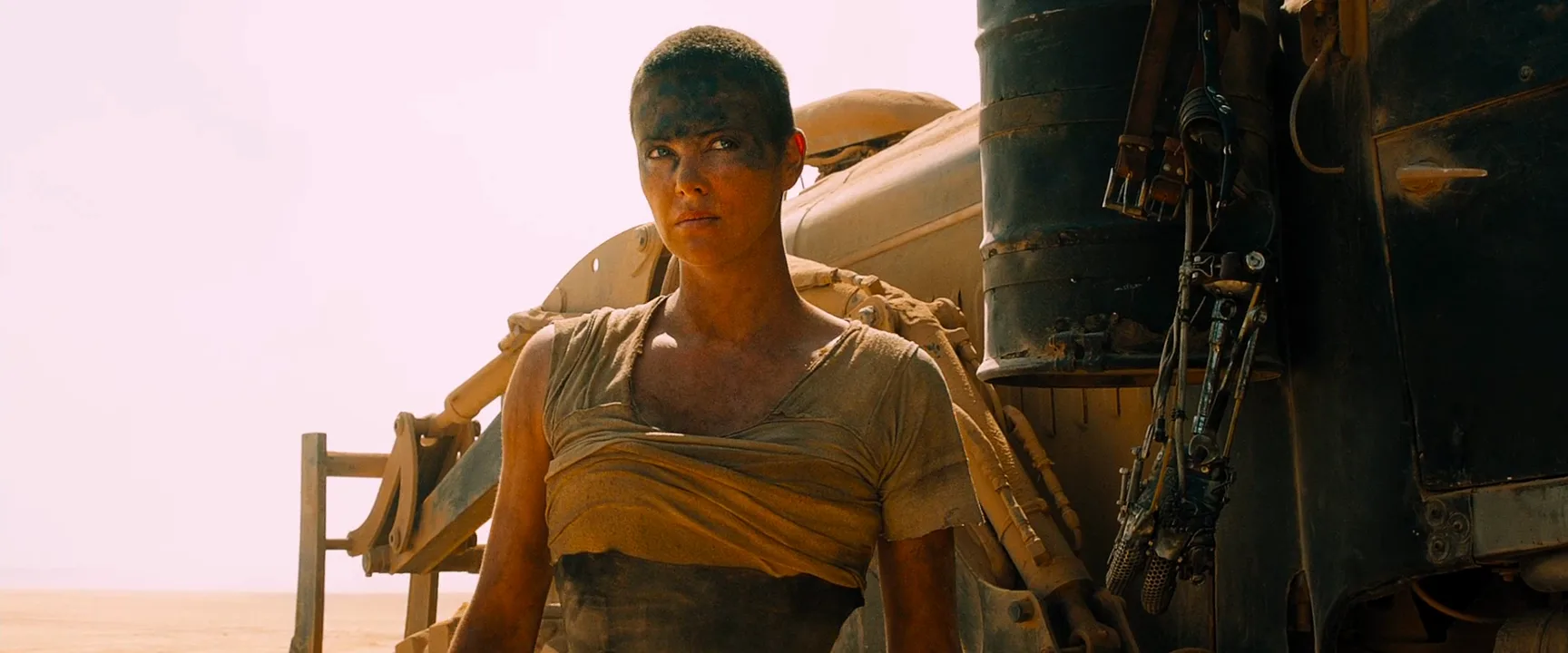
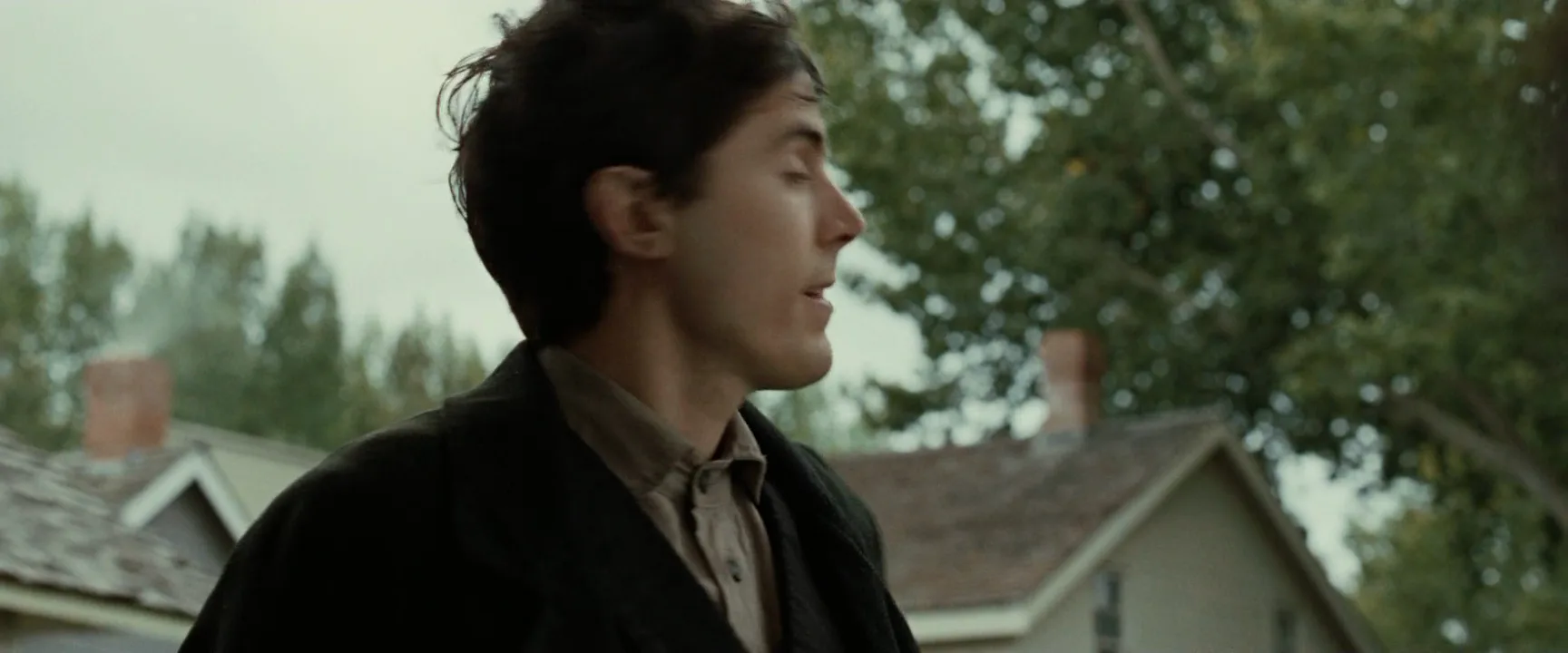
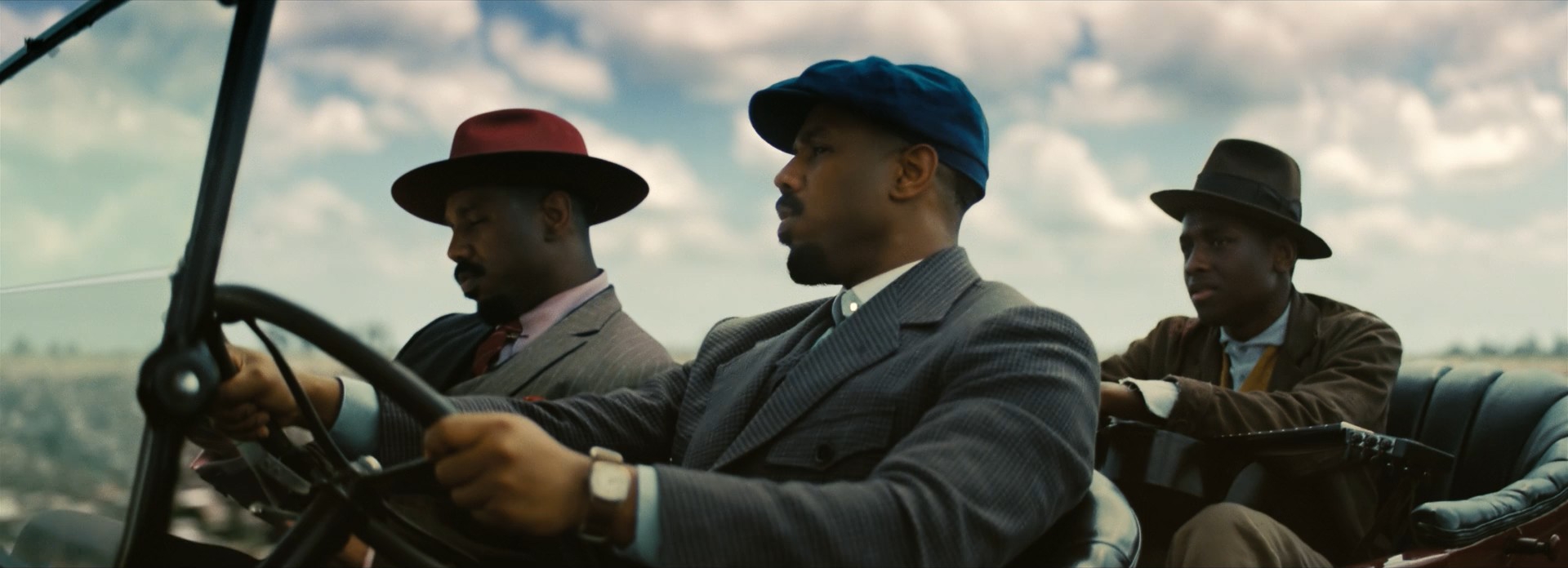
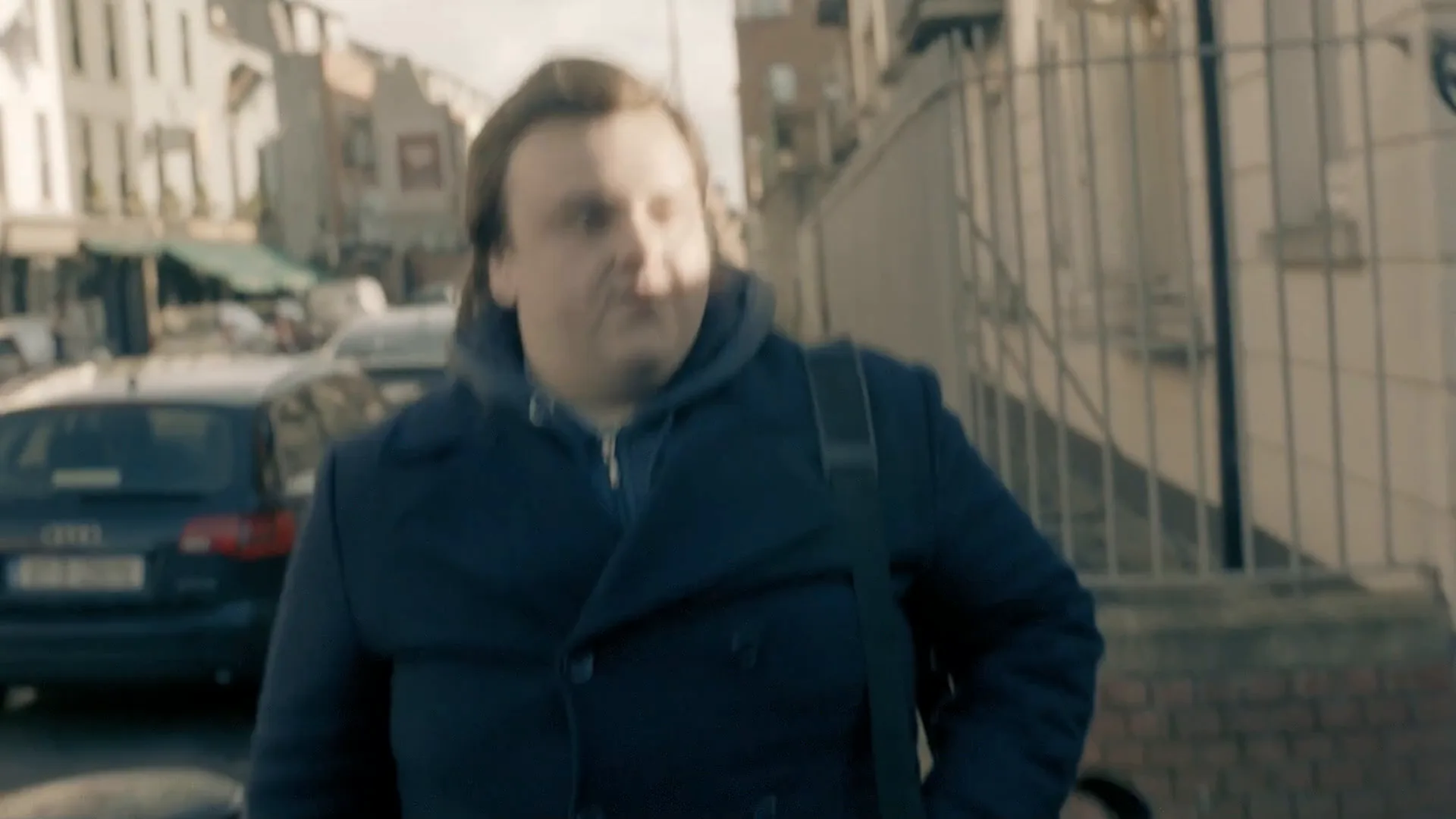
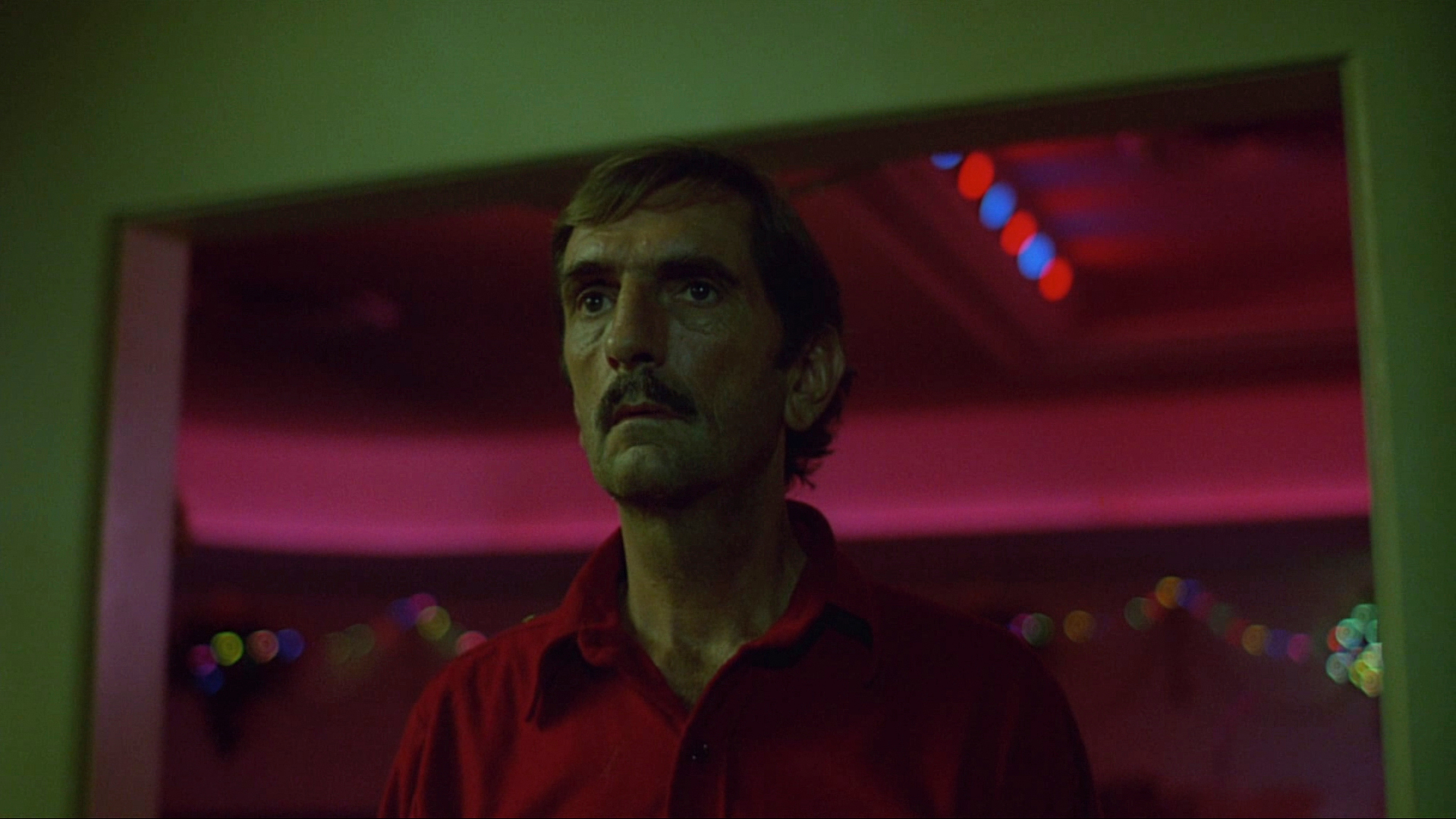
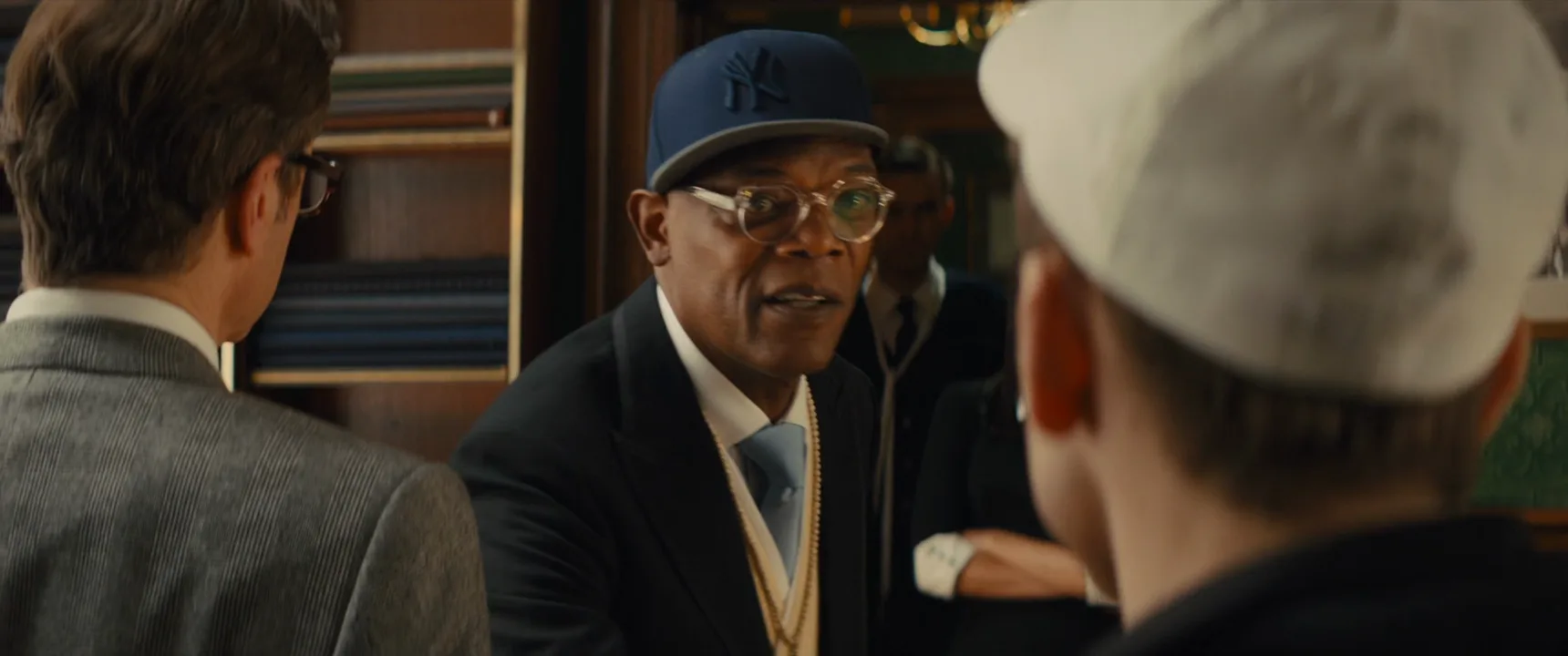
8 framesLook for eyes in the upper third, a horizon or background line near the chest, and verticals that stay almost straight.
How to create a shoulder-level shot with AI
4 promptsImage models default to eye level or jump to a dramatic low angle, so give the camera height in words plus a visible check. In FlashBoards, keep the reference frames, both takes and the animated shot on one board and compare them side by side. The fourth prompt re-shoots a real film shot from a text description alone, and the original plays next to the result so you can compare.
Shoulder-level medium close-up, camera at the man's shoulder height a hand's width below his eyes, lens almost level with a slight upward tilt, a man in his fifties with a close-cropped white beard, a crooked nose and deep-set grey eyes, wearing a charcoal wool coat with the collar up, standing on a harbor pier, his eyes in the upper third of the frame, sea horizon at chest height, overcast sky filling the space above his head, 40mm lens, soft diffused daylight, film still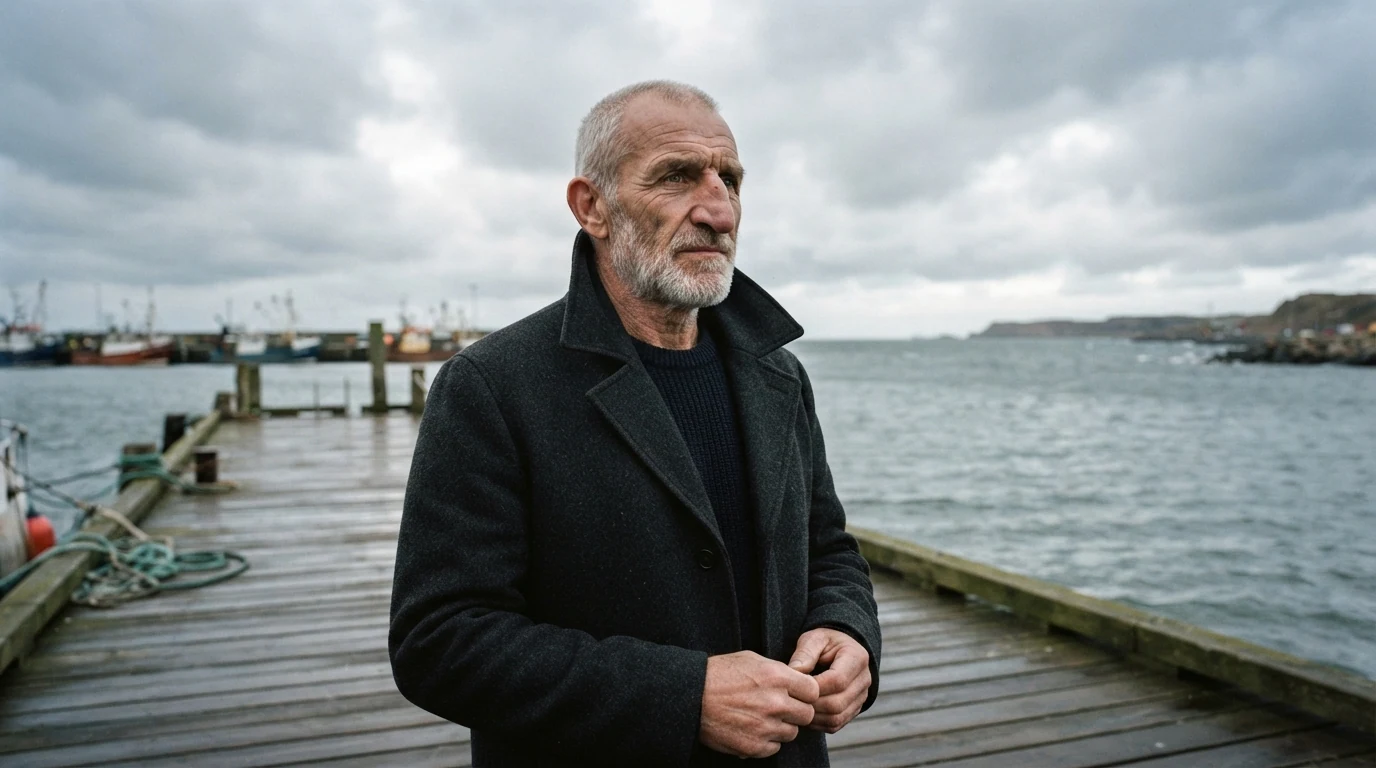
"Shoulder height a hand's width below his eyes" sets the height; "sea horizon at chest height" and "eyes in the upper third" are checks the model must satisfy. "Slight upward tilt" and 40mm keep it from turning heroic.
Open FlashBoardsShoulder-level two-shot across a diner booth, camera at the seated women's shoulder height, lens level, two women in their thirties facing each other in three-quarter profile: one with a shaved head, small gold hoop earrings and a green bomber jacket, the other with long copper braids and round tortoiseshell glasses, edge of the tabletop along the bottom of frame, pendant lamps visible above their heads, rainy window behind, 35mm lens, warm tungsten light, cinematic film still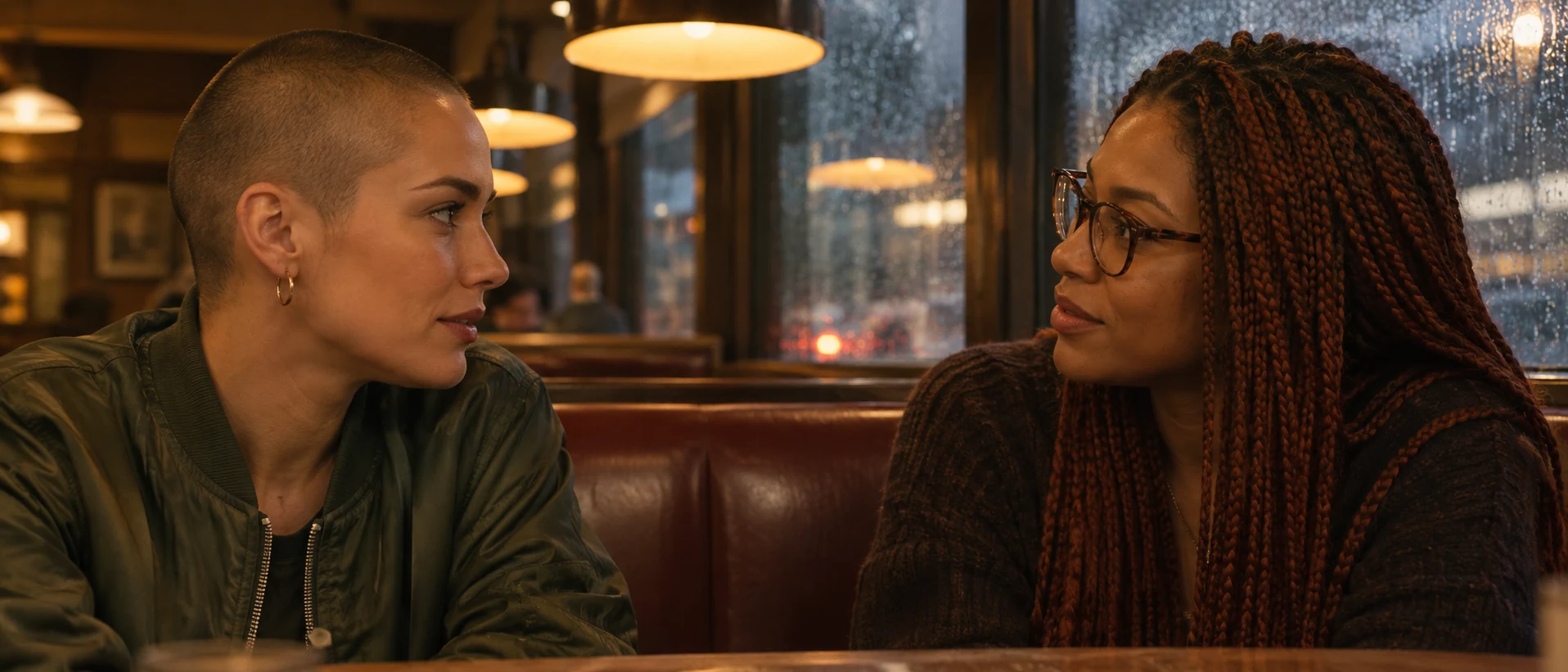
"Seated women's shoulder height" brings the camera down to about a meter, and "pendant lamps visible above their heads" forces the slice of ceiling a shoulder-level lens sees.
Open FlashBoardsCamera: slow, steady push-in at the man's shoulder height, camera height locked, slight upward tilt held constant, from medium close-up to close-up. Action: from the first frame the wind is moving his coat collar and beard, and he is turning his head from the sea toward camera left. In the middle he takes a slow breath and straightens his shoulders. At the end he holds still, eyes just off the lens to camera left, jaw set."Camera height locked, slight upward tilt held constant" stops the push-in drifting to eye level. Wind and the head turn make the shot alive from the first frame.
Open FlashBoards{
"output": "Full-screen live-action one single continuous shot from its very first frame, from Traders (2016): a handheld walking shot on a city pavement. Clean modern digital cinema look, muted cool-teal and beige grade, bright flat overcast daylight with soft shadowless light, a pale white sky, an Irish city street of two-storey terraced houses with small shops and green awnings receding into the distance, cars parked nose to tail along the kerb.",
"characters": {
"S1": {
"name": "Vernon Stynes, played by John Bradley",
"look": "heavy-set young man around thirty, round pale face, shaggy dark-brown hair to the collar swept to one side and tossed by the wind, a navy double-breasted wool pea coat buttoned over a navy hooded sweatshirt with the hood lying on his shoulders and a zip at the throat, a thin dark bag strap running down his chest from his left shoulder",
"voice": "no words; only heavy breathing from walking fast"
}
},
"shots": [
{
"shot": 1,
"camera": "handheld medium shot, the operator walking backwards in front of him at his pace, the lens held at his shoulder height, a hand's width below his eyes, nearly level with a slight upward tilt; the far end of the street and its vanishing point sit at his chin and collar, his eyes in the upper third, the top of his hair just under the top edge, the frame cut at his belly; 35mm lens; gentle handheld sway; the camera keeps the same distance as he advances toward it for the whole shot, so he stays in the centre of the frame while the street slides past behind him",
"action": [
"BEGINNING: alive from the first frame, S1 is already striding straight toward the camera along the pavement in the centre of the frame, a silver hatchback parked at the kerb on screen left and a tall grey metal railing along a stepped wall on screen right; his lips are parted and he breathes hard, eyes flicking past the lens to screen left; his left hand, on screen right, hangs low by his coat pocket.",
"THEN: without breaking stride he lifts his right hand, on screen left, presses the palm to his forehead with his eyes closing, and drags his fingers back through his hair, head tipping toward screen left.",
"THEN: he flings that right hand out and down toward screen left in a short, frustrated flick, fingers spread, and it drops out of frame at his side.",
"THEN: he glances over to screen right twice, brows raised, worried, lips parted, puffing; a dark-blue estate car parked on screen left slides past behind him.",
"THEN: he faces forward again and looks just past the lens, mouth half open with quick breaths.",
"THEN: his head turns toward screen left, to the road, and a small private smile crosses his face; a cream wall covered in spray-painted tags and a grey utility box slide in on screen right.",
"THEN: the smile fades; he drops his chin and eyes to the pavement, cheeks puffed, lips pressed shut.",
"THEN: he lifts his eyes and stares straight ahead past the lens, jaw set, determined; bicycles locked to a rack appear at the right edge of the frame.",
"END: still walking toward the camera, he turns his head sharply toward screen left, over his right shoulder, looking at the road as if about to cross; his left hand stays low at his side and the lens stays at his shoulder height to the last frame."
],
"voice": "silence: nobody speaks in this shot, no voice at all",
"dialogue": []
}
],
"sound": {
"ambience": "a busy city street around him: cars passing on the road, his footsteps on the pavement, his fast heavy breathing, a light wind",
"speech": "no words in this video; the only human sounds are breaths and movement",
"never_spoken": "no narration and no voice-over: the descriptions, performance notes and step words of this prompt are never spoken aloud",
"music": "a film score under the scene, always below the voices: a restless low synth pulse with a ticking hi-hat over a dark bass drone, nervous and driving",
"subtitles": "none"
}
}Remakes the handheld walking shot of Vernon from Traders (2016), dir. Rachael Moriarty, Peter Murphy, DP Peter Robertson, carrying over the shoulder-high lens backing away in front of him, the hand dragged through his hair, the worried glances and the street sliding past behind him.
The camera field pins the lens "at his shoulder height, a hand's width below his eyes" and adds the article's own check, the street's vanishing point at his chin and collar, so the height holds through ten seconds of handheld walking. The steps keep the original's beats in order, with each hand and glance named by screen side. Vernon never speaks in the shot, so the prompt says so outright and keeps only his breathing under a nervous synth score.
Open FlashBoardsCommon mistakes
- Drift to eye level. "Medium close-up" alone gives an eye-level lens. Name the shoulders and add a check like the horizon at chest height.
- Overshooting into a low angle. "Heroic" or "powerful" pulls the camera to the knees; describe height and a slight tilt instead.
- Leaning verticals. Add "lens almost level, verticals straight".
- Seated subjects from standing height. Say "seated shoulder height".
Keep the reference frames, prompts and every generated take side by side — images and video in one canvas.
FAQ
4 questionsWhat is a shoulder-level shot?
A shoulder-level shot places the camera at the subject's shoulders, slightly below the eyes, with the lens level or tilted up a few degrees. The character gains a little stature and presence compared with eye level, yet the view still feels natural rather than dramatic. It is usually paired with a medium shot or medium close-up.
Is a shoulder-level shot the same as an over-the-shoulder shot?
No. Shoulder level describes camera height; an over-the-shoulder shot describes a composition that frames one character past the back of another's shoulder and head. They often overlap, since the lens must be near shoulder height for the foreground shoulder to enter frame, but a clean single can be shoulder level too.
How high should the camera be for a shoulder height shot?
Put the center of the lens at the actor's shoulders: about 1.35–1.50 m for a standing adult and roughly 0.95–1.10 m for someone seated. Keep the lens level or tilt up 2–5 degrees. If you need a strong tilt to keep the eyes in frame, the camera is too low.
Is a shoulder-level shot a low angle?
Technically it is slightly below eye level, but it does not read as a low angle. A low-angle shot visibly looks up, with converging verticals and a looming subject. Shoulder level keeps verticals nearly straight and adds only a small lift, so viewers sense a sturdier character rather than a camera position.
Related terms
5- Over-the-Shoulder ShotCamera Shots
An over-the-shoulder shot looks at one character past the back of another's shoulder and head, keeping both in frame so a conversation feels connected and spatially anchored.
- Eye-Level ShotCamera Angles
An eye-level shot places the camera at the height of the subject's eyes, looking straight on, producing a neutral, natural view that neither empowers nor diminishes the character.
- Hip-Level ShotCamera Angles
A hip-level shot places the camera at the height of the character's hips, emphasizing hands, belts and holsters — the classic standoff angle of westerns — and giving figures a slight heroic lift.
- Low-Angle ShotCamera Angles
A low-angle shot looks up at the subject from below eye level, making them loom larger against the ceiling or sky — used for power, menace or heroism, or to make a space feel monumental.
- Medium Close-UpCamera Shots
A medium close-up frames a person from roughly mid-chest to just above the head — close enough for facial expression, loose enough to keep shoulders and a bit of the setting; it is the workhorse of dialogue coverage.
Further reading
Blain Brown, Cinematography: Theory and Practice (Routledge) — chapters on camera height and angle. Gustavo Mercado, The Filmmaker's Eye (Focal Press).