 FlashBoards Learn
- Learn
- Camera Shots
- Over-the-Shoulder Shot
Camera Shots · Film language
Over-the-Shoulder Shot
Also called: OTS, OSS, over-shoulder shot
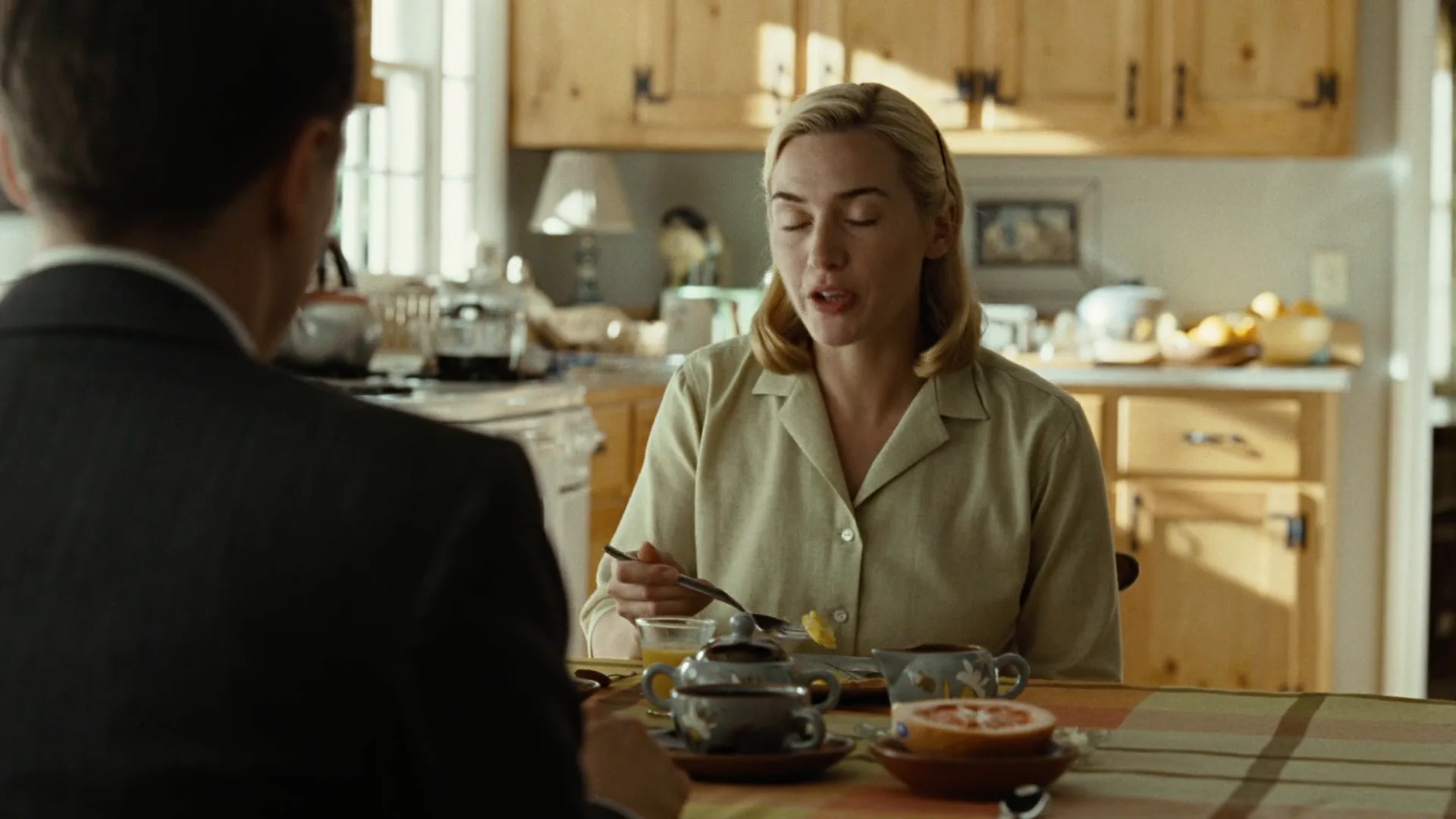
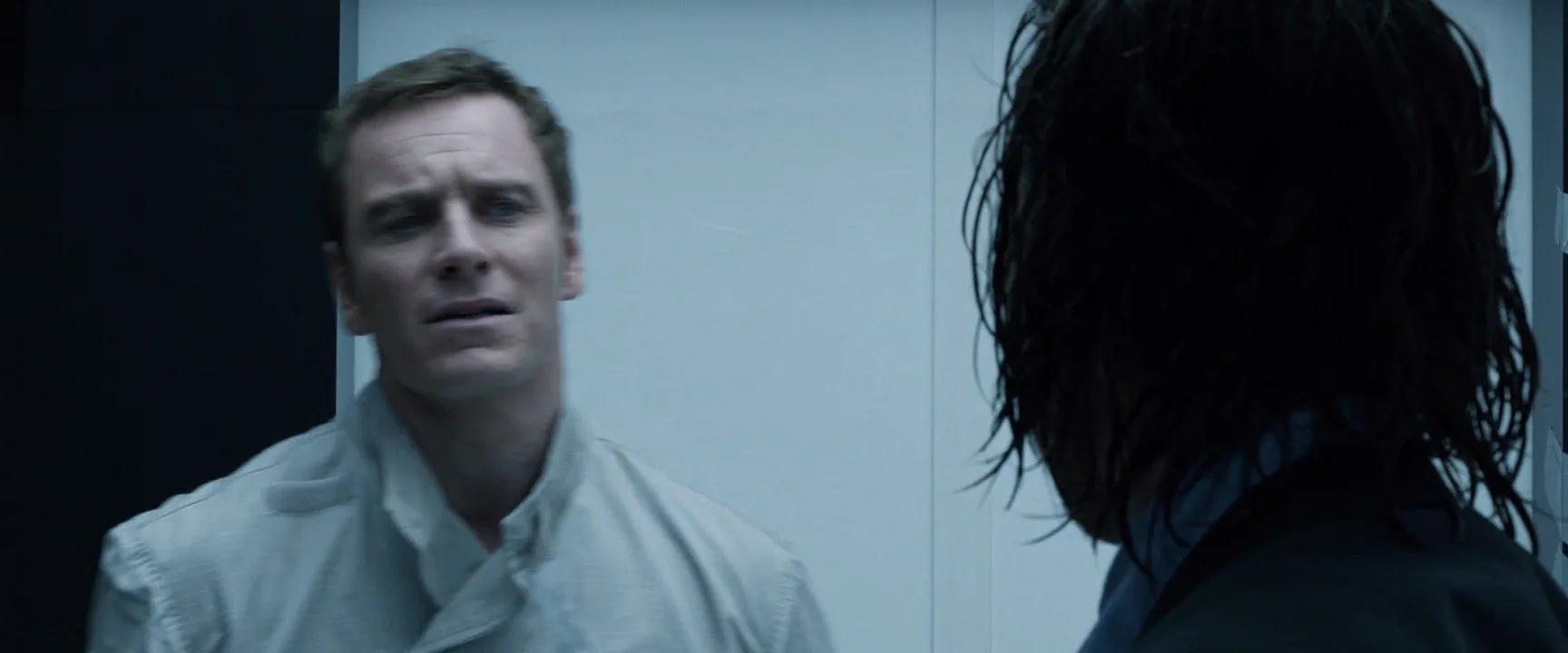
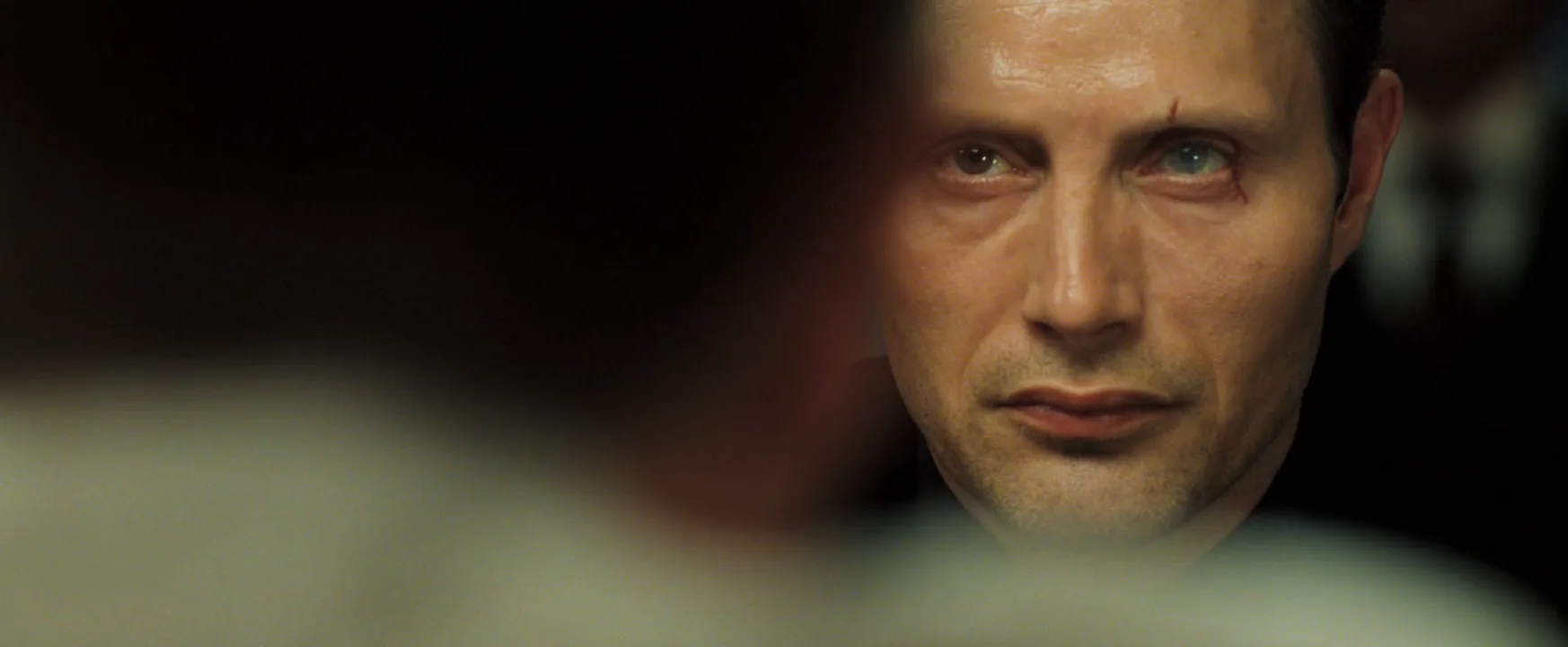
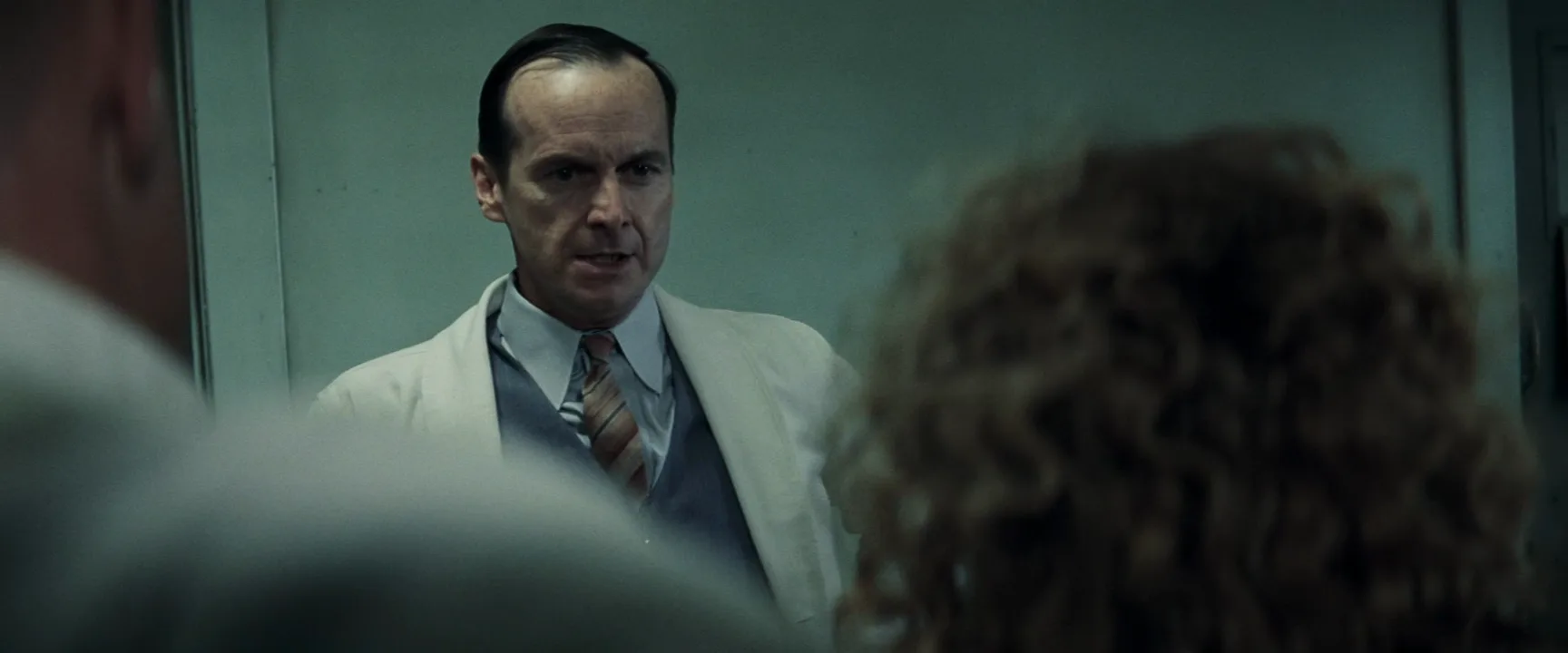
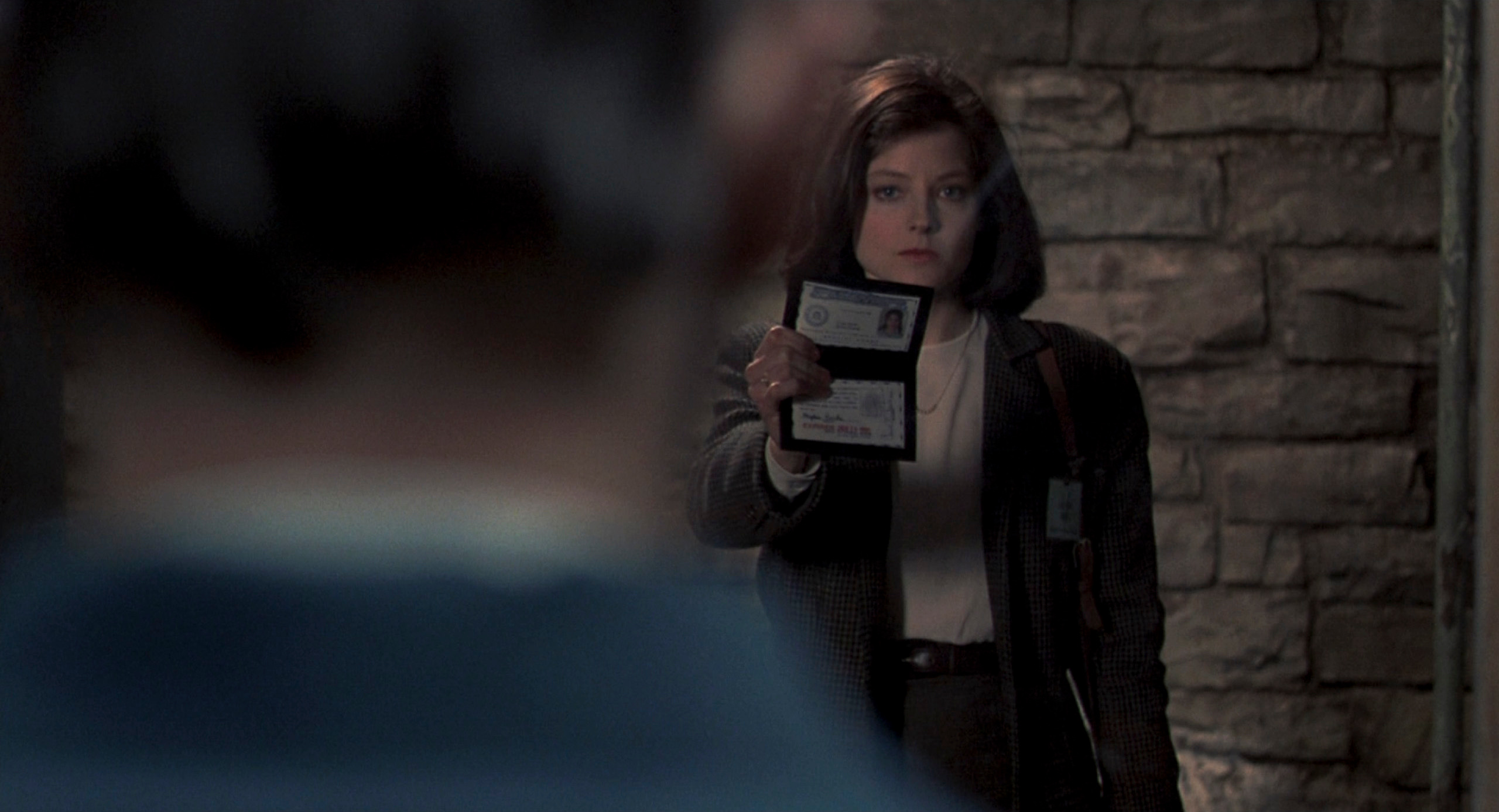
An over-the-shoulder shot frames one character from behind another character's shoulder and head, so the listener sits soft in the foreground while the speaker faces the lens. It keeps both people in one frame, fixes where they stand, and makes a conversation feel like a connection between two bodies rather than two separate portraits.
- What it does
- Keeps both sides of a conversation in one frame, anchoring geography and eyelines while favoring one face.
- Use it when
- Covering dialogue, confrontations or any moment where the relationship matters as much as the speaker.
- Watch out
- Match lens, height and size on the reverse, and stay on one side of the 180-degree line.
- Try this prompt
Over-the-shoulder shot, 85mm, eye level: back of a man's head soft in the left third, woman facing camera in sharp medium close-up, looking just past the lens
What is an over-the-shoulder shot?
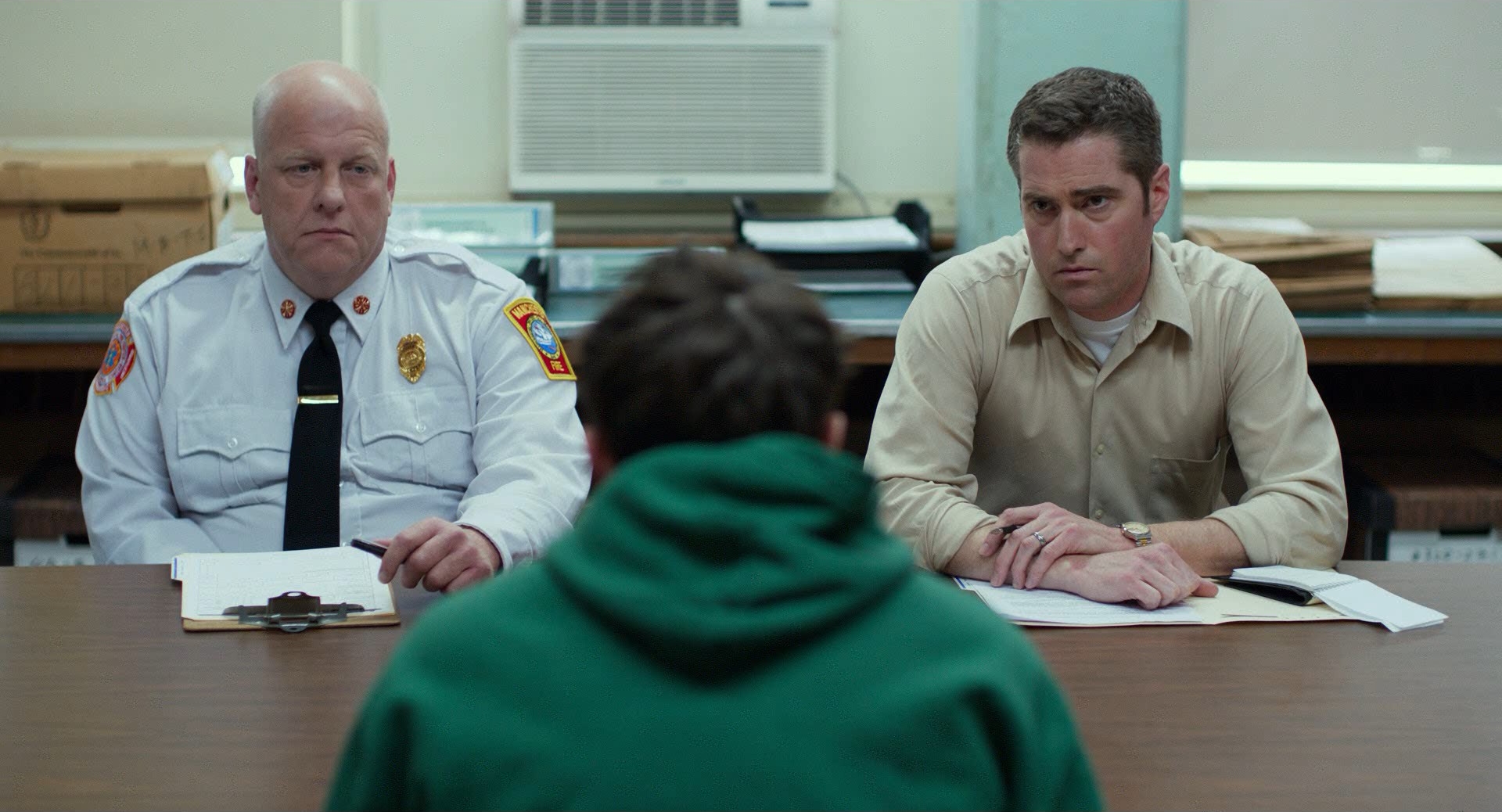
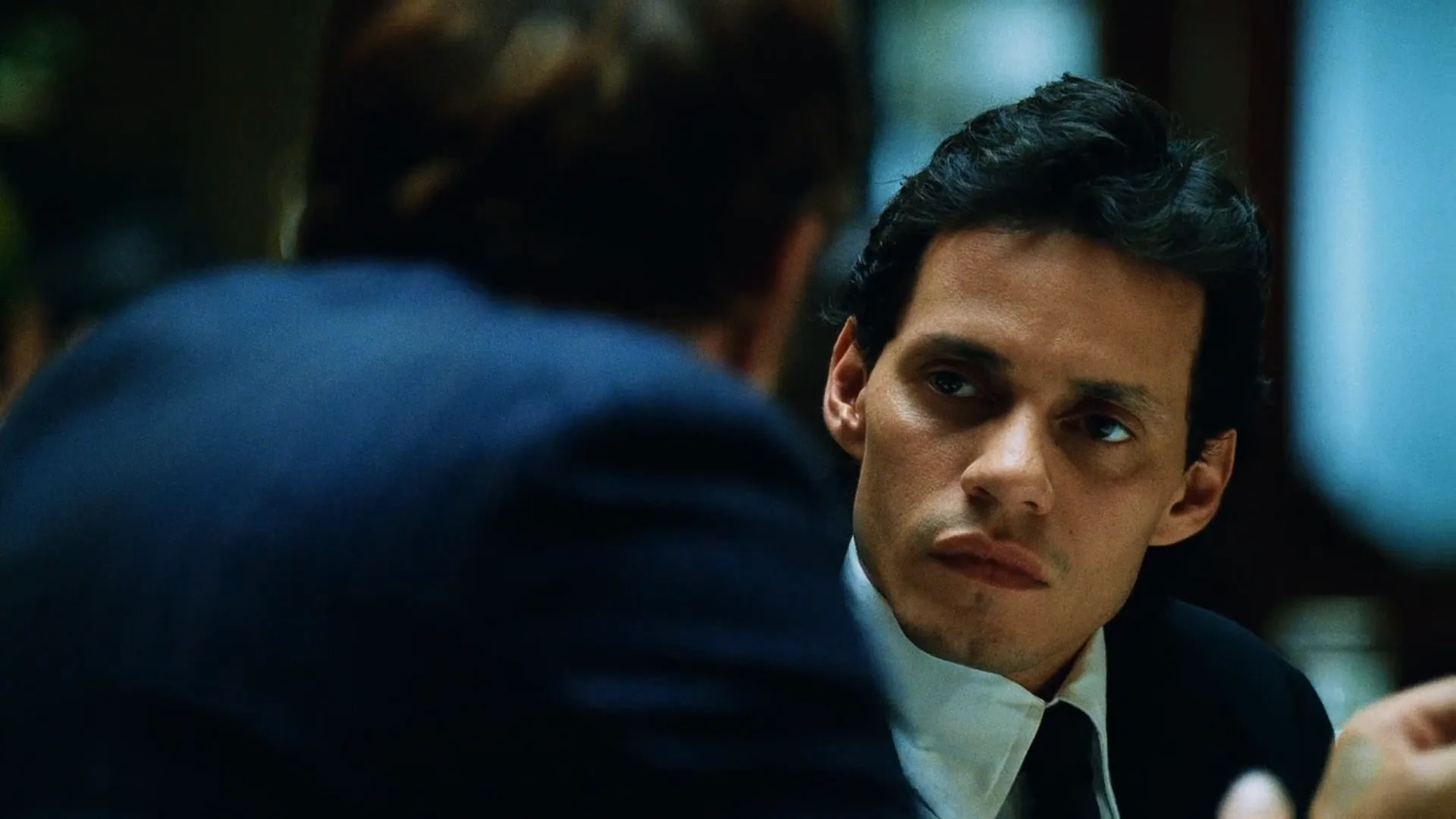
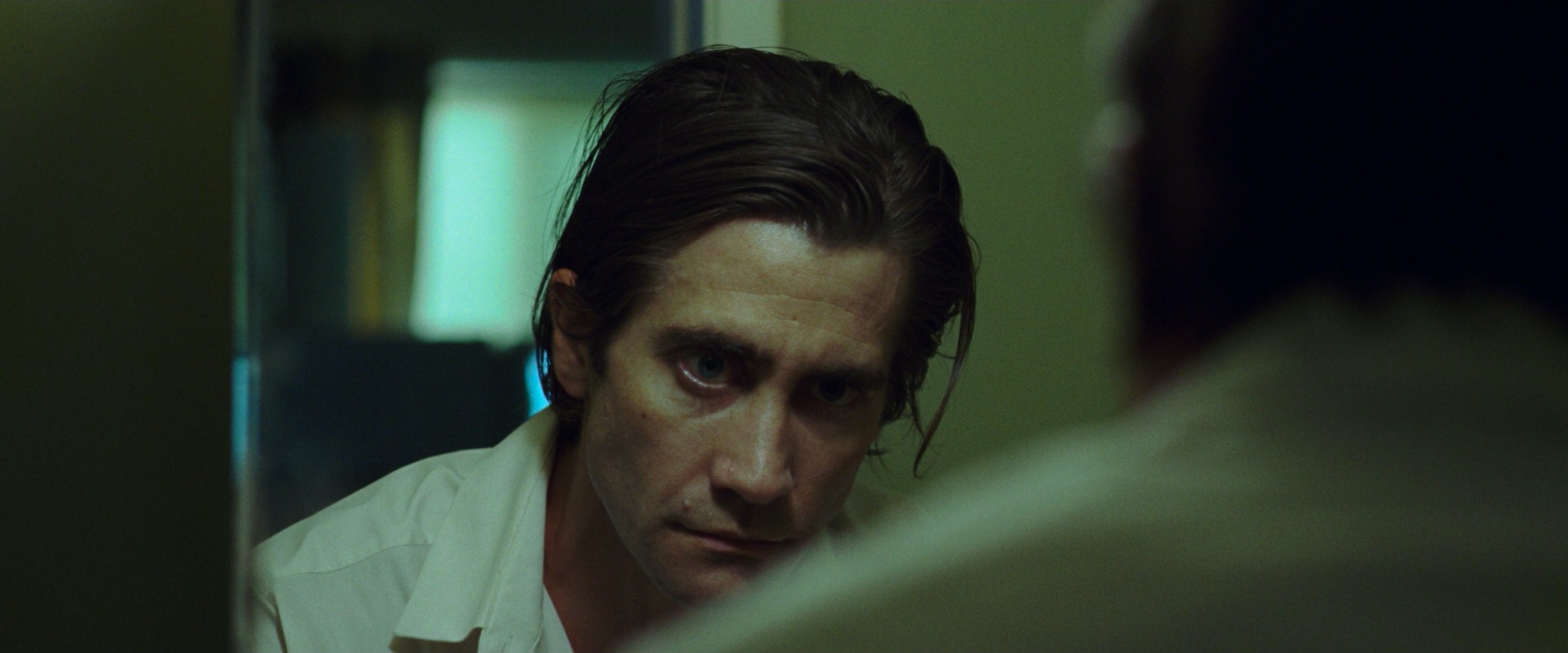
An over-the-shoulder shot (OTS, sometimes written OSS) places the camera behind one character and aims past their shoulder and the back of their head at a second character, who is the real subject of the shot. The foreground figure usually takes a quarter to a third of the frame, dark or out of focus; the subject is sharp, turned roughly toward the lens and framed as a medium close-up or a close-up.
Three things define it:
- Two people, one frame. The shoulder is the other half of the relationship; remove it and you have a single.
- A foreground wedge. Shoulder, ear or hair add a layer of depth and push the subject into the remaining space.
- A partner shot. An OTS almost always has a twin: the reverse angle from behind the other character. Cutting between the two is the backbone of shot reverse shot.
In the camera shots vocabulary it is the default dialogue setup. A typical scene gets a wide master, a matched OTS pair, then tighter singles.
Why do filmmakers use over-the-shoulder shots?
Geography. Because the listener stays in frame, the audience always knows where both people are and which way each is facing. The subject's gaze has a visible target, so every eyeline match reads instantly.
Presence. The listener never leaves the scene. The speaker's words land on a body we can see, which makes a conversation feel shared rather than performed to the camera.
Alignment without POV. Standing behind a character puts us on their side of the table. We share their position, so the scene quietly takes their perspective.
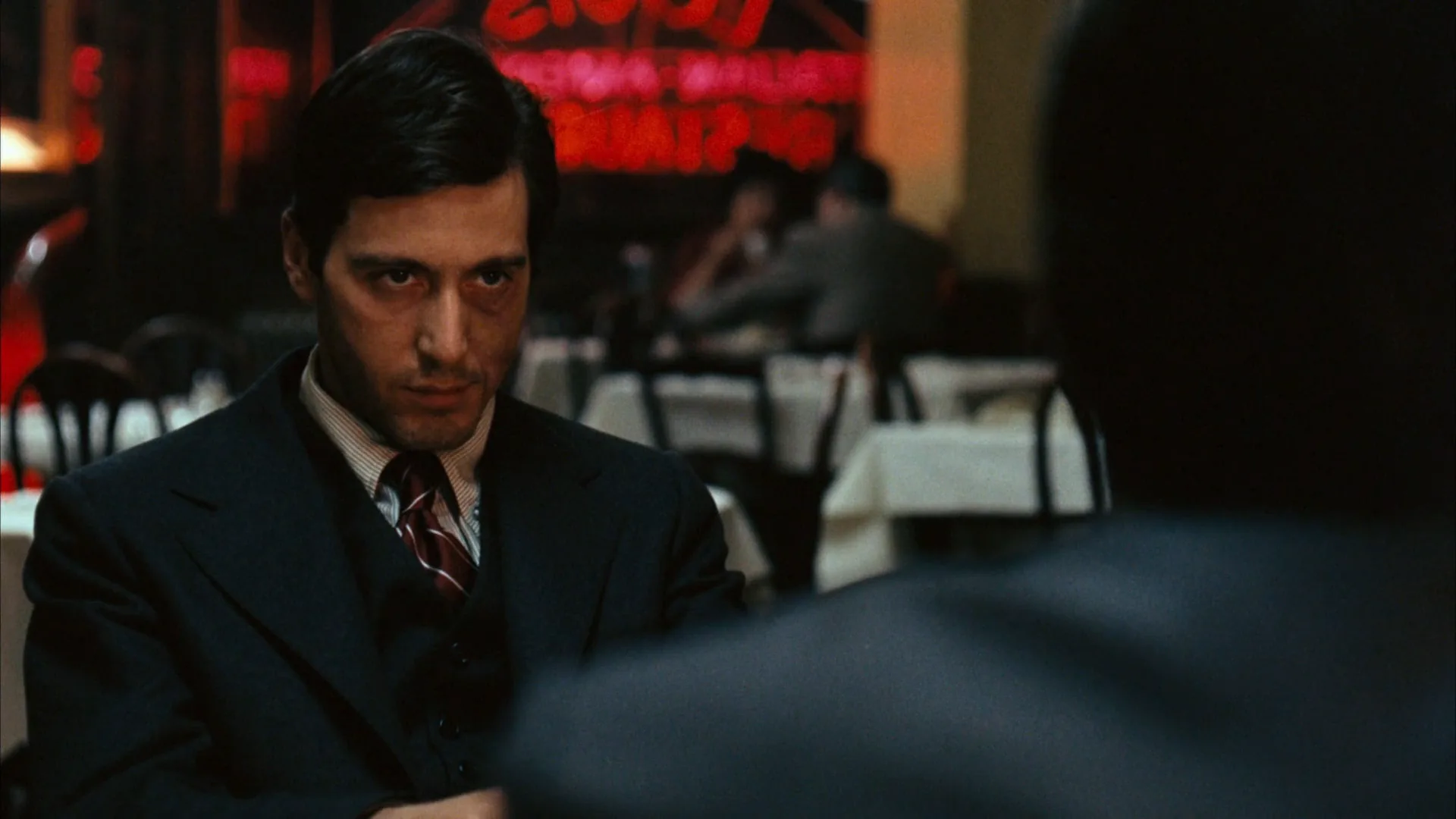
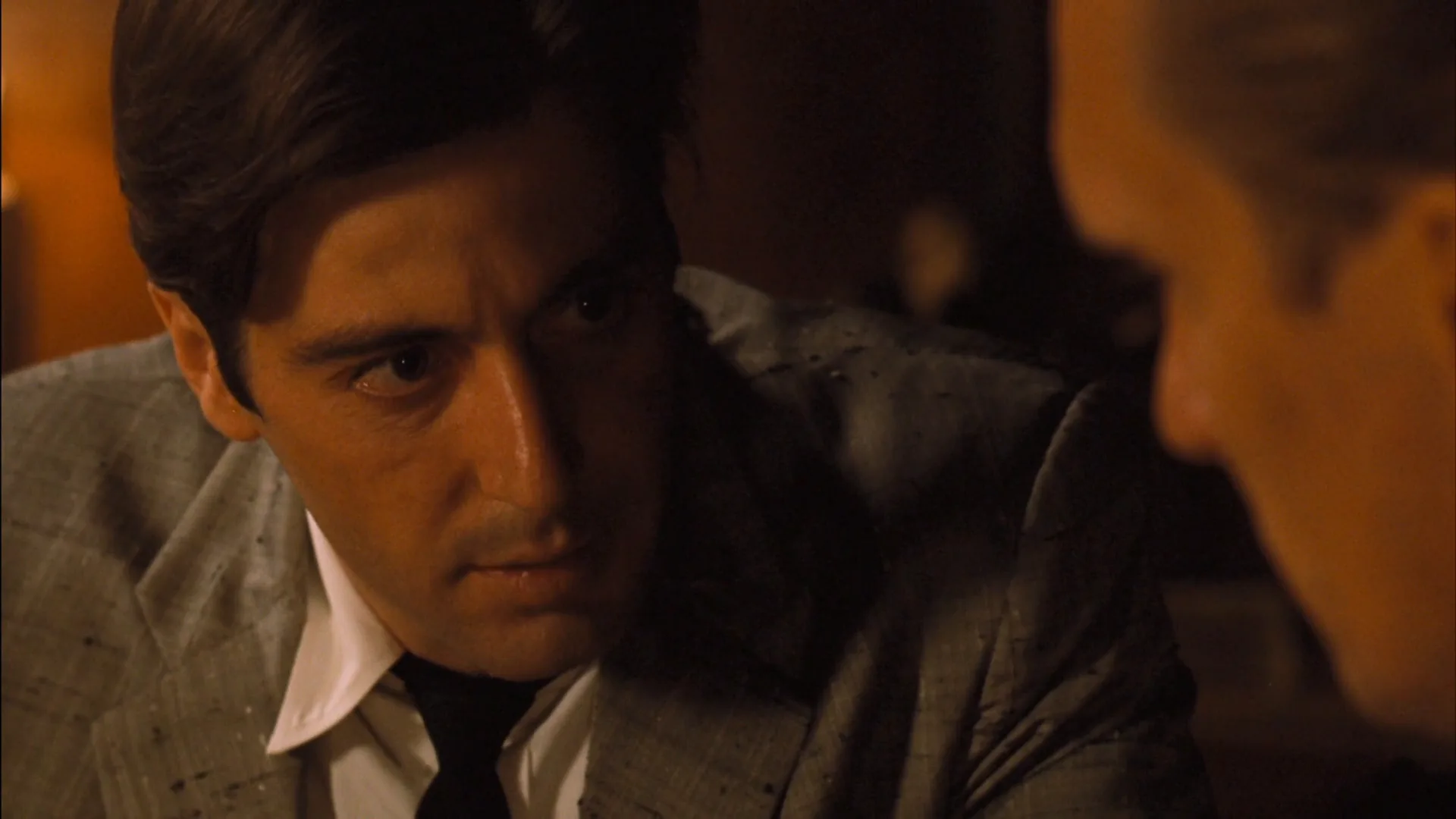
Weight and power. How much shoulder you show is a dial. A large, dark shoulder that fills half the frame looms over the subject; a sliver at the edge lets the subject dominate. The slow zoom-out that opens The Godfather (1972) ends with the Don's shoulder and hand in the foreground: we learn who holds power in the room before we see his face. Jonathan Demme went the other way in The Silence of the Lambs (1991), letting Lecter and Clarice speak almost straight into the lens in clean singles, with no shoulder to buffer the audience.
Editorial freedom. The foreground character's mouth is hidden, so an editor can lay their lines, pauses or reactions over the OTS and shape rhythm without sync problems. It is one of the most useful tools in editing a dialogue scene.
How to shoot an over-the-shoulder shot
Lens. A 50–85mm on a Super 35 sensor (roughly 65–100mm full frame) is the classic range. Longer focal lengths compress the two actors together and keep the shoulder soft; a wide lens close to the shoulder makes it bulge and pushes the subject away. A telephoto lens from farther back gives the most intimate, stacked look.
Position. Put the camera one to two feet behind the foreground actor and slightly outside their shoulder, with the lens just above the shoulder line. The closer the camera sits to the line between the two actors, the more frontal the subject's face and the more intense the shot.
Height. Eye level of the subject is the neutral choice. If the foreground actor is much taller, shooting over their shoulder naturally tilts down on the subject; cheat the camera lower or put the shorter actor on an apple box unless you want that imbalance.
Framing. Subject on one third, shoulder on the opposite edge. Keep a clear gap of background between the back of the head and the subject's face, and don't let the foreground ear or cheek cut into their eyes.
Focus. Subject sharp, shoulder soft. Around T2 to T2.8 on a 75mm gives enough shallow depth of field to separate the planes without losing the foreground as a readable shape.
Light. Key from the far side of the subject's face (the side away from camera) so the face models and the foreground shoulder falls into darker tone.
Blocking. Actors are often cheated closer together than they would stand in life. Keep the off-camera actor present when you can; the subject plays better to a real performance.
How to match the reverse angle
An OTS is only as good as its partner: the cut between them should feel like turning your head, not a jump.
- Stay on one side of the line. Both setups must respect the 180-degree rule: if A looks screen-left in her shot, B looks screen-right in his. Cross the line and the two appear to be facing the same way.
- Mirror the composition. Subject on the right third in one shot, left third in the other; the shoulders sit on opposite edges.
- Match lens, distance and height. Unequal sizes make one character feel more important. Make that a choice, not an accident.
- Plan the progression. A common pattern in coverage is to shoot the master shot, then loose OTS pairs, then tighter OTS or clean singles. The editor moves closer as the scene heats up and saves the tightest sizes for the turning point.
- Cross-shooting is tricky. Two cameras shooting both reverses at once tend to see each other, so many crews cross-shoot singles and shoot the OTS pair one side at a time.
Types of over-the-shoulder shots
- Loose OTS. A large foreground figure and a waist-up subject, halfway to a two shot; good for opening a scene.
- Tight OTS. Only an ear or a lock of hair remains and the subject is in close-up; it plays almost like a single but keeps the listener present.
- High and low OTS. Shooting over a standing character onto a seated one (or the reverse) builds status into the angle: the camera looks down on one and up at the other.
- Moving OTS. The camera follows behind a walking character and settles as they reach the person they approach.
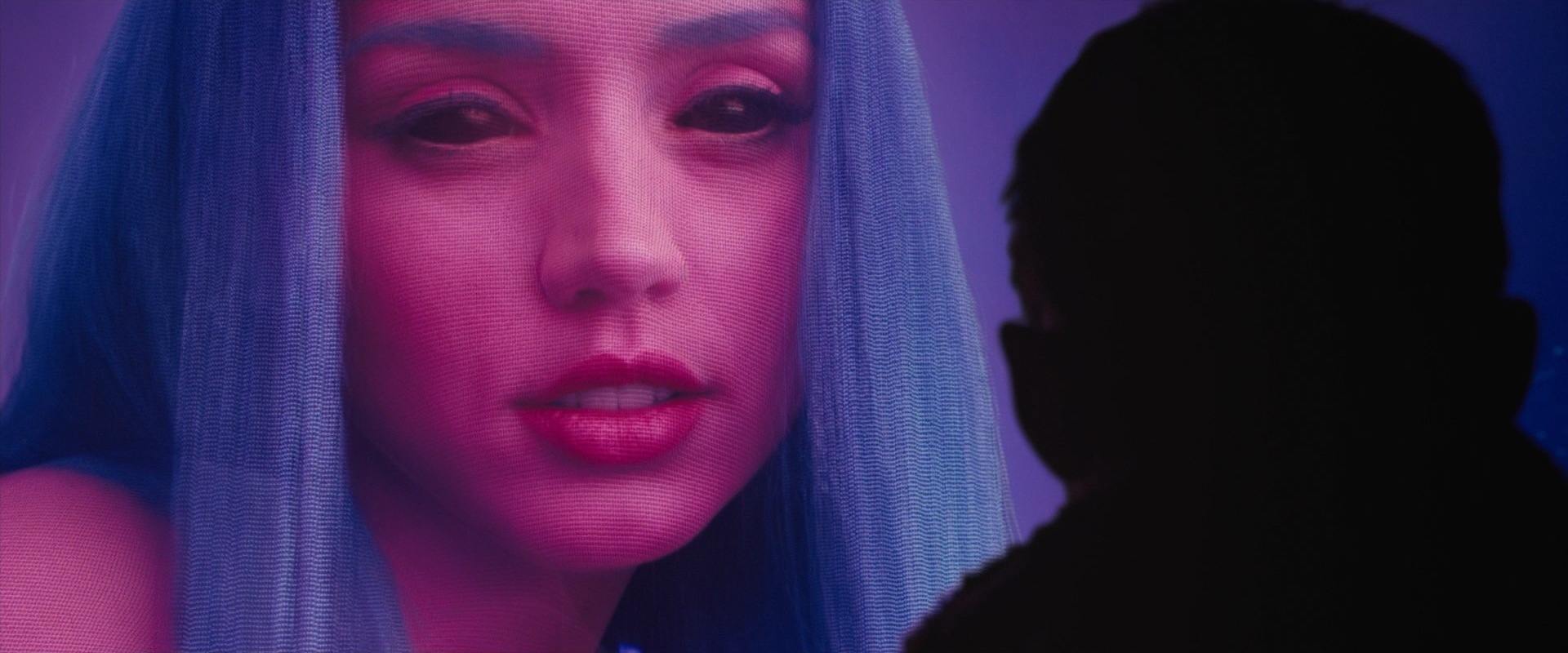
- OTS onto an object. The same framing works when the subject is not a person: a screen, a painting, a window onto a city. The shoulder tells us who is looking, and the rest of the frame shows what they see.
Over-the-shoulder shot vs. single shot and POV shot
A single shot is built around one character. A clean single has nobody else in frame; a dirty single keeps a sliver of the scene partner at the edge. The line between a dirty single and a tight OTS is blurry: if the foreground reads as a person with a head and shoulder, it is an OTS; if it is only an unreadable soft shape, it is a dirty single. Singles isolate a face; OTS shots keep the relationship in view.
A POV shot goes one step further: the camera stands in the character's eyes, so their shoulder disappears and the subject looks toward the lens as if at us. The OTS puts us beside a character; the POV puts us inside them. Cutting from an OTS to a POV at the key moment pulls the audience fully into one person's experience.
Over-the-Shoulder Shot examples in film
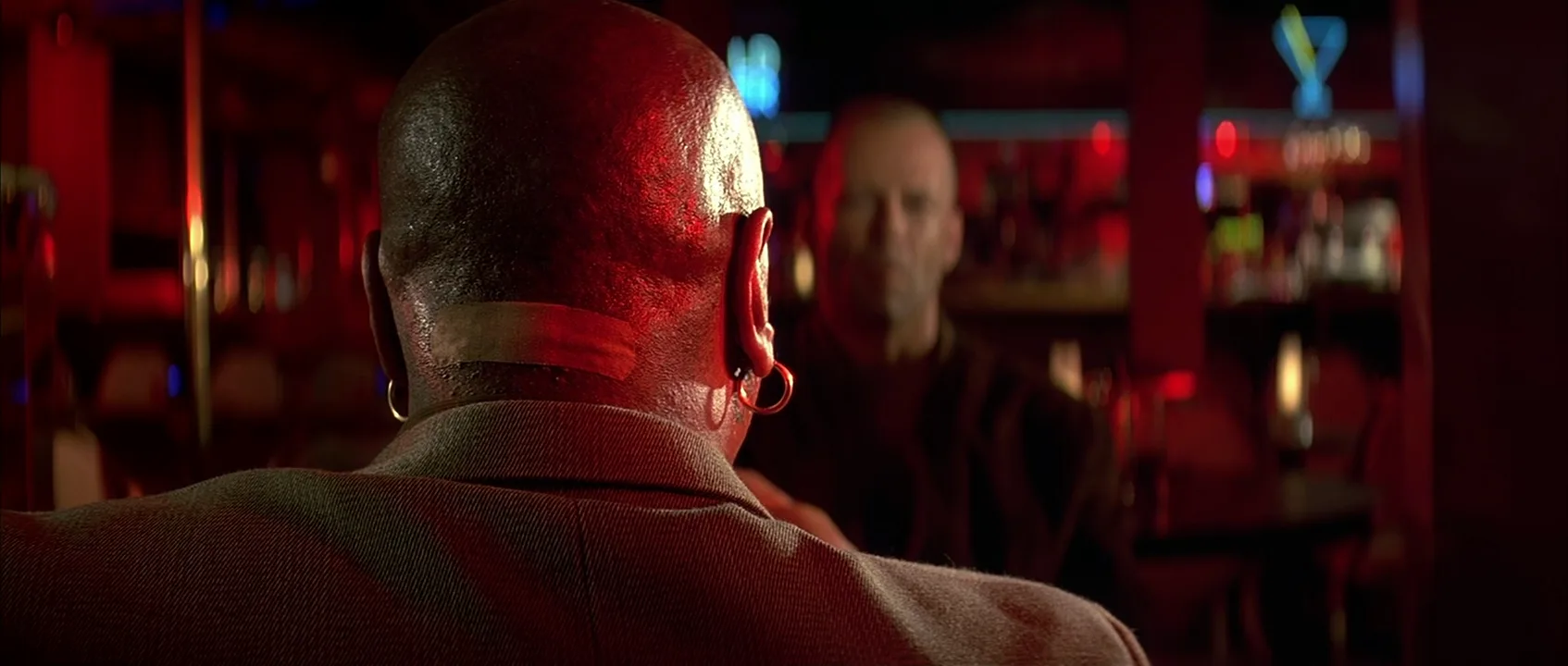
14 framesFourteen frames showing how much the size, focus and tone of the foreground shoulder change the balance between two people.
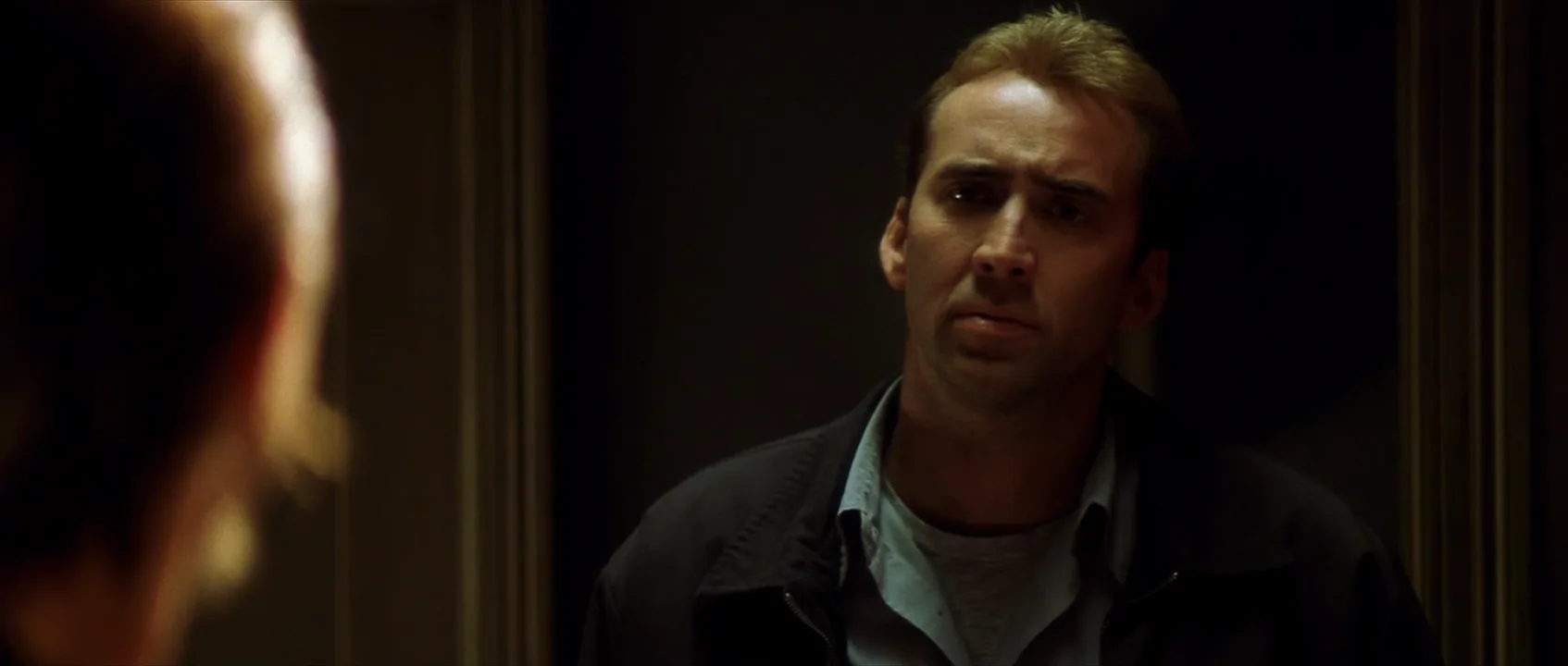
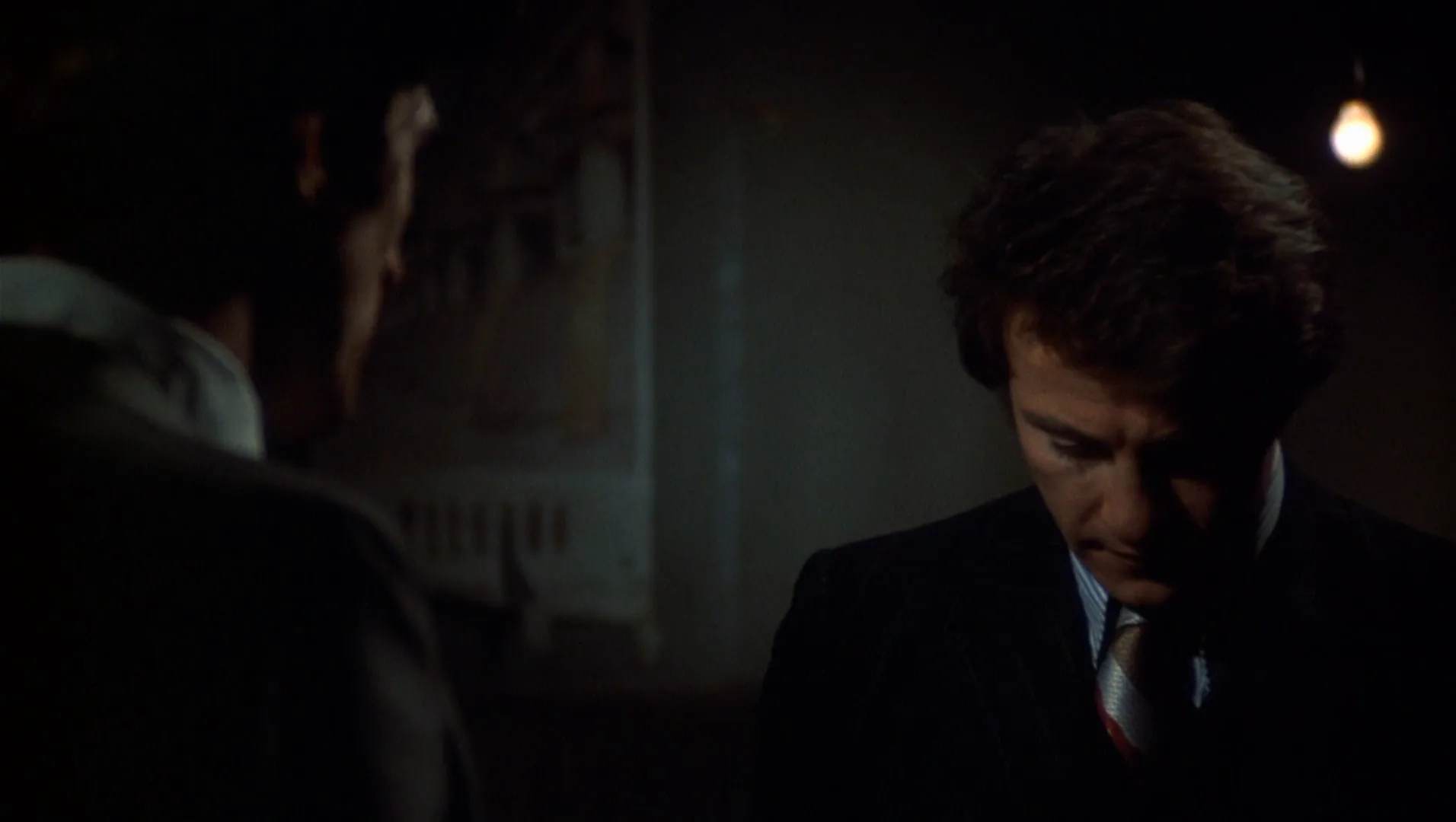
How to create a over-the-shoulder shot with AI
4 promptsImage and video models know the phrase over-the-shoulder, but they often get the foreground wrong: they turn it into a second full face, make it razor sharp or drop it entirely. Spell out what the foreground is, where it sits and how soft it is. The three recipes build one scene: Nano Banana 2 Lite makes the start frame, GPT Image 2.5 makes the matching reverse angle, and MiniMax H3 Max Turbo animates the first frame into a slow push-in. In FlashBoards the reference frames from this page, both halves of the conversation and the clip sit on one board, so you can check eyelines and screen direction side by side before you cut. The fourth prompt re-shoots a real film shot from a text description alone, and the original plays next to the result so you can compare.
Over-the-shoulder shot at eye level, 85mm lens, cinematic film still. Right third of the frame: the back of a man's head and the shoulder of his dark jacket, turned away from camera and softly out of focus. Across a night diner booth, a woman in her thirties with dark shoulder-length hair and a green coat faces camera in sharp medium close-up on the left third, hands around a white coffee cup, looking just past the lens at him. Warm table lamp beside her, rain running down the window behind her, shallow depth of field, soft film grain.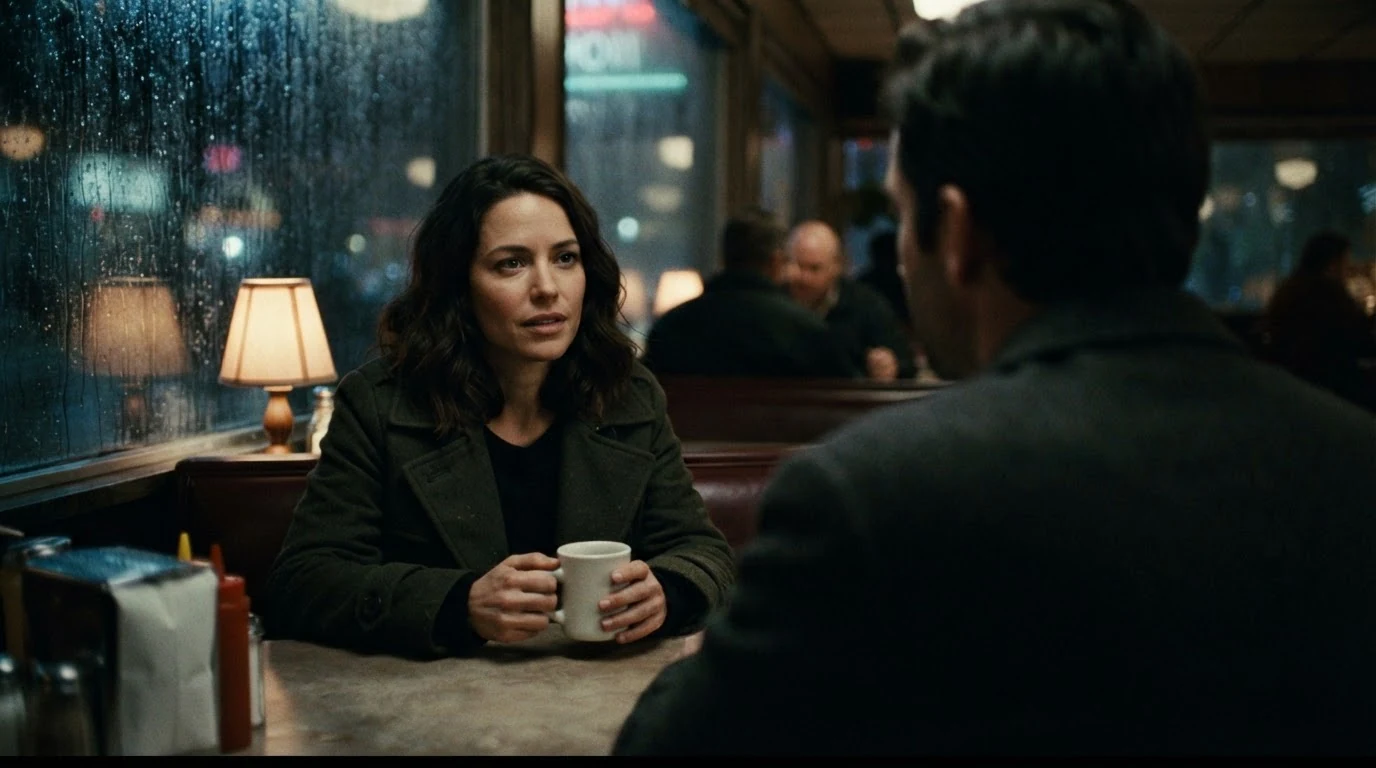
Over-the-shoulder alone is not enough. The back of a man's head … turned away from camera … right third tells the model what the foreground is and where it goes. Looking just past the lens at him ties her eyeline to the shoulder, and 85mm with shallow depth of field keeps the shoulder soft. The cup, the lamp and the rain are there on purpose: they give the video recipe things that can already move in the first frame.
Open FlashBoardsOver-the-shoulder shot at eye level, 85mm lens, cinematic film still, the reverse angle of a conversation in a night diner booth. Left third of the frame: the back of a woman's head, dark shoulder-length hair and the shoulder of her green coat, turned away from camera and softly out of focus. A man in his forties in a dark jacket faces camera in sharp medium close-up on the right third, looking screen left just past the lens toward her. Warm table lamp, rain-streaked window behind him, shallow depth of field, soft film grain.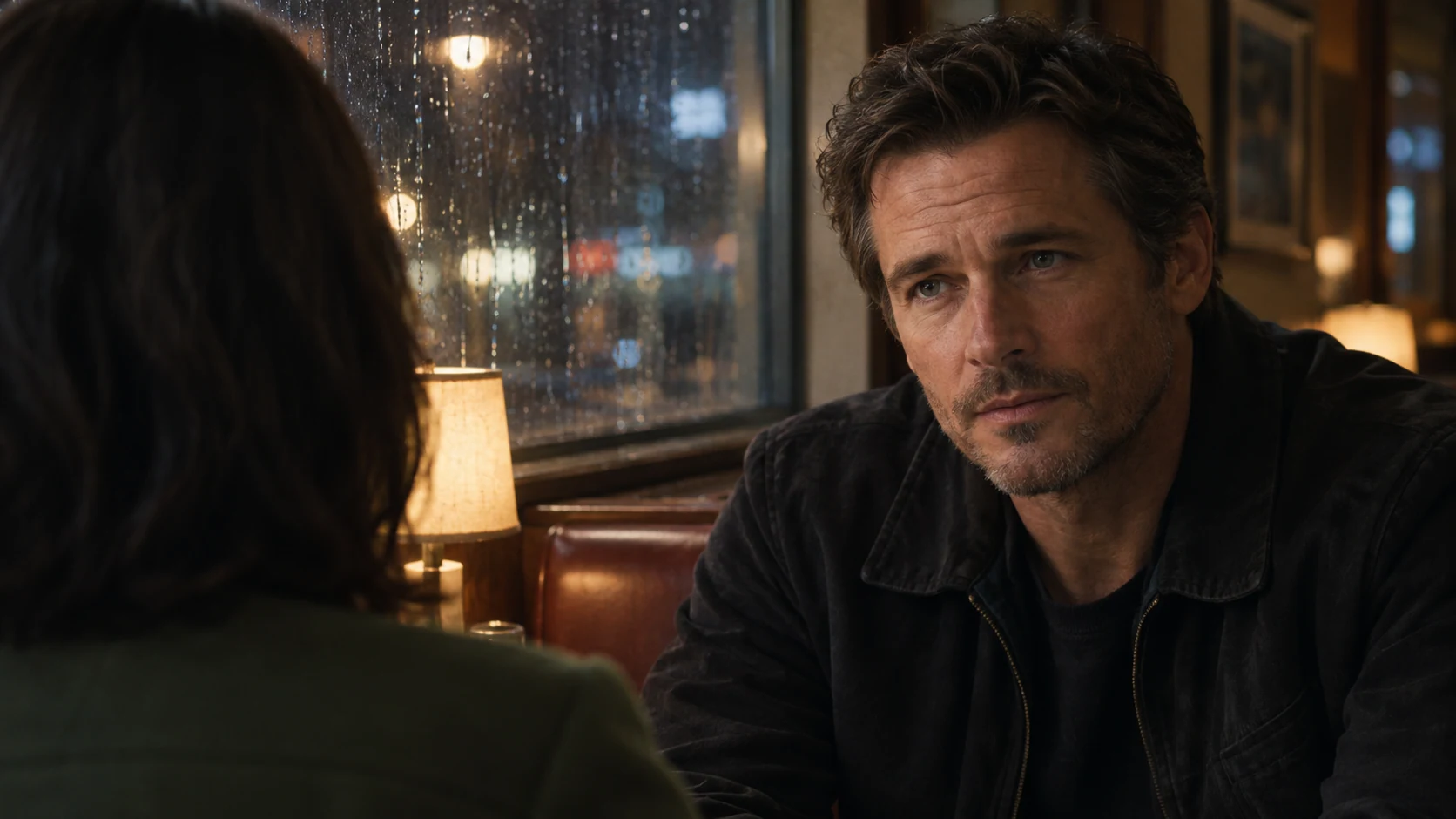
This is the other half of the pair. Swapping the thirds (shoulder left, face right) and stating looking screen left keeps both frames on the same side of the line. Repeating lens, height, light and wardrobe word for word makes the two frames cut together; set them next to each other on the board and check that the eyelines meet before you animate anything.
Open FlashBoardsCamera: starts as a loose over-the-shoulder behind the man's shoulder and dollies straight forward, slow and steady, for the whole shot, ending as a tight over-the-shoulder with only the soft edge of his shoulder and ear at the right edge of the frame. Focus stays on the woman's eyes. Action: the woman is already talking as the shot begins, rain running down the window behind her. In the middle she stops, looks down at the coffee cup and turns it slowly in her hands. At the end she lifts her eyes back to him and holds his gaze while his shoulder rises slightly with a breath.The push from a loose to a tight OTS is the tension curve of a dialogue scene in one move. Already talking and the running rain make the shot alive from the first frame, so it doesn't open on a frozen still. Dollies straight forward keeps the camera behind his shoulder instead of circling the booth, and every object in the action (cup, window, shoulder) is already in the start frame, so nothing new gets invented.
Open FlashBoards{
"output": "Full-screen live-action shot from Revolutionary Road (2008) from its very first frame: one continuous locked-off over-the-shoulder shot, no cuts. A 1950s suburban kitchen on a sunny morning: warm sunlight streams through tall white-framed windows behind, at the left of frame, and lays bright patches on knotty-pine cabinets; soft pale-green, honey and cream palette, fine 35mm film grain, shallow depth of field.",
"characters": {
"S1": {
"name": "April Wheeler, played by Kate Winslet",
"look": "woman in her early thirties, blond chin-length hair swept back from the forehead and curled under at the ends, pale sage-green button-up blouse with a wide open collar, seated at the breakfast table facing the camera, a fork in her right hand",
"voice": "soft, warm, measured, a careful sweetness"
},
"S2": {
"name": "Frank Wheeler, played by Leonardo DiCaprio",
"look": "seen only from behind: short dark hair, the back of his head and his broad shoulder in a charcoal suit jacket with a white shirt collar, seated across the table from her",
"voice": "light, pleased, relaxed"
}
},
"shots": [
{
"shot": 1,
"camera": "locked-off, eye level, normal-to-long lens, static for the whole shot; over-the-shoulder medium shot: the back of S2's head and his dark shoulder fill the left third of the frame from top to bottom, dark and softly out of focus; S1 sits sharp in the center-right of the frame, framed from the waist up across the table; focus stays on her face",
"action": [
"BEGINNING: alive from the first frame, S1 sits across the table, a plate of scrambled eggs, a gray teapot, cups and half a grapefruit in front of her, her right hand holding a fork over the plate; she looks down at the eggs with a small closed-lip smile while S2's line is heard.",
"THEN: she lifts her eyes to S2's face at the left of frame and breaks into a wide open smile, teeth showing, answering him.",
"THEN: her smile fades to closed lips and her eyes drop to the plate; her right hand pushes the eggs around with the fork while she starts her next sentence toward the plate.",
"THEN: halfway through the sentence she raises her eyes to S2 again, brows lifted, then gives a small tight smile at the end of it.",
"THEN: a brief glance down, then her gaze comes back up to S2's face and stays on it.",
"END: she holds the fork still at chest height in her right hand, a bite of egg on it, her brows drawn slightly together, earnest and searching, speaking straight to S2. S2 never turns his head toward the camera; only the back of his head and shoulder stay in the left foreground, nearly motionless."
],
"dialogue": [
{
"speaker": "S2",
"on_screen": true,
"when": "from the first frame, said with his back to the camera; his face is never seen",
"delivery": "light, pleased",
"line": "<d>[English] It's kind of nice having breakfast without the kids for a change, huh?</d>"
},
{
"speaker": "S1",
"on_screen": true,
"when": "right after his line, as she looks up and smiles",
"delivery": "bright, smiling",
"line": "<d>[English] Yes.</d>"
},
{
"speaker": "S1",
"on_screen": true,
"when": "after a short pause, first toward the plate, then lifting her eyes to him",
"delivery": "gentle, a little rehearsed",
"line": "<d>[English] I thought you'd probably want a good breakfast today.</d>"
},
{
"speaker": "S1",
"on_screen": true,
"when": "at the end, looking straight at him",
"delivery": "soft, earnest, searching his face",
"line": "<d>[English] I mean, it's kind of an important day for you, isn't it?</d>"
}
]
}
],
"sound": {
"ambience": "a quiet morning kitchen: the light clink of a fork on a plate, a cup set on a saucer, birdsong heard faintly from outside",
"speech": "exactly these spoken phrases, each said once, in this order",
"never_spoken": "no narration and no voice-over: the descriptions, performance notes and step words of this prompt are never spoken aloud",
"music": "a film score under the scene, always below the voices: a slow, fragile piano figure over soft sustained strings, tender with an undercurrent of unease",
"subtitles": "none"
}
}Remakes the breakfast OTS from Revolutionary Road (2008): the prompt carries over Frank's soft suited shoulder on the left, April's eyeline to him, the exact four lines of the exchange and the sunlit kitchen behind her.
The camera line carries the whole technique: the listener's dark, soft shoulder pinned to the left third, the speaker sharp in the center-right, and a locked-off frame so nothing drifts. Naming whose face the eyes go to in every step keeps her eyeline crossing to him, and the corpus lines give the shot its real rhythm.
Open FlashBoardsCommon mistakes
- The foreground turns around. Image models like faces and often show the listener's profile. Write the back of his head, turned away from camera.
- Everything is sharp. Without focus words the shoulder competes with the subject. Add softly out of focus and a longer lens such as 85mm.
- The subject stares into the lens. That turns the OTS into a POV. Use looking just past the lens at him.
- The reverse doesn't match. A different lens, height or light makes the cut jump; repeat them word for word in the GPT Image 2.5 prompt and swap the thirds.
- The video starts frozen. If the prompt only describes the camera, MiniMax H3 Max Turbo tends to creep toward a still picture. Put motion in the first line of
Action:: someone already speaking, rain already running. - Negatives backfire. Naming what should not appear (a second face, a waiter) tends to draw it in. Describe only what is in the start frame and state the camera path positively: dollies straight forward behind his shoulder.
Keep the reference frames, prompts and every generated take side by side — images and video in one canvas.
FAQ
5 questionsWhat is an OTS shot?
OTS stands for over-the-shoulder shot: the camera sits behind one character and frames a second character past their shoulder and the back of their head. The subject faces the lens and is in focus; the foreground shoulder is usually soft. It is the standard setup for covering dialogue because it keeps both people in one frame.
Why are over-the-shoulder shots used in conversations?
They keep the listener in the frame, so the audience always knows where both characters are and whom the speaker is addressing. Eyelines read clearly, the scene feels connected, and the editor can lay the off-camera character's lines over the shot freely because that character's mouth is hidden. Paired with the reverse angle, they form shot reverse shot.
What lens is best for an over-the-shoulder shot?
Most cinematographers reach for 50–85mm on Super 35, or about 65–100mm on full frame. A longer lens from a few feet back compresses the actors together and keeps the shoulder softly out of focus. Wide lenses close to the shoulder exaggerate its size and push the subject away, which rarely looks natural.
What is the difference between an over-the-shoulder shot and a POV shot?
In an over-the-shoulder shot we stand behind a character, so their shoulder and head are in frame and the subject looks just past the lens at them. In a POV shot the camera replaces the character's eyes: no shoulder, and the subject looks at or very near the lens. The OTS puts you beside a character; the POV puts you inside them.
Does the actor in the foreground of an OTS need to be on set?
Not always. A stand-in with similar hair, build and wardrobe can double for the foreground shoulder when the lead is unavailable, because the face is never seen. But most directors prefer the real scene partner there: the on-camera actor plays to a live performance, and the eyeline and energy are more convincing.
Related terms
7- Single ShotCamera Shots
A single is a shot built around one character as a unit of coverage; it can be clean, with nobody else in frame, or dirty, with a piece of the scene partner in the foreground.
- POV ShotCamera Angles
A POV shot shows exactly what a character sees by placing the camera at their eyes — usually right after a shot of them looking — so the audience shares their perspective, including movement, obstruction or distortion.
- Shot Reverse ShotCamera Shots
Shot reverse shot alternates between two opposing camera setups — one on each character, typically over-the-shoulder shots or singles from the same side of the axis — so a conversation plays as a rhythmic back-and-forth.
- 180-Degree RuleComposition & Framing
The 180-degree rule keeps the camera on one side of an imaginary line between two characters (or along a movement), so their left-right positions and eyelines stay consistent from shot to shot; crossing it flips the geography and disorients the viewer.
- Medium Close-UpCamera Shots
A medium close-up frames a person from roughly mid-chest to just above the head — close enough for facial expression, loose enough to keep shoulders and a bit of the setting; it is the workhorse of dialogue coverage.
- Eyeline MatchEditing
An eyeline match cuts from a character looking off-screen to what they are looking at, with the gaze direction matched so the audience instantly reads the second shot as their view.
- Editing a Dialogue SceneEditing
Editing a dialogue scene means choosing when to show the speaker, the listener or both, and where to cut on lines, pauses and reactions so the conversation keeps its rhythm and subtext.
Further reading
Steven D. Katz, Film Directing Shot by Shot (1991). Joseph V. Mascelli, The Five C's of Cinematography (1965).