 FlashBoards Learn
- Learn
- Cameras & Capture
- Film Grain
Cameras & Capture · Film language
Film Grain
Also called: grain, film grain effect, grain overlay
Film grain is the random, shimmering texture in images shot on photochemical film, formed by the clumps of light-sensitive crystals and dye in the emulsion. Faster stocks, smaller formats and push processing make it coarser. It softens edges, adds life to flat areas and tells the viewer they are watching film.
- What it does
- Adds a fine, moving texture that softens digital sharpness and makes the image read as film.
- Use it when
- You want grit, period feel or intimacy, or you need digital footage to cut with film or look less clinical.
- Watch out
- Grain added after heavy noise reduction or a grade that crushes blacks looks pasted on; add it last, at output resolution.
- Try this prompt
close-up of a woman in a night diner booth, shot on 16mm film, visible coarse film grain in the shadows and skin, soft neon
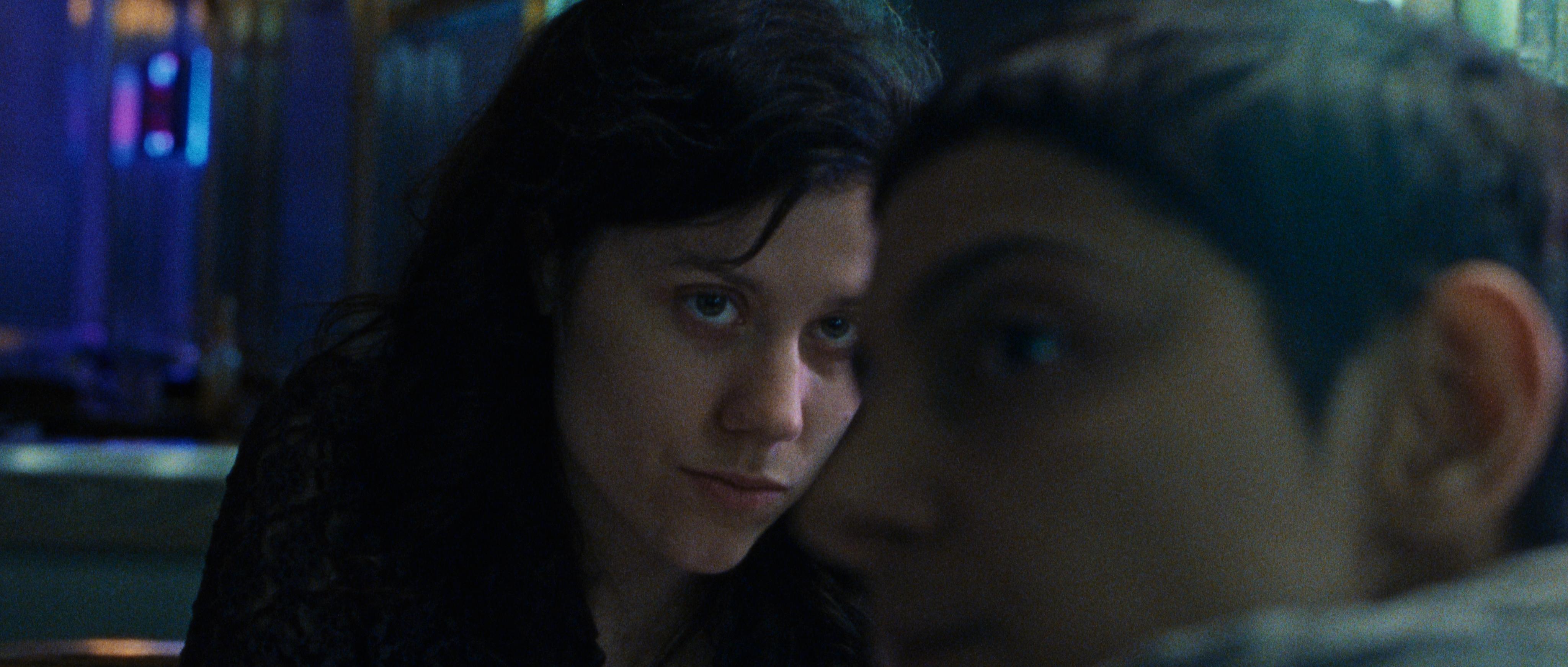
What is film grain?
Film is a plastic base coated with an emulsion of silver-halide crystals. Development turns the exposed crystals into metallic silver; in color negative that silver is bleached away and dye clouds remain in its place. Either way the image is built from particles scattered at random, and on screen they read as grain.
The pattern changes every frame, so in motion it shimmers inside the image rather than sitting on top like a static overlay.
How coarse it looks depends on the film stock, one of the core choices in cameras and capture:
- Speed. Faster stocks use larger crystals. A 500-speed tungsten negative is visibly grainier than a 50-speed daylight stock.
- Format. A Super 16 frame has roughly a quarter of the area of Super 35, so it is enlarged about twice as much and the grain grows with it. 65mm looks almost grainless.
- Exposure and processing. Underexposed negative turns grainier; pushing in the lab adds speed, contrast and grain.
Why do filmmakers use film grain?
A clean digital frame can feel exact and cold; the same frame with grain feels handmade, as if the image is breathing.
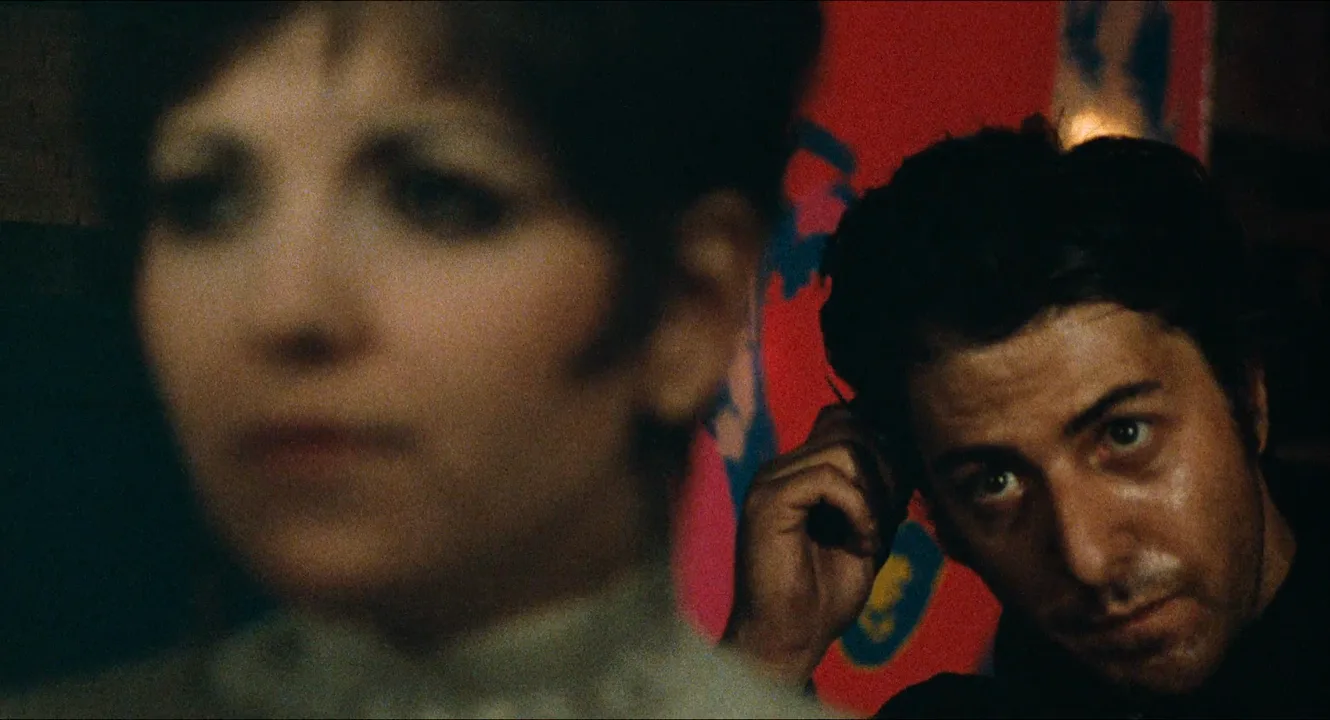
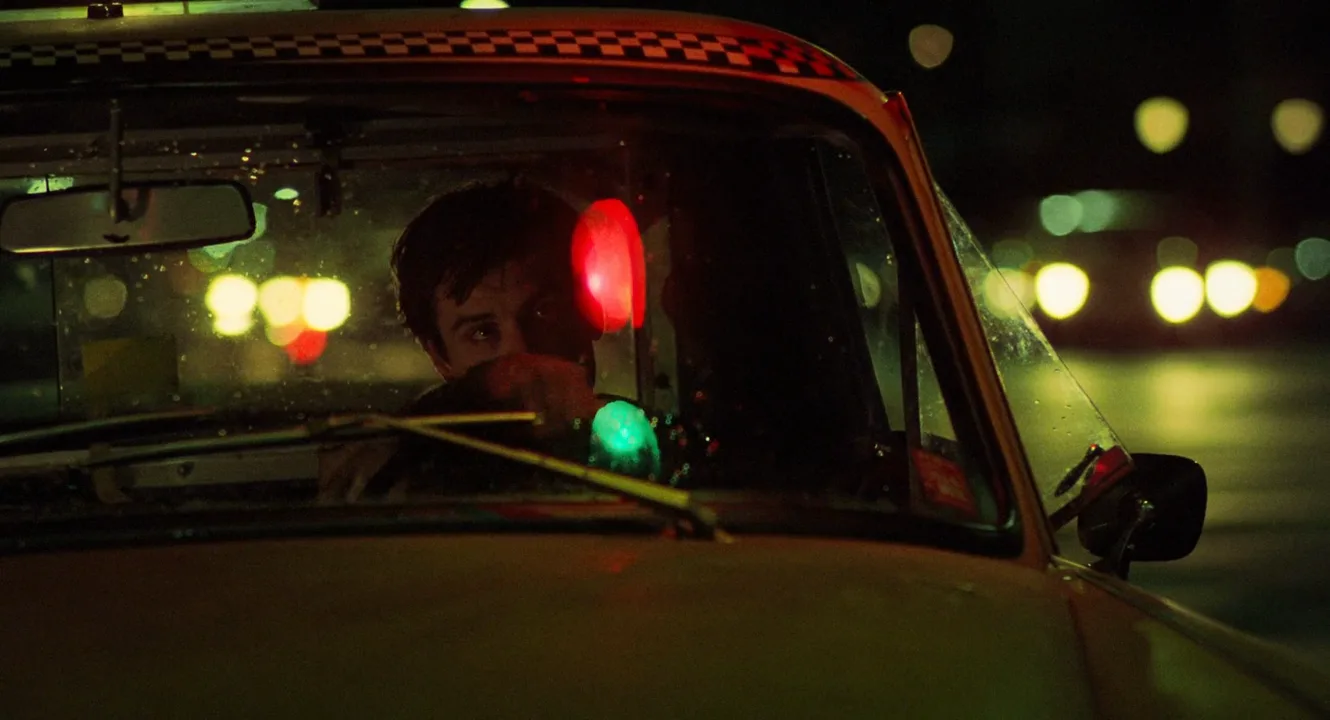
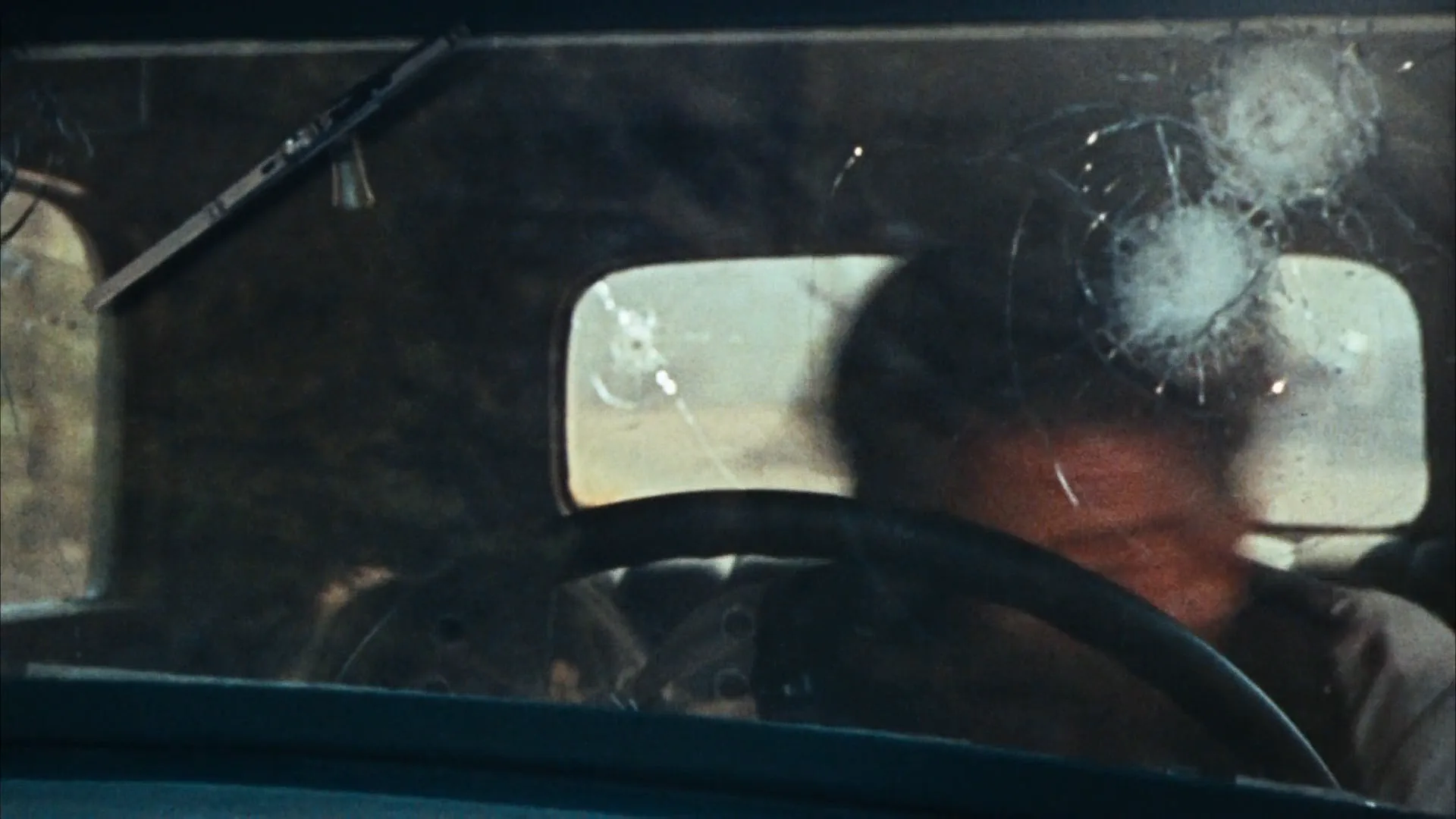
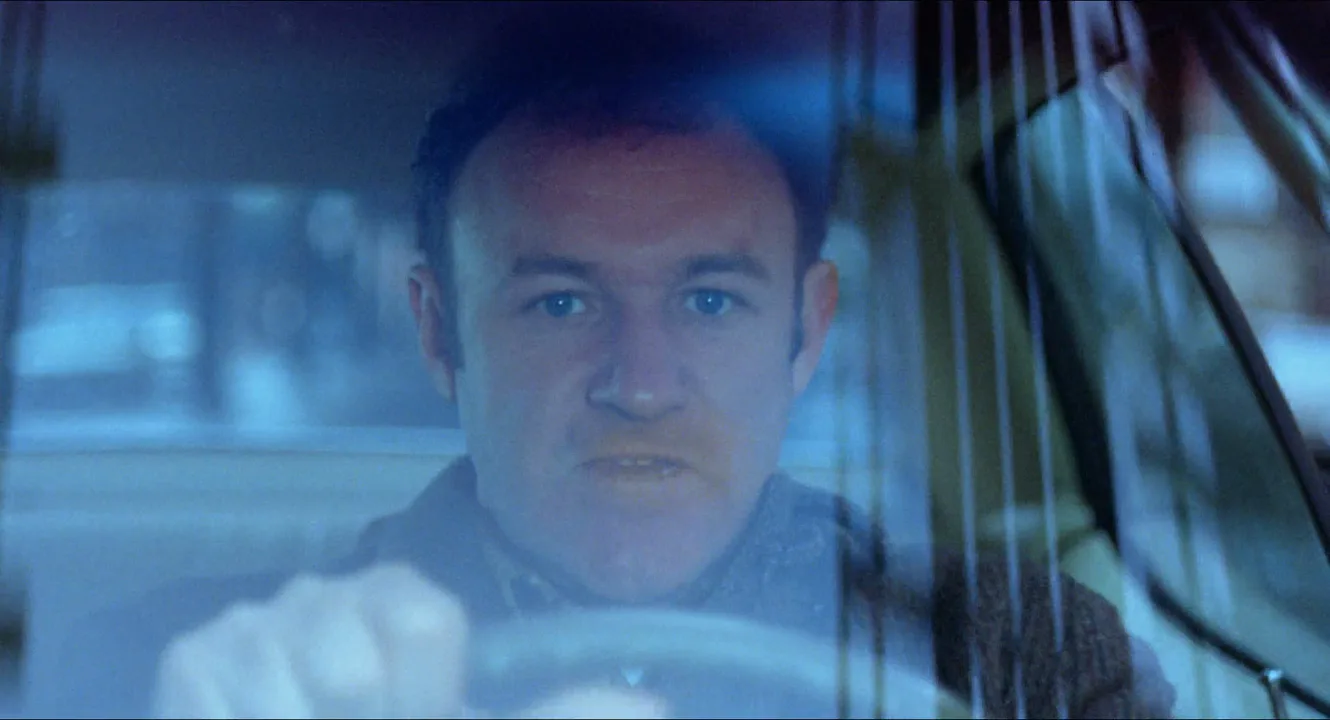
- Grit and realism. The French Connection (1971) and Taxi Driver (1976) were shot on location in New York, and their grain is part of the documentary roughness audiences link with that era.
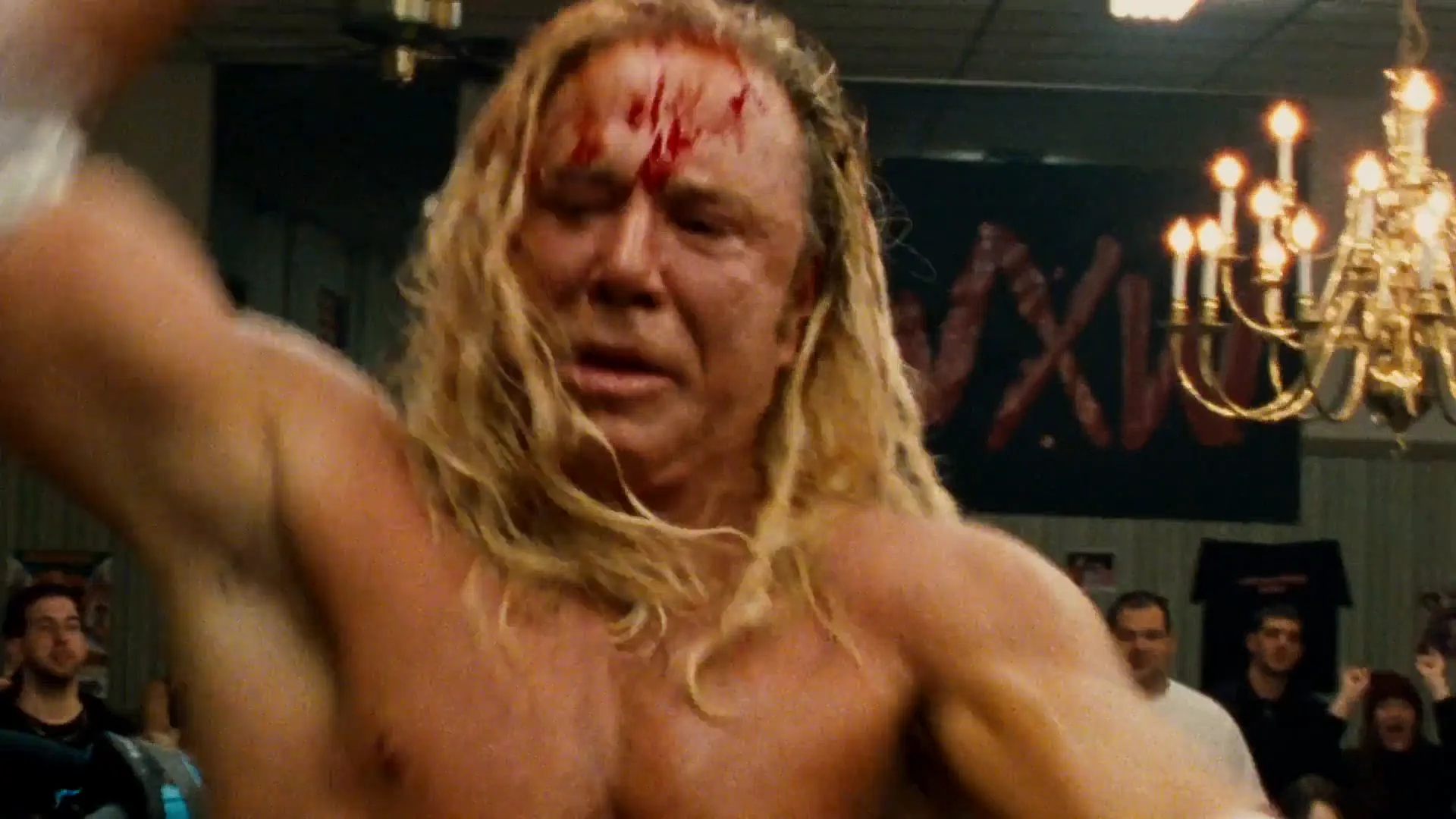
- Intimacy. The Wrestler (2008) was shot on Super 16, and the texture keeps its hero at handheld distance.
- Period and memory. Heavy grain with monochrome or faded color pulls a scene into the past, a key ingredient of a vintage film look.
That is why many productions shot in digital cinematography still get a film emulation pass in the grade, often with halation around the highlights.
How to get film grain: in camera and in post
On film, grain is chosen like a lens:
- Format. Super 16 for obvious texture, Super 35 for moderate, 65mm for almost none.
- Speed. 50 or 250 daylight stocks for fine grain; 500-speed tungsten for night and more texture.
- Rating. Rating color negative half a stop to a stop slower than box speed tightens grain. Pushing one or two stops in the lab coarsens it and lifts contrast, so test first.
- Shadows. Deliberate underexposure is the fastest way to get grain, and to lose shadow detail.
On digital, add grain in the grade rather than by raising ISO:
- Use scanned grain plates from real film or a procedural film-grain effect.
- Match the size to the format you imitate: larger and softer for 16mm, finer for 35mm.
- Apply it last, after noise reduction and sharpening, at delivery resolution.
- Check it on the real platform; streaming compression smears fine grain.
Film grain vs. digital noise
Both look like speckles and both grow with underexposure, but the eye reads them differently.
| | Film grain | Digital noise | |---|---|---| | Where | Across the tonal range, clearest in midtones | Mostly in the shadows | | Color | Mostly brightness variation | Often red, green and blue blotches | | Pattern | Random every frame, organic clumps | Can show fixed patterns and banding | | Feel | Texture | Error |
Scratches, dust and gate weave are a separate layer: the damaged film effect.
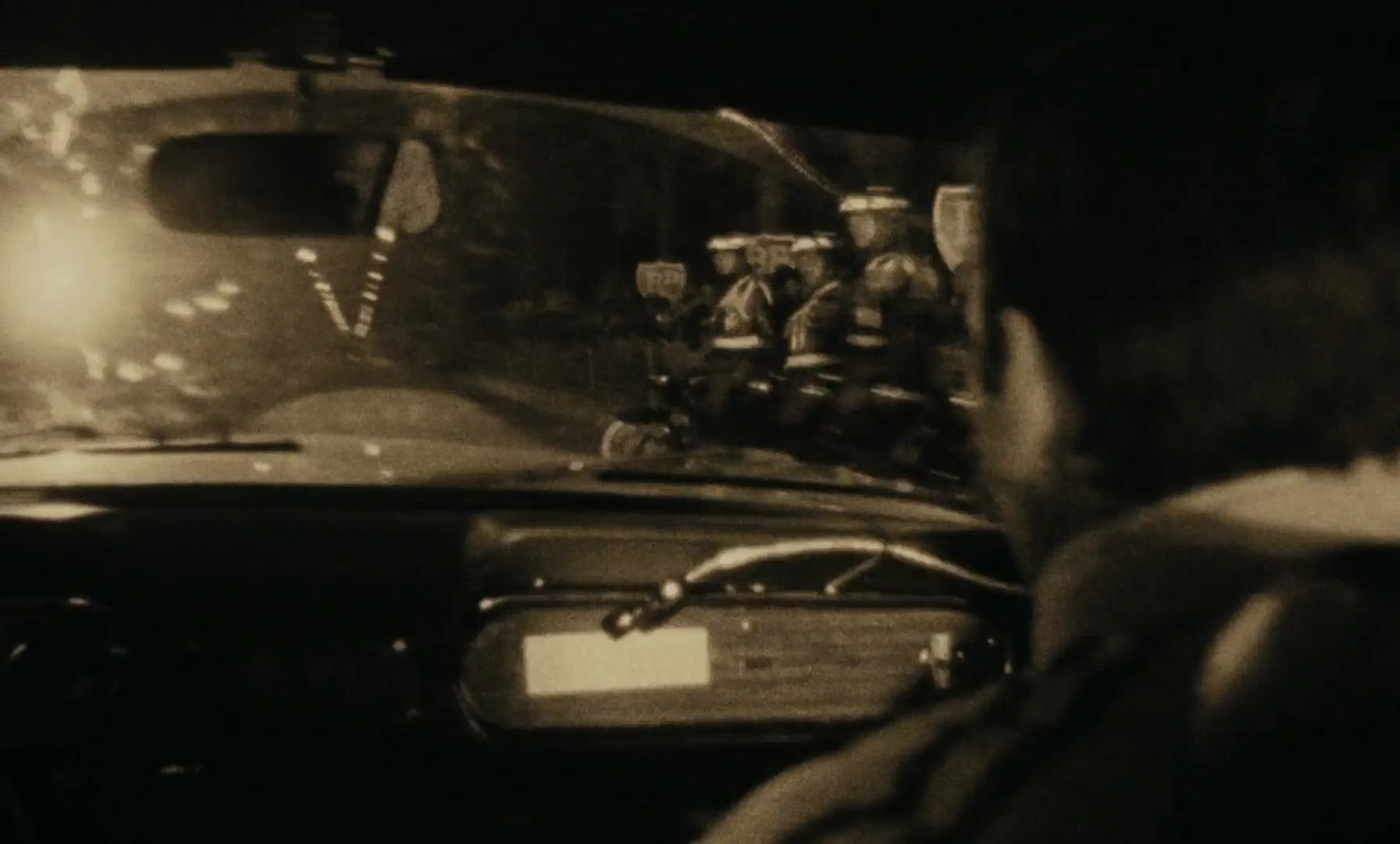
Film Grain examples in film
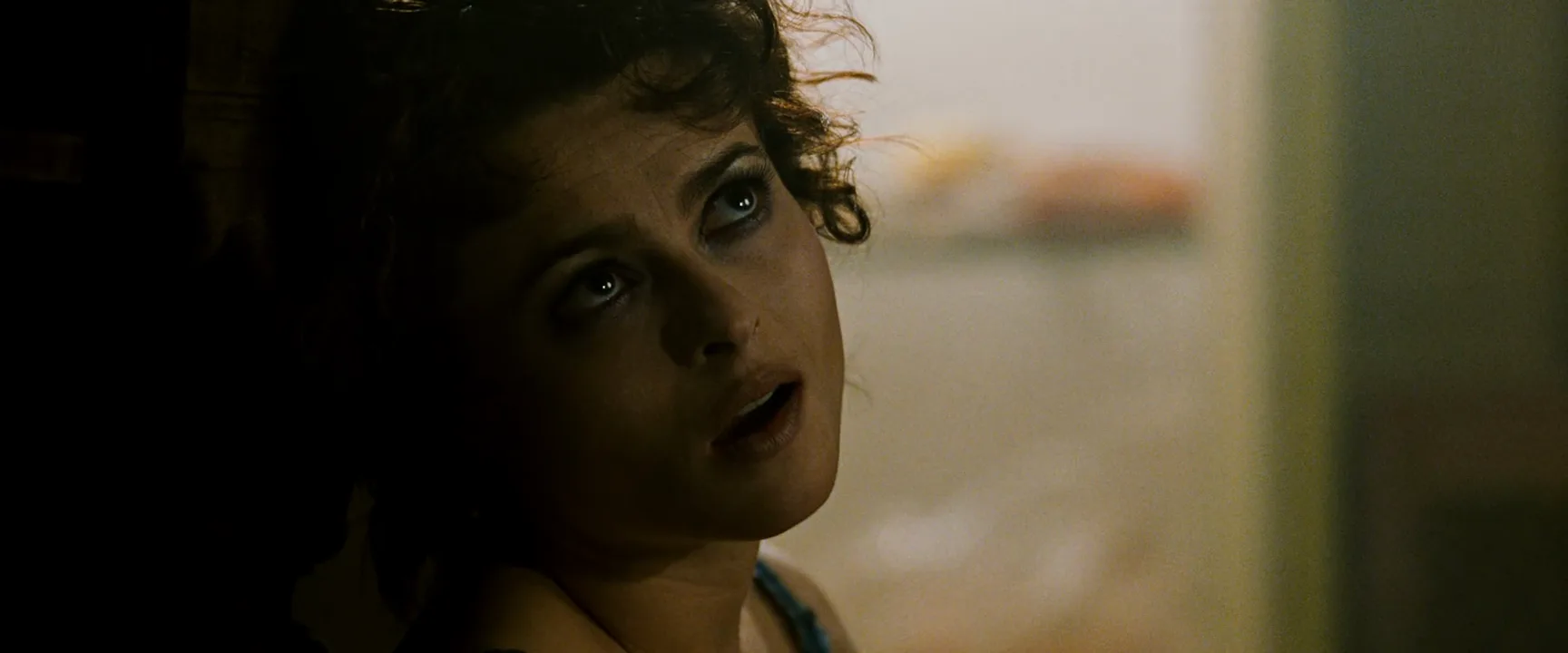
8 framesGrain shows best in flat midtones, soft backgrounds and shadows.
How to create a film grain with AI
4 promptsModels default to clean, digital-looking frames, so ask for grain by gauge and stock, not just "grainy". Name the format and where grain should show. On a FlashBoards board, keep film references beside your takes and compare grain at full size before you animate. The fourth prompt re-shoots a real film shot from a text description alone, and the original plays next to the result so you can compare.
Cinematic close-up in a late-night diner booth: a young woman with a round freckled face, a short black bob with blunt bangs, a small silver hoop earring and a mustard corduroy jacket holds a chipped coffee mug with both hands and looks past the camera. Blue and pink neon from the window, dim tungsten fill, soft out-of-focus background. Shot on 16mm high-speed 500T color negative film pushed one stop, raw unretouched film scan: heavy, coarse film grain clearly visible over the whole frame, across her skin, the dark jacket and the blurred neon, slightly lifted blacks, soft edges. 25mm lens at eye level.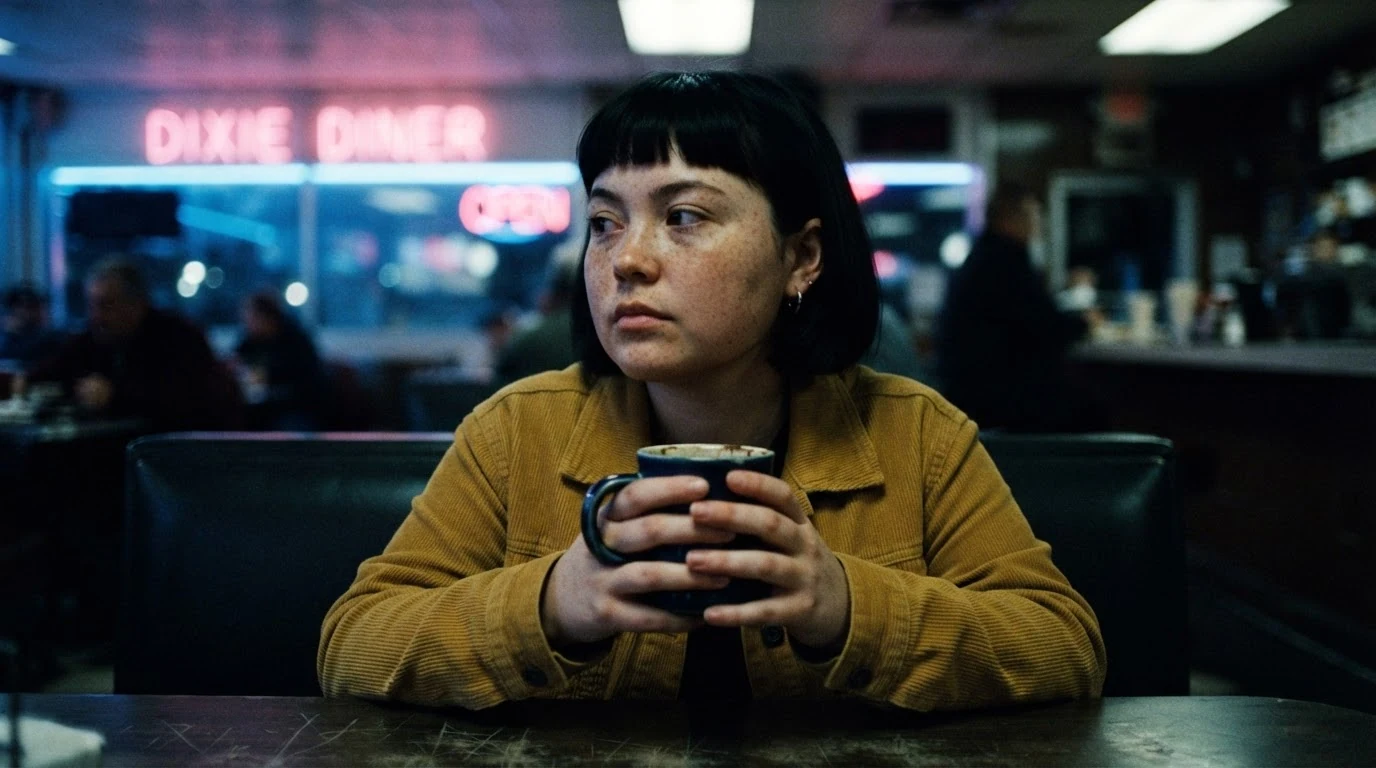
"Shot on 16mm high-speed 500T color negative film pushed one stop" sets grain size and density, and "raw unretouched film scan" stops the model from smoothing it away; naming skin, jacket and blurred neon puts grain in the midtones and soft areas. "Lifted blacks, soft edges" avoids the crisp contrast that makes grain look like a filter.
Open FlashBoardsBlack-and-white medium shot on a rainy city sidewalk at dusk: a tall older man with a gray walrus mustache, a flat wool cap, round wire glasses and a long dark raincoat waits under a shop awning, cigarette smoke drifting past his face. Wet pavement, overcast sky. High-speed 35mm black-and-white negative pushed two stops: heavy, clumpy silver grain in the sky and pavement, deep contrast. 40mm lens at chest height.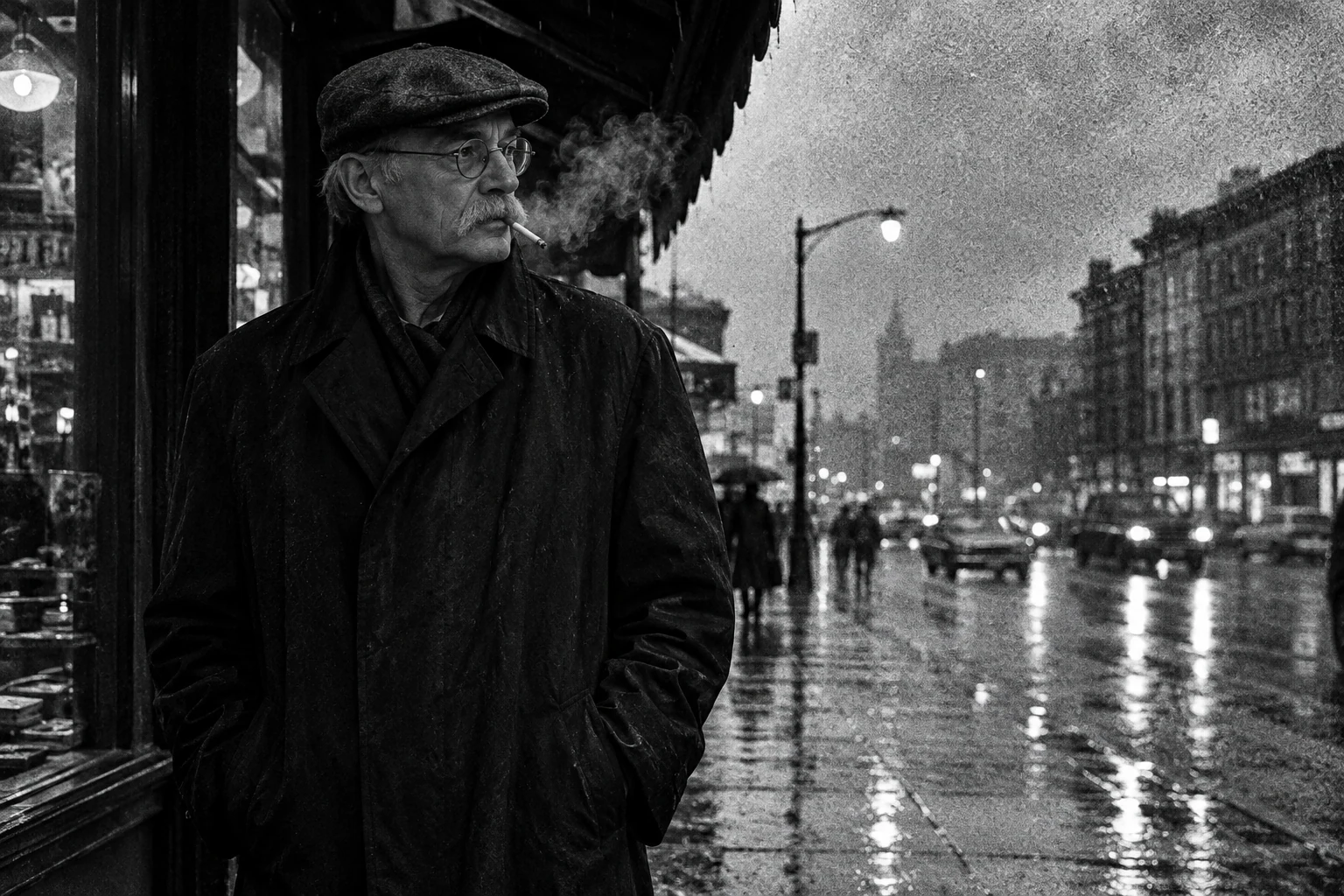
A monochrome take where grain carries the image. "Pushed two stops" ties grain to contrast as the lab process does, and the sky and pavement give it flat areas to show in. "Clumpy silver grain" steers away from fine digital speckle.
Open FlashBoardsCamera: slow handheld push in toward her face with a gentle sway, ending on a tighter close-up. Action: She is already lifting the mug and blowing on the coffee. She takes a small sip, lowers the mug and turns her eyes to the window as the neon flickers pink and blue on her cheek. She sets the mug down. The 16mm film grain keeps moving on every frame at the same coarse size.The sip starts on the first frame, so the clip is alive at once. The last sentence stops the model from freezing grain into a static pattern or smoothing it away.
Open FlashBoards{
"output": "Full-screen live-action single continuous shot from its very first frame, a remake of the red-light shot from Taxi Driver (1976). Underexposed 1970s 35mm color negative pushed for night: coarse, clearly visible film grain crawling over every frame, strongest in the dark cab body, the shadowy interior and the soft out-of-focus lights. Dim frame, muted yellow-green palette, lifted soft blacks, low contrast, raw analog film print look. Wet New York street at night, lit only by a traffic signal reflected in the windshield, far streetlights and headlights.",
"characters": {
"S1": {
"name": "Travis Bickle, played by Robert De Niro",
"look": "lean young man, late twenties, dark tousled hair falling over his forehead, dark jacket; seen through the windshield, his mouth and chin hidden below the dashboard line",
"voice": "silence: he does not speak"
}
},
"shots": [
{
"shot": 1,
"camera": "static, locked-off, low, just above the hood line, long lens, frontal medium shot of a yellow checker cab's windshield from slightly left of centre; the checkered roof strip runs along the top edge, the hood fills the bottom, the right side mirror sits at the right edge; S1 behind the wheel, centre-left; wet specks on the glass; out-of-focus headlights and streetlights glow behind the cab as large round soft discs; the camera never moves",
"action": [
"BEGINNING: alive from the first frame, the cab stands at a red light; a bright red oval reflection of the signal sits on the glass just right of S1's face, washing the cab in red; S1 looks out toward the camera, eyes shifting slowly, head still.",
"THEN: a small green reflection lights up low on the glass under the red one; S1's eyes flick down toward it and back up, head still.",
"THEN: the red reflection fades out and the whole cab body turns greenish; S1 keeps staring ahead, eyes narrowing, both hands low on the wheel.",
"THEN: the cab starts to roll forward and swing toward the right of frame; S1 turns his head slightly and glances down toward the right of frame.",
"END: the cab sweeps past the lens, its dark side windows and rear pillar sliding left to right across the whole frame, soft blurred street lights glowing through the glass behind it."
],
"dialogue": [],
"voice": "silence: nobody speaks in this shot, no voice at all"
}
],
"sound": {
"ambience": "idling cab engine, distant city traffic, then the engine revving and tires hissing on wet asphalt as the cab pulls away",
"speech": "no words in this video; the only human sounds are breaths and movement",
"never_spoken": "no narration and no voice-over: the descriptions, performance notes and step words of this prompt are never spoken aloud",
"music": "a film score under the scene, always below the voices: a slow, smoky alto saxophone over low brooding strings and a soft muted drum",
"subtitles": "none"
}
}Remakes Travis Bickle's red-light shot from Taxi Driver (1976): the locked-off low angle on the cab windshield, the signal reflection turning green, the pull-away to the right and the grainy yellow-green night look.
Text-to-video comes out clean unless the look names stock, push and underexposure, and says where grain lives: dark body, shadows, soft lights. The silent red-to-green beat and the pull-away give the grain time to crawl.
Open FlashBoardsCommon mistakes
- Grain as an overlay. "Grainy" alone lays uniform noise over a sharp image. Name the gauge and stock.
- Colored noise. Say "film grain" and "color negative", never "high ISO", or you get red and green speckles.
- Clean highlights. Name the flat areas, like sky and skin, where grain should show.
- Drift in video. Grain fades or freezes mid-clip; end the prompt with a sentence that keeps it moving.
Keep the reference frames, prompts and every generated take side by side — images and video in one canvas.
FAQ
4 questionsWhat is film grain?
Film grain is the random texture in images shot on photochemical film, made by developed silver particles in black-and-white film and the dye clouds that replace them in color film. The pattern changes every frame, so grain shimmers in motion. Fast stocks, small formats like 16mm, underexposure and push processing make it coarser.
What does film grain do to an image?
Grain softens edges, adds texture to flat areas such as skies, walls and skin, and hides small banding. It makes an image read as film rather than video. Heavy grain suggests documentary realism, a past era or rawness; fine grain gives a polished but still photochemical feel.
How do I add film grain to digital footage?
Use scanned grain from real film or a procedural film-grain effect in your grading software, added as the last step after noise reduction and sharpening. Match the size to the format you imitate: bigger for 16mm, finer for 35mm. Render at delivery resolution and check it on the real platform, since compression can smear it.
Is film grain the same as digital noise?
No. Film grain spreads across the tonal range, shows mostly as brightness variation and moves randomly every frame. Digital noise gathers in the shadows, often shows colored speckles and can form fixed patterns. Raising ISO adds noise, not grain, so a clean exposure plus added grain looks more convincing.
Related terms
4- Film StockCameras & Capture
Film stock is the light-sensitive celluloid a movie is shot on: a base coated with emulsion whose format (16, 35, 65mm), speed and color response shape grain, contrast and palette before any grading.
- HalationCameras & Capture
Halation is the reddish-orange glow around bright highlights on film: light passes through the emulsion, reflects off the film base and re-exposes the layers; digital looks add it to imitate celluloid.
- Digital CinematographyCameras & Capture
Digital cinematography records motion pictures on an electronic sensor instead of film stock; since the 2010s it has been the industry standard, with cinema cameras such as the ARRI Alexa and RED.
- Vintage Film LookPost-Production & VFX
A vintage look stylizes new footage to resemble film or video of a past era — grain, faded or shifted color, soft optics, light leaks, gate weave, period aspect ratio and frame rate.
Further reading
Kodak, The Essential Reference Guide for Filmmakers (Eastman Kodak Company). American Cinematographer Manual (ASC Press). Blain Brown, Cinematography: Theory and Practice (Routledge).