 FlashBoards Learn
- Learn
- Formats & Exhibition
- Pan and Scan
Formats & Exhibition · Film language
Pan and Scan
Also called: pan & scan, full screen version
Pan and scan is a way of fitting a widescreen film onto a 4:3 TV screen by cropping it: a narrow window moves across the wide frame shot by shot, keeping whatever the transfer operator decides matters. A 2.39:1 film loses over 40% of its width, sometimes including an entire character.
- What it does
- Fills a 4:3 screen with no black bars by cutting away the sides of a widescreen image and re-aiming the crop shot by shot.
- Use it when
- Never by choice for a film today; the same logic survives when a 16:9 master is reframed to 9:16 for phones.
- Watch out
- Wide two-shots and edge-of-frame action break first: either a character disappears or the crop adds a fake pan or cut.
- Try this prompt
4:3 TV-style crop of a widescreen film: silver-haired woman at a diner counter, left of center, a second person sliced off by the right frame edge, 35mm.
What is pan and scan?
Television was 4:3 (1.33:1), while most features since the 1950s are 1.85:1 or 2.39:1 (see aspect ratio). The transfer keeps the full height and extracts a 4:3 slice of the width.
The name describes the operator's two jobs during the film-to-video transfer:
- Scan — place the 4:3 window in each shot: left, center or right.
- Pan — slide the window during a shot to follow action or move between speakers, a movement the original photography never had.
A 1.33 window keeps about 72% of a 1.85 frame and about 56% of a 2.39 frame. On CinemaScope and other anamorphic releases, nearly half the picture never reached the viewer.
What does pan and scan do to a film?
It rewrites the composition, and often the editing. Scope directors stage across the width: two people at opposite ends of a room, a rider tiny against a horizon, a threat entering at the far edge. A two-shot with actors at the thirds of a 2.39 frame cannot fit into 1.33, so the transfer can:
- Keep one actor, and the other speaks off screen.
- Pan between them, adding a flat, mechanical slide the cinematographer never shot.
- Cut the shot in two, turning a held two-shot into shot/reverse-shot.
Negative space goes first. Wide titles were often shown squeezed, everyone tall and thin, because a crop would cut the words.
The reverse also exists: when The Simpsons first streamed in 16:9, the 4:3 original was cropped top and bottom and some gags were lost. Today's automatic reframe from 16:9 to vertical 9:16 is pan and scan with software choosing the window.
How did filmmakers protect their framing?
Cinematographers expecting a TV version framed with a 4:3 safe area in the viewfinder, keeping faces and key action near the center. It protects the story but flattens the staging.
Another route was shooting flat or in Super 35 and releasing the full-height negative for video: open matte. The 4:3 version reveals picture masked off above and below in theaters instead of cutting the sides, but it can expose boom mics or set edges.
Some directors refused cropping. Woody Allen insisted that Manhattan (1979) come out on video letterboxed.
If you plan a film for several screens today, put the 2.39 master frame, a 16:9 version and a 9:16 crop of each key shot side by side on a FlashBoards board, with a note on what each version must keep.
Pan and scan vs. letterboxing
Both put a wide image on a narrower screen, in opposite ways.
- Pan and scan fills the screen and throws away picture. No black bars, but the composition is no longer the director's.
- Letterboxing keeps the whole frame and adds black bars above and below. Nothing is lost.
In the VHS era most rental tapes were pan and scan, sold as the "full screen version." Anamorphic 16:9 DVDs and HDTV ended the argument: a 1.85 film nearly fills a 16:9 screen, and thin bars on a 2.39 film became normal. For films that switch ratio on purpose, see aspect ratio change; more in the formats and exhibition hub.
Pan and Scan examples in film
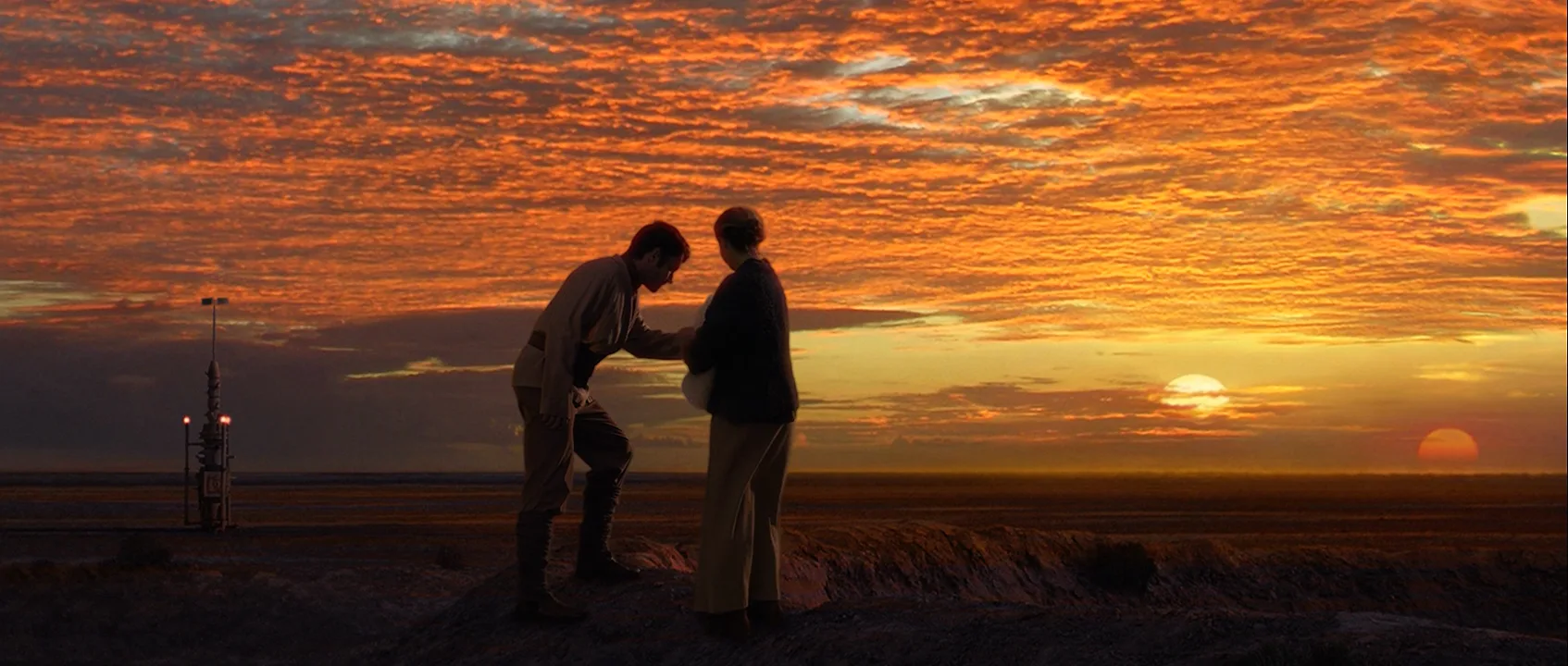
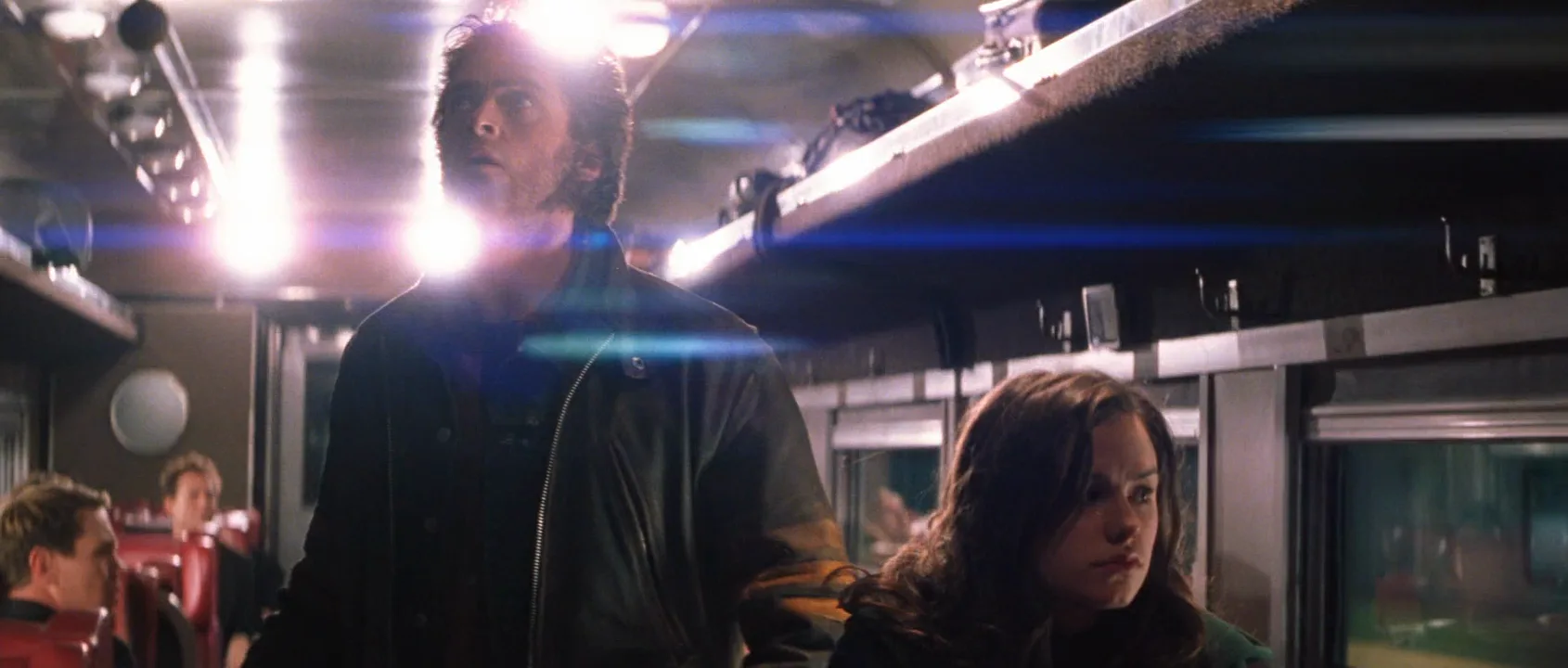
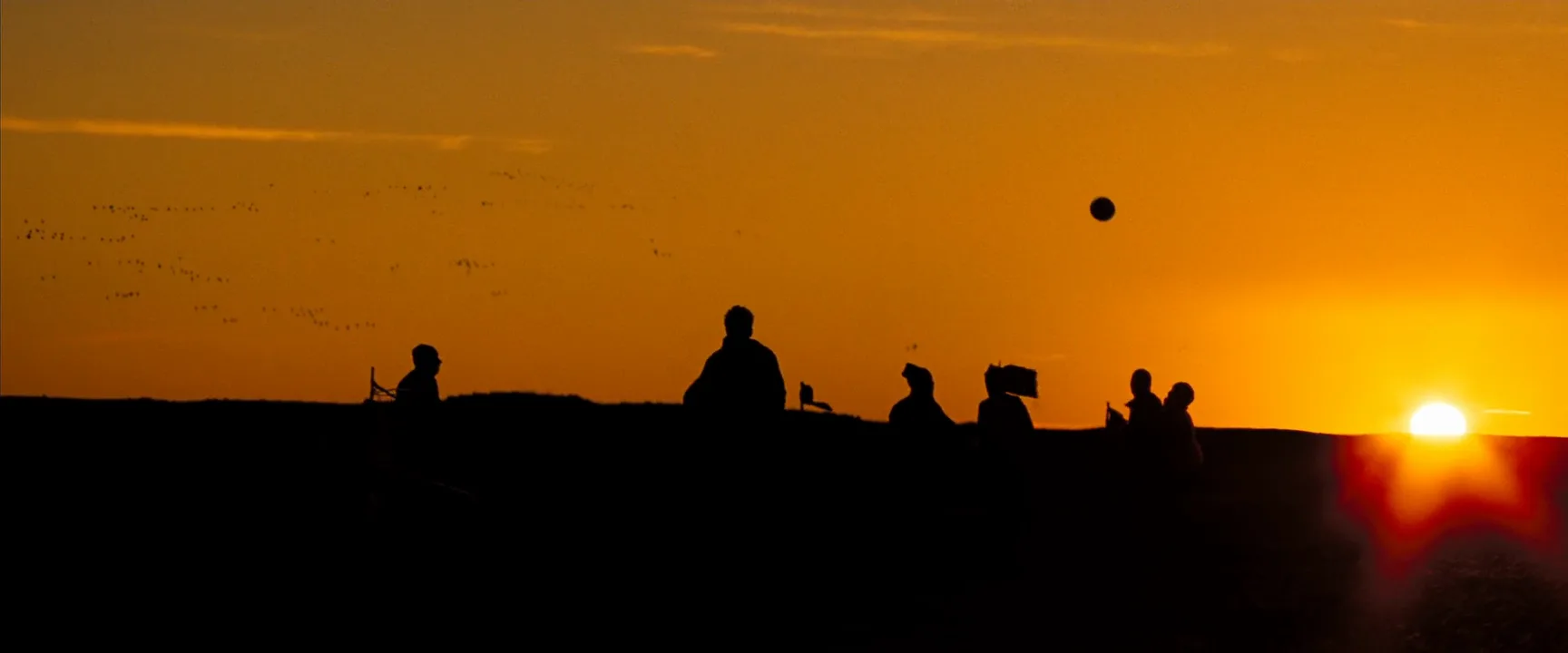
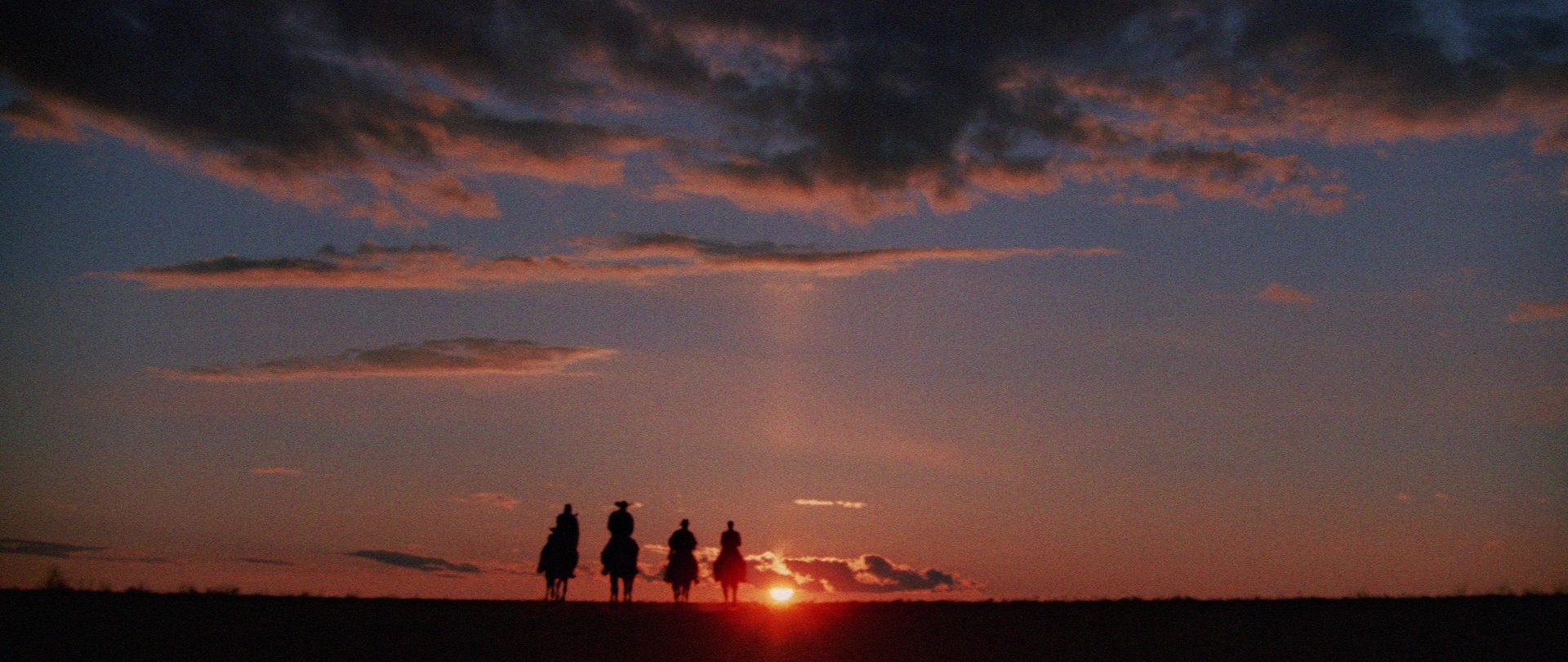
5 framesWide frames that show what a 4:3 window, a little over half the width, would have to choose between.
How to create a pan and scan with AI
4 promptsPan and scan reads best as a pair: the 4:3 crop and the widescreen original. Generate both on one FlashBoards board, side by side, then animate the crop to see the pan a transfer would add. The fourth prompt re-shoots a real film shot from a text description alone, and the original plays next to the result so you can compare.
4:3 full-screen TV framing cropped from a widescreen film: in a long chrome diner at night, a woman in her fifties with cropped silver hair and a green wool coat sits at the counter in medium shot, left of center, talking toward frame right; at the right frame edge only the shoulder and arm of a person in a mustard raincoat, cut by the edge; warm tungsten light, red neon on chrome, 35mm film with soft video-transfer texture.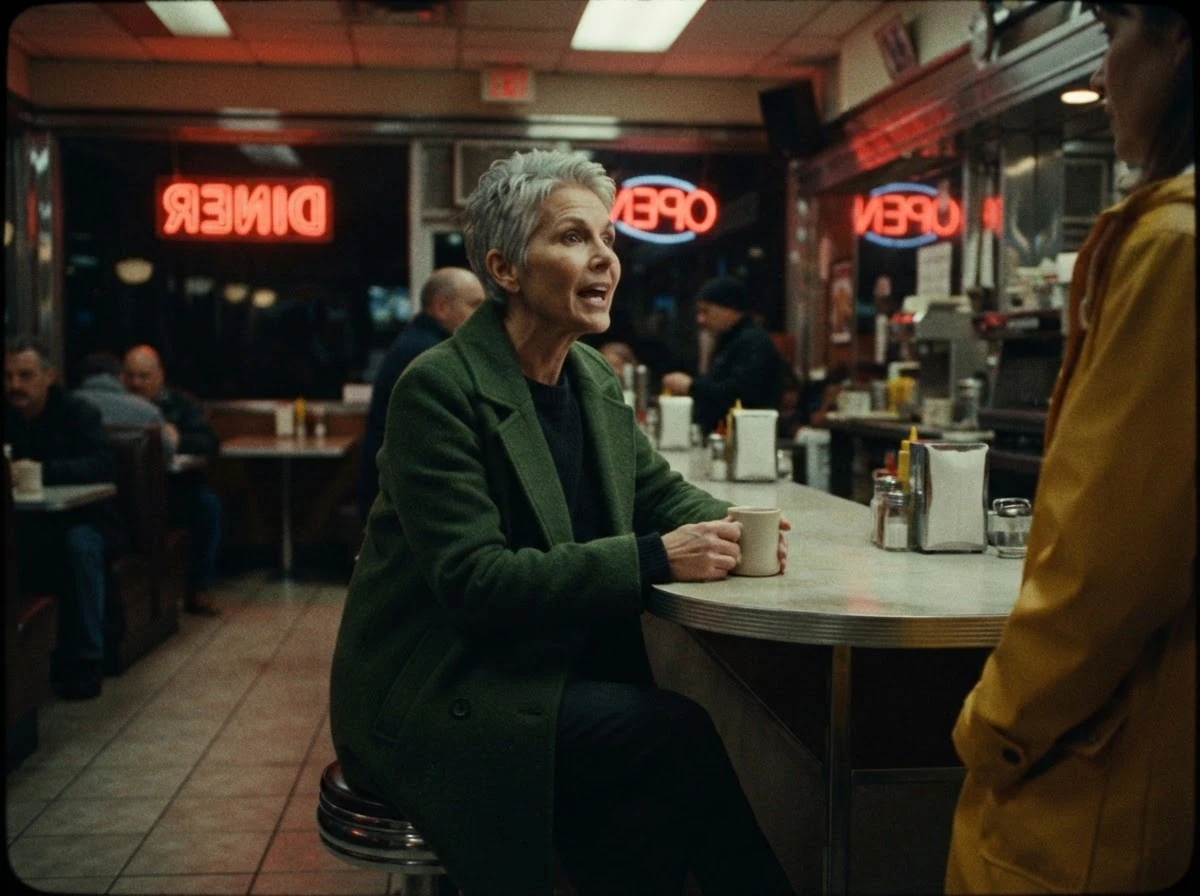
Cropped from a widescreen film and the shoulder cut by the edge make the frame visibly miss someone; the video-transfer texture places it in the VHS era.
Open FlashBoardsAnamorphic 2.39:1 widescreen two-shot in a long chrome diner at night: a woman in her fifties with cropped silver hair and a green wool coat at the far left end of the counter, a young man with a shaved head, a scar through his left eyebrow and a mustard raincoat at the far right end, eight empty red stools between them, both in profile, 40mm anamorphic lens, warm tungsten light, red neon on chrome.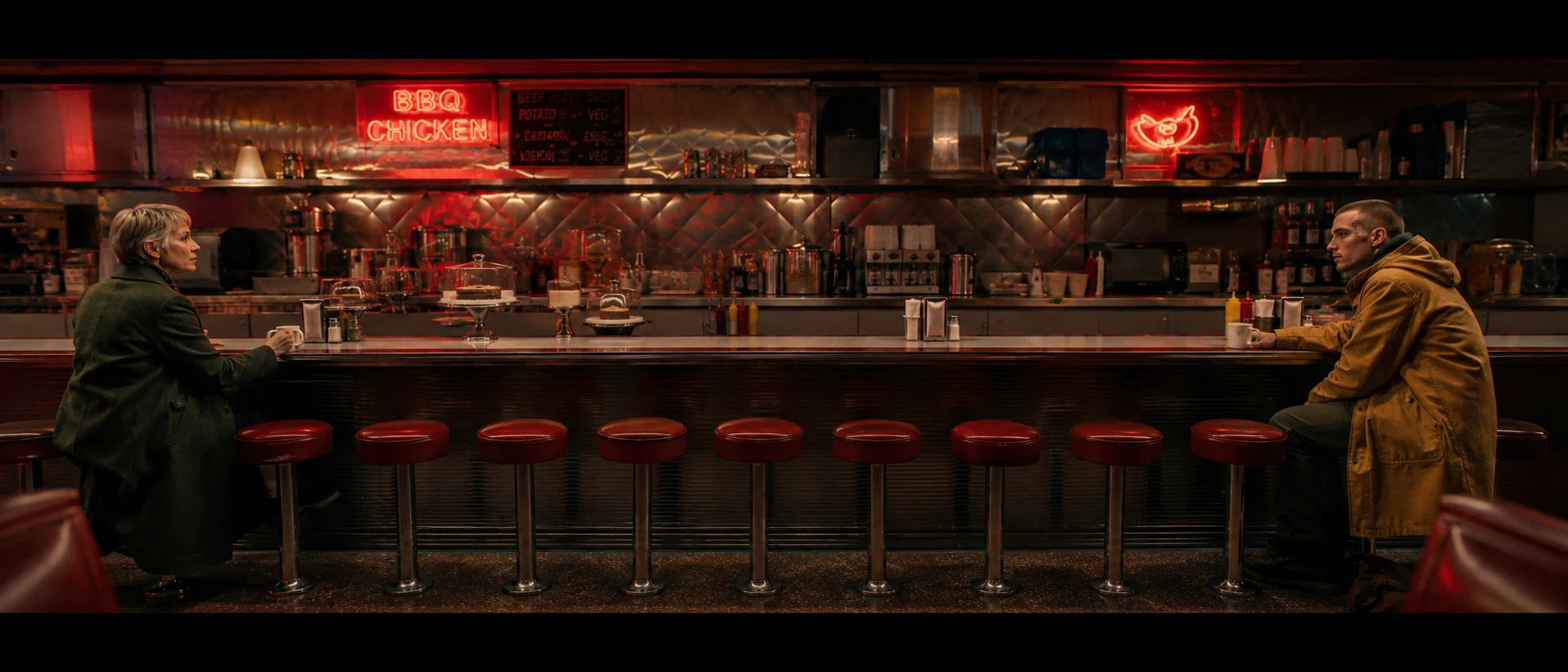
The original the crop came from: far left end / far right end and eight empty stools put the story in the gap pan and scan removes.
Open FlashBoardsCamera: a flat horizontal pan to the right starts immediately at a slow, even speed, the whole picture sliding sideways from the silver-haired woman to the person in the mustard raincoat, stopping when he is centered. Action: The woman is already talking and lifts her coffee cup as the frame slides off her; the counter passes through frame; the young man in the mustard raincoat comes into view and looks up to answer.Starts immediately and the whole picture sliding sideways give the flat move of a transfer pan, not a camera turning.
Open FlashBoards{
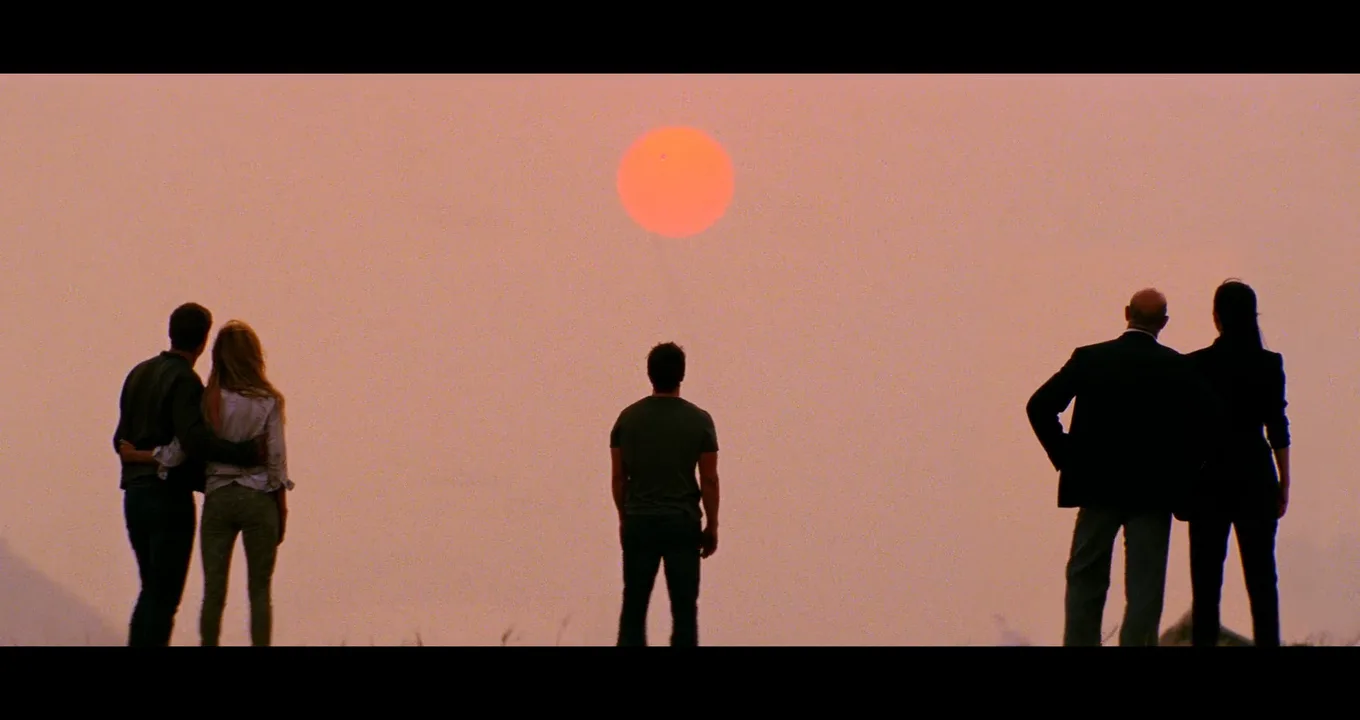
"output": "Full-screen live-action widescreen shot from Transformers: Age of Extinction (2014), in a 2.39:1 scope frame filled edge to edge from its very first frame: one continuous shot. Glossy 2010s blockbuster image at dusk: a flat, hazy salmon-pink sky fills most of the frame, a large soft-edged orange sun disc hangs near the top edge at the centre, five people stand in black silhouette on a grassy ridge that makes a thin black strip along the bottom edge, spread across the whole width: two at the far left, one alone in the centre, two at the far right, with wide bands of empty pink sky between the groups. Faint misty hill slopes in the lower left and lower right corners.",
"characters": {
"S1": {
"name": "Optimus Prime, played by Peter Cullen",
"look": "never seen: he is not in the frame; only his voice is heard, off screen",
"voice": "deep, calm, noble male baritone, slow and solemn, with a faint resonant edge"
},
"P1": {
"name": "a young man, unnamed in this shot",
"look": "seen only from behind in black silhouette: short dark hair, dark jacket, dark trousers",
"voice": "silent"
},
"P2": {
"name": "a young woman, unnamed in this shot",
"look": "seen only from behind: long wavy blonde hair over the shoulders, a light shirt, slim patterned trousers",
"voice": "silent"
},
"P3": {
"name": "a man in his forties, unnamed in this shot",
"look": "seen only from behind in black silhouette: short dark hair, a fitted dark T-shirt, jeans",
"voice": "silent"
},
"P4": {
"name": "a bald man in his fifties, unnamed in this shot",
"look": "seen only from behind: bald head catching faint light, a dark suit jacket, grey trousers",
"voice": "silent"
},
"P5": {
"name": "a woman in her forties, unnamed in this shot",
"look": "seen only from behind in black silhouette: long straight black hair to the shoulder blades, a dark tailored jacket, slim dark trousers",
"voice": "silent"
}
},
"shots": [
{
"shot": 1,
"camera": "locked-off camera on a long telephoto lens, low behind the group near ground level, full figures seen from behind: heads at about the middle of the frame height, feet on the black ridge strip at the bottom edge, the sun disc near the top edge straight above P3; only a faint, slow floating drift; the framing stays the same to the end",
"action": [
"BEGINNING: alive from the first frame, all five stand with their backs to the camera, facing the sun and looking up at the sky: at the far left edge P1 and P2 stand hip to hip, P1 on the left with his arm across her back, P2 on the right with her arm around his waist; alone in the exact centre, directly below the sun, P3 stands with both arms hanging at his sides and his head tipped back; at the far right edge P4 stands with his screen-left hand on his hip, elbow out toward screen left, and P5 stands close beside him on the screen-right side, arms at her sides.",
"THEN: a tiny dark speck trailing a hair-thin pale vapour line rises slowly and straight up from below the sun and crosses the orange disc; all five heads stay tipped up toward it; nobody turns around and nobody walks.",
"THEN: P1 shifts his weight toward P2 and draws her closer, his arm sliding up around her shoulders; P3 stays perfectly still; P4 keeps his hand on his hip and turns his head slightly toward P5.",
"END: the speck has climbed above the top of the sun and is barely visible; the five silhouettes hold their places at the far left, the centre and the far right, the wide gaps of empty pink sky between them unchanged."
],
"voice": "only the voice-over below, from off screen; nobody in the frame speaks",
"dialogue": [
{
"speaker": "S1",
"on_screen": false,
"when": "a moment after the shot begins, with a short pause in the middle of the line, ending just before the last moment",
"delivery": "voice-over, slow, solemn, resonant",
"line": "<d>[English] Those answers we carry inside.</d>"
}
]
}
],
"sound": {
"ambience": "a soft evening breeze over the grass on the ridge, very quiet",
"speech": "exactly this one spoken phrase, said once, as a voice-over",
"never_spoken": "no narration and no voice-over except the line above: the descriptions, performance notes and step words of this prompt are never spoken aloud",
"music": "a film score under the scene, always below the voices: slow swelling orchestral strings with a soft choir, hopeful and elegiac",
"subtitles": "none"
}
}Remakes the ridge-top sunset shot from Transformers: Age of Extinction (2014): the prompt carried over the five silhouettes spread across the 2.39 frame, the empty sky between the groups, the speck climbing across the sun and Optimus Prime's voice-over line.
Two at the far left, one alone in the centre, two at the far right with wide bands of empty pink sky rebuild staging made for the full scope width: any 4:3 slice of the result loses at least one group.
Open FlashBoardsCommon mistakes
- Asked for "pan and scan," models draw a camera panning a landscape. Describe the result: a 4:3 frame with someone cut off by the edge.
- Image models center everyone. Place people at the "far left end" and "far right end."
- A pan that starts late becomes a slow push-in on the still. State the move first and give it an end point.
Keep the reference frames, prompts and every generated take side by side — images and video in one canvas.
FAQ
4 questionsWhat does pan and scan mean?
Pan and scan means cropping a widescreen film to fill a 4:3 TV screen. An operator picks a 4:3 window inside each wide shot and sometimes slides it during the shot, which is the pan. There are no black bars, but up to about 44% of a 2.39 frame is gone.
Pan and scan vs. widescreen: which is better?
Widescreen, or letterboxed, shows the film as it was composed, with black bars on a narrower screen. Pan and scan fills the screen but removes the sides of every shot and can add pans and cuts nobody filmed. For watching or studying films, choose widescreen.
Is "full screen version" the same as pan and scan?
Usually. "Full screen" on a VHS or DVD box meant a 4:3 picture, and for anamorphic scope films that was almost always pan and scan. For films shot flat or in Super 35, the full-screen version was sometimes open matte, adding picture above and below instead of cutting the sides.
What are examples of pan and scan?
Almost every widescreen feature released on VHS or shown on 4:3 television in the 1980s and 1990s had a pan-and-scan version. Wide two-shots give it away: one actor speaks from off screen, or the image slides between faces.
Related terms
3- LetterboxingFormats & Exhibition
Letterboxing shows a widescreen image on a narrower screen in full by adding black bars above and below; the vertical version, bars on the sides, is pillarboxing.
- Aspect RatioFormats & Exhibition
Aspect ratio is the width of the frame relative to its height — 1.33:1 (Academy), 1.85:1 (flat), 2.39:1 (scope), 1.43:1 (IMAX), 16:9 (HDTV); it decides how much space surrounds a character and how a composition breathes.
- CinemaScopeFormats & Exhibition
CinemaScope was 20th Century Fox's anamorphic widescreen system, launched with The Robe (1953): a lens squeezed a wide image onto 35mm film and the projector lens unsqueezed it to about 2.35:1.
Further reading
John Belton, Widescreen Cinema (Harvard University Press, 1992).