 FlashBoards Learn
- Learn
- Composition & Framing
- Screen Direction
Composition & Framing · Film language
Screen Direction
Also called: direction of movement, left-to-right screen direction
Screen direction is the way characters move and look across the frame, left to right or right to left. Kept consistent from shot to shot, it tells the audience where people are heading, who is facing whom and who is chasing whom. Break it by accident and the viewer loses the map of the scene.
- What it does
- Keeps movement and eyelines readable across cuts, so the audience never has to rebuild the geography.
- Use it when
- Chases, journeys, dialogue, battles: any scene where the viewer must know where people are and where they are going.
- Watch out
- A character exiting frame right and entering the next shot from frame right looks as if they turned back.
- Try this prompt
Profile view, a cyclist moving from frame left to frame right along a canal at dawn, open space ahead on the right, camera at hip height, 35mm, film still
What is screen direction in film?
Screen direction describes which way things travel and face on the screen, not in the real world. A runner crossing from frame left to frame right has left-to-right direction. It covers movement (entrances, exits, crossings), looks (where eyes and bodies point) and relative position (who stands on which side).
It is not a synonym for "camera direction": it is about what the subjects do inside the frame. It sits at the heart of film composition because every cut asks the viewer to carry the last shot's direction into the next one.
Why does screen direction matter?
It builds a map. Viewers place hero, villain and destination without an establishing shot every time.
It tells chase from collision. Two riders both moving left to right read as pursuit; opposite directions read as heading toward each other. That is the grammar behind cross-cutting in a rescue or a race.
It makes conversations connect. One person looks toward frame right, the other toward frame left, so across a shot-reverse-shot cut their gazes meet. The eyeline match works the same way.
It carries meaning by habit. Many filmmakers treat left to right as forward or outbound and right to left as returning or resisting. It is a convention, not a law, but a reversal mid-journey feels like a turning point.
Movement, looks and neutral shots
- Movement direction. Exit frame right, enter the next shot frame left, keep traveling right.
- Look direction. A character looking frame left needs space on the left, and the next shot should show what is there.
- Neutral direction. Movement straight toward or away from the lens has no left or right. A head-on or tail-away shot is the classic bridge for changing direction without a false U-turn.
- Mirrored placement. Two opponents framed in the same slot, facing the same way, read as a rhyme rather than a confrontation. Use it on purpose.
How to keep screen direction consistent
Draw the scene from above. Mark the direction of travel on the floor plan and write "L>R" or "R>L" next to every shot. It protects continuity when scenes are shot out of order.
Keep the camera on one side of the action. Once it crosses the path or the line between two actors, the direction flips.
Give looks room. Frame someone moving or looking right in the left third, with open space ahead. A 35–50mm lens at chest height, perpendicular to the path, gives the clearest lateral read.
Cut in the middle of motion. A match on action carries the direction across the cut.
To change direction, show it: let the character turn in shot, move the camera across the line during the take, insert a neutral shot, or cut away and return.
Screen direction vs. the 180-degree rule
Screen direction is the result: the left-right directions the audience sees. The 180-degree rule is the method for keeping it: stay on one side of the action line. You can obey the rule and still break direction (exit right, enter the next shot from the right), or cross the line and stay readable if the move happens on screen.
Screen Direction examples in film
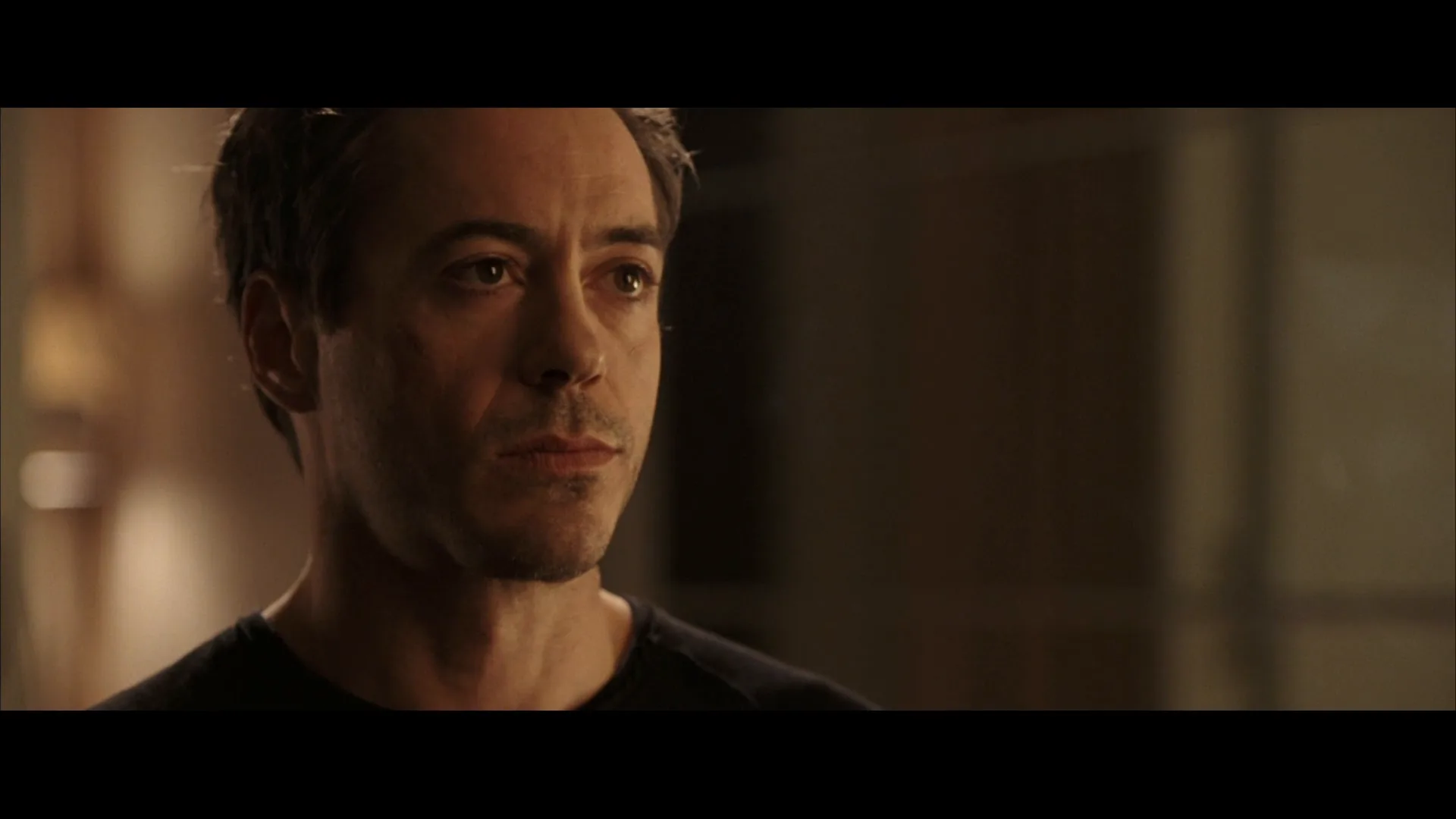
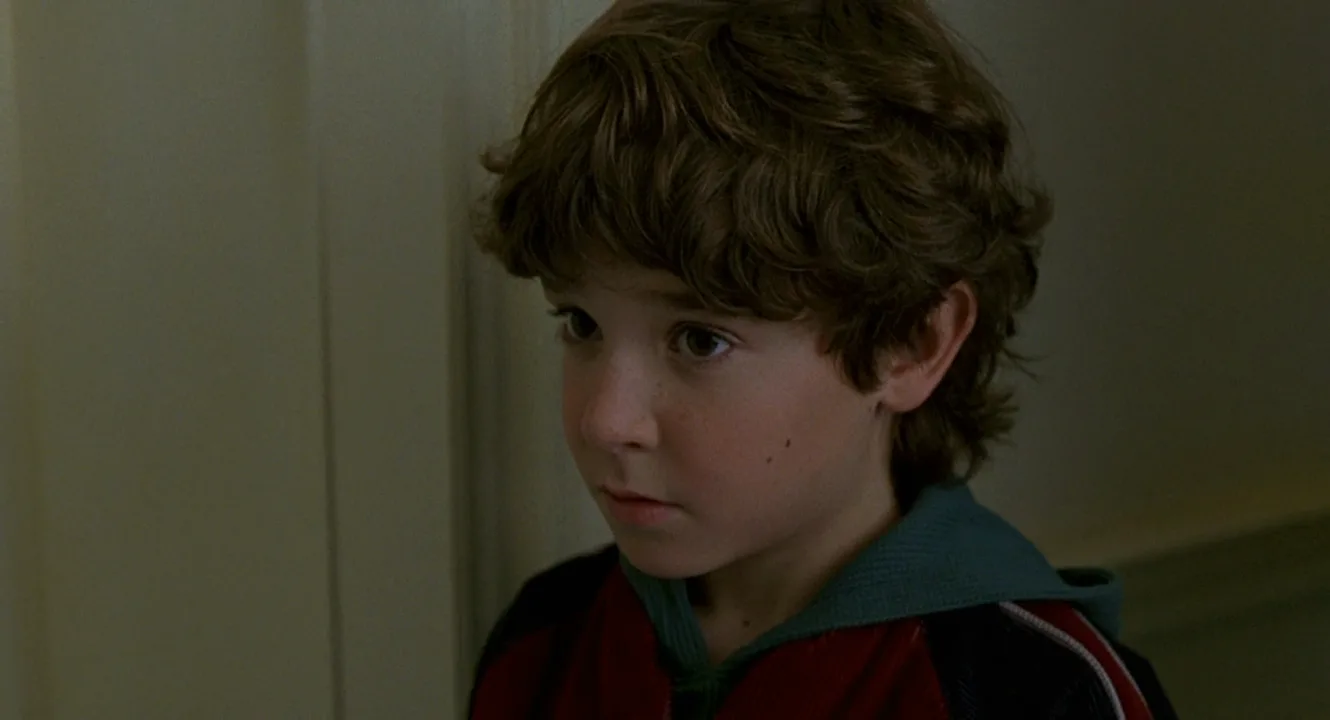
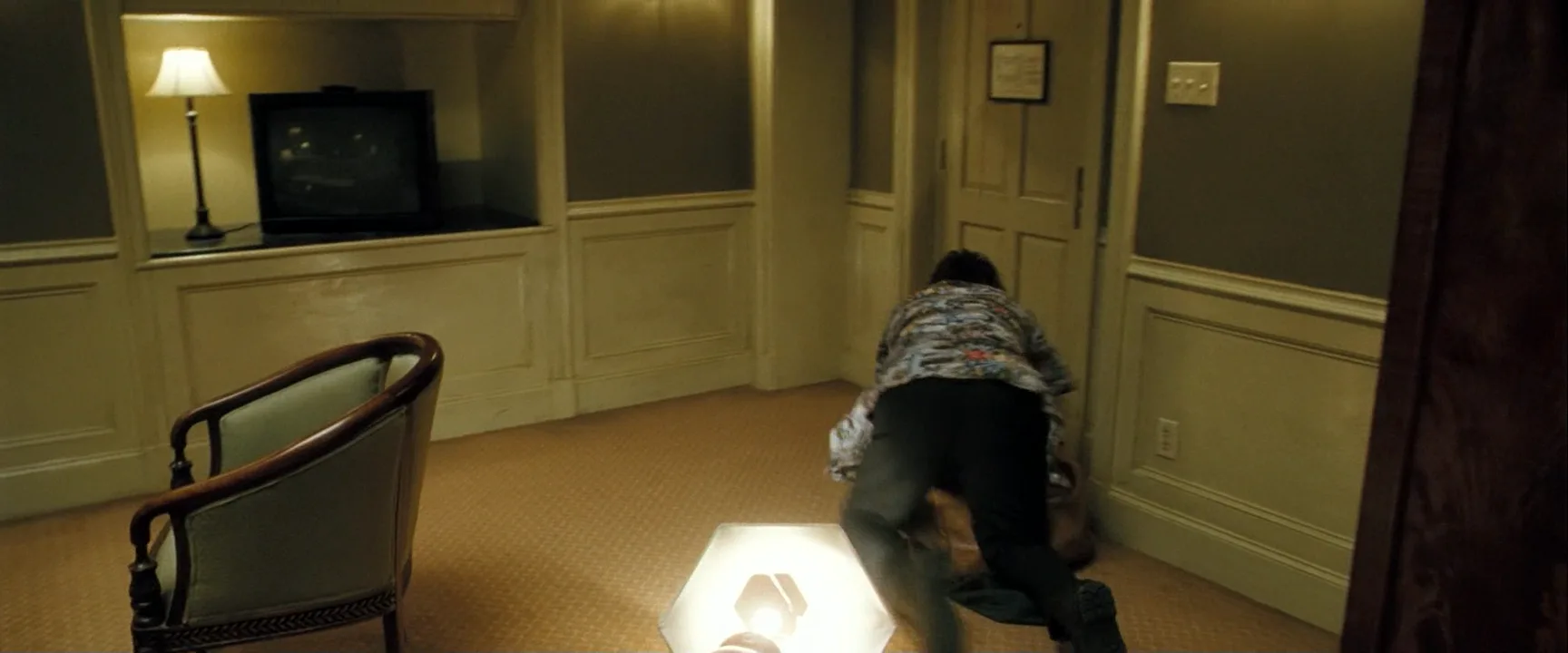
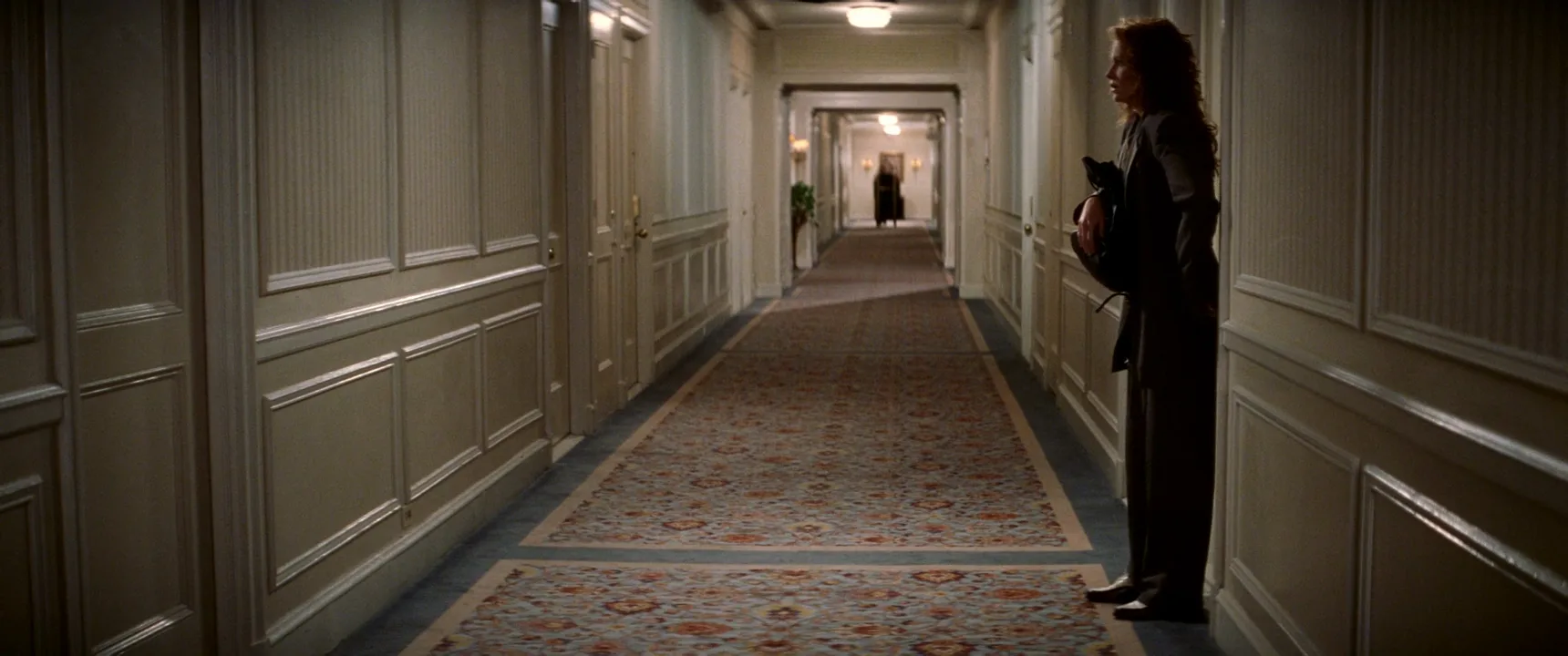
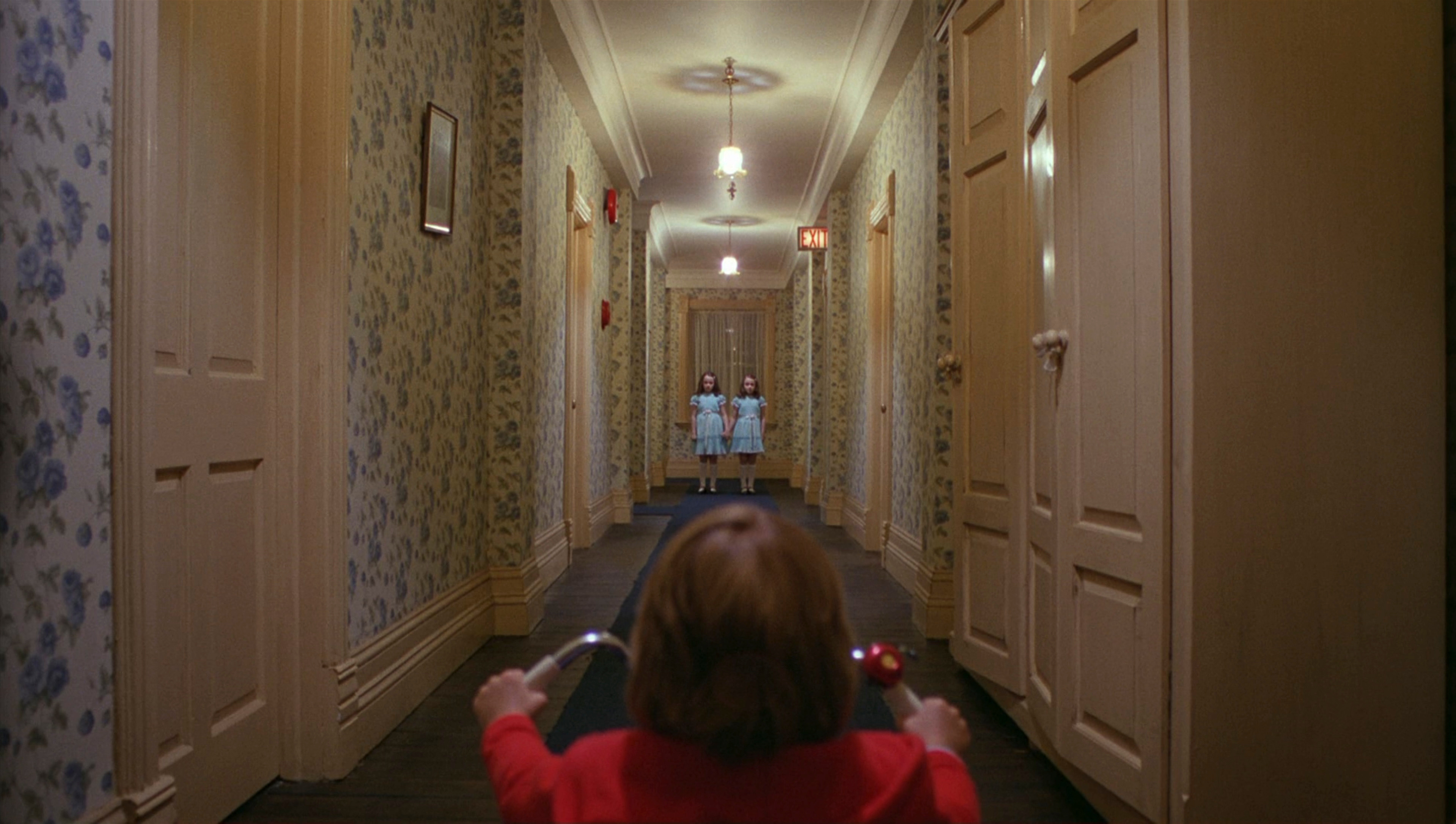
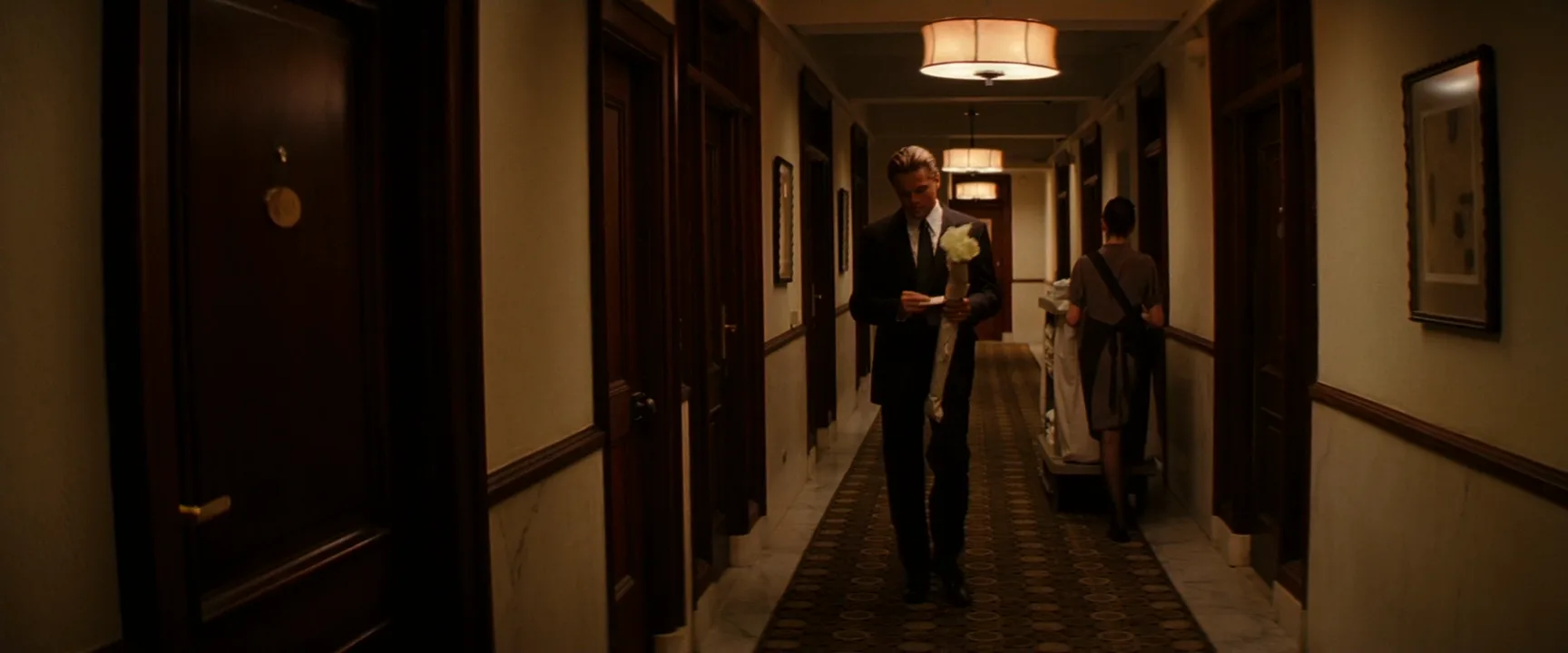
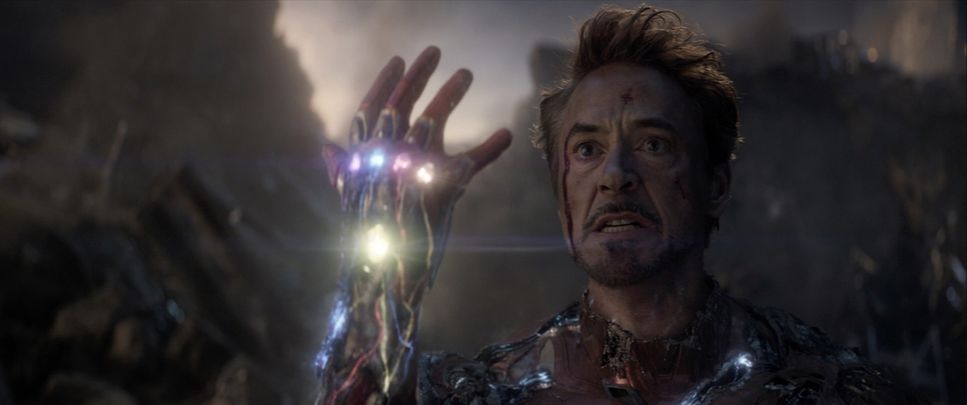
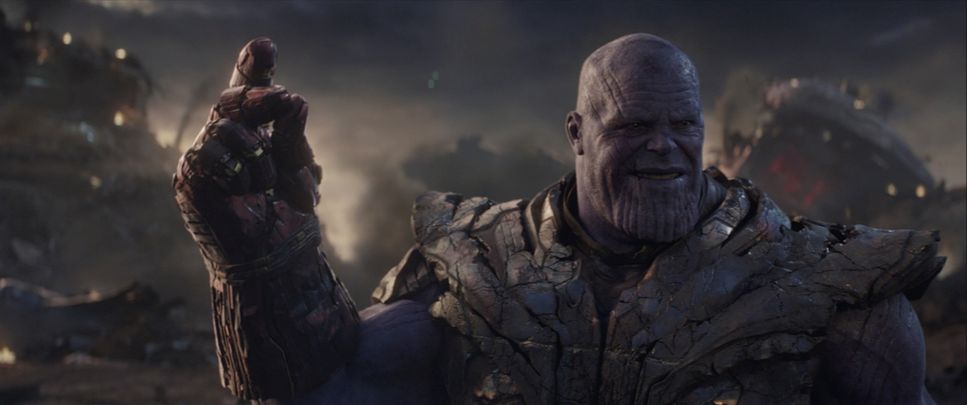
9 framesNote which way each face or body points and where the open space is: that is the direction the next shot must honor.
How to create a screen direction with AI
4 promptsModels never see the previous shot, so direction has to be written into every prompt in frame terms. In FlashBoards, keep the floor plan, reference frames and takes on one board and line them up in order to check that the arrows agree. The fourth prompt re-shoots a real film shot from a text description alone, and the original plays next to the result so you can compare.
Wide film still, strict profile view: a fictional courier, a wiry woman in her thirties with a shaved head, a copper nose ring and an olive rain jacket, cycles from frame left to frame right along an empty canal path at dawn. She sits in the left third with open space ahead of her. Camera at hip height, perpendicular to her path, 35mm lens, low sun, wet cobblestones, muted teal and amber grade.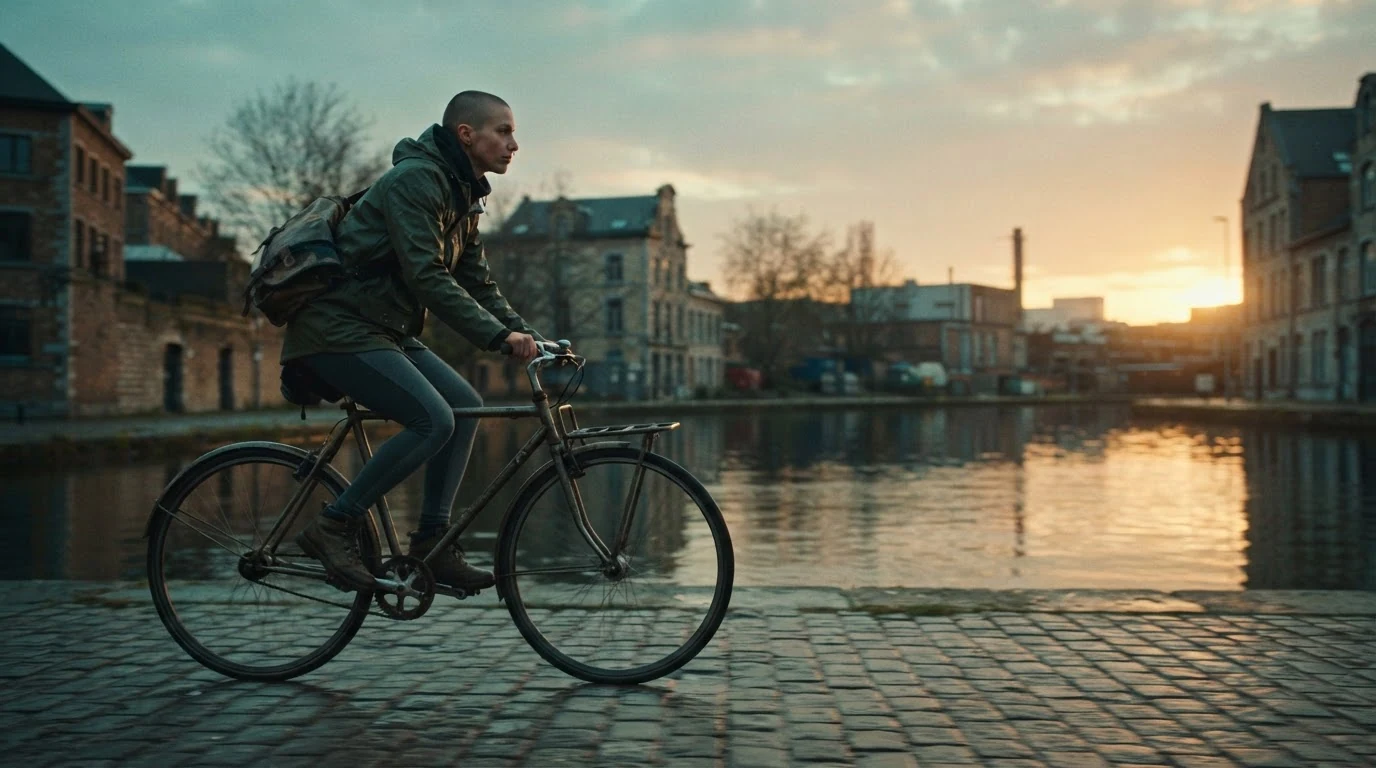
"Strict profile view" and "from frame left to frame right" set the direction; "perpendicular to her path" stops her turning to the lens; "open space ahead" gives the move somewhere to go.
Open FlashBoardsAnamorphic film still, profile view: a fictional pursuer, a heavyset bearded man in his fifties with a grey ponytail and a burgundy wool coat, runs from frame left to frame right, in the left third with an empty street ahead of him. Camera at chest height, perpendicular to his path, 50mm lens, shallow depth of field, overcast morning light, shuttered shops behind him.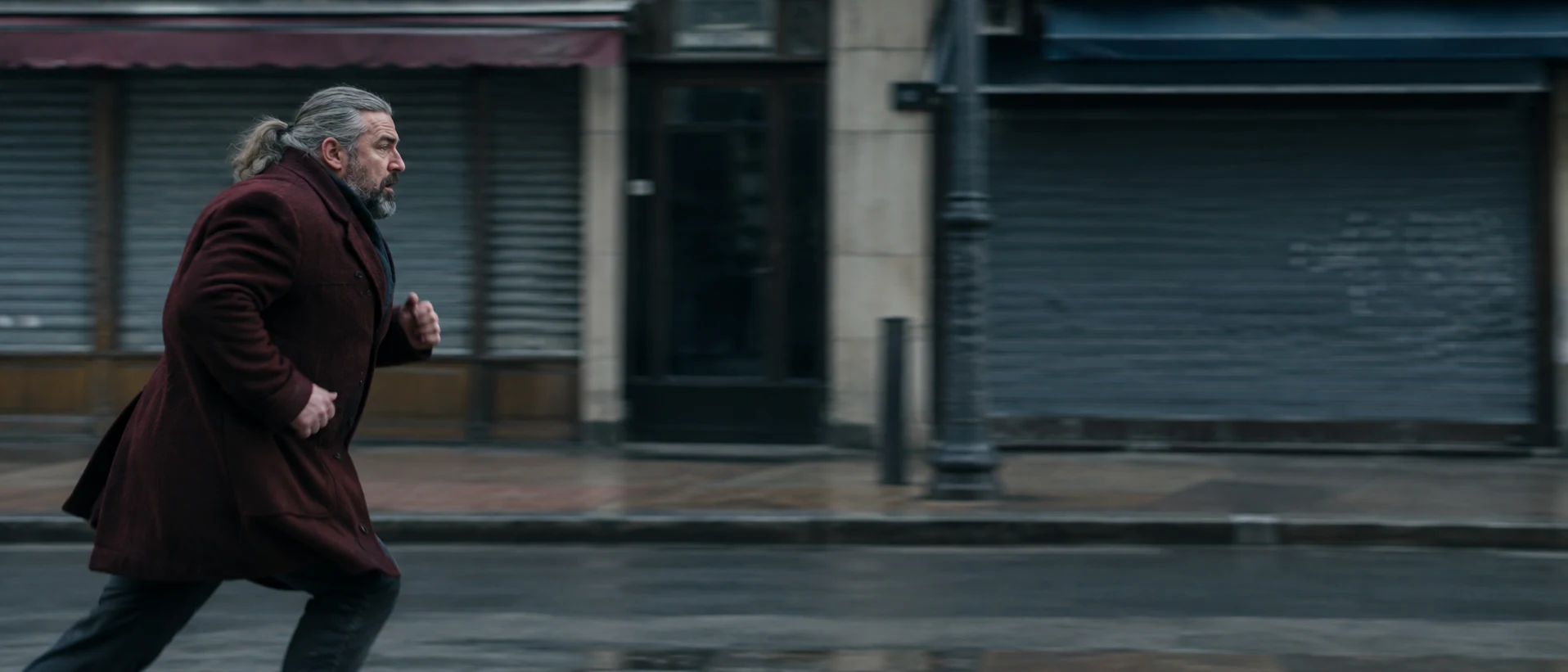
Same direction as recipe 1 reads as a chase; write "from frame right to frame left" and the pair becomes a collision course.
Open FlashBoardsCamera: trucks right alongside the cyclist at her speed from the first frame to the last, perpendicular to her path, keeping her in the left third. Action: She is already pedaling hard, moving from frame left to frame right. She rises off the saddle and speeds up, wet cobblestones sliding past beneath her wheels. She keeps her eyes forward toward frame right and rides on.Move and action start at once, so the shot is alive from frame one. Repeating "toward frame right" keeps her from turning to the lens.
Open FlashBoards{
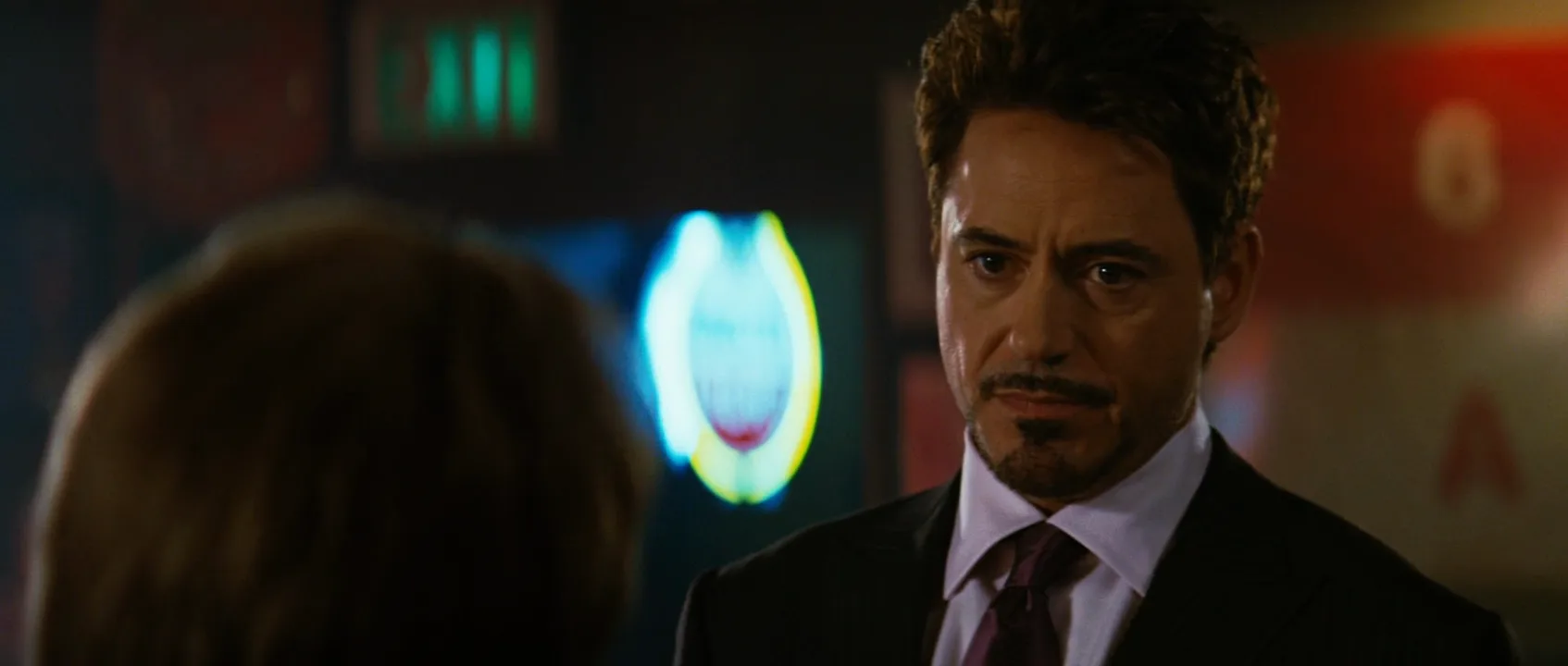
"output": "Full-screen live-action scene from The Incredible Hulk (2008), from its very first frame: one single continuous shot. Glossy 2008 35mm film look with fine grain, 2.39:1 scope frame, a dim late-night bar: dark walls, a glowing blue-white oval neon sign blurred in the background centre, a warm red-orange sign panel blurred at the right edge, a small green glow high in the background; warm amber light on the faces, deep shadows, shallow depth of field.",
"characters": {
"S1": {
"name": "Tony Stark, played by Robert Downey Jr.",
"look": "man in his early forties, short tousled dark-brown hair, neatly trimmed goatee and moustache, black suit, pale lavender shirt, dark plum tie; seen from the chest up in three-quarter front view",
"voice": "dry, low, relaxed, faintly amused"
},
"S2": {
"name": "General 'Thunderbolt' Ross, played by William Hurt",
"look": "seen only from behind as a soft, out-of-focus foreground shape: back of the head with short greying-brown hair, dark coat collar and shoulders; his face is never seen",
"voice": "silent in this shot"
}
},
"shots": [
{
"shot": 1,
"camera": "near-static camera at seated eye level, long lens, over-the-shoulder medium close-up: S2's soft dark head in the left foreground facing frame right, S1 sharp in the right third facing frame left toward him; only a slow, slight drift, focus stays on S1 from start to end",
"action": [
"BEGINNING: alive from the first frame, the back of S2's head fills the left-centre foreground, turned toward frame right; S1 in the right third looks toward frame left straight at S2's face with a broad amused smile that crinkles his eyes.",
"THEN: S2 lifts his right hand, on the frame-right side of his head, up to his cheek by the ear; S1's smile drops, his brows lower, and he answers with one short word, lips visibly moving, eyes still on S2 toward frame left.",
"THEN: S2 lowers his hand out of frame and slowly leans away, his head sinking and sliding toward the left edge; S1 holds still, mouth closed, brows slightly knit, gaze fixed toward frame left, no nod.",
"THEN: S2's head slides almost out past the left edge, leaving dark open space and the blue neon glow on frame left; S1, now alone in a clean single, tilts his head slightly and speaks, lips visibly moving, still looking toward frame left.",
"END: S1 finishes his line and holds the look toward frame left, calm and knowing, with open space on the left side of the frame."
],
"dialogue": [
{
"speaker": "S1",
"on_screen": true,
"when": "right after his smile drops, early in the shot",
"delivery": "dry, clipped, one amused word",
"line": "<d>[English] Touché.</d>"
},
{
"speaker": "S1",
"on_screen": true,
"when": "near the end of the shot, after S2's head has slid to the left edge",
"delivery": "low, casual, knowing",
"line": "<d>[English] I hear you have an unusual problem.</d>"
}
]
}
],
"sound": {
"ambience": "quiet late-night bar room tone with a faint murmur of distant voices",
"speech": "exactly these spoken phrases, each said once, in this order",
"never_spoken": "no narration and no voice-over: the descriptions, performance notes and step words of this prompt are never spoken aloud",
"music": "a film score under the scene, always below the voices: low, restrained strings with a slow, tense pulse",
"subtitles": "none"
}
}Remakes the over-the-shoulder shot of Tony Stark and General Ross from The Incredible Hulk (2008), dir. Louis Leterrier, DP Peter Menzies: Ross's blurred head on frame left facing right, Stark's look toward frame left, his two lines word for word, and Ross sliding out left while the look holds.
The camera field fixes both directions at once: S2's soft head in the left foreground facing frame right, S1 in the right third facing frame left. Every action step repeats toward frame left, so when Ross slides out of the shot the look still points into the open space he left, and the next cut already knows where he is.
Common mistakes
- Left and right get confused. "Her left" and "frame left" are opposites when she faces the camera; always write "frame left".
- Subjects drift toward the lens. Three-quarter views kill direction; say "strict profile view, camera perpendicular to the path".
- Video subjects turn around. Restate the direction in the action lines and give the camera a matching lateral move.
- Shots disagree. Compare frames side by side before animating.
Keep the reference frames, prompts and every generated take side by side — images and video in one canvas.
FAQ
5 questionsWhat is screen direction in film?
Screen direction is the left-to-right or right-to-left way characters move and look across the frame. Keeping it consistent between shots lets the audience follow where people are going, who faces whom and who is chasing whom. A flip without a reason on screen reads as a U-turn or scrambles the geography.
What does left to right mean in film?
Left-to-right movement travels from frame left toward frame right. Many filmmakers treat it as forward: departure, progress, heading out. Right to left often reads as coming back or pushing against resistance. It is a convention rather than a rule, but holding one direction for a journey makes it feel purposeful.
How do you change screen direction without confusing the audience?
Show the change instead of cutting across it. Let the character turn inside the shot, move the camera across the action line during the take, insert a neutral shot straight toward or away from the lens, or cut away and come back. Each tells the viewer the change is deliberate.
Is screen direction the same as camera direction?
No. Screen direction describes how subjects move and look inside the frame. Camera placement relative to the action line decides which direction the audience sees, which is why the 180-degree rule and screen direction are taught together, but they are different ideas.
What is a neutral shot in screen direction?
A neutral shot shows movement straight toward or away from the camera, so it has no left or right. After a head-on shot of a car, the next shot can show it moving either way without the audience reading a U-turn.
Related terms
4- 180-Degree RuleComposition & Framing
The 180-degree rule keeps the camera on one side of an imaginary line between two characters (or along a movement), so their left-right positions and eyelines stay consistent from shot to shot; crossing it flips the geography and disorients the viewer.
- Match on ActionEditing
Match on action cuts in the middle of a movement — a door opening, a punch, a glass raised — and continues it in the next shot from another angle, so the cut hides inside the motion.
- ContinuityFilmmaking Process & Crew
Continuity is the consistency of every visible and audible detail — props, costume, hair, eyelines, positions, light, weather — across shots that were filmed out of order, so the edited scene reads as one unbroken moment.
- Eyeline MatchEditing
An eyeline match cuts from a character looking off-screen to what they are looking at, with the gaze direction matched so the audience instantly reads the second shot as their view.
Further reading
Daniel Arijon, Grammar of the Film Language (1976). Walter Murch, In the Blink of an Eye (2001).