 FlashBoards Learn
- Learn
- Lenses, Focus & Exposure
- Overexposure
Lenses, Focus & Exposure · Film language
Overexposure
Also called: overexposed, blown-out highlights
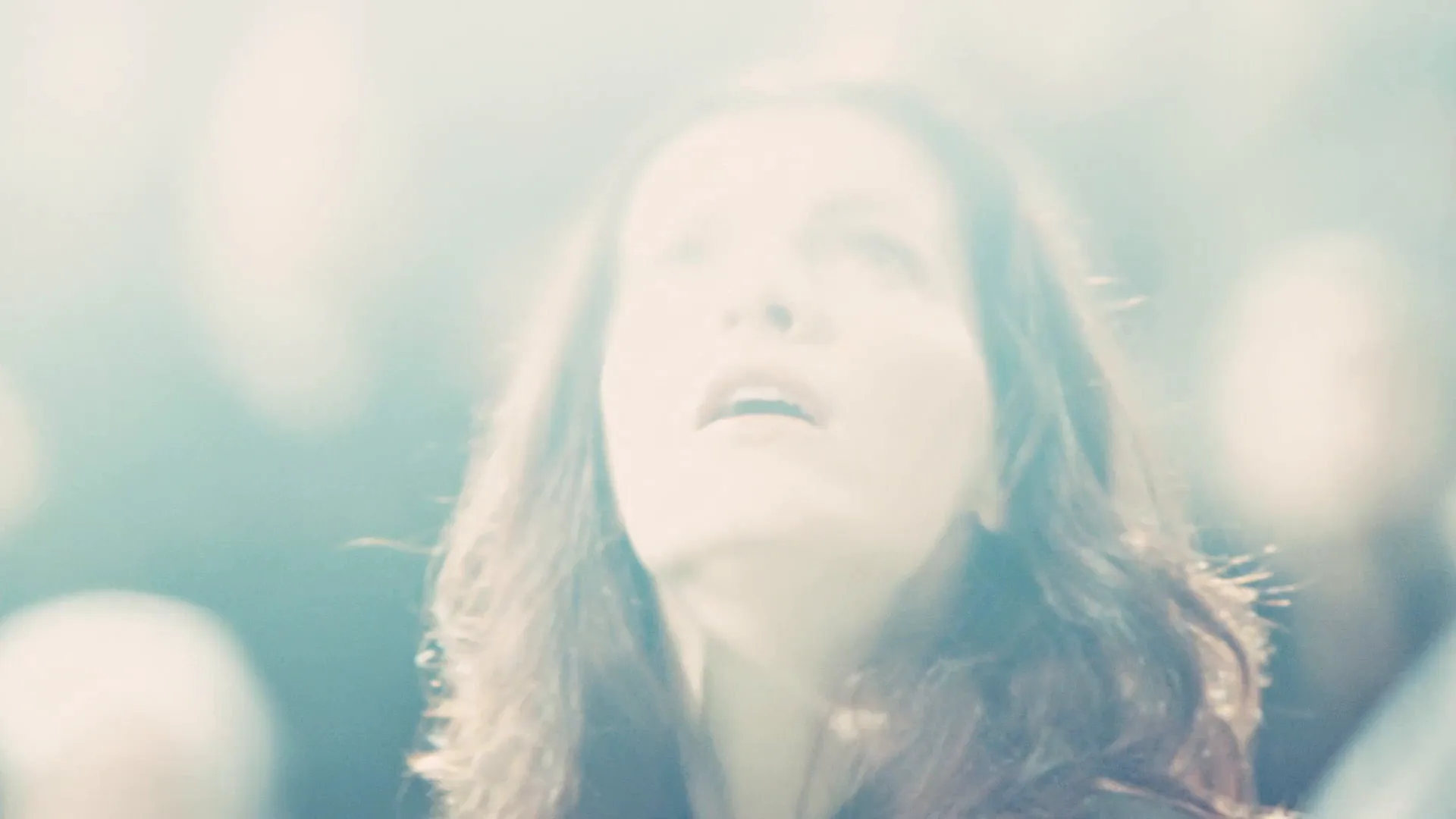
Overexposure is when too much light reaches the film or sensor, so the brightest parts of the image clip to pure white and lose all detail. By accident it looks like a mistake; by design it reads as heat, glare, memory, a dream state or the afterlife, dissolving the edges of faces and rooms into light.
- What it does
- Burns highlights to blank white, lifts shadows and softens contrast so the image feels hot, fragile or unreal.
- Use it when
- A scene needs memory, delirium, desert heat, a near-death or heavenly space, or a character blinded by light.
- Watch out
- Clipped digital highlights cannot be recovered in the grade; decide what burns and protect skin tones.
- Try this prompt
overexposed cinematic close-up, window behind her clipped to pure white, light bleeding over her cheek, milky lifted shadows, dreamy memory
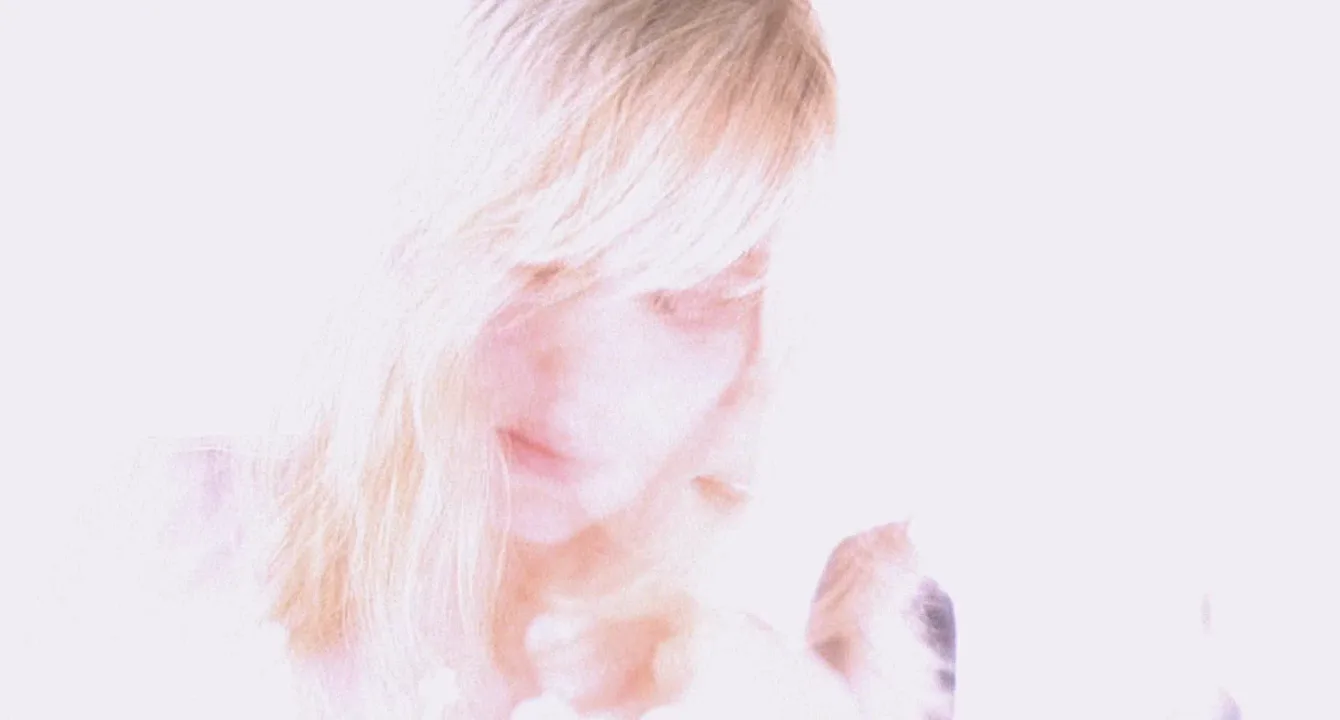
What is overexposure?
Every exposure decides where the scene's brightness lands inside the camera's dynamic range. Overexposure places it too high: the brightest areas pass the sensor's clipping point, or the density limit of the negative, and turn into flat white. Skin loses pores, clouds lose shape, a window becomes a white rectangle.
The cause is one of the three settings of the exposure triangle: an aperture too wide, a shutter open too long, or an ISO too high for the light. In films the partial version is most common: the face sits one or two stops over while the background sits four or five over and burns out. That split creates the look, a readable subject floating in glare.
Why do filmmakers overexpose on purpose?
Blown highlights strip away information on purpose: with the world erased, the viewer stays inside the character's head.
Transcendence. The light pouring through the open door in Close Encounters of the Third Kind (1977) turns the doorway into a portal. Harry Potter and the Deathly Hallows – Part 2 (2011) stages its limbo in a King's Cross washed almost entirely white.
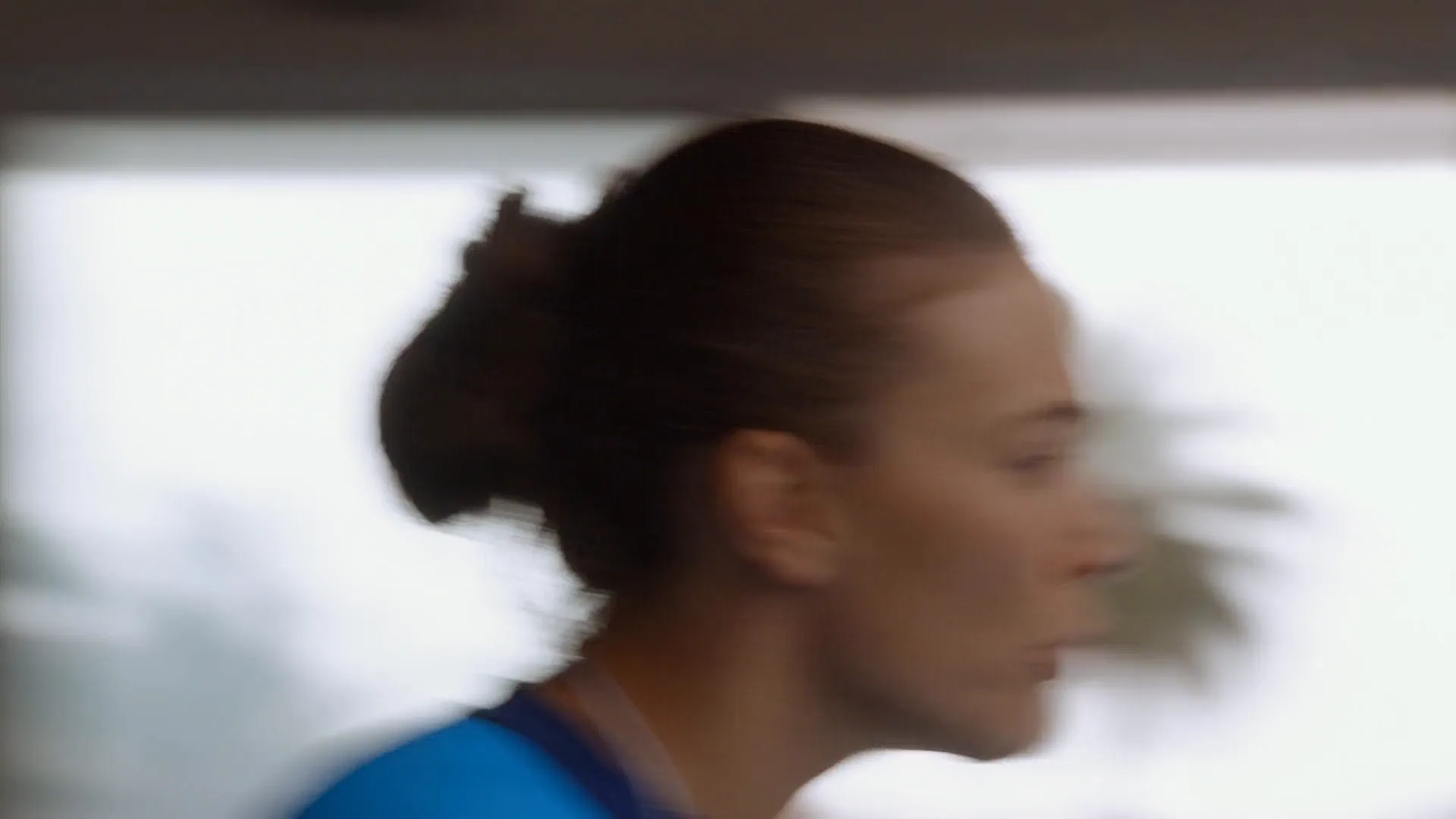
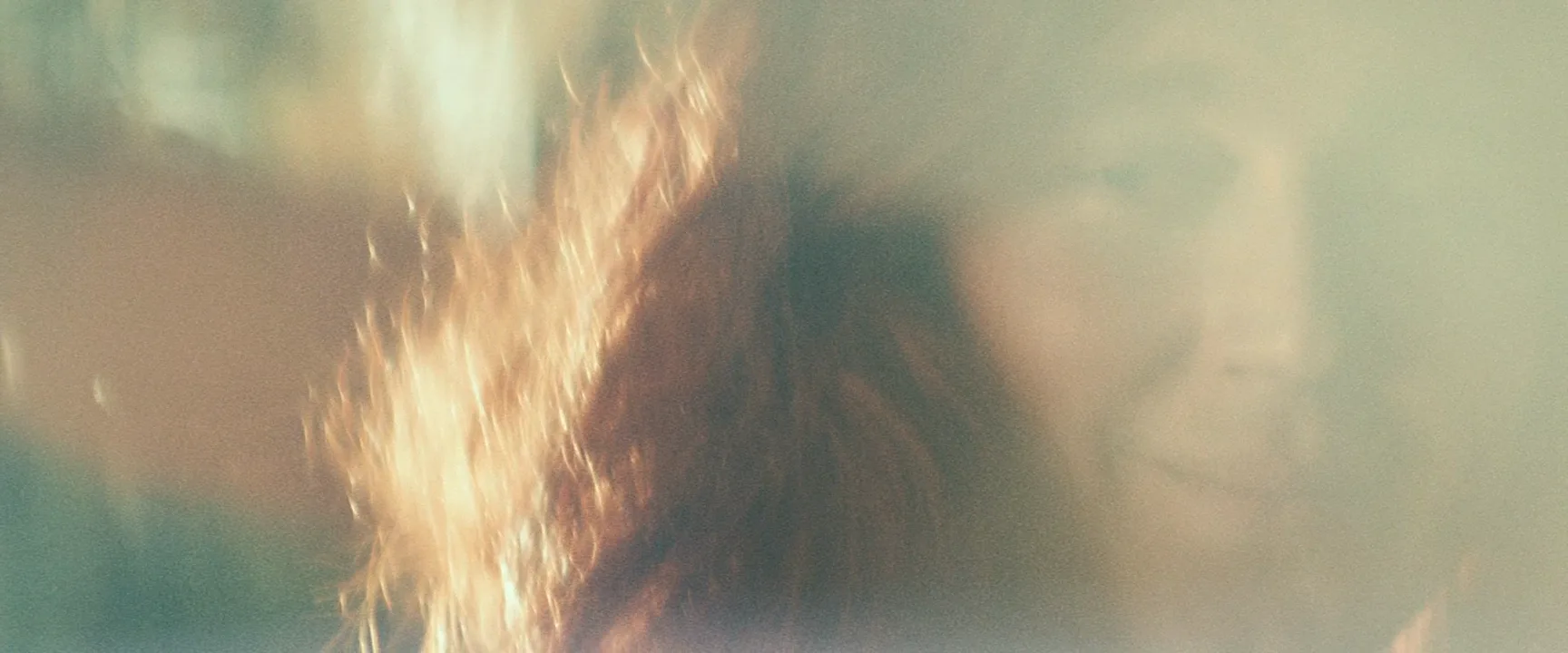
Perception and memory. The Diving Bell and the Butterfly (2007) opens on the hero's blurred, blown-out point of view as he wakes. Flashbacks and dreams use the same code: burned whites feel remembered rather than observed.
Heat. Deserts, noon streets and fevers are routinely printed hot; the Mexico scenes of Traffic (2000) are grainy, bleached and yellow.
How to shoot a controlled overexposed look
Decide what burns. Pick the area to lose (window, sky, practical) and what must hold. A common split: skin at +1 to +1½ stops, the background at +4 or more.
Light the background. Put a big source outside the window or behind a diffusion frame, several stops above your key; on location, pull the ND gel off the window. A modest key keeps the eyes readable.
Read it on the monitor. With zebras or false color, red should cover only the areas you chose to lose. Digital clipping is hard and permanent, so expose for the face.
Film vs. digital. Color negative rolls highlights off gradually, so stock rated one or two stops slow gives a creamy, low-contrast burn. Sensors hit a wall and look harsher.
Add bloom. A Pro-Mist or similar diffusion filter spreads the white into the midtones, and film halation adds a red-orange glow on hot edges, so the burn reads as light, not an error.
Overexposure vs. underexposure
Two ends of the same dial. Overexposure loses detail to white and feels open, hot, sometimes holy. Underexposure loses detail to black and builds dread from what the audience cannot see. They fail differently too: negative tolerates overexposure far better than underexposure, while a digital sensor can lift a dark image (with noise) but never restore a clipped white.
Is overexposure the same as high-key lighting?
No. High-key lighting is a lighting ratio: lots of fill, few shadows, a bright frame that is still correctly exposed, so whites keep texture. Overexposure throws detail away. Dream and heaven scenes often combine both: light high-key, then expose a stop or two over. Both sit in the lenses, focus and exposure toolkit.
Overexposure examples in film
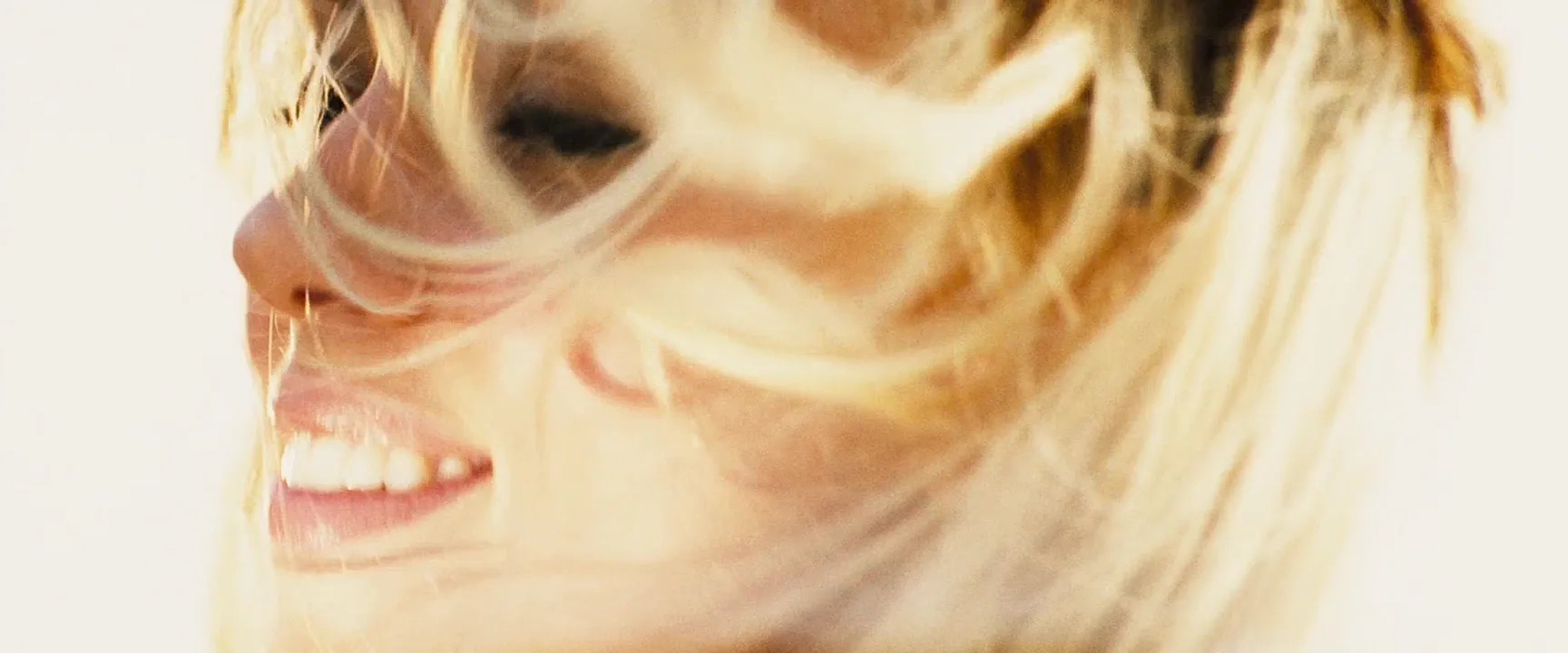
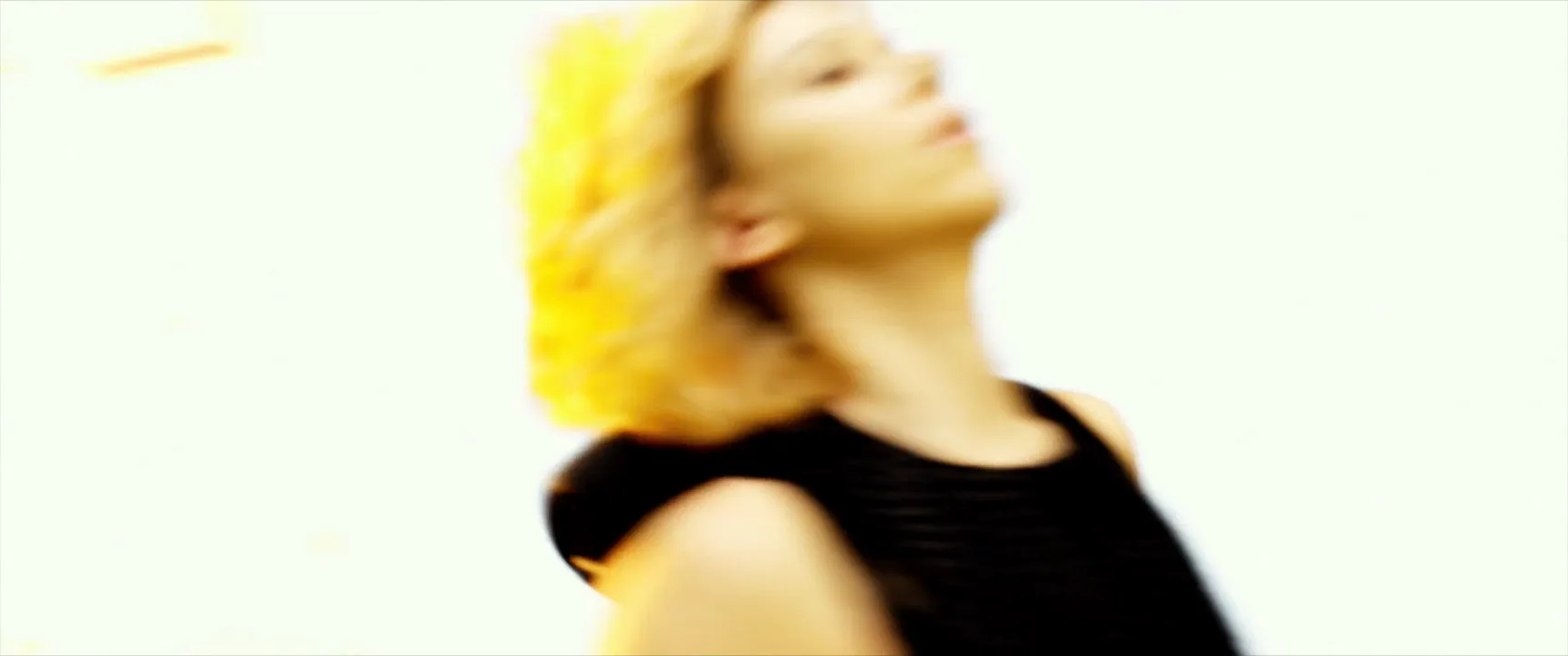
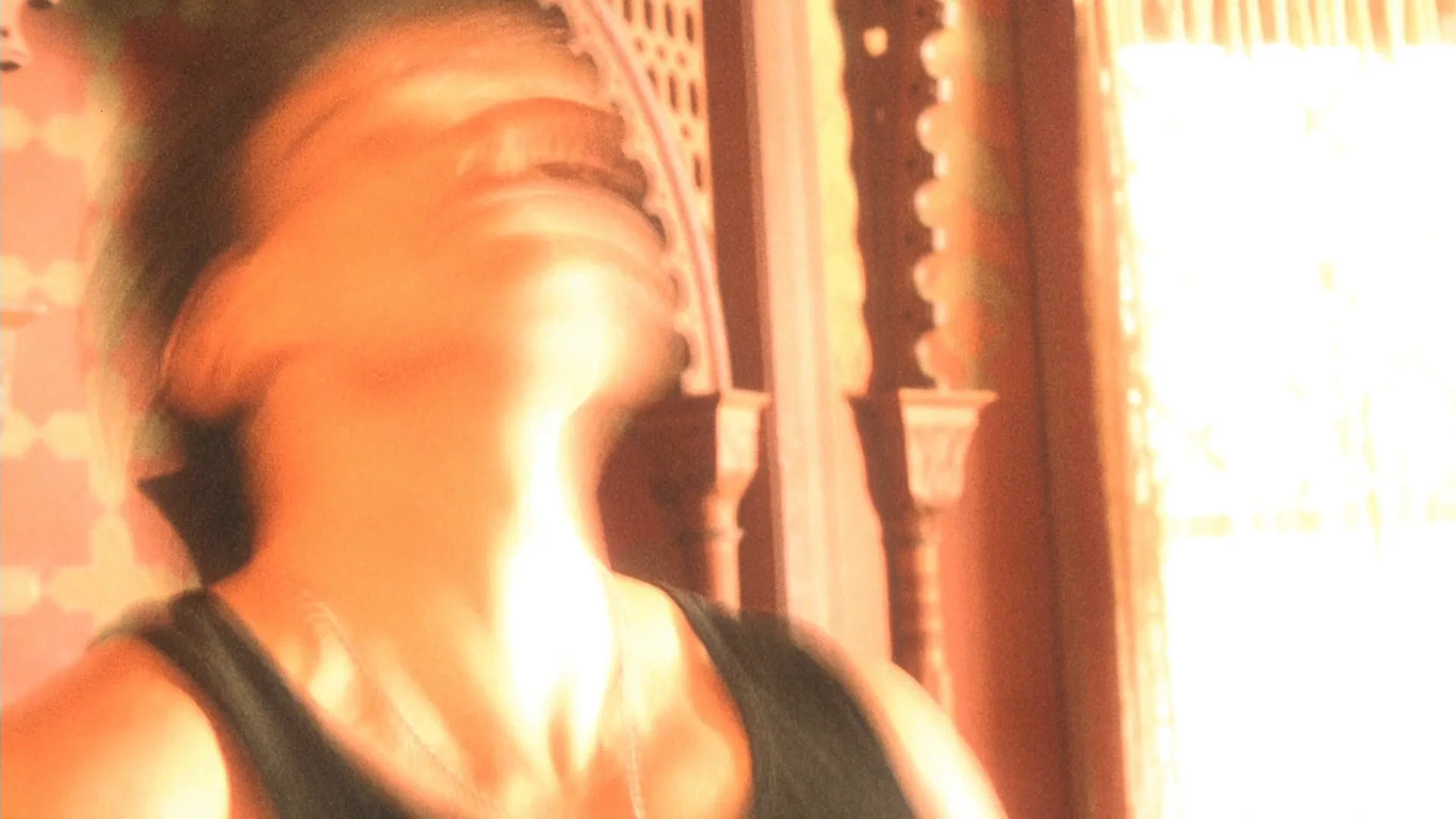
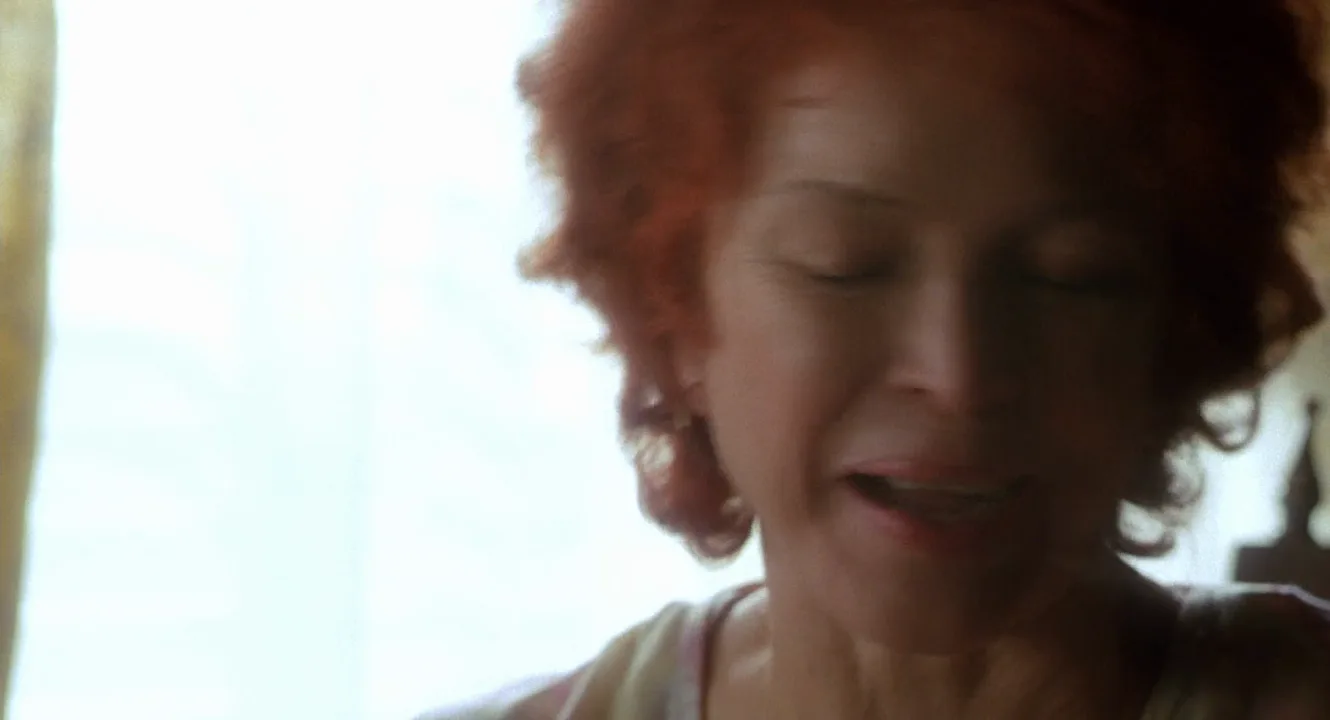
8 framesFrames where the white is a decision: burned backgrounds and half-dissolved faces.
How to create a overexposure with AI
4 promptsImage models default to a balanced exposure, so state overexposure as a result: what clips to pure white, where the light bleeds, how milky the shadows are. Keep reference stills, takes and exposure notes on one FlashBoards board and compare how far each take burns. The fourth prompt re-shoots a real film shot from a text description alone, and the original plays next to the result so you can compare.
Deliberately overexposed cinematic medium close-up: a woman in her late thirties with a cropped black bob streaked with silver, freckled olive skin and a thin scar through her left eyebrow, in a pale linen shirt, stands beside a tall window at midday. The window behind her clips to pure white with no detail, the white bleeds over the edge of her cheek and hair, skin highlights washed to creamy near-white, shadows lifted and milky, low contrast, soft halation around the window frame. 35mm lens at eye level, 35mm film, dreamlike memory mood.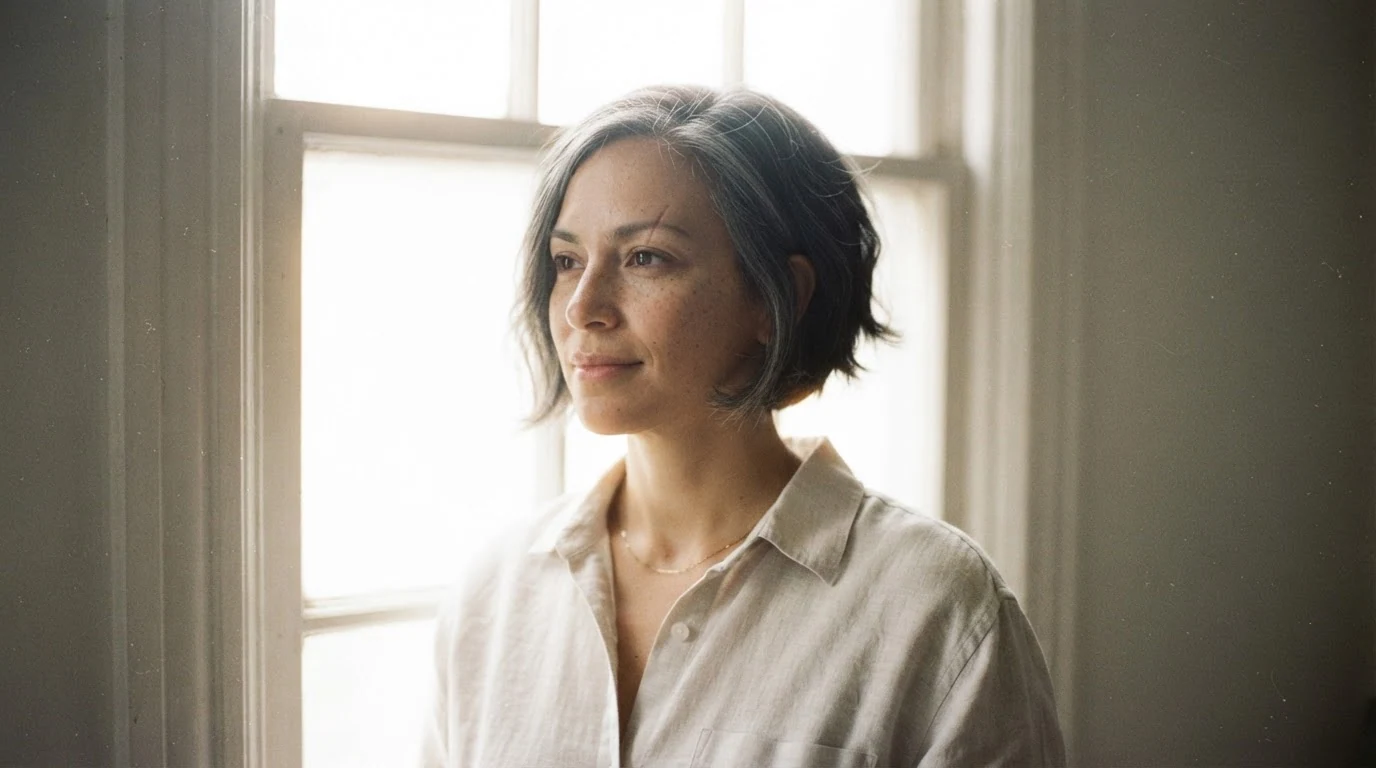
"Clips to pure white with no detail" names the result, and "bleeds over the edge of her cheek" lets the burn touch the subject. "Lifted and milky" shadows keep out the deep blacks of a normal sunny day.
Open FlashBoardsOverexposed widescreen shot: an elderly man with a long white beard braided at the tip, deep-lined brown skin and a faded orange work jacket walks across a salt flat at noon. Ground and sky burn to blank white so the horizon disappears; only his figure and short hard shadow keep detail. Exposed for the shadows so the highlights blow out, bleached desaturated color, heat haze, 50mm lens at chest height.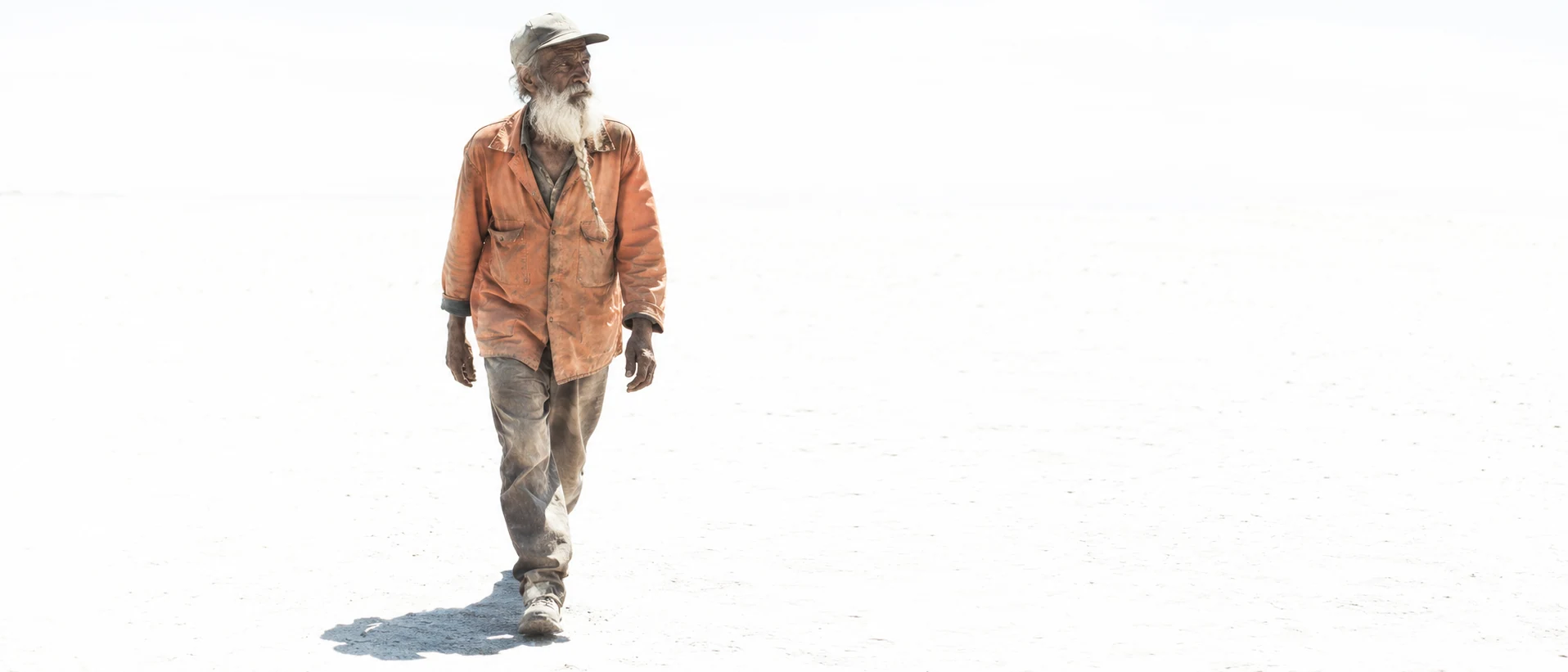
This take moves the effect from memory to heat. "Exposed for the shadows so the highlights blow out" is operator language the model follows better than "very bright", and the vanishing horizon is written as an outcome.
Open FlashBoardsCamera: slow handheld push-in, starting at a medium close-up and ending on a close-up of her face. Action: She is already turning her head from the white window toward the lens, the glare sliding across her cheek. Midway she blinks slowly and a strand of her silver-streaked hair lifts in the breeze, catching the light and dissolving into white. At the end she holds her gaze into the lens while the window light blooms brighter and swallows the edge of her shoulder.The head turn starts at once, so the clip is alive from the first frame. "Blooms brighter and swallows the edge of her shoulder" keeps the burn growing, and only things already in the start frame are named.
Open FlashBoards{
"output": "Full-screen live-action scene from The Diving Bell and the Butterfly (2007), from its very first frame: three shots joined by two hard cuts. 2000s 35mm film, a remembered daydream. The first two shots are violently overexposed, five stops over: the whole frame is blank milky pinkish white, skin burned to near-white, the face surviving only as faint traces - the dark line of the eyes, a pale pink smudge of lips, wisps of gold hair - flickering in and out of the white, with soft ghostly double images of her moving head. The burn of the first two shots never settles back to a normal exposure. The third shot is normally exposed, cool blue-gray hospital light, full crisp detail, a shock of real color.",
"characters": {
"S1": {
"name": "a remembered young woman",
"look": "early thirties, long wavy strawberry-blonde hair with a fringe over her brow, pale skin, loose pale top",
"voice": "silent"
},
"S2": {
"name": "two men walking in the background",
"look": "a tall Black man in a dark plum shirt, and a man in a white suit and sunglasses",
"voice": "silent"
},
"S3": {
"name": "Jean-Dominique Bauby, played by Mathieu Amalric",
"look": "man in his forties, short dark hair, stubble, pale blue hospital gown, a clear ribbed breathing tube fixed at the left side of his throat",
"voice": "silent"
},
"S4": {
"name": "Claude, played by Anne Consigny",
"look": "never seen, only heard",
"voice": "calm, clear woman's voice reading aloud, soft and warm"
}
},
"shots": [
{
"shot": 1,
"camera": "static, slightly high angle, close-up of S1's face in the centre-left of frame, soft long lens; exposure five stops over, the frame blank white, the background a pure white void, her face a ghost of faint gold and pink",
"action": [
"BEGINNING: alive from the first frame, S1's head swings slowly, her gold hair flying out to screen left, a soft ghostly double image of her face trailing the movement.",
"THEN: her head settles tilted to one side, eyes lowered and half closed, lips parting into a faint dreamy smile.",
"THEN: the white pulses brighter and her features almost vanish; only the line of her eyes and a smudge of pink lips remain.",
"THEN: her face returns only as faint traces, head swaying gently, the white void around her empty.",
"END: the white swells again until the frame is nearly blank, a few strands of gold hair the only trace."
],
"dialogue": [
{
"speaker": "S4",
"on_screen": false,
"when": "from the first frame, over the burned close-up, ending before the frame goes nearly blank",
"delivery": "calm, reading a quotation aloud",
"line": "<d>[French] \"Un livre bouleversant.\"</d>"
}
]
},
{
"shot": 2,
"cut_at": "00:02.583",
"camera": "static, eye level, medium close-up of S1 on the left third of frame; exposure five stops over exactly like shot 1: her face and hair burned almost to white, only her eyes, lips and a few gold strands as faint traces, the room behind her pure blank white",
"voice": "silence: nobody speaks in this shot, no voice at all",
"action": [
"BEGINNING: right after the cut, S1 looks down past the lens with a calm, distant face, her fringe over her brow, her hands out of frame.",
"THEN: S2 walk slowly from right to left behind her on the right side of frame as pale washed-out silhouettes, the plum shirt faded to a soft lilac, the white suit dissolving into the glare.",
"END: the white swells even brighter and swallows her face while she keeps looking down."
],
"dialogue": []
},
{
"shot": 3,
"cut_at": "00:03.250",
"camera": "static, high angle from beside the bed, tilted close-up of S3 lying on a white pillow, his head in the upper right of frame, the breathing tube in the lower left; correct exposure, crisp detail",
"voice": "silence: nobody speaks in this shot, no voice at all",
"action": [
"BEGINNING: right after the cut, S3 lies completely still, eyes wide open, staring up toward the top left of frame past the lens.",
"THEN: his face stays frozen, mouth closed, only his eyes glistening.",
"END: he keeps staring upward, motionless, his head never moving on the pillow."
],
"dialogue": []
}
],
"sound": {
"ambience": "soft airy hum in the white shots, then the quiet hum of a hospital room",
"speech": "exactly these spoken phrases, each said once, in this order",
"never_spoken": "no narration and no voice-over: the descriptions, performance notes and step words of this prompt are never spoken aloud",
"music": "a film score under the scene, always below the voices: soft slow piano notes over a faint shimmering string pad, dreamy and melancholic",
"subtitles": "none"
}
}Re-shoots the memory flash from The Diving Bell and the Butterfly (2007): two burned, nearly white shots of a woman cut to a correctly exposed close-up of Jean-Dominique Bauby in his hospital bed, keeping both cut times, the static camera and Claude's off-screen line.
The exposure sits in the output look and again in each burned shot's camera field ("five stops over, the frame blank white"), because the model pulls a face back toward normal unless every shot restates it. The third shot asks for "correct exposure, crisp detail", so the hard cut into real color proves the white was a choice, and Claude's off-screen line is copied word for word from the film.
Common mistakes
- Model corrects the exposure. "Bright" or "sunny" gets a clean frame with blue sky; write "window clipped to pure white, no detail".
- Beauty glow instead of burn. Ask for "skin highlights washed to near-white, lifted milky shadows, low contrast".
- Cut-out look on white. Add "light bleeds over the edge of her cheek" and "halation".
- Everything burns. Say what holds: "eyes and lips keep detail".
- Video settles back to normal. Keep the light source in the Action lines so the exposure holds.
Keep the reference frames, prompts and every generated take side by side — images and video in one canvas.
FAQ
4 questionsWhat does overexposure mean in film?
The film or sensor received more light than it can record with detail, so the brightest areas turn to flat white. Used deliberately, DPs let windows, skies or skin burn out to suggest heat, memory, delirium or a heavenly space, while the key part of the subject stays readable.
What does an overexposed shot symbolize?
Usually a state beyond ordinary reality: dreams, flashbacks, near-death moments, divine or alien presence, or extremes like desert heat. Burned highlights erase the world and push the viewer into the character's perception, as in the blinding doorway of Close Encounters of the Third Kind.
Can you fix blown-out highlights in post?
Only partly. Once highlights clip on a digital sensor the data is gone, and pulling them down just turns white into flat grey. Log recording and color negative keep more headroom, so slightly hot areas often recover. Treat clipping as a decision made on set with zebras or false color.
How do you overexpose a shot on purpose?
Expose for the face and let the background run several stops hotter: open the aperture, remove ND, or light the window far above the key. Watch false color so only the chosen areas clip, and add a diffusion filter or shoot negative film for a softer roll-off than a bare digital clip.
Related terms
5- UnderexposureLenses, Focus & Exposure
Underexposure is when too little light reaches the film or sensor: shadows sink into black and noise rises; controlled, it hides information and builds dread in night, thriller and horror scenes.
- High-Key LightingLighting
High-key lighting is bright and even, with plenty of fill and a low key-to-fill ratio, so the frame is dominated by light tones and gentle shadows — the look of sitcoms, comedies, commercials and dreamlike heavens.
- Dynamic RangeLenses, Focus & Exposure
Dynamic range is the span between the darkest shadow and the brightest highlight a camera or film stock can record with detail, measured in stops; the wider it is, the less you lose to crushed blacks or blown-out windows.
- Exposure TriangleLenses, Focus & Exposure
The exposure triangle is the balance of aperture, shutter speed and ISO: change one and you must compensate with another, and each choice also changes depth of field, motion blur or noise.
- VoidProduction Design
A void is a deliberately placeless setting — black, white or colored infinity with no horizon or detail — that isolates a figure or object and turns the scene into abstraction (Under the Skin, The Matrix's white construct).
Further reading
Blain Brown, Cinematography: Theory and Practice — chapters on exposure and the digital image. American Cinematographer magazine coverage of exposure and film-stock latitude.