 FlashBoards Learn
- Learn
- Lenses, Focus & Exposure
- Soft Focus
Lenses, Focus & Exposure · Film language
Soft Focus
Also called: soft focus lens, soft focus effect, glamour soft focus
Soft focus is an image in which the subject is still in focus, but fine detail and contrast are softened and bright highlights bloom into a glow. Made with diffusion filters, nets, special lenses or even a stocking over the lens, it flatters faces and makes a scene feel dreamy, remembered or otherworldly.
- What it does
- Keeps the subject sharp in structure while melting fine texture and turning highlights into halos.
- Use it when
- A face should look idealized, or a scene should feel like a dream, a memory or a vision.
- Watch out
- Too much diffusion reads as a dirty lens or a missed focus pull; keep the strength consistent across a scene.
- Try this prompt
Glamour close-up of a woman in a satin gown, eyes in focus, heavy diffusion filter, backlit hair blooming into a soft halo, 1940s studio lighting
What is soft focus?
Soft focus is a deliberate loss of crispness that leaves the image in focus. The eyes and the outline of the face sit where the lens put them; what softens is the fine layer on top: skin texture, stray hairs, small edges. Part of the light is scattered around each point, so contrast drops, shadows lift and bright areas spread a glow.
That separates it from a missed camera focus mark. An out-of-focus face is a blur with no sharp core. A soft-focus face has a sharp core with a veil over it.
A few dedicated lenses create the effect through spherical aberration, but on set most soft focus comes from glass or fabric added to an ordinary lens: diffusion and mist filters, fine nets, a nylon stocking. It is one of the oldest tools in the lenses and focus kit.
Why do filmmakers use soft focus?
Glamour. Studio-era Hollywood shot its female stars' close-ups through gauze and diffusion so skin looked flawless and eyes glistened.
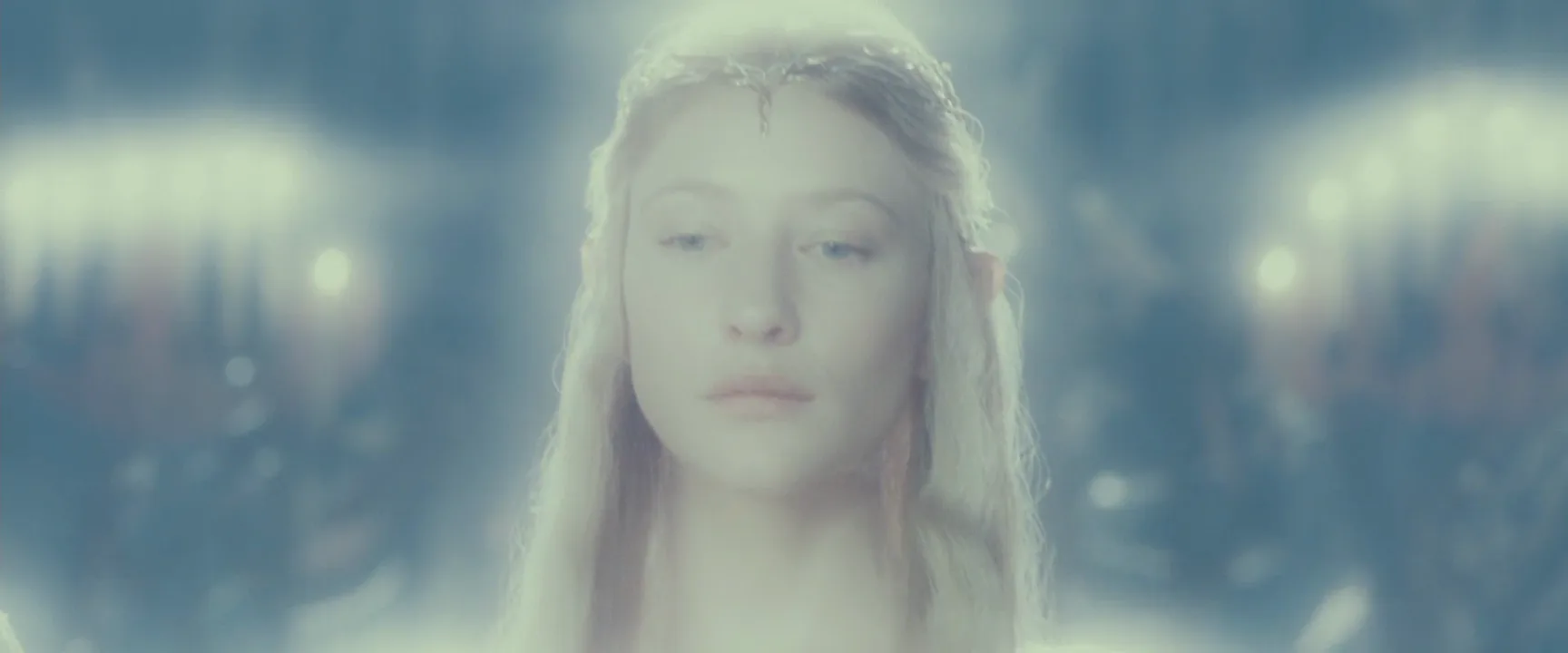
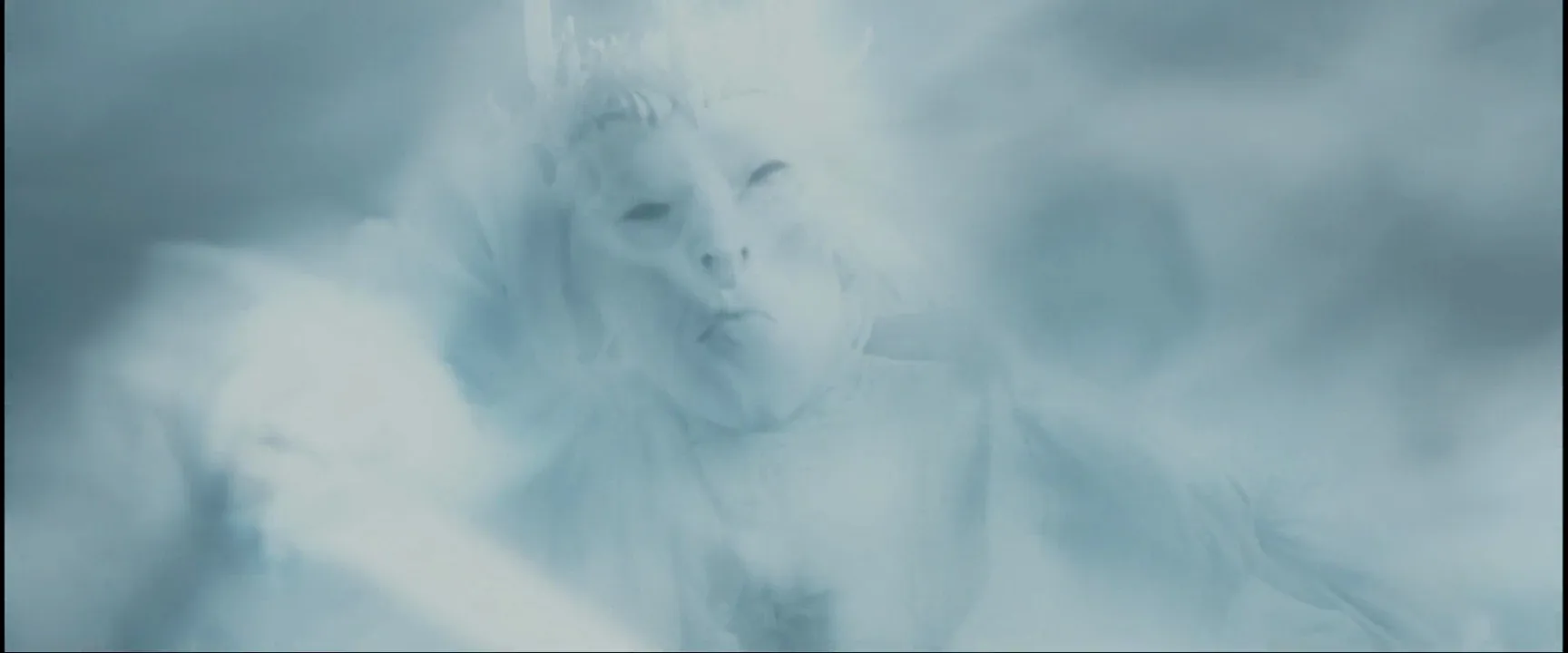
The otherworldly. Fantasy uses heavy diffusion to mark a being as not quite human. Galadriel in The Fellowship of the Ring (2001) glows from within, and Gandalf's return in white in The Two Towers (2002) nearly dissolves in light.
Dreams and memories. A flashback shot through a mist filter feels distant and warm next to the crisp present.
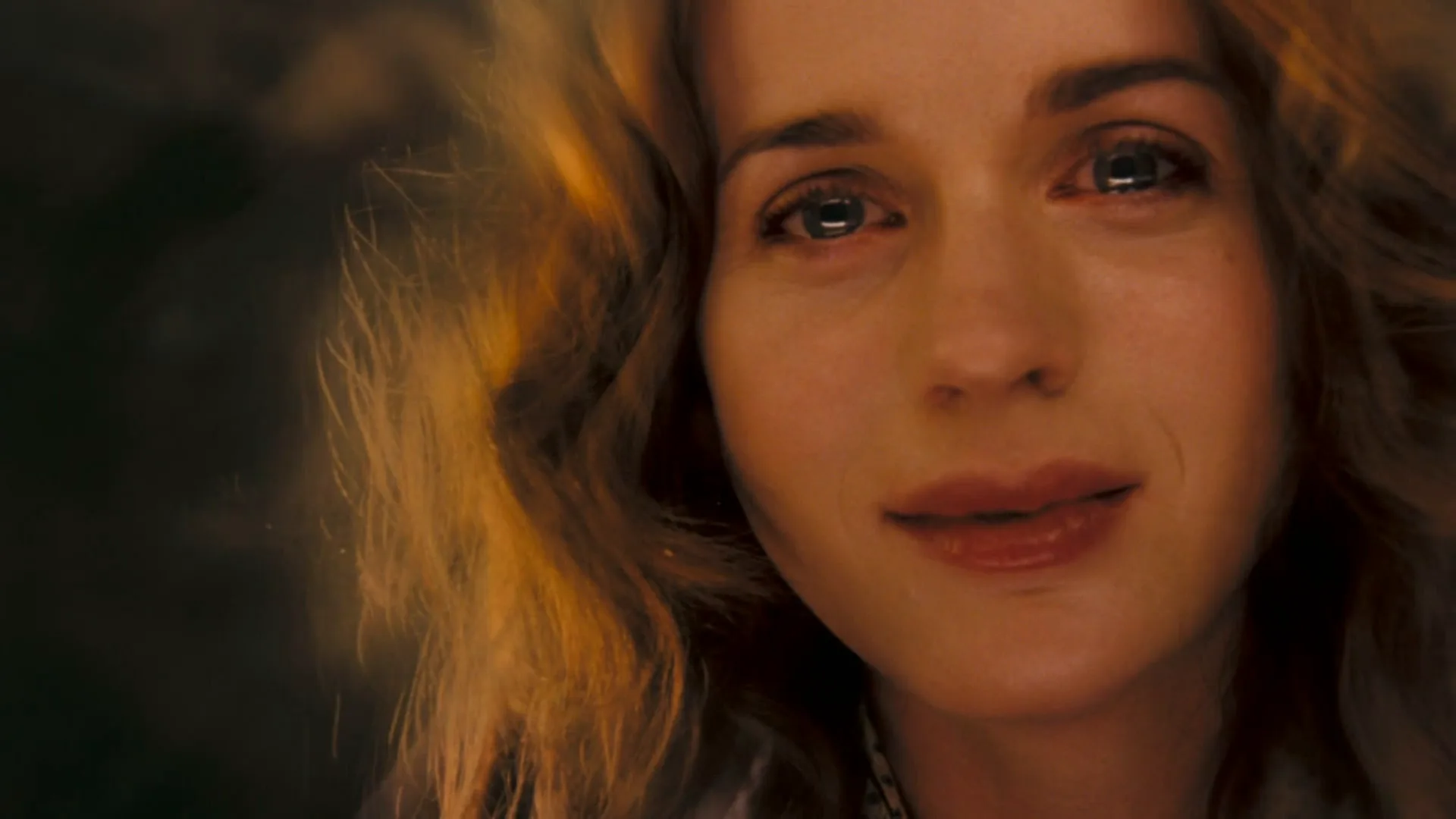
Emotion. Light diffusion on a tearful close-up takes the edge off detail and leaves only expression.
How to create a soft focus effect
Diffusion filters. The usual method, in grades from 1/8 to 1. Black mist types bloom highlights while keeping shadows dense; white mist and fog types lift the blacks into a haze. For a modern face, 1/8 to 1/4 is often enough; heavy grades are for dreams and fantasy.
Nets and stockings. A fine net or nylon stocking stretched over the rear of the lens is the classic studio trick. Black net softens with little contrast loss; white or flesh-colored net adds a warm glow.
Soft focus lenses. Portrait lenses with controlled spherical aberration, or vintage uncoated glass wide open, give a sharp core with a halo. Stopping down reduces it.
Light for it. Diffusion needs highlights. A backlight, a practical or a bright window will bloom; a flatly lit face barely shows the filter. Soft light on the face plus a harder backlight is the classic pairing.
In the grade. A glow pass (blurred highlights mixed back over the image), often paired with halation, imitates diffusion in post, though rarely as convincingly as glass.
Soft focus vs. shallow depth of field
Shallow depth of field keeps one plane razor-sharp and blurs everything in front of and behind it. Soft focus works across the whole frame: the subject stays in focus but loses its fine edge, and highlights everywhere glow. Don't confuse it with soft light either: diffusion on a lamp softens shadows on the subject, while diffusion on the lens softens the image itself.
Soft Focus examples in film
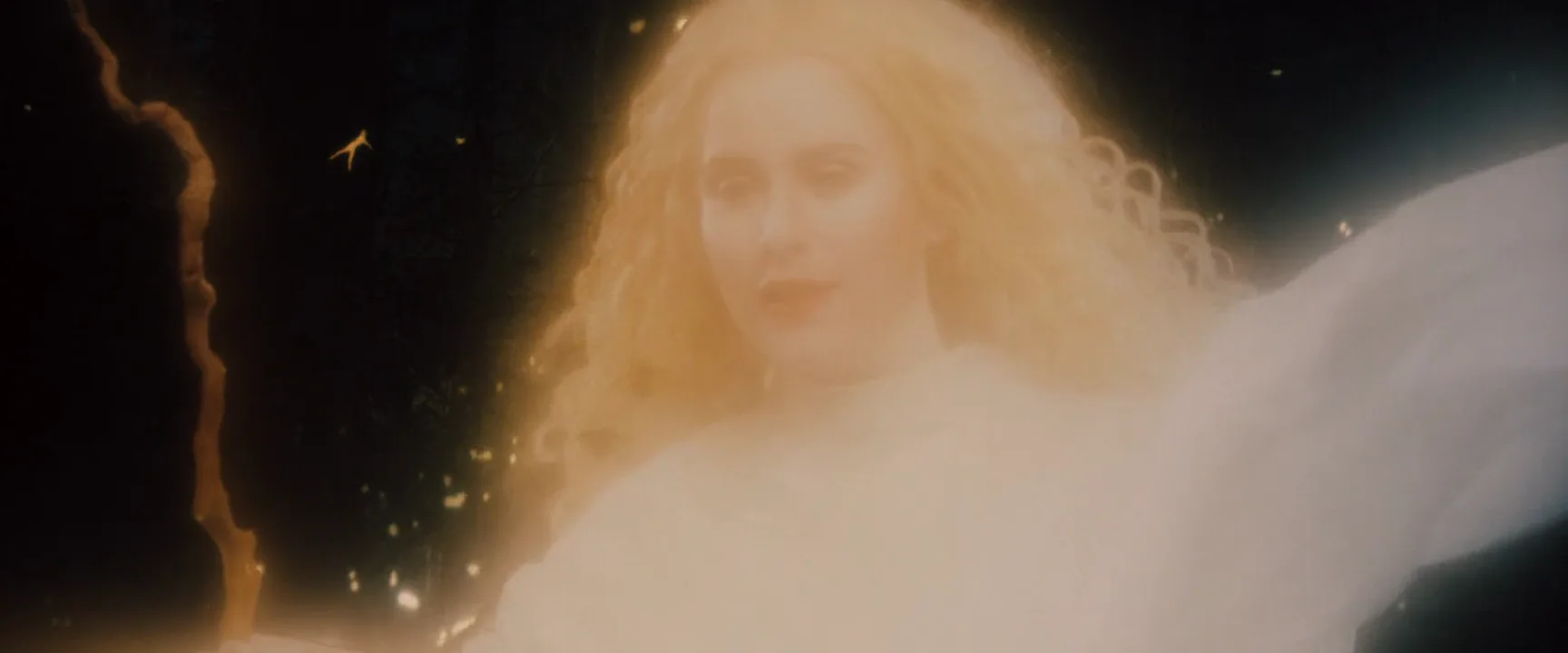
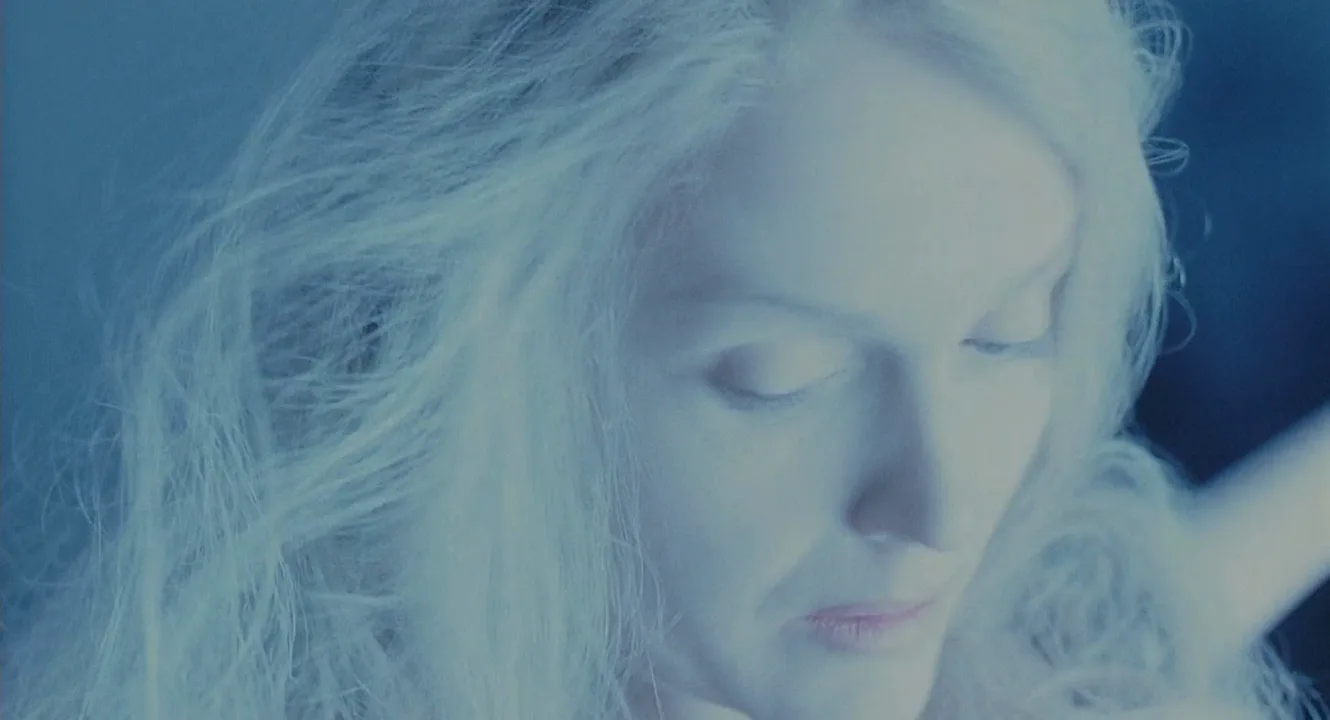
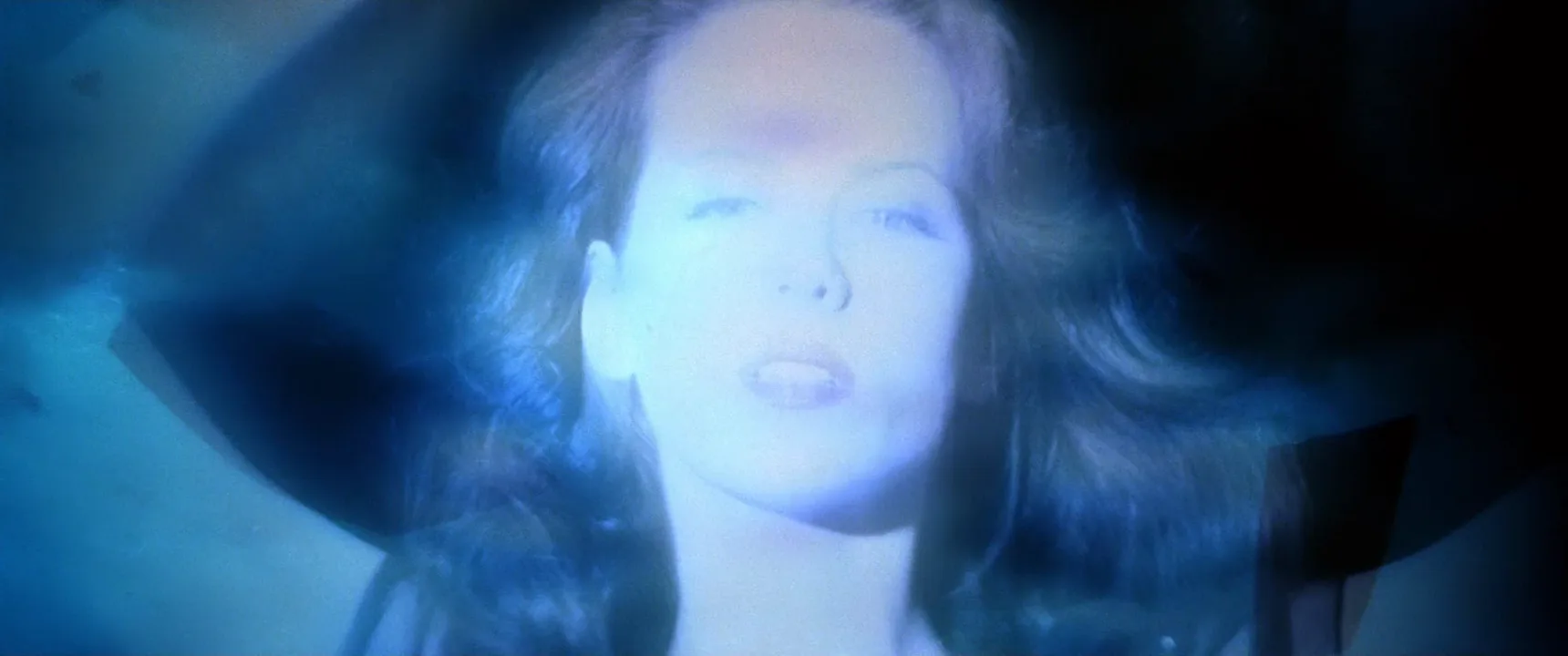
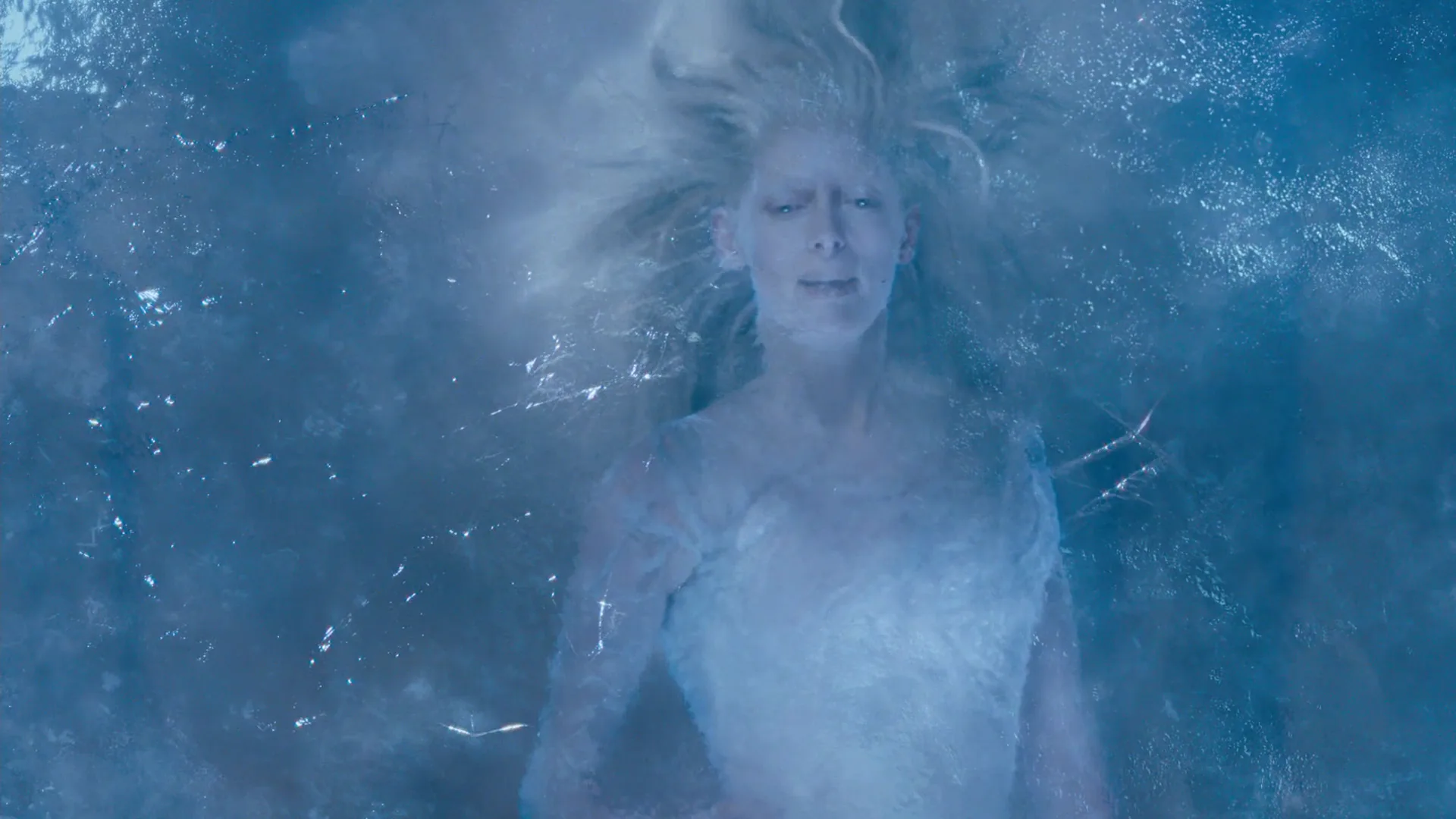
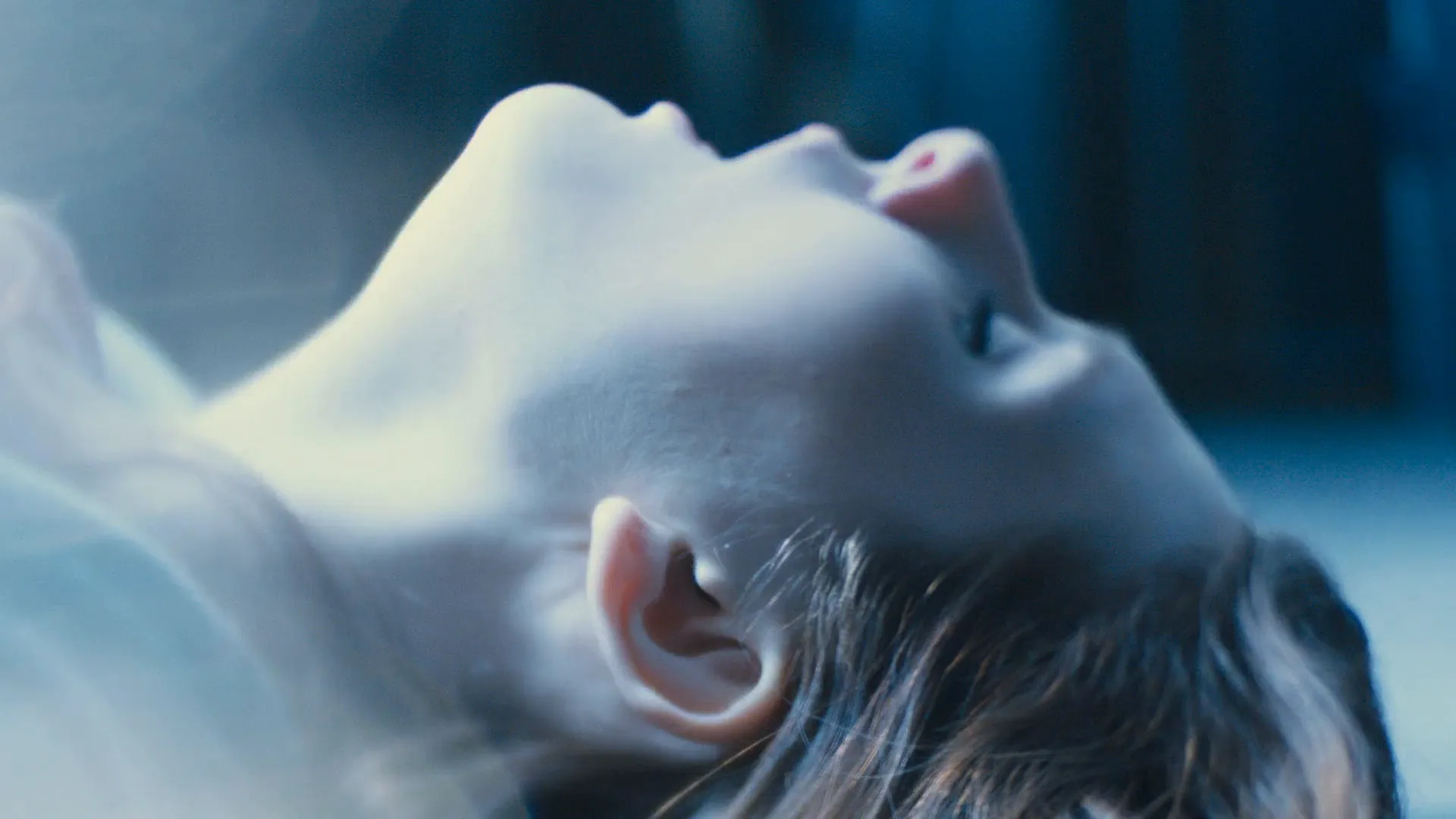
9 framesEach face keeps its shape while fine detail softens and the brightest areas bloom. Watch the highlights: diffusion shows there first.
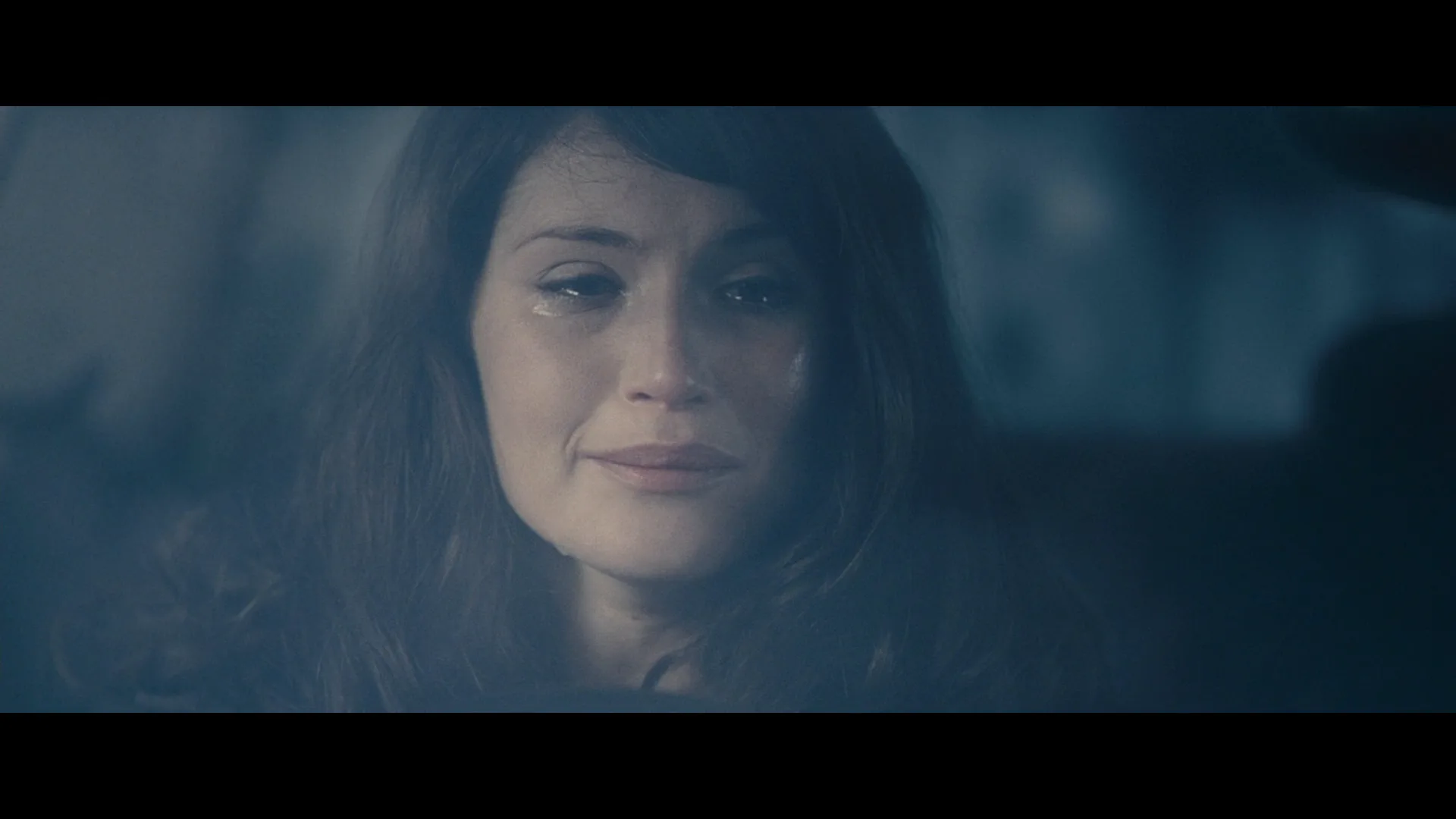
How to create a soft focus with AI
4 promptsOn its own, "soft focus" often gives a plain blur. Tell the model what stays sharp (the eyes), what the diffusion does (highlights bloom, contrast drops) and which tool makes it, a mist filter or a net. Compare takes side by side with the film frames on one FlashBoards board. The fourth prompt re-shoots a real film shot from a text description alone, and the original plays next to the result so you can compare.
Cinematic film still, 1940s Hollywood glamour close-up of a woman in her early thirties with short platinum finger-waved hair, a thin scar through her left eyebrow, pearl drop earrings and an ivory satin gown, face three-quarters to the lens. 85mm lens, heavy black mist diffusion filter: eyes in focus, skin softly smoothed, hard backlight on her hair blooming into a glowing halo, pearls flaring. Dark studio background, low contrast, warm tones, film grain.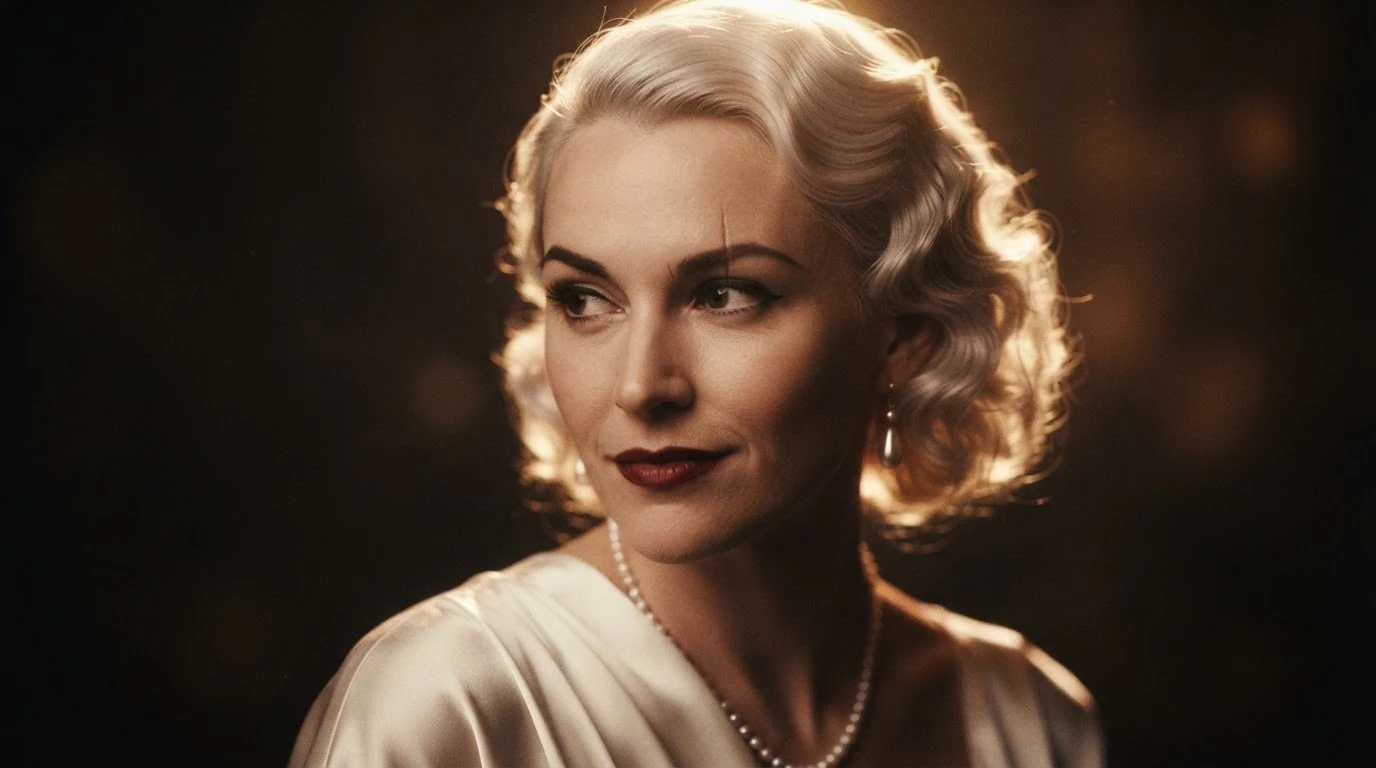
Eyes in focus stops a global blur, while black mist diffusion filter and blooming into a glowing halo soften highlights instead of focus. The backlight and pearls give the diffusion something to work on.
Open FlashBoardsAnamorphic film still of a memory: a man in his seventies with a white horseshoe mustache, heavy black-rimmed glasses and a moss-green cardigan sits at a kitchen table in morning sun holding a chipped blue mug, medium close-up. Shot through a white net behind the lens, the mesh itself invisible in frame: face in focus, fine detail softened, the window behind him blooming into a wide glow, blacks lifted to a milky haze. Pale warm color, nostalgic.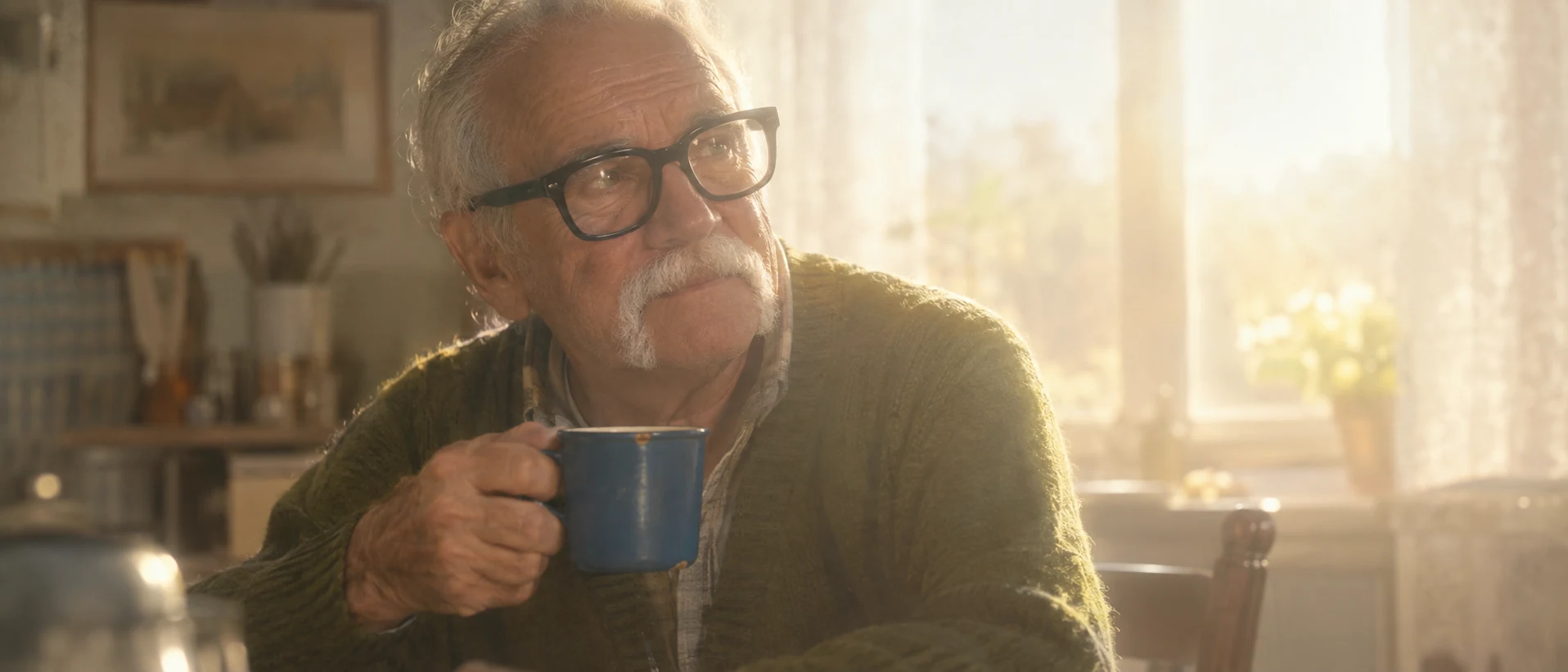
This take moves soft focus from glamour to memory. White net behind the lens and blacks lifted to a milky haze ask for a lower-contrast look than black mist; the window supplies the bloom.
Open FlashBoardsCamera: a very slow push-in from the first frame, ending on a tight close-up of her eyes. Action: she is already turning her head slowly toward the lens, the backlit hair shifting and its glowing halo shimmering. Halfway through she lifts her eyes to the lens and her lips part slightly. At the end she holds the look, eyes in focus, pearl earrings swaying and flaring softly in the diffused light.The head is already turning, so the shot moves from frame one. Repeating eyes in focus and the shimmering halo keeps the diffusion constant instead of letting the model sharpen or blur mid-shot.
Open FlashBoards{
"output": "Full-screen live-action single continuous shot from Willow (1988), from its very first frame, in a 2.39:1 widescreen frame. Grainy 1980s 35mm film shot through a very heavy white fog diffusion filter: her face keeps its shape and her eyes stay in focus, but the whole image is soft-edged and dreamlike, veiled in a milky golden haze, low in contrast; her skin, her hair and the white gauze bloom into wide glowing halos that bleed out into the deep black night around her.",
"characters": {
"S1": {
"name": "Cherlindrea, played by Maria Holvöe",
"look": "fairy queen, young woman with a pale face, a huge mane of long golden ringlet curls, a flowing white gown with long translucent gauze sleeves that float like wings; she glows from within as if she were the light source, her outline melting into light",
"voice": "soft, calm, gently commanding, a little breathy"
}
},
"shots": [
{
"shot": 1,
"camera": "low angle looking up at S1, medium shot at the start, slow steady dolly in toward her face, ending in a medium close-up with the top of her hair touching the top of frame; lens focused on her eyes the whole time, yet every edge in frame is softened and haloed by the heavy diffusion",
"action": [
"BEGINNING: alive from the first frame, S1 in the centre of frame, her face half hidden behind a sheet of glowing white gauze that billows across the lower frame and the right third toward the lens, the whole frame washed in milky light.",
"THEN: the gauze sweeps down and away to screen right, revealing her face; a thin twisted branch glowing orange rises along the left third of frame behind her, and tiny golden sparks drift in the black around her.",
"THEN: she already speaks, head tilted slightly down, eyes lowered to look down just past the lens at someone small below her, lips moving softly, her face calm and unsmiling, her features soft and luminous through the haze; her hands stay hidden in the folds of her gown below the frame.",
"THEN: her long gauze sleeve on the right lifts and floats slowly like a pale blue-white wing at the right edge of frame, glowing and hazy, while the outline of her curls dissolves into light and spreads a wide golden halo into the dark.",
"END: the dolly settles on her face in a medium close-up, head tipped a little toward screen right, eyes still lowered, lips closing on her last word, the soft golden bloom around her hair and skin steady, sparks still drifting at the left."
],
"dialogue": [
{
"speaker": "S1",
"on_screen": true,
"when": "from the first frame, continuing through the whole shot",
"delivery": "soft and unhurried, like a blessing",
"line": "<d>[English] She will guide you and Elora Danan to the kingdom of Tir Asleen, where a good king and queen will look after her.</d>"
}
]
}
],
"sound": {
"ambience": "a hushed magical night air, faint shimmering sparkle and the soft rustle of floating gauze",
"speech": "exactly these spoken phrases, each said once, in this order",
"never_spoken": "no narration and no voice-over: the descriptions, performance notes and step words of this prompt are never spoken aloud",
"music": "a film score under the scene, always below the voices: shimmering high strings and a soft celesta, warm and wondrous",
"subtitles": "none"
}
}Remakes the dolly-in on the fairy queen Cherlindrea from Willow (1988), dir. Ron Howard, DP Adrian Biddle: the low angle, the gauze sweeping off her face, her spoken line and the heavy golden bloom carried over.
Video models sharpen everything unless told otherwise, so the prompt describes the diffusion as a physical look that lasts the whole shot: a milky veil, very low contrast, curls merging into one glowing cloud, while the eyes stay in focus under it.
Open FlashBoardsCommon mistakes
- Soft focus becomes out of focus. Say the eyes are in focus and only fine detail and highlights soften.
- Only the background blurs. That is shallow depth of field; name a mist filter and ask for bloom on the subject.
- Plastic skin. Ask for natural texture that is softened, not removed.
- No glow. Add a backlight, window or practical; diffusion needs bright points.
- Pulsing glow in video. Keep the light and filter wording consistent.
Keep the reference frames, prompts and every generated take side by side — images and video in one canvas.
FAQ
4 questionsWhat is a soft focus lens?
A soft focus lens is designed with controlled spherical aberration, so every point has a sharp core surrounded by a faint halo. The effect is strongest wide open and fades as you stop down. Most film productions get a similar, more adjustable result with diffusion filters or nets on an ordinary cinema lens.
How do you get a soft focus effect without a special lens?
Put a diffusion or mist filter in front of the lens, starting light (1/8 or 1/4) and going heavier for dreamlike scenes, or stretch a fine net or nylon stocking over the rear of the lens. Include a bright backlight or practical so highlights have something to bloom. A glow pass in the grade can imitate it too.
Is soft focus the same as out of focus?
No. In an out-of-focus image nothing is sharp. In soft focus the lens is focused correctly and the subject keeps its sharp structure, while scattered light softens fine texture, lowers contrast and makes highlights glow. That is why soft focus reads as a style rather than a mistake.
Why were old Hollywood close-ups shot in soft focus?
Studios wanted stars to look flawless and luminous. Cinematographers placed gauze, nets or diffusion glass on the lens for close-ups, especially of female stars, which smoothed skin, softened lines and made eyes and jewelry sparkle. Wider shots of the same scene were often sharper, and audiences accepted the switch as a glamour convention.
Related terms
6- Shallow Depth of FieldLenses, Focus & Exposure
Shallow depth of field keeps only a thin slice of the scene sharp — often just the eyes — while everything nearer and farther dissolves into blur, isolating the subject and steering attention.
- Soft LightLighting
Soft light comes from a source that is large relative to the subject — an overcast sky, a big window, a bounced or diffused lamp — and wraps around forms with gradual, feathered transitions from light to shadow.
- Lens FilterLenses, Focus & Exposure
A lens filter is glass placed in front of (or behind) the lens to change the image in camera: ND filters cut light, polarizers remove reflections, diffusion and mist filters soften detail and bloom highlights, color filters shift the tone.
- DiffusionLighting
Diffusion is any translucent material — silk, frost, grid cloth, a softbox front — placed between a lamp and the subject to spread the light over a larger area, softening shadows and wrapping light around faces.
- HalationCameras & Capture
Halation is the reddish-orange glow around bright highlights on film: light passes through the emulsion, reflects off the film base and re-exposes the layers; digital looks add it to imitate celluloid.
- Camera FocusLenses, Focus & Exposure
Focus is where the lens places its plane of sharpness; on set it is set and adjusted during the take by the focus puller (1st AC), and deciding what is sharp is one of the strongest ways to direct the viewer's attention.
Further reading
Blain Brown, Cinematography: Theory and Practice (Routledge), chapter on filters and diffusion. American Cinematographer Manual (ASC Press), section on camera filters.