 FlashBoards Learn
Lighting · Film language
Rim Light
Also called: edge light, rim lighting, hair light
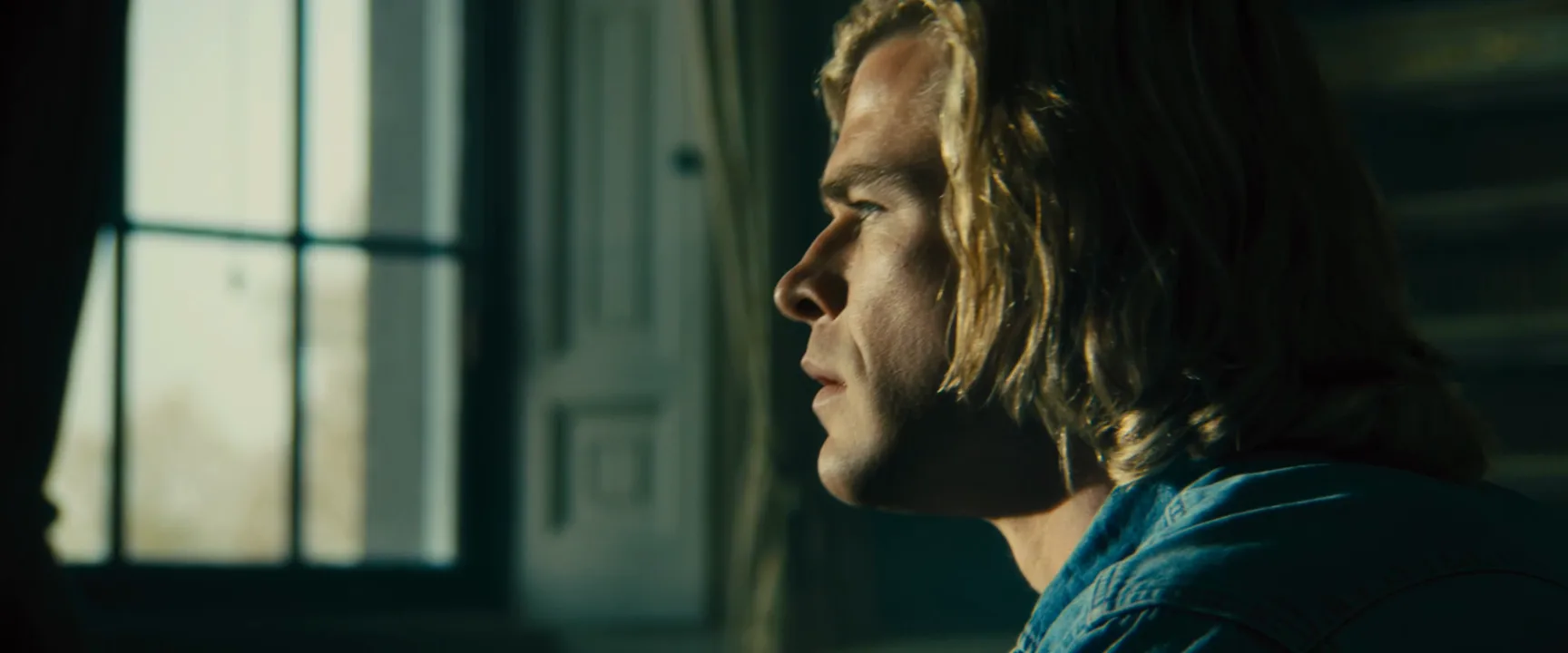
A rim light, or edge light, sits behind and to one side of the subject and draws a thin bright line along the back of the head, the shoulder or the profile. It separates a figure from a dark background, gives the face a sculpted edge and lets a character read in scenes that are otherwise almost black.
- What it does
- Outlines one edge of a face or body with a thin line of light, pulling it off a dark background.
- Use it when
- The background is dark, the scene is low-key, or a profile needs to read without lighting the whole face.
- Watch out
- Too bright and the edge burns into a white halo; too frontal and it turns into a side light. Flag it off the lens.
- Try this prompt
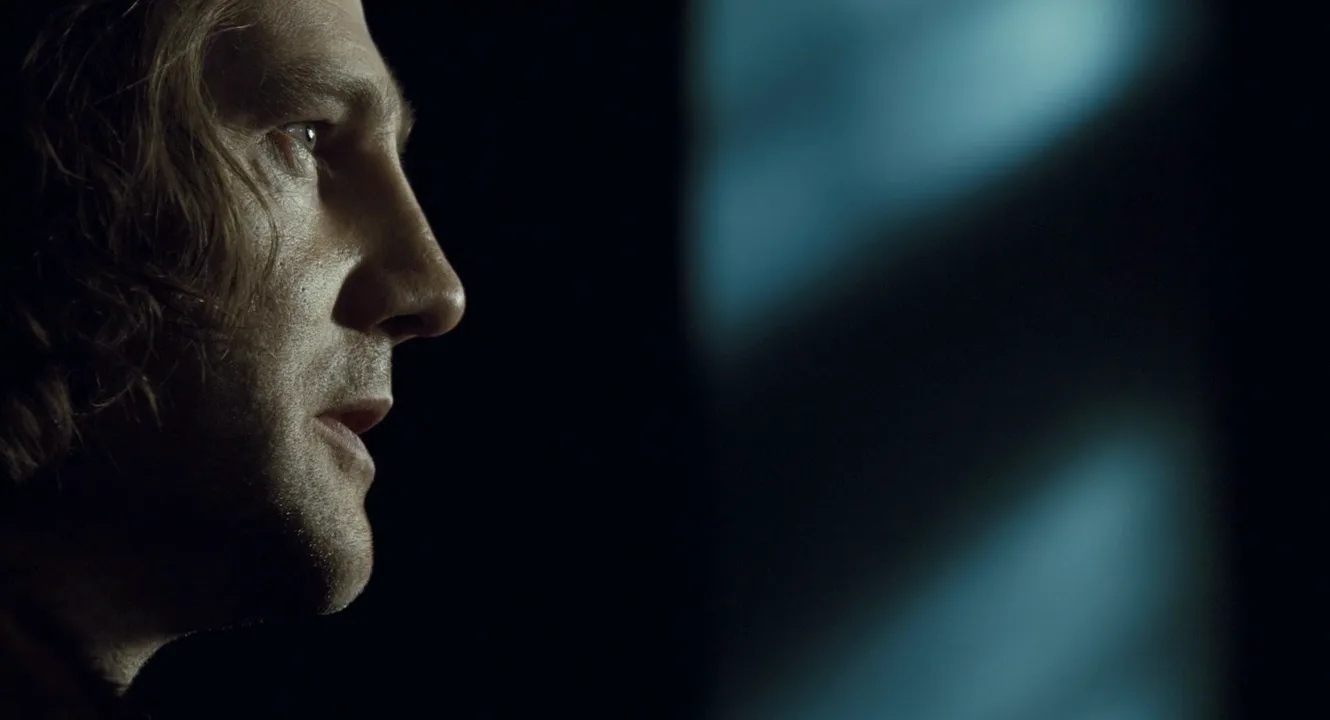
cinematic close-up in profile, hard rim light from behind and camera right tracing forehead, nose and lips, near-black background, 85mm
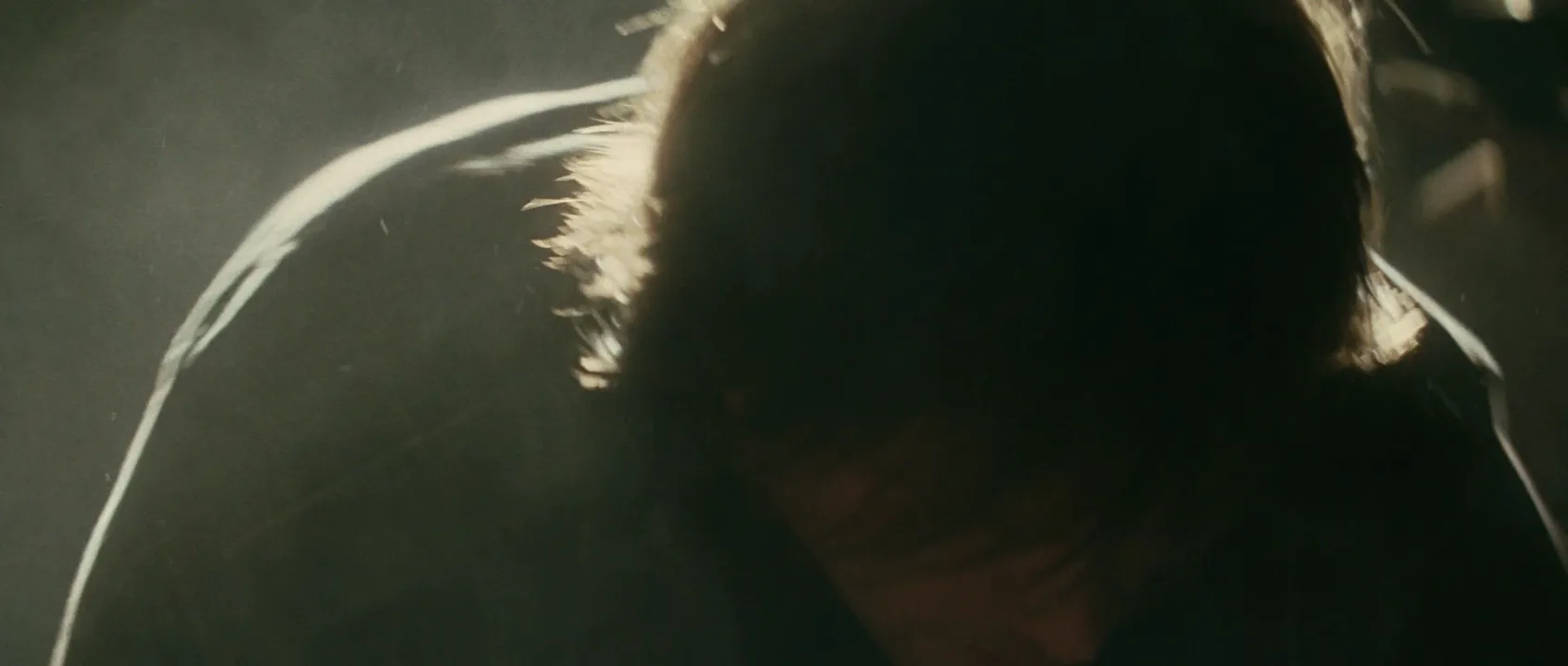
What is rim light?
Rim light is a source placed behind the subject and off to one side, roughly 120 to 160 degrees around from the camera, so it skims the far edge of the head and body instead of the face. The camera sees only the sliver the light grazes, and it reads as a bright line.
In three-point film lighting the rim is the third lamp, after the key light that shapes the face and the fill light that sets shadow density. The key shows what someone looks like; the rim shows where they end.
A rim needs darkness: against a bright wall the line disappears. It lives in night interiors, car cabins and low-key lighting.
Why do filmmakers use rim light?
- Separation. Dark hair against a dark wall merges into one mass; a rim gives the head a contour and the frame depth.
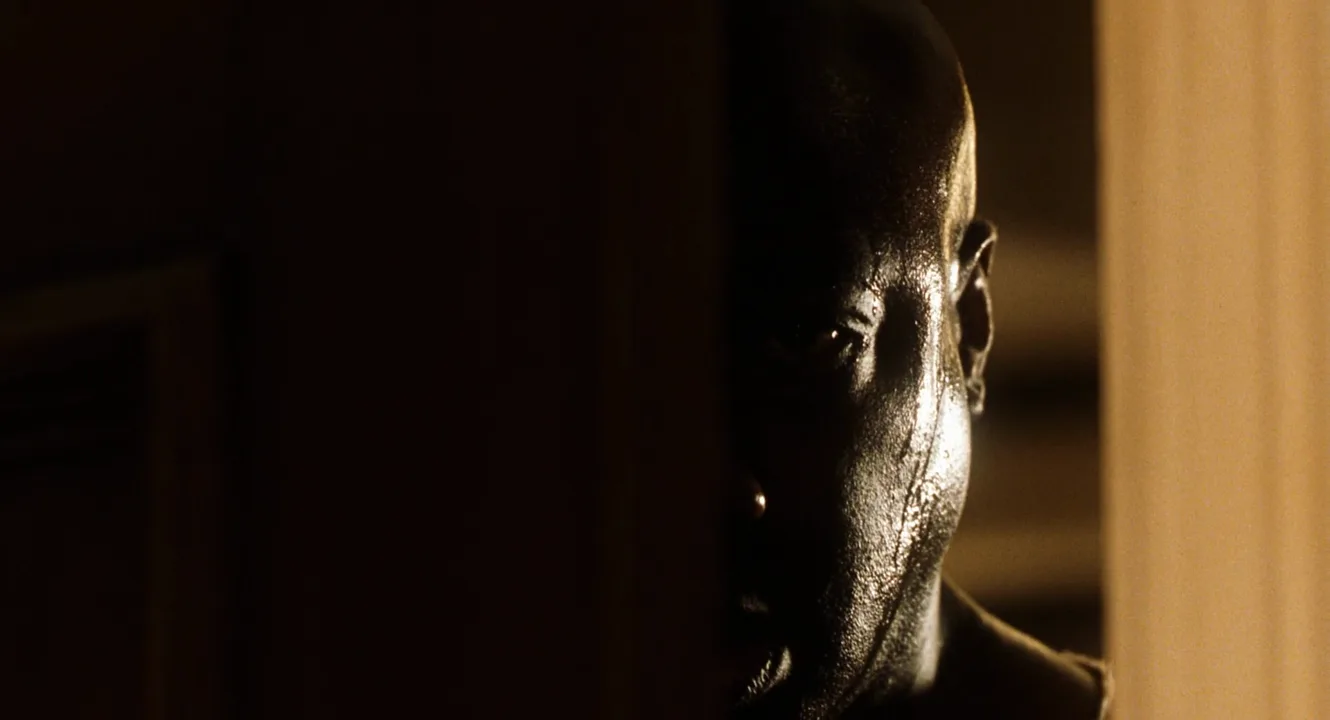
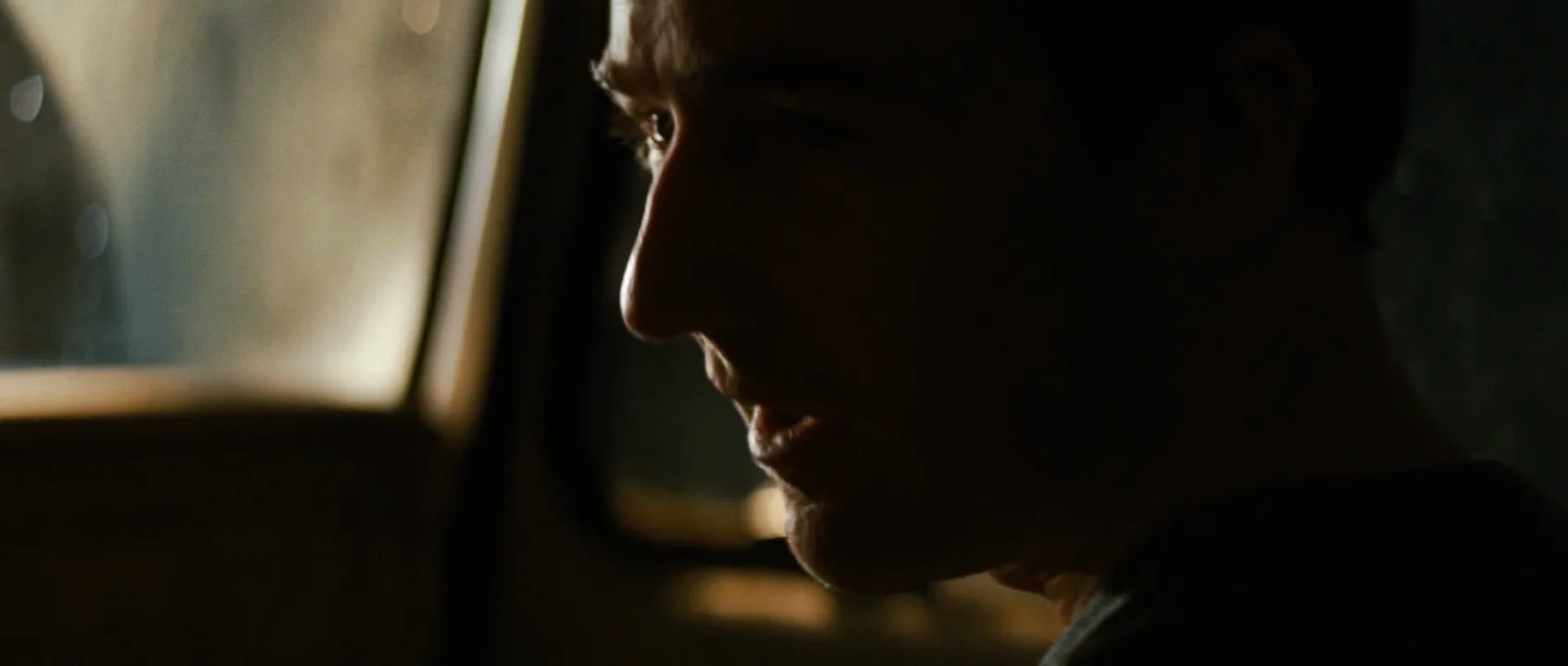
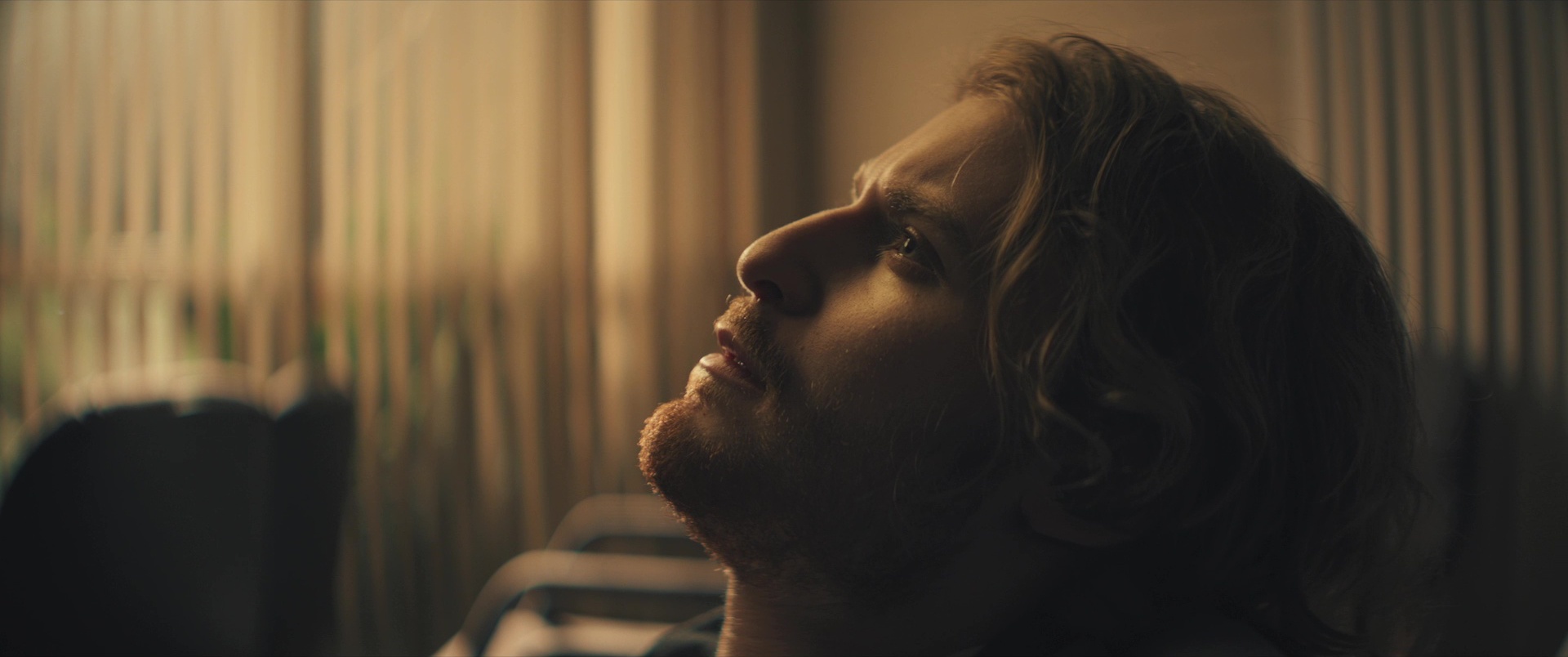
- Mood without exposure. A face mostly in shadow, with an edge tracing brow, nose and lips, still reads as a person. Thrillers use it for drivers at night and figures in doorways: tense, withheld.
- Sculpting. A modest edge on cheekbone and jaw adds shape a flat front key cannot.
- Motivation. The best rims have an excuse: a window, a streetlight or a lit hallway behind the actor.
How to set up a rim light
- Keep the background dark, two to three stops under the rim.
- Place the lamp behind and to the side, away from camera, 30 to 45 degrees off the line straight behind the subject, at or above head height. Swing it toward camera and it becomes side light; put it dead behind and it becomes a halo.
- Pick the quality. A small Fresnel or focused LED with barn doors gives the crisp line of most night work, a hard light look; a strip softbox gives a gentler edge.
- Set the level. About equal to the key on fair skin or blond hair, one to two stops over on dark hair, dark skin or black clothing.
- Flag the lens so the lamp doesn't flare.
- Turn the face slightly away from the lamp so the edge sits against the darkest part of the frame. An 85 to 135mm lens isolates the line.
Edge light, hair light and kicker
- Rim light / edge light: synonyms for any source outlining the contour from behind and to the side.
- Hair light: a rim set high behind the subject, often on a boom, aimed at crown and shoulders.
- Kicker: a low three-quarter-back light that catches cheek and jaw on the shadow side.
Rim light vs. backlight
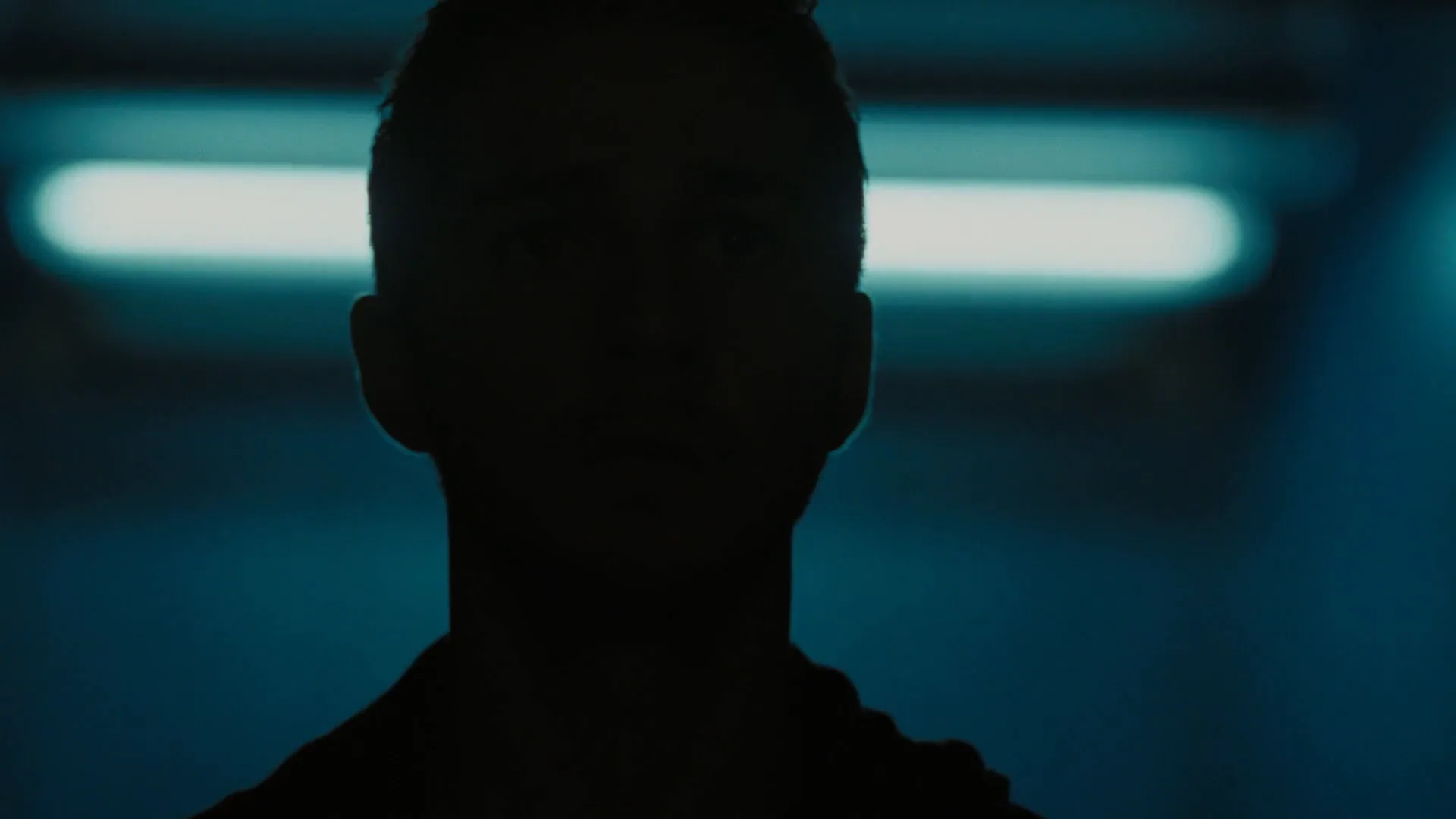
Backlighting is the wider family: any light behind the subject aimed toward the lens. Placed dead behind, it outlines both sides evenly, makes hair glow like a halo and, with no front light, turns the figure into a silhouette.
A rim is a backlight moved to one side. The outline falls on one edge only, giving the shape direction. Quick test: a glow wrapping both ears and the crown is a backlight; a line along one side of the jaw or profile is a rim.
Rim Light examples in film
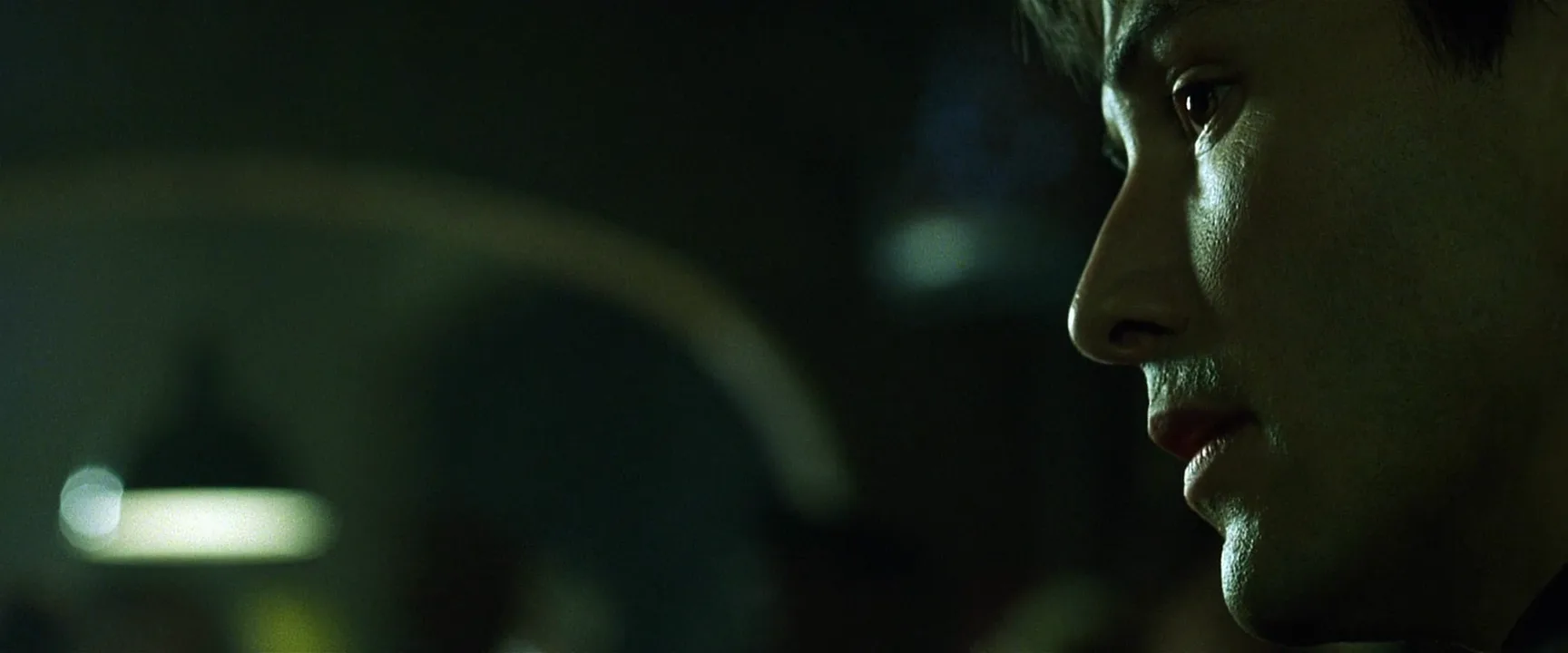
8 framesLook at which edge is lit, how thin the line is and how dark the background stays behind it.
How to create a rim light with AI
4 promptsImage models know "rim light" but often turn it into a halo or neon outline. Name the lamp, its side, the edge it hits and what stays dark. In FlashBoards, keep film frames like these on the board next to your takes and compare them side by side. The fourth prompt re-shoots a real film shot from a text description alone, and the original plays next to the result so you can compare.
Cinematic close-up of a fictional woman in her forties with a shaved head, a small silver hoop in her left ear and a thin scar through her right eyebrow, three-quarter profile facing camera left, in a dark concrete stairwell at night. A hard rim light from behind her right shoulder, high and off-camera, draws a thin white line along the back of her skull, ear, jaw and shoulder. The side of her face toward camera stays in deep shadow. Near-black background, light haze, 85mm lens at eye level, low-key, film grain.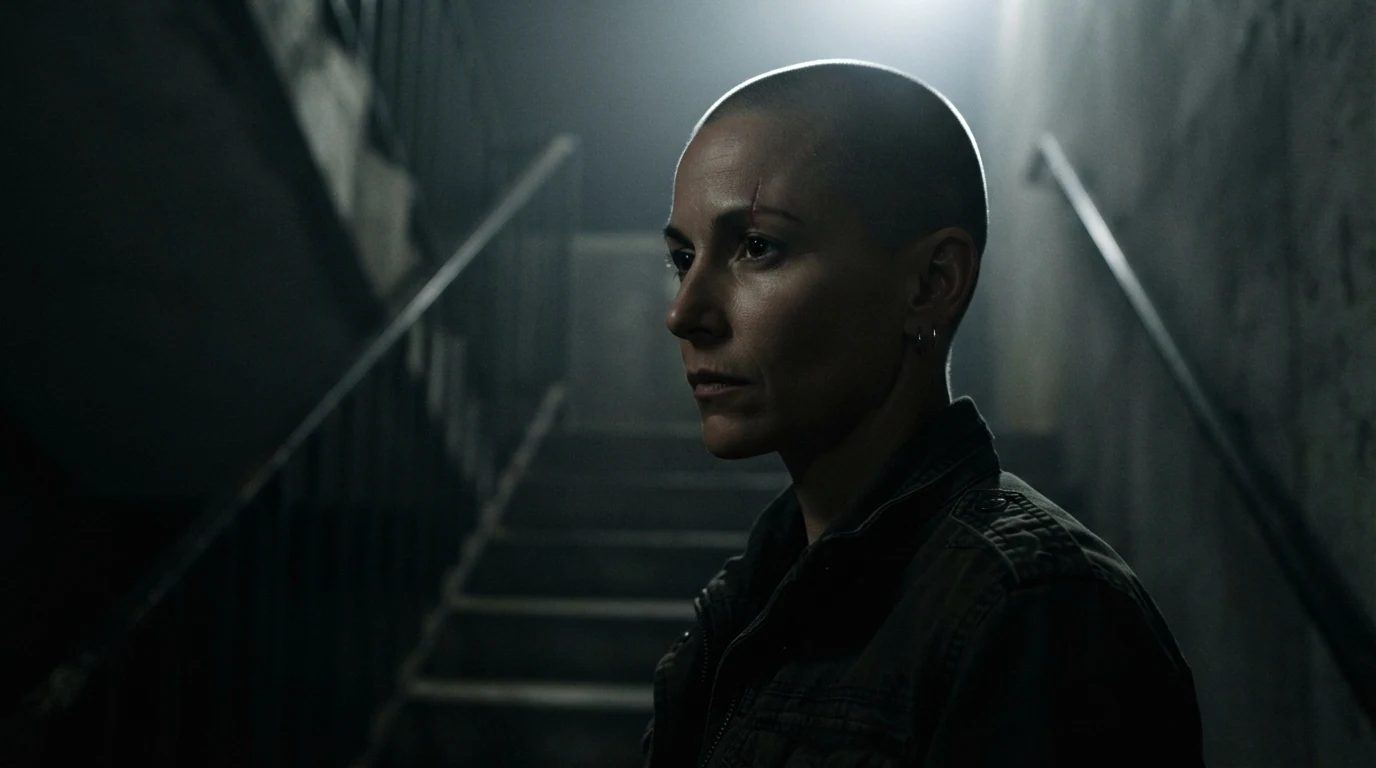
"Behind her right shoulder, high" fixes the lamp; "thin white line along the back of her skull, ear, jaw" names the edge; "deep shadow" and "near-black background" protect the contrast.
Open FlashBoardsAnamorphic wide frame, low-key night kitchen. A fictional elderly man with a long white braided beard and a green knitted cap sits in pure profile at a wooden table, facing camera left, hands around a steaming mug. A warm tungsten lamp in a doorway behind him, camera left, rims his forehead, nose, beard and the steam with a thin orange edge. The room is dark blue shadow. Camera at table height, 50mm, film grain.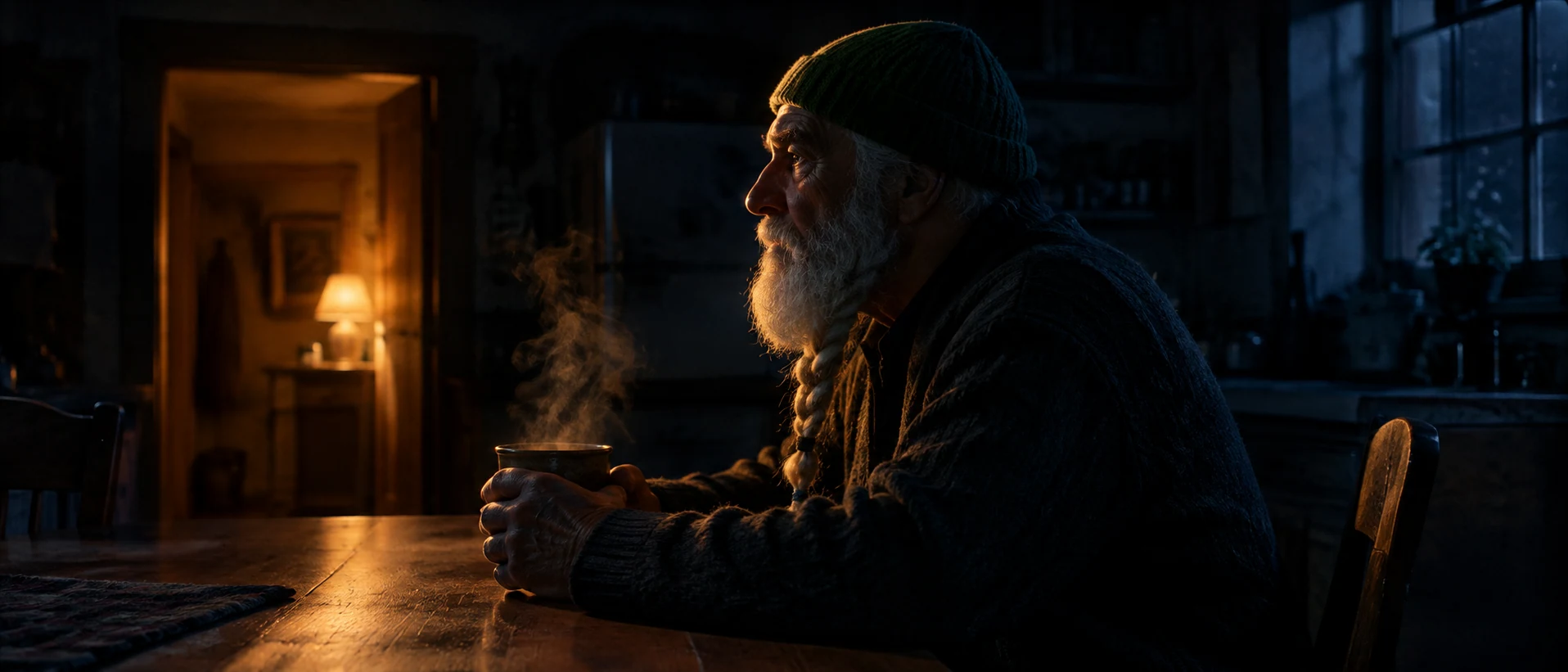
A wider take in pure profile: the lamp "behind him, camera left" puts the rim on the front edge of the face. Steam gives the edge something to glow through.
Open FlashBoardsCamera: a slow arc of about twenty degrees to the right around her head at eye level, continuous from the first frame to the last. Action: She is already turning her head slowly toward the light, so the rim slides from the back of her skull onto her cheekbone and nose. Haze drifts through the beam and glows. She blinks once and settles in full profile, the rim tracing forehead, nose and lips against the black stairwell."Already turning" keeps the shot alive from frame one; the slow arc and head turn move the edge across the face. Everything named is already in recipe 1's frame.
Open FlashBoards{
"output": "Full-screen live-action scene from The Incredible Hulk (2008), from its very first frame: one single continuous shot. 2008 35mm film look with fine grain, 2.39:1 scope frame, night inside the dark cab of a pickup truck driving on a highway. Deeply underexposed low-key close-up, exposed only for the edge: the one source is cold light from outside coming through the side glass at frame left, beyond his face, and it draws a razor-thin hard white rim along the front contour of his profile; his cheek, ear, hair, neck and the whole side of his face toward camera sink into pure black, so his face reads as a dark silhouette drawn by one white line. The side glass at frame left is the brightest area of the frame: blurred pale gray-blue night, speckled with droplets, with a thin bright vertical line of the metal frame just in front of his face; the rest of the cab is pure black.",
"characters": {
"S1": {
"name": "Banner, played by Edward Norton",
"look": "man in his late thirties, short brown hair, light stubble, dark jacket over a gray top",
"voice": "quiet, tired, low, almost to himself"
}
},
"shots": [
{
"shot": 1,
"camera": "handheld extreme close-up with a slight constant breathing sway, eye level, long lens about 100mm, shallow focus; his profile fills the right two thirds of the frame facing frame left, the top edge cutting through his hair, his chin near the bottom edge; the pale side glass fills the left third behind the line of his nose; the framing stays the same to the end, no zoom",
"action": [
"BEGINNING: alive from the first frame, S1 sits still for a long beat with his head bowed, chin down, eyes lowered toward the lower left of frame; his face points frame left; a thin hard white line of light traces his brow, the tip of his nose and his jaw, while the rest of his face stays black.",
"THEN: he lifts his head in one short move until his face is level, in pure profile facing frame left, eyes looking straight ahead through the glass; the rim now draws one razor-thin bright line down forehead, nose, lips and chin, his cheek and ear still pure black.",
"THEN: his lips part and he starts speaking, his head still, his gaze fixed ahead toward frame left; his hands stay out of frame.",
"THEN: warm amber light from passing roadside lamps sweeps across the side glass at frame left, in front of his face, turning it gold for a moment and adding a faint warm glow on his cheek and a small glint in his eye.",
"THEN: the amber fades, the glass goes back to pale cold gray-blue and his face sinks back into darkness except for the white edge.",
"END: he says his last words softly, lips barely moving, still in profile facing frame left, the thin rim of light along forehead, nose, lips and chin the only bright part of his face."
],
"dialogue": [
{
"speaker": "S1",
"on_screen": true,
"when": "as he lifts his head, just after the first second",
"delivery": "quiet, halting, remembering",
"line": "<d>[English] Remember those experiments we volunteered for at Harvard?</d>"
},
{
"speaker": "S1",
"on_screen": true,
"when": "right after the first line, near the end of the shot",
"delivery": "softer, trailing off",
"line": "<d>[English] Those induced hallucinations?</d>"
}
]
}
],
"sound": {
"ambience": "the steady low rumble of the truck engine and tyres on the highway, heard from inside the cab",
"speech": "exactly these spoken phrases, each said once, in this order",
"never_spoken": "no narration and no voice-over: the descriptions, performance notes and step words of this prompt are never spoken aloud",
"music": "a film score under the scene, always below the voices: low hushed strings with a slow uneasy pulse",
"subtitles": "none"
}
}Remakes the handheld close-up of Banner in the pickup truck from The Incredible Hulk (2008), dir. Louis Leterrier, DP Peter Menzies: the bowed head lifting into profile, the thin white edge along forehead, nose and lips, the amber lamps sweeping the side glass and his two lines from the film.
The light lives in output: one source, cold light through the side glass at frame left, beyond his face, and everything else pure black, so the edge is the only thing that draws him. The head lift turns a bowed face into one clean line down forehead, nose, lips and chin, and the amber lamps sweep the glass while the rim holds.
Common mistakes
- Halo instead of rim. Name one side: "from behind her right shoulder".
- Face lit from the front. Say what stays dark: "side of the face toward camera in deep shadow".
- Background too bright. Ask for a near-black background, or the edge vanishes.
- Neon outline. Describe a physical source, such as a window or a lamp in a doorway.
- Jumping edge in video. Keep camera moves slow; let the head turn carry the change.
Keep the reference frames, prompts and every generated take side by side — images and video in one canvas.
FAQ
4 questionsWhat is rim light?
Rim light is a lamp placed behind the subject and to one side, so it lights only the outer edge of the head, shoulders or profile. The camera sees a thin bright line that separates the person from a dark background. It is the third light of three-point lighting, also called edge light.
What is the difference between rim light and backlight?
A backlight is any light behind the subject aimed toward the camera; placed directly behind, it outlines both sides evenly and can create a halo or silhouette. A rim light is a backlight moved to one side, so the outline falls on one edge only while the rest of the face stays in shadow.
Is edge light the same as rim light?
Yes. Edge light and rim light name the same technique: a source behind and to the side that traces the subject's contour. Close relatives are the hair light, a high rim aimed at the crown, and the kicker, a low three-quarter-back light on the shadow-side cheek.
How bright should a rim light be?
Start about equal to the key on fair skin or blond hair, and go one to two stops brighter for dark hair, dark skin or black clothing. Bald heads and wet skin need less. The line should read clearly without clipping to white, with the background darker than the edge.
Related terms
5- BacklightingLighting
Backlighting places the light behind the subject, facing the camera: it outlines hair and shoulders, separates the figure from the background, makes smoke and dust glow and, with no light from the front, turns people into silhouettes.
- Key LightLighting
The key light is the main light on a subject: it sets the direction, hardness and color of the illumination, and every other source — fill, back, practicals — is balanced against it.
- Fill LightLighting
Fill light is a softer, weaker source on the side opposite the key that lifts the shadows the key creates; its level relative to the key — the lighting ratio — decides whether a face looks open and bright or moody and sculpted.
- SilhouetteLighting
A silhouette shows a subject as a dark, featureless shape against a brighter background — sky, window, fire — exposed for the background, so only the outline tells us who they are and what they are doing.
- Low-Key LightingLighting
Low-key lighting keeps most of the frame in shadow, with a strong key, little or no fill and a high lighting ratio, so only fragments of faces and objects emerge from the dark — the language of noir, thrillers and horror.
Further reading
Blain Brown, Motion Picture and Video Lighting (Focal Press). John Alton, Painting with Light (1949).