 FlashBoards Learn
- Learn
- Camera Shots
- Insert Shot
Camera Shots · Film language
Insert Shot
Also called: insert, INSERT (screenplay)
An insert shot is a close shot of an object or small action inside the scene — a note, a phone screen, a hand turning a key — cut into the coverage so the audience sees exactly the detail the story needs. It turns a prop into information and gives the editor a precise beat to cut on.
- What it does
- Points the audience at one object or gesture and makes it a plot fact they cannot miss.
- Use it when
- The story depends on a detail — a clue, a time, a message, a weapon — that would be lost in a wider shot.
- Watch out
- Continuity: hand, sleeve, prop position and light direction must match the master or the cut jumps.
- Try this prompt
Insert shot, top-down on a handwritten letter on a wooden desk, a hand touching the fold, 100mm macro, f/5.6, warm lamp from top left
What is an insert shot?
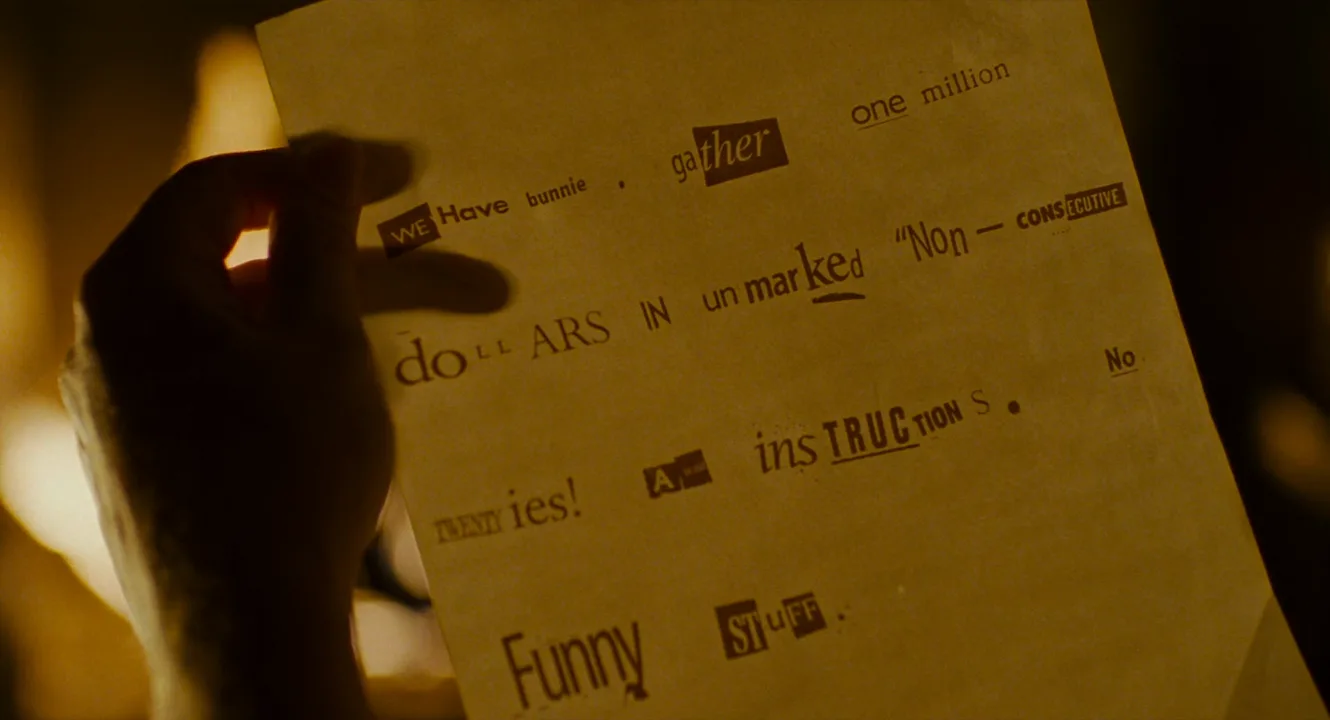
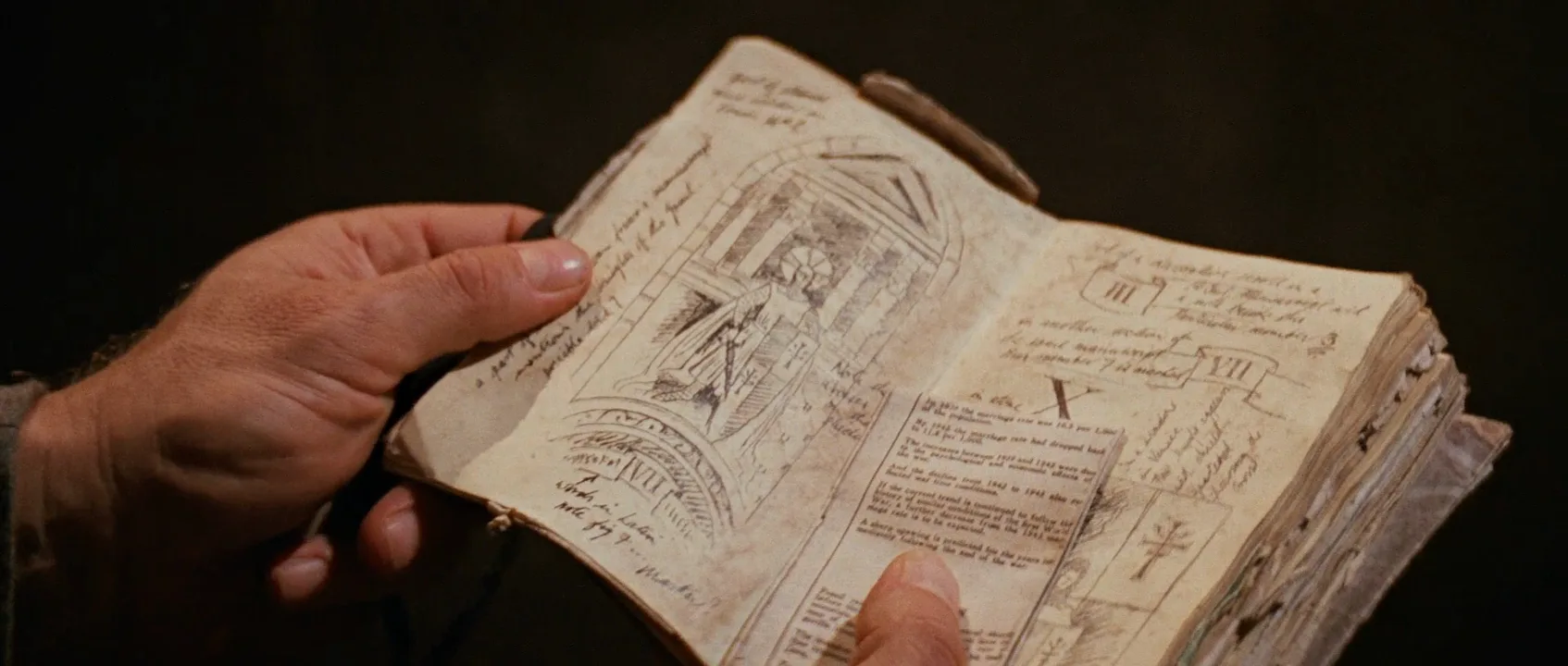
An insert is defined by its job, not its size. It shows an object or small action that belongs to the scene already playing — the letter a character reads, the clock behind them, the pistol in a drawer — so that one detail becomes unmistakable.
Most inserts are framed as a close-up or an extreme close-up, but faces are usually absent: if an actor appears, it is a hand, and the point is what the hand touches. Among the types of camera shots it carries no performance, only information and rhythm — which is why inserts are often shot separately, by a second unit or with a hand double, after the main film coverage is done.
Why do filmmakers use insert shots?
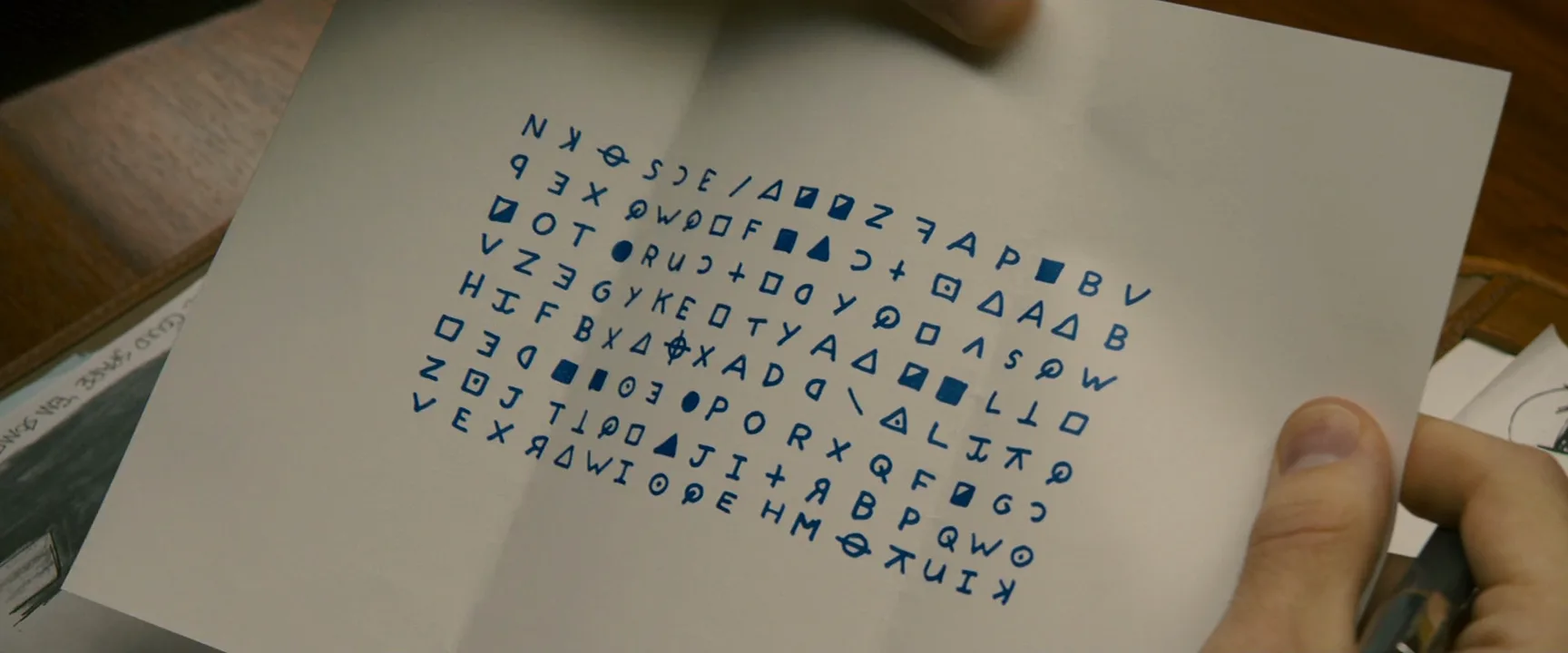
- To deliver a fact. Zodiac (2007) keeps returning to the killer's letters and ciphers, framed flat and legible, so we study the evidence with the characters. In the opening of Citizen Kane (1941) the camera closes in on a snow globe in Kane's hand.
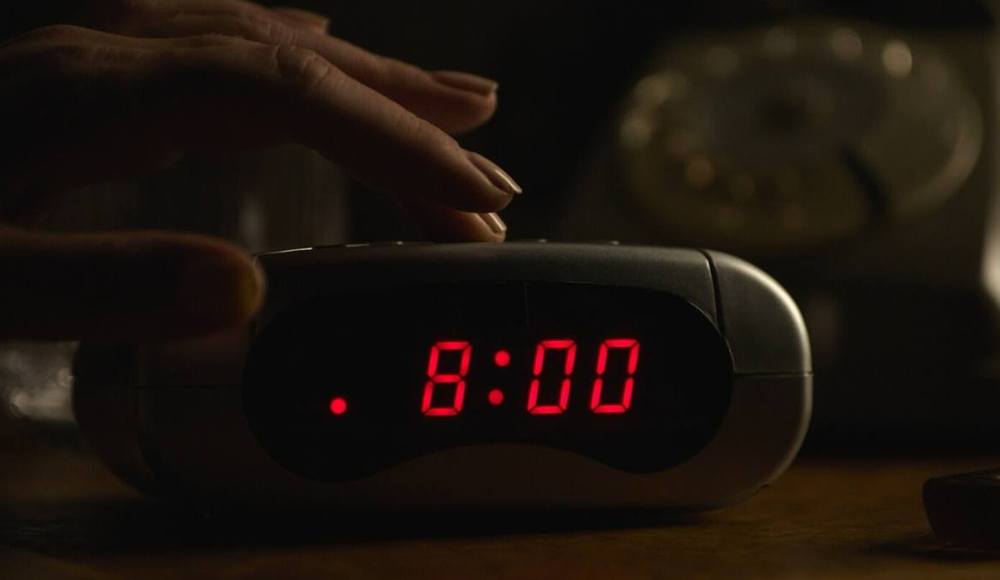
- To set a clock. Once the audience has seen a watch or an alarm clock, every later shot is measured against it.
- To show intent. A hand pocketing a key tells us what a character will do before the face does. Notorious (1946) builds a whole crane move down to the key in Ingrid Bergman's hand.
- To give the editor options. Inserts compress time, bridge continuity errors and tighten performances without a jump cut; a quick one punctuates a line, a held one slows the scene.
How to shoot an insert shot
- Lens. 50–100mm or a macro lens fills the frame with a small object without bending it; wide lenses up close make hands look swollen.
- Stop. Letters and screens need everything sharp: T4–T5.6, camera squared to the surface.
- Angle. Paper and tabletop action read best from directly overhead or from the character's eye line.
- Continuity. Photograph the master first. Cuffs, rings, liquid levels and which hand holds the object must match.
- Light. Keep the key on the same side as the master; flag reflections off glass and screens.
- Duration. Hold readable text about as long as it takes to read it aloud twice, and shoot extra head and tail.
How do you write an insert in a screenplay?
In a screenplay an insert gets its own slug line, a description, then a return:
INSERT – THE TELEGRAM "ARRIVING TUESDAY. DON'T TELL HIM." BACK TO SCENE
Writers reserve it for text the audience must read. How tight, from which angle and for how long is decided on set.
Insert shot vs. cutaway and cut-in
- Insert — a close view of an object or small action inside the scene. Its job is information.
- Cut-in — a jump to a tighter view of something already visible in the wider frame. An insert of an object we have already seen is also a cut-in.
- Cutaway — leaves the action for something outside it, such as a bystander or another room, then returns.
Quick test: if the shot points into what the characters are handling, it is an insert; if it points elsewhere, it is a cutaway.
Insert Shot examples in film
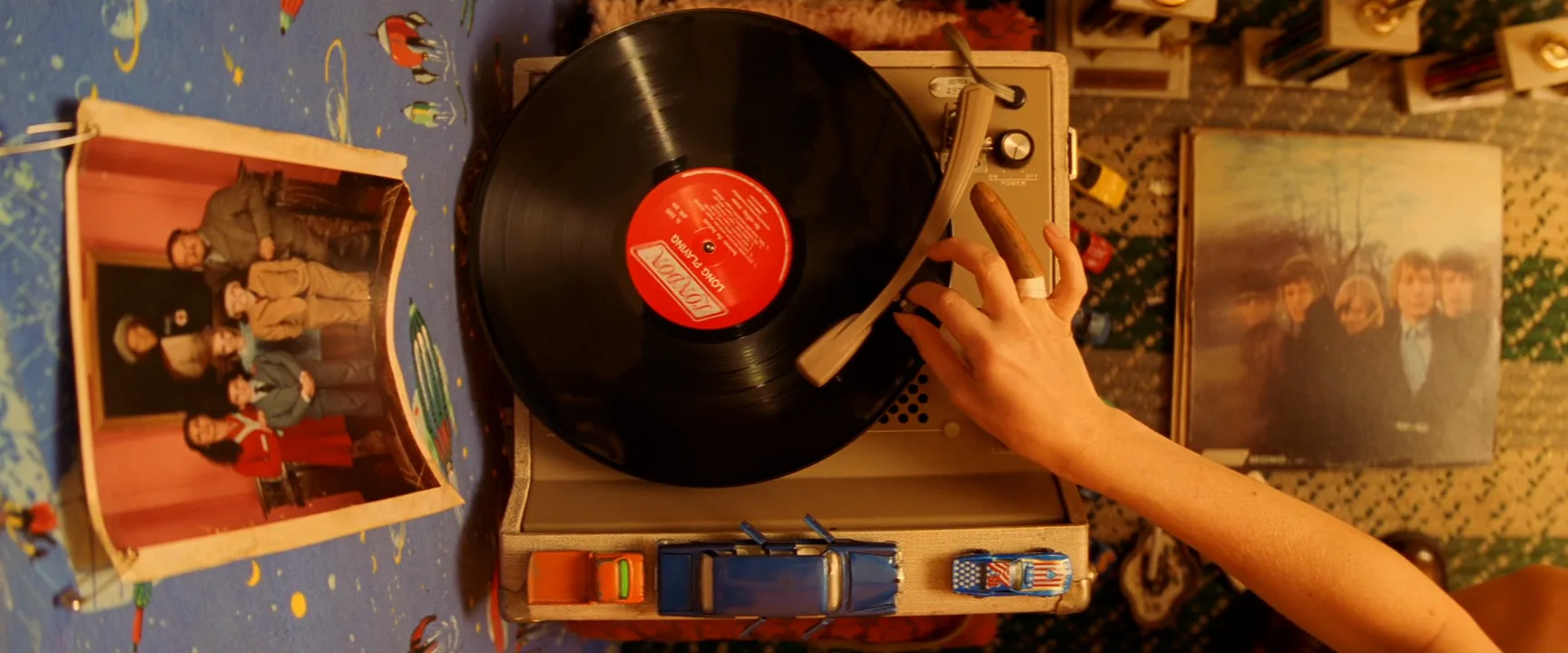
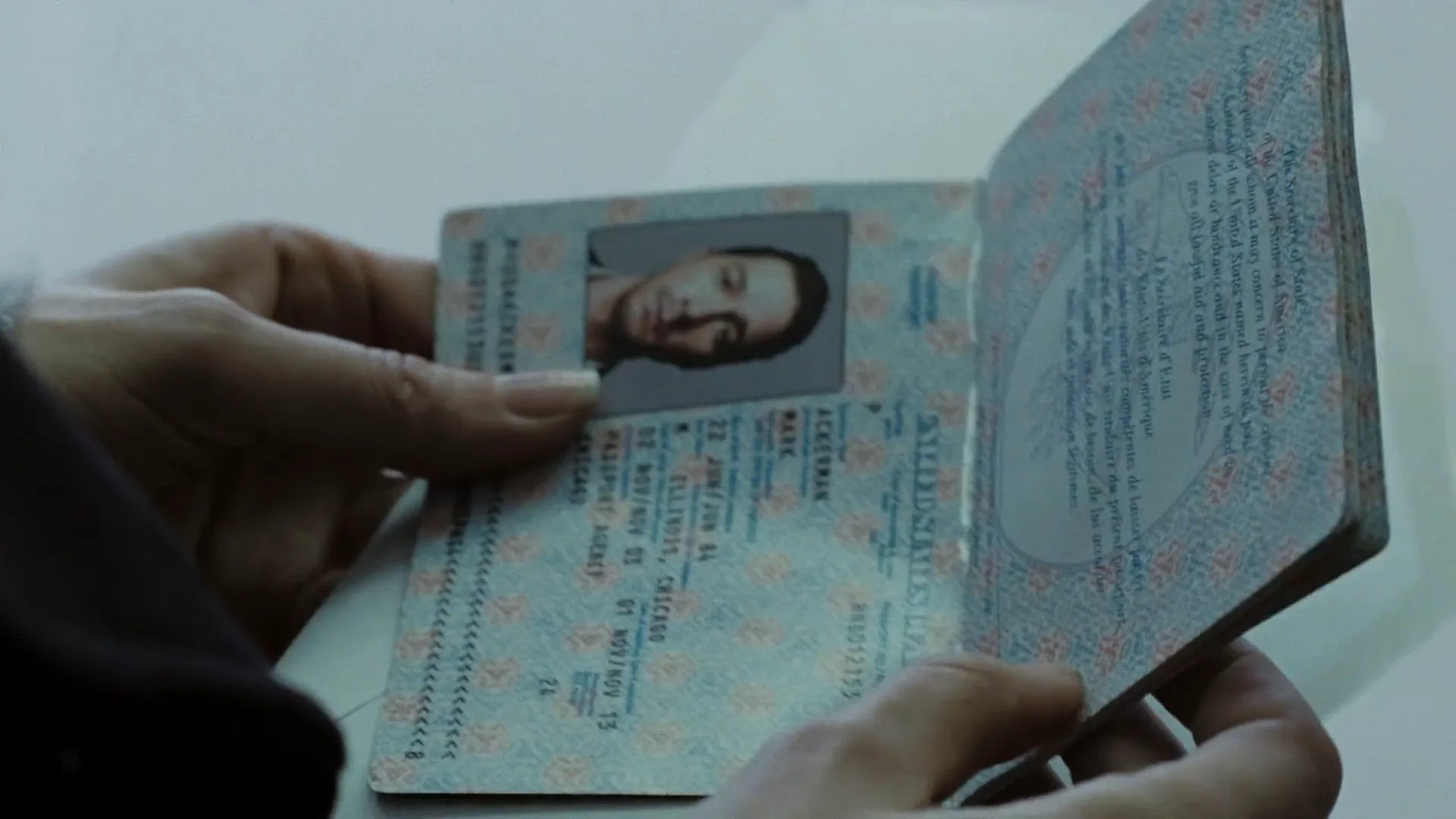
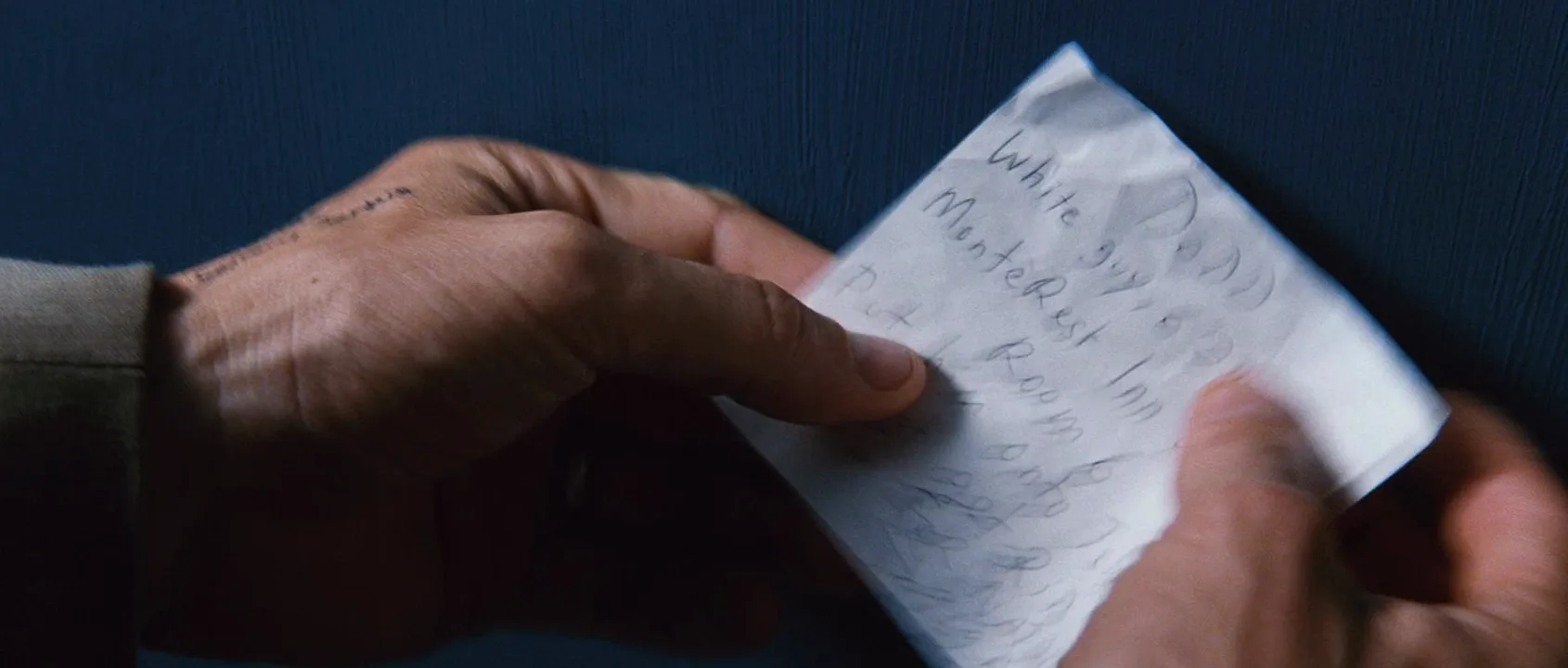
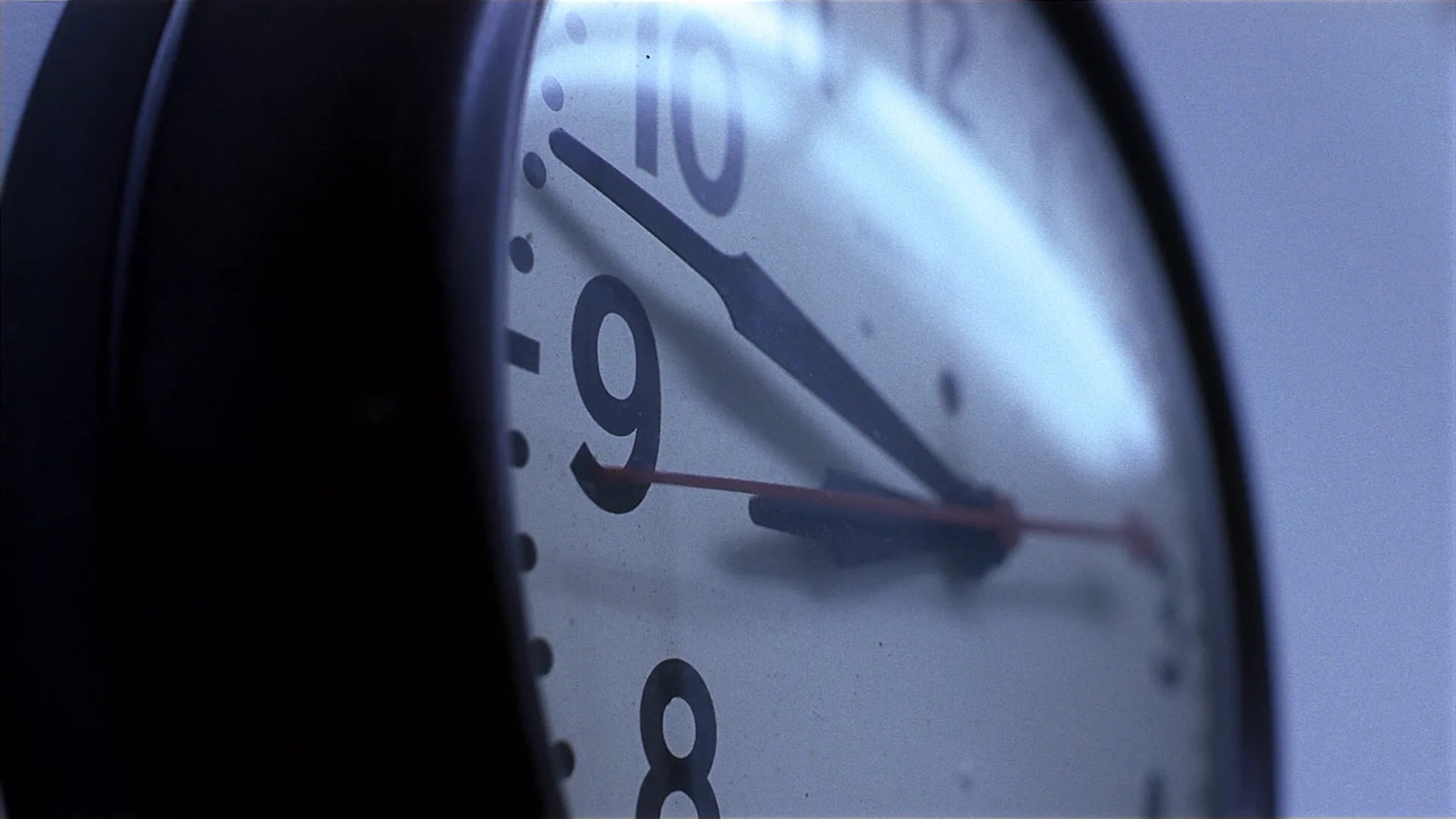
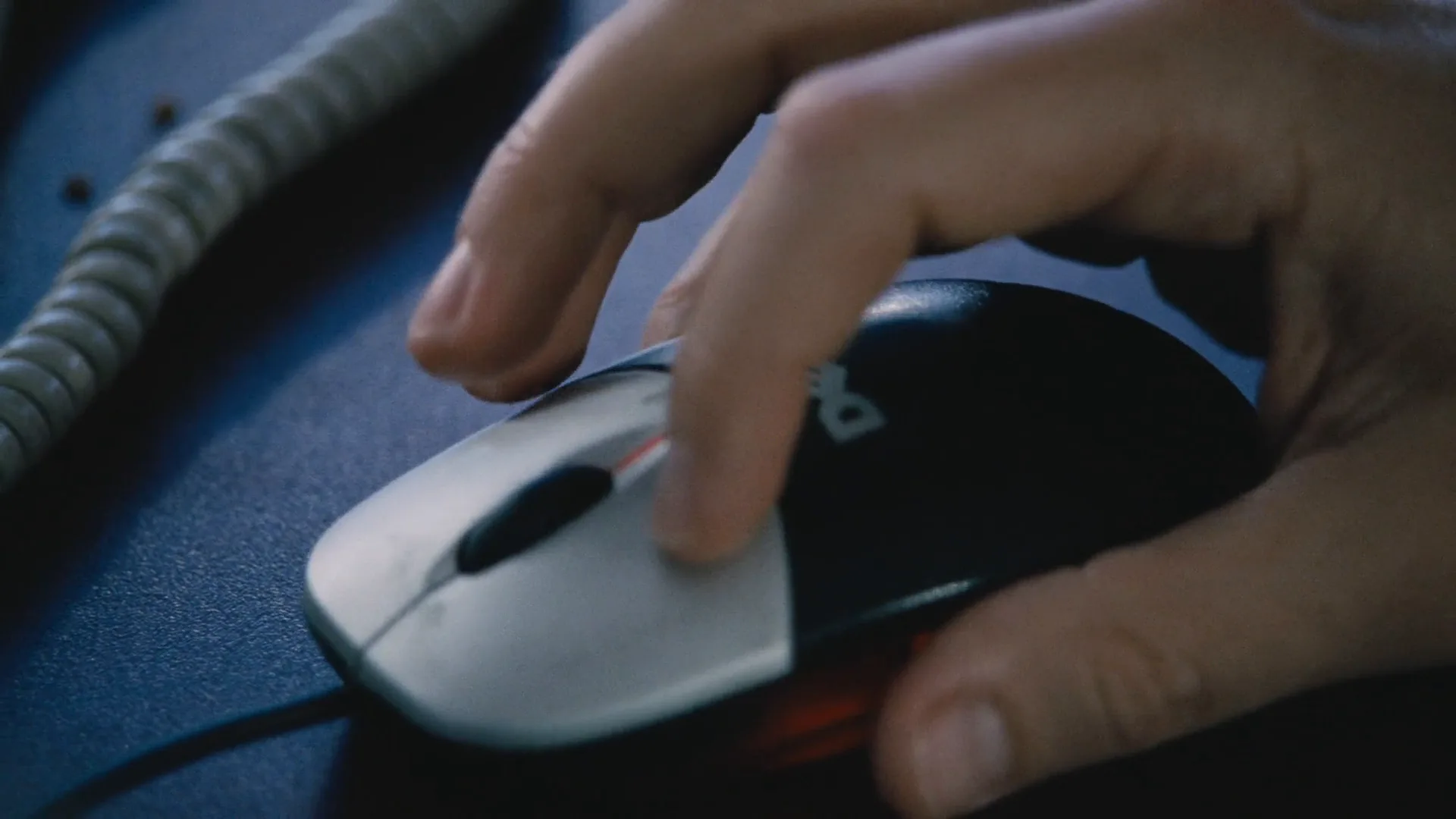
9 framesLetters, clocks, passports and hands at work. Notice how often the camera looks straight down.
How to create a insert shot with AI
4 promptsImage models default to showing people, so an insert prompt names the object, the crop and what the hand does. Keep the master, the inserts and continuity notes on one FlashBoards board to check that hands, props and light match. The fourth prompt re-shoots a real film shot from a text description alone, and the original plays next to the result so you can compare.
Insert shot, straight top-down on a dark walnut desk: a folded handwritten letter on cream paper, three lines of blue ink, a small brass key on the fold. A woman's hand enters from the right, frame cut at the wrist — short unpainted nails, thin silver ring on the index finger, ink smudge on the knuckle — fingertips on the key. The letter fills two thirds of the frame. 100mm macro, f/5.6. Warm desk lamp from the top left, soft finger shadows, film grain.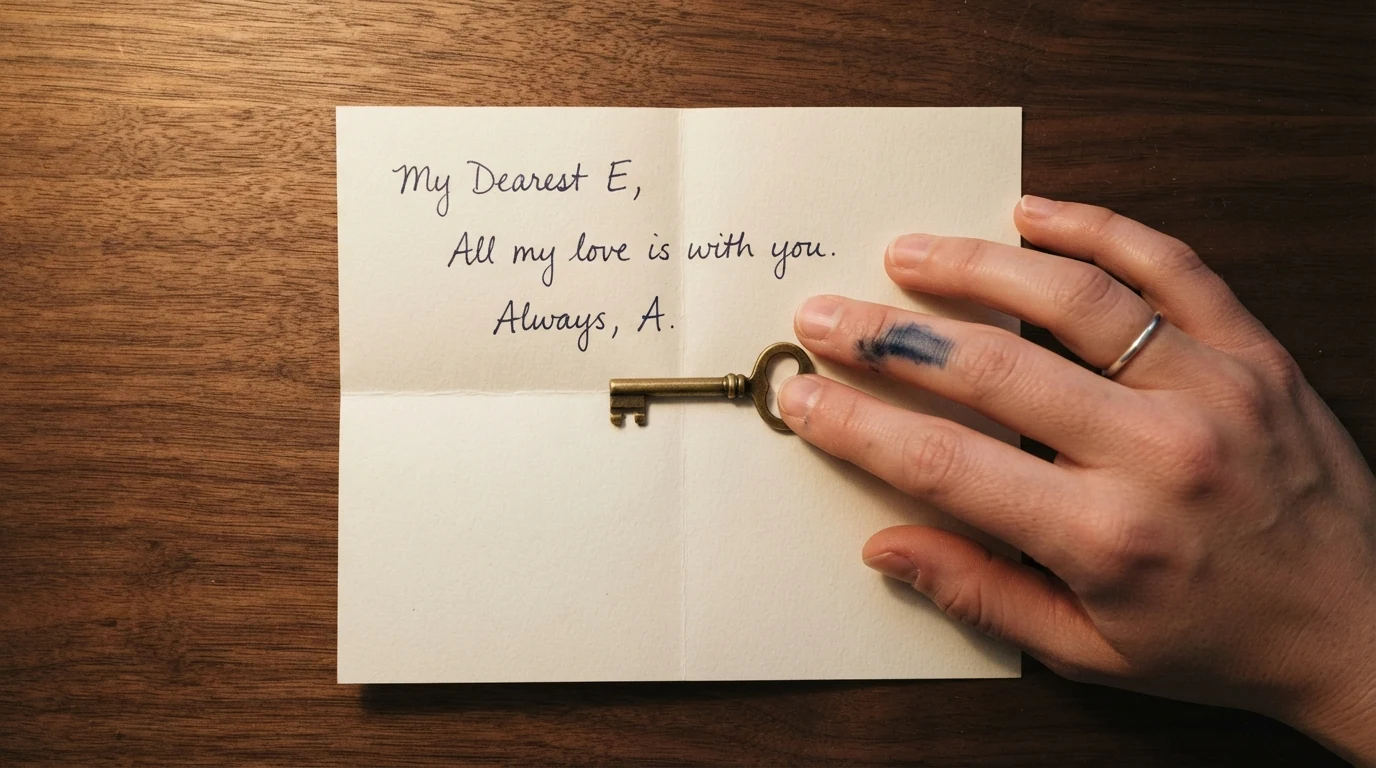
"Insert shot, straight top-down" and "frame cut at the wrist" stop the model from pulling back to a person at a desk; the ring and smudge make the hand repeatable across inserts.
Open FlashBoardsInsert shot inside a parked car at night: a smartphone face up on a gray fabric passenger seat, screen lit with one message bubble reading "I'm outside." Phone centered in a wide anamorphic frame, 75mm, f/2.8, seat texture falling out of focus. Only light: the screen and an orange streetlight raking through the side window. Tense thriller mood.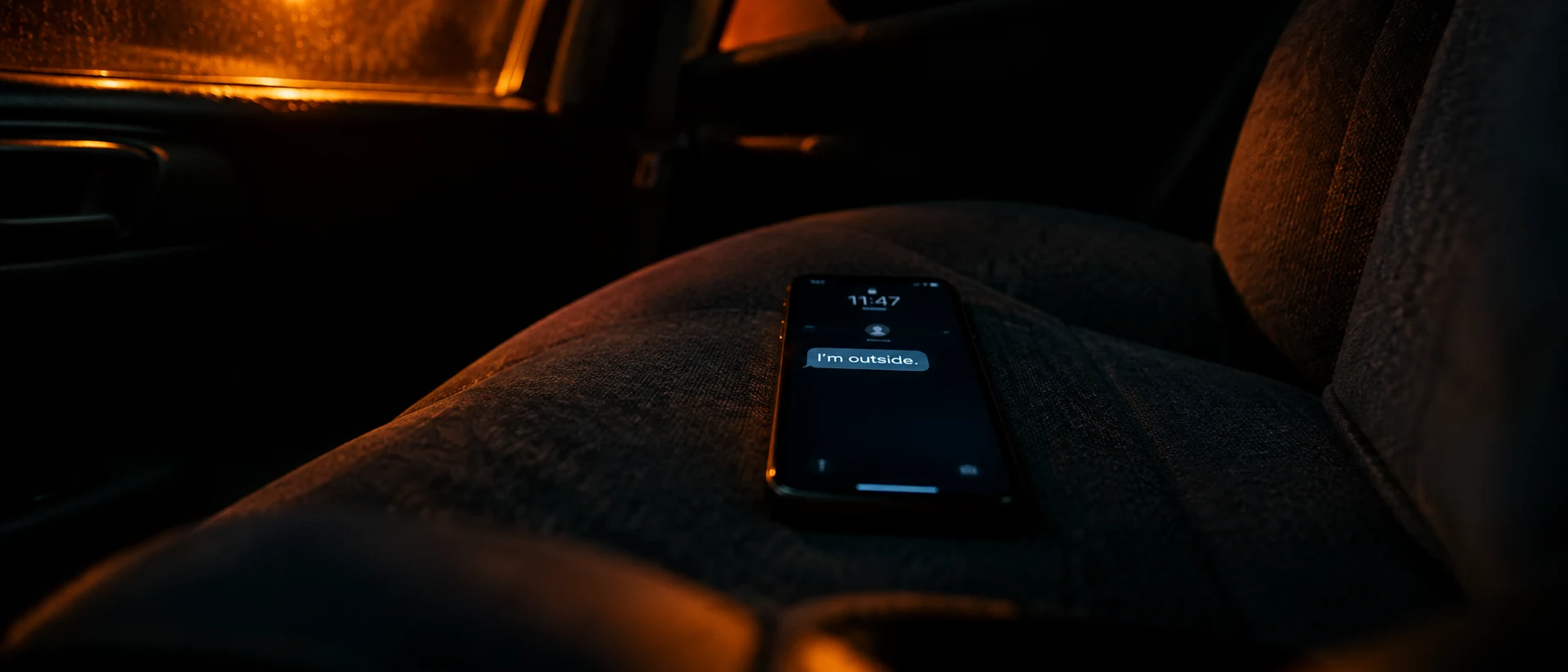
The modern phone insert in a different aspect. Quoting the short message keeps it legible; naming the only two light sources keeps the cabin dark.
Open FlashBoardsCamera: locked-off overhead, perfectly still for the whole shot. Action: the hand is already moving — two fingers slide the brass key off the letter to the side of the desk. The hand lifts the top flap of the letter and presses it flat, revealing the blue ink lines. The hand withdraws out of the right edge, leaving the open letter in the warm lamp light."Locked-off" stops the slow push-in; motion starts in the first clause, and every step uses only what is already on the desk.
Open FlashBoards{
"output": "Full-screen live-action insert shot from The Royal Tenenbaums (2001), directed by Wes Anderson, shot by Robert Yeoman, from its very first frame: one continuous shot, no cuts. 35mm film stock, warm amber tungsten light inside a small play tent, soft and even from above, fine grain, palette of sky blue, cherry red, dove gray and honey orange.",
"characters": {
"S1": {
"name": "Margot Tenenbaum, played by Gwyneth Paltrow",
"look": "only one hand and a slim bare forearm are in frame, reaching in from the lower right corner; pale skin, short unpainted nails, two fingers wrapped in thin white bands, one fingertip replaced by a small dark wooden prosthetic",
"voice": "silent"
}
},
"shots": [
{
"shot": 1,
"camera": "locked-off, perfectly still, straight top-down from directly overhead, wide anamorphic frame squared to the floor: a dove-gray portable record player fills the centre, its platter on the left half of the deck and a column of chrome knobs on the right; a black LP with a plain cherry-red label spins on the platter; an album sleeve with a small faded group photo on a pink wall lies at the left edge, a second sleeve with a soft blurred blue-gray portrait lies to the right of the player; a row of toy cars (an orange truck, a blue station wagon, a small white-red-blue racer) is lined up along the player's front edge; the floor is a sky-blue fabric printed with little planets and rockets, a busy rug with scattered toys along the top",
"action": [
"BEGINNING: alive from the first frame, the record already spinning; the tonearm rests on its post at the top right of the platter; S1's hand, coming from the lower right corner, already has its fingertips on the tonearm near the post.",
"THEN: the fingers pinch the tonearm and lift it off the post.",
"THEN: the hand swings the tonearm in a slow arc to the left and down, until the head hangs over the outer grooves on the right side of the spinning record; the forearm follows, wrist bent, elbow toward the lower right corner.",
"THEN: the hand holds still for a beat, then lowers the needle gently onto the spinning record; the fingers rest on the cueing lever beside the platter.",
"THEN: the hand lets go and slides down and to the right across the knobs.",
"END: the hand and forearm sweep out of frame through the lower right corner; the needle rides the spinning record, the tonearm lying diagonally across it; the toes of two dark brown leather shoes rest at the lower right frame edge; the frame stays exactly still."
],
"voice": "silence: nobody speaks in this shot, no voice at all",
"dialogue": []
}
],
"sound": {
"ambience": "the soft hum of the turntable motor, the click of the tonearm leaving its post, a small crackle as the needle touches down, then steady vinyl hiss",
"speech": "no words in this video; the only human sounds are breaths and movement",
"never_spoken": "no narration and no voice-over: the descriptions, performance notes and step words of this prompt are never spoken aloud",
"music": "a film score under the scene, always below the voices: a wistful mid-1960s chamber-pop melody on recorder, piano and cello that begins softly the moment the needle lands",
"subtitles": "none"
}
}Remakes Margot's needle-drop insert from The Royal Tenenbaums (2001): the prompt kept the still top-down frame, the player flanked by two sleeves, the toy cars and the hand that lifts the arm, lowers it and leaves.
The camera block pins the locked-off, straight-down frame and lists what sits in it; the steps carry the one beat an insert exists for: the needle meeting the record. Nobody speaks, so the sound block asks for silence, motor hum and a quiet score.
Open FlashBoardsCommon mistakes
- The shot widens into a scene. State "insert shot" plus a crop like "frame cut at the wrist" and describe only object and hand.
- Garbled text. Keep readable text to a few quoted words.
- Hands drift between takes. Reuse the same two or three hand features in every insert.
- Light doesn't match the master. Name the key direction from your wide shot and compare side by side on the board.
- The video creeps in. Say "locked-off" and put the motion in the hand from the start.
Keep the reference frames, prompts and every generated take side by side — images and video in one canvas.
FAQ
4 questionsWhat is an insert shot?
An insert shot is a close view of an object or small action inside a scene — a letter, a clock, a phone screen, a hand on a key — cut into the coverage so the audience notices a specific detail. It usually shows no faces, only the object and perhaps a hand, and it delivers information or sets the rhythm of the edit.
What does INSERT mean in a screenplay?
In a script, INSERT is a slug line saying the next image is a close view of an object, usually text that must be read on screen: a note, a headline, a message. The writer describes what we see, then returns with BACK TO SCENE. The director decides framing, angle and duration.
What is the difference between an insert and a close-up?
A close-up is a shot size; an insert is a shot function. Most inserts are framed as close-ups or extreme close-ups, but a close-up of an actor's face is not an insert. An insert isolates an object or hand-level action so a detail reads clearly, and it carries no performance.
What are some famous insert shot examples?
Well-known examples include the snow globe in Kane's hand in the opening of Citizen Kane (1941), the key in Ingrid Bergman's hand at the end of the crane shot in Notorious (1946), the cipher letters in Zodiac (2007) and the overhead record-player insert in The Royal Tenenbaums (2001).
Related terms
4- Cutaway ShotEditing
A cutaway briefly leaves the main action for something else — a detail, a bystander, an object elsewhere — then returns, adding information, a joke or a way to hide a cut.
- Extreme Close-UpCamera Shots
An extreme close-up isolates a tiny part of a subject — an eye, lips, a finger on a trigger, a watch face — so a single detail fills the frame and takes on enormous weight.
- Close-Up ShotCamera Shots
A close-up frames a subject tightly — for a person, usually the face from chin to forehead or the head with the top of the shoulders — so emotion, micro-expressions and small details dominate the screen.
- B-RollCamera Shots
B-roll is secondary footage — details, locations, actions, atmosphere — shot to be cut over or between the main material (the A-roll, such as an interview or dialogue), hiding edits and illustrating what is being said.
Further reading
Walter Murch, In the Blink of an Eye (Silman-James Press, 2001). Daniel Arijon, Grammar of the Film Language (Silman-James Press, 1991).