 FlashBoards Learn
- Learn
- Camera Shots
- Close-Up Shot
Camera Shots · Film language
Close-Up Shot
Also called: close-up, CU, tight shot
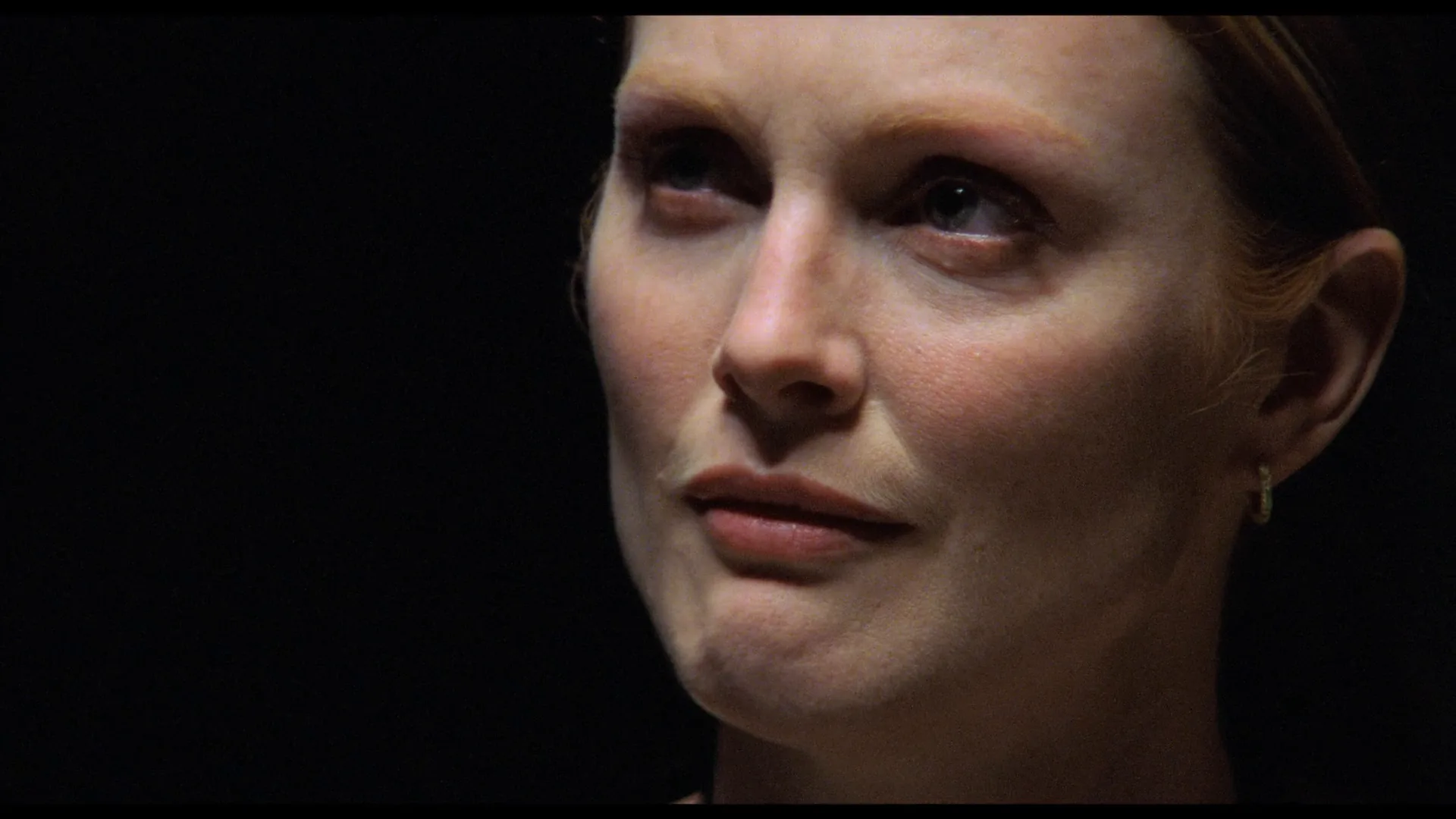
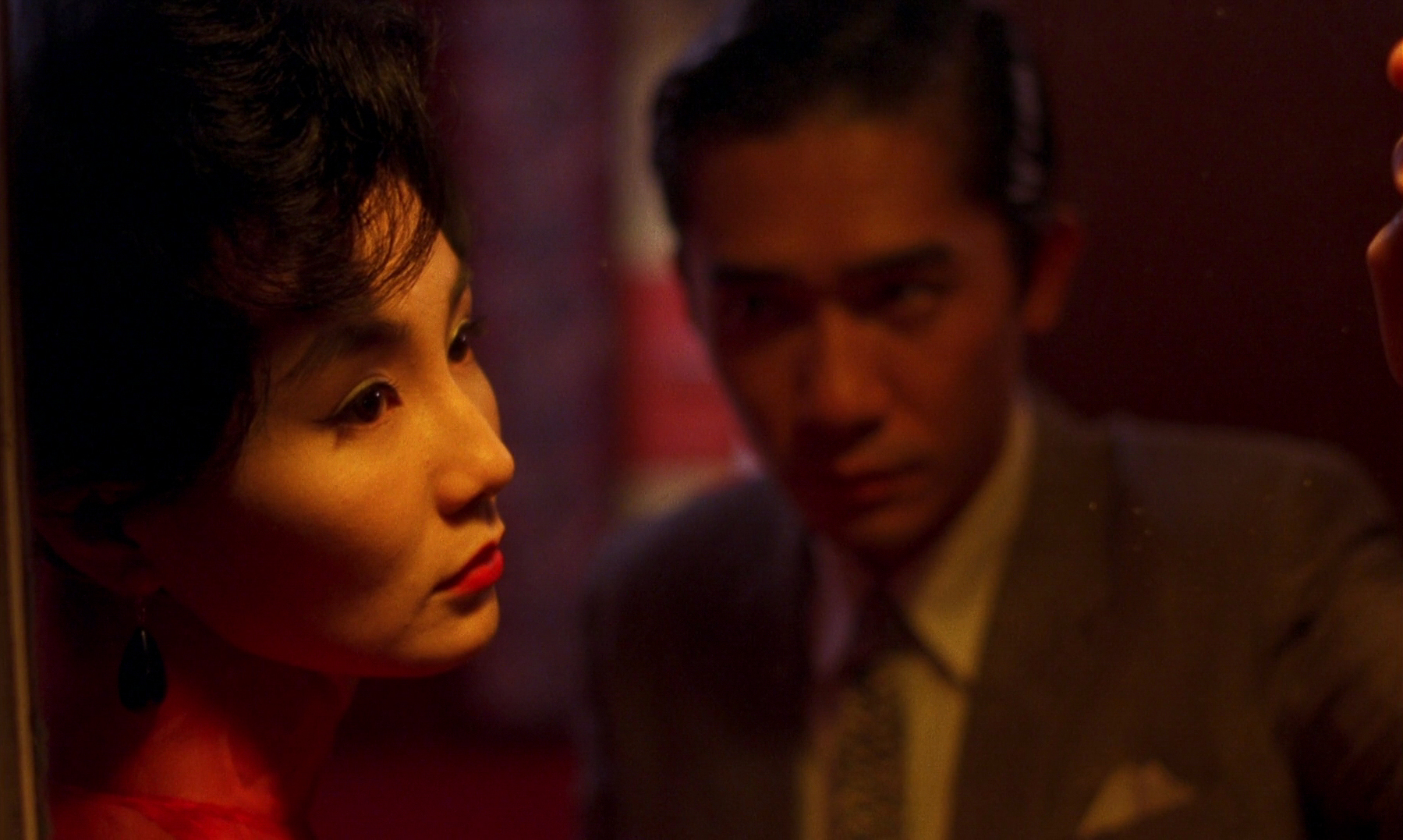
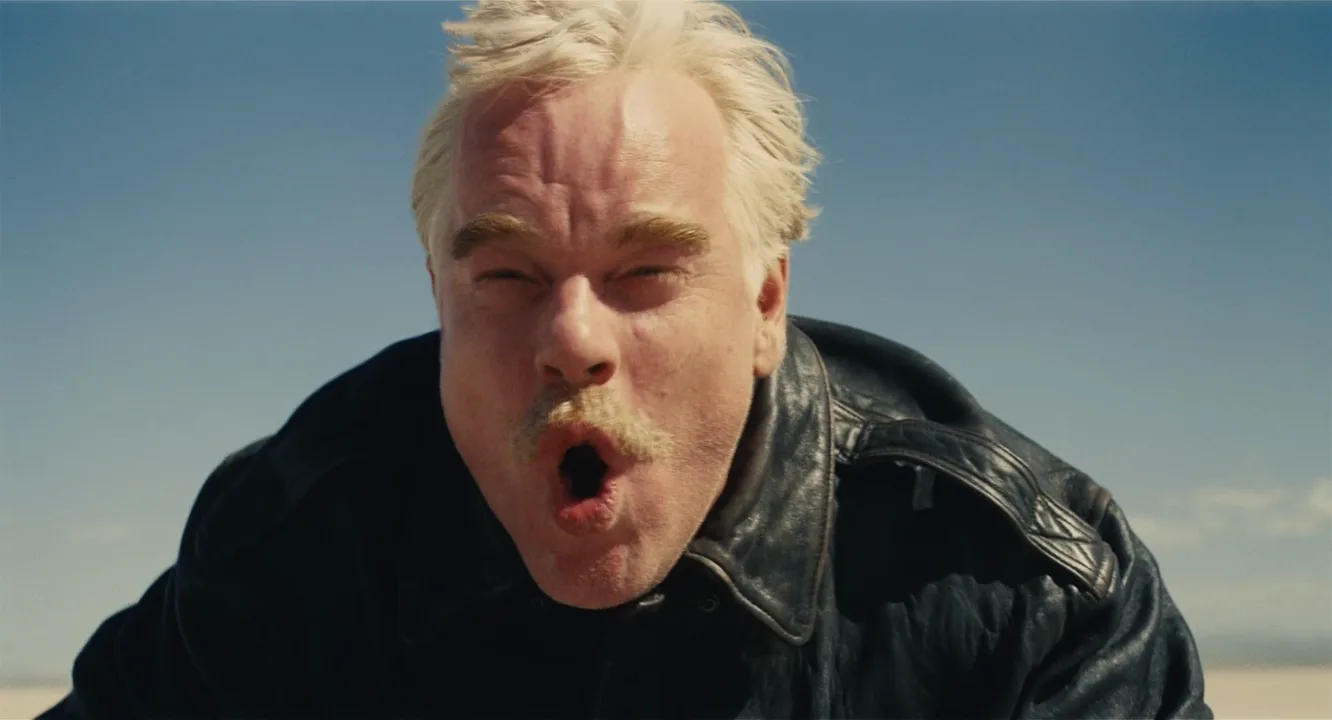
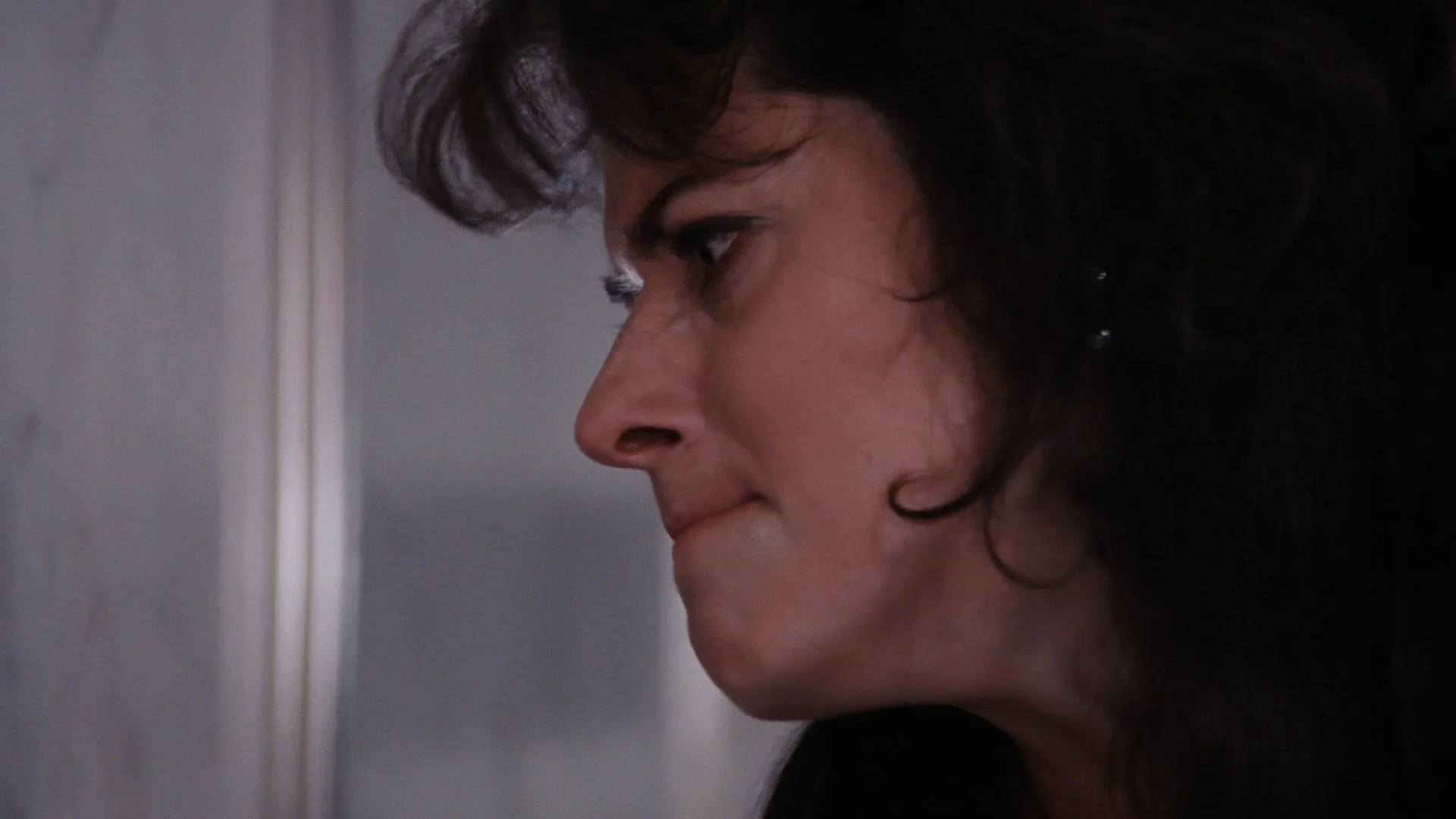
A close-up shot frames a subject tightly — for a person, the face from chin to forehead, or the whole head with a sliver of shoulders — so expression fills the screen. It strips away the setting and puts the audience at conversational distance, which is why directors save it for the moments a story turns on a face.
- What it does
- Makes a face (or one object) the entire composition, so small changes in expression read as events.
- Use it when
- The scene turns on what a character feels, decides or notices — and you want the audience to feel it with them.
- Watch out
- Overuse flattens a scene: if every setup is a close-up, none of them lands as emphasis.
- Try this prompt
Cinematic close-up of a woman's face, chin to hairline, 85mm lens at eye level, soft window key from the left, background dissolved into dark bokeh
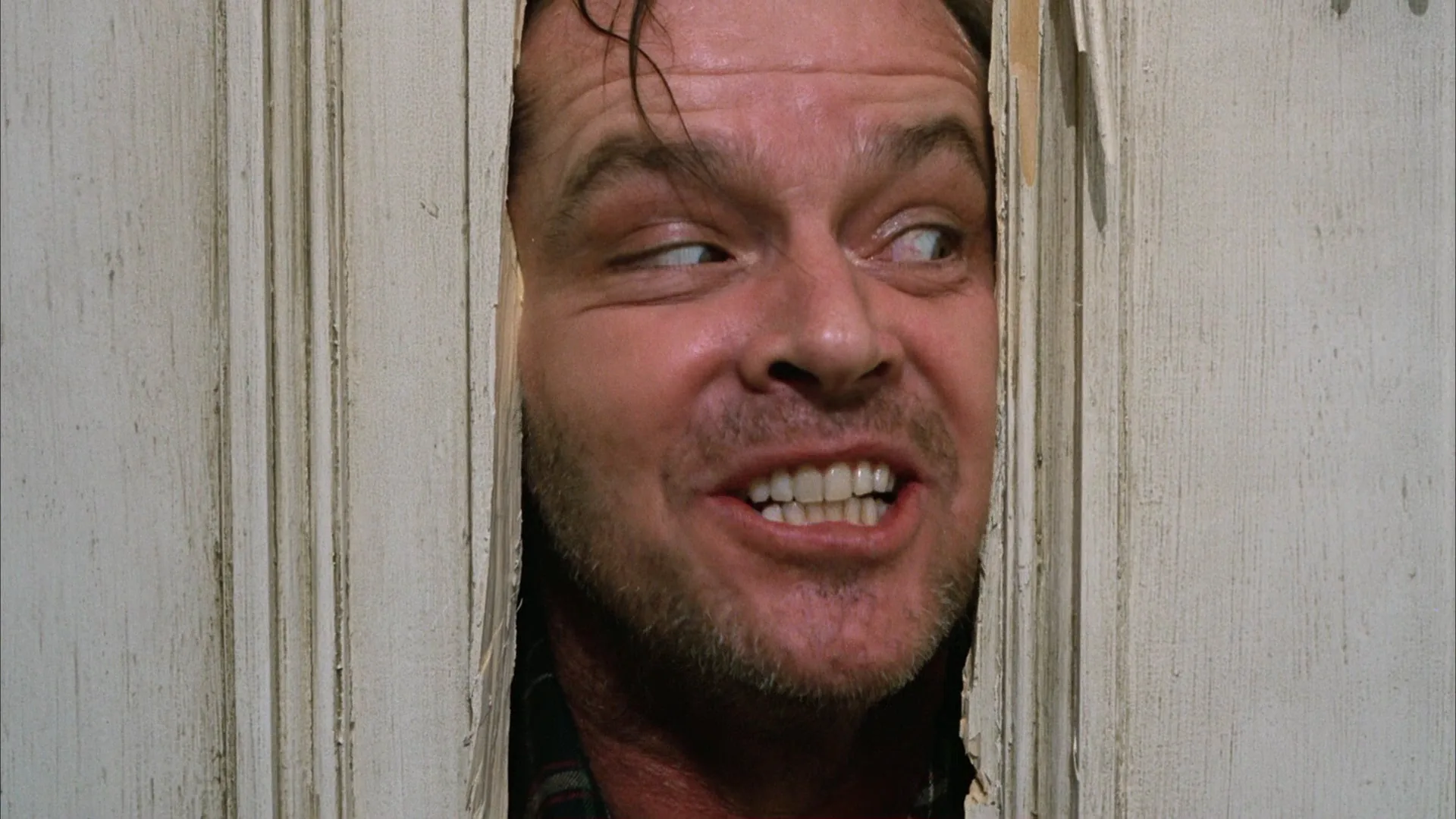
What is a close-up shot?
A close-up (written CU on shot lists) is the shot size in which a single subject fills most of the frame. For a person it usually means the full head: the bottom frame line falls somewhere between the chin and the collarbone, the top sits at or slightly into the hairline. For an object — a letter, a revolver, a phone screen — it means the object alone with just enough margin to read it.
On the scale of types of camera shots the close-up sits one step tighter than the medium close-up, which drops the frame to mid-chest, and one step looser than the extreme close-up, which crops into the face until a single feature is left. In a script or shot list the same request often appears as tight on a character.
Three things define a close-up better than any measurement:
- The face is the composition. The background shrinks to color, light and blur. You cannot stage action behind a close-up; you can only suggest a world.
- The eyes carry the frame. Viewers look at the eyes first, so the eye line is usually placed on or near the upper third of the frame.
- Scale is enlarged. On a cinema screen a close-up makes a head several meters tall. A swallow, a blink held too long, a muscle at the jaw become story beats.
Loose, standard and tight close-ups
Crews rarely say just "close-up" on set; they specify how close, because a few centimeters of frame line change what the shot says.
- Loose close-up — head plus the top of the shoulders. The most common size in modern dialogue coverage: intimate, but it still shows posture and a hint of costume.
- Standard close-up — chin to just above the head, shoulders mostly gone. The face becomes the whole event.
- Tight close-up (choker, or big close-up in British usage) — the frame cuts through the forehead and sits at or just under the chin. It feels pressured and is usually reserved for the peak of a scene.
The rule that survives across all three: you can cut off the top of the head, but think twice before cutting off the chin. Losing the forehead reads as intensity; losing the mouth takes away half of the performance. Once the frame starts losing the outline of the face — only eyes, only lips — you have crossed into extreme close-up territory, which is a different tool with different rules.
Why do filmmakers use close-ups?
To put the audience inside a character. A close-up removes the distance that lets us observe a person from outside. Carl Theodor Dreyer built most of The Passion of Joan of Arc (1928) from close-ups of Renée Falconetti, so the trial plays out almost entirely on her face.
To let the cut create meaning. A close-up of a neutral face takes its meaning from the shot next to it — the principle demonstrated by the Kuleshov effect. That is why the close-up is the basic unit of the reaction shot: the line lands on the speaker, the meaning lands on the listener.
To mark emphasis in the edit. In classic film coverage a scene is shot wide, medium and close, and the editor moves tighter as the scene intensifies. The first cut to a close-up is a raised voice. If a film lives in close-ups from the first minute, that tool is gone.
To stage confrontation with the viewer. In The Silence of the Lambs (1991) Jonathan Demme frames Hannibal Lecter and Clarice Starling in close-ups with their eyes very near the lens, so the audience sits across the glass from both of them.
To make the body tell the story. Whiplash (2014) keeps cutting from the drummer's straining face to his hands and sticks, so the physical cost of the performance reads in both scales. A close-up of an object works the same way — though when the object is cut in only to deliver information, it is usually called an insert shot.
How to shoot a close-up
Lens. On full frame, 65–100mm is the classic close-up range; 85mm is the portrait default. On Super 35, think 50–75mm. A longer lens from farther away — 135mm and up — flattens the features and isolates the face from the background, the look you get with a telephoto lens. A 25–35mm lens pushed in to the same size enlarges the nose, bends the edges of the face and feels uncomfortably close; use it only when that discomfort is the point.
Distance. With an 85mm lens on full frame, a head-and-shoulders close-up puts the camera roughly 1.2–1.5 m from the actor. That distance also matters to the performance: it is close enough to feel present and far enough not to crowd the actor.
Height and eyeline. Start with the lens at the actor's eye height. A few centimeters below the eyes adds strength; a few above adds vulnerability — at this size small shifts read clearly. In dialogue the actor looks just past the lens, at the other actor's face placed beside the matte box. The tighter the shot, the closer to the lens that eyeline should sit, and it has to match on the reverse or the eyeline match breaks.
Focus. At T2 on an 85mm lens and 1.3 m, depth of field is only a few centimeters. Focus on the nearer eye; if the eyes are soft, the shot is lost. That shallow depth of field is also what turns the background into the soft blur audiences associate with close-ups.
Light. A large soft key 30–45 degrees off the lens, usually on the far side of the face, models the cheekbones and leaves a shadow side. Make sure it puts a catchlight in the eyes — without one, eyes look dead on screen. Add negative fill on the shadow side for contrast and keep the background one to two stops under the face.
Framing. Keep headroom tight — a big gap above the head is the most common amateur close-up mistake. Give the face look room in the direction of the eyeline, and ask actors to hit marks within a few centimeters: at this size a small lean takes them out of focus and out of frame.
Close-up vs. medium close-up
The two sizes sit next to each other and are often confused, but they do different jobs.
| | Medium close-up | Close-up | |---|---|---| | Bottom frame line | Mid-chest to armpits | Chin to collarbone | | What reads | Face, shoulders, some gesture, costume, a slice of set | Face only; the setting becomes color and blur | | Role in the edit | The workhorse of dialogue coverage | Escalation — the moment the scene tightens | | Feeling | Engaged, conversational | Intimate, pressured |
A quick test: if you can see the actor's hands when they gesture at chest height, you are in a medium close-up. If a nod pushes the chin out of frame, you are in a close-up.
In practice editors use the pair as a gear shift. A dialogue scene often plays in medium close-ups and moves to close-ups only when the stakes rise, so the change in size signals the change in the scene. Shoot both sizes on the important lines and you keep that option in the edit. Going tighter again — to one eye or the lips — is no longer a close-up but an extreme close-up, which isolates a detail rather than a person.
Close-Up Shot examples in film
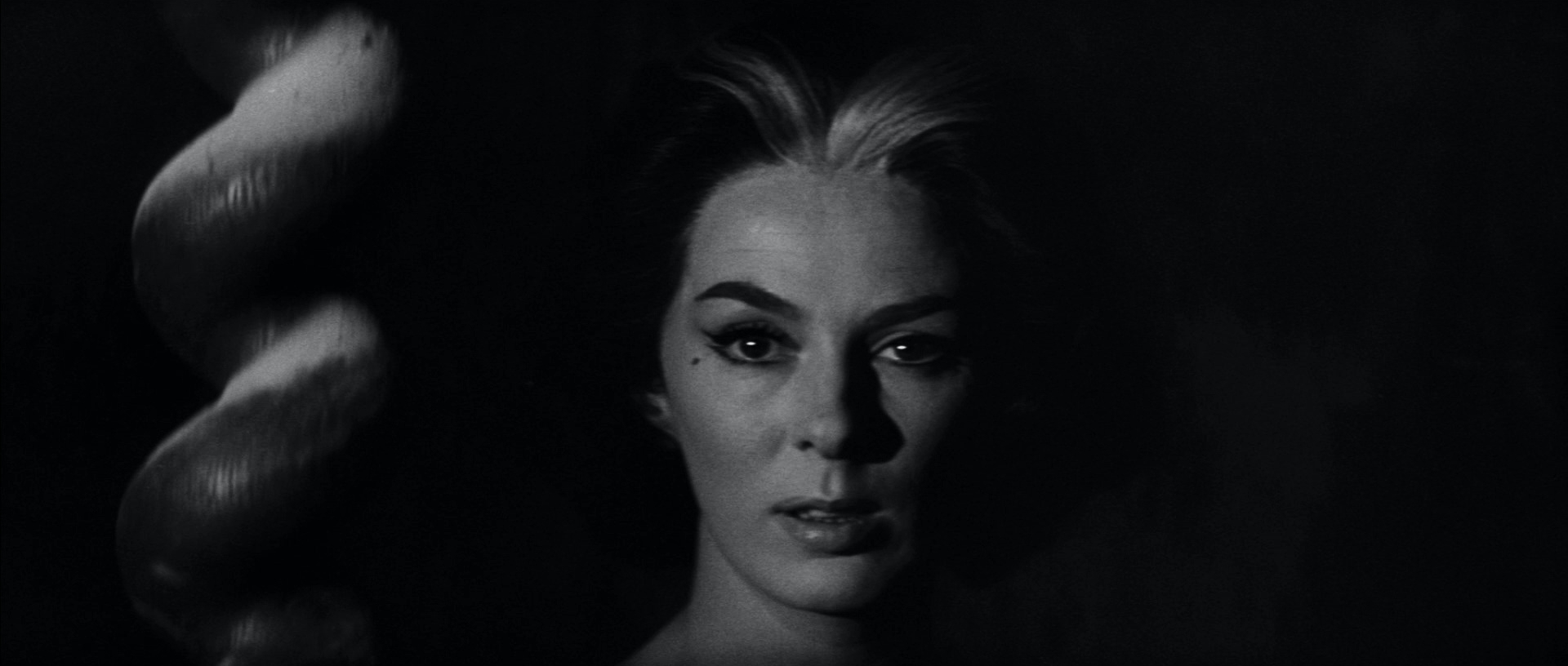
13 framesClose-ups from 1954 to 2016 — loose and tight, frontal and profile, low-key and high-key. Notice where each frame line cuts and what that leaves the face to do.
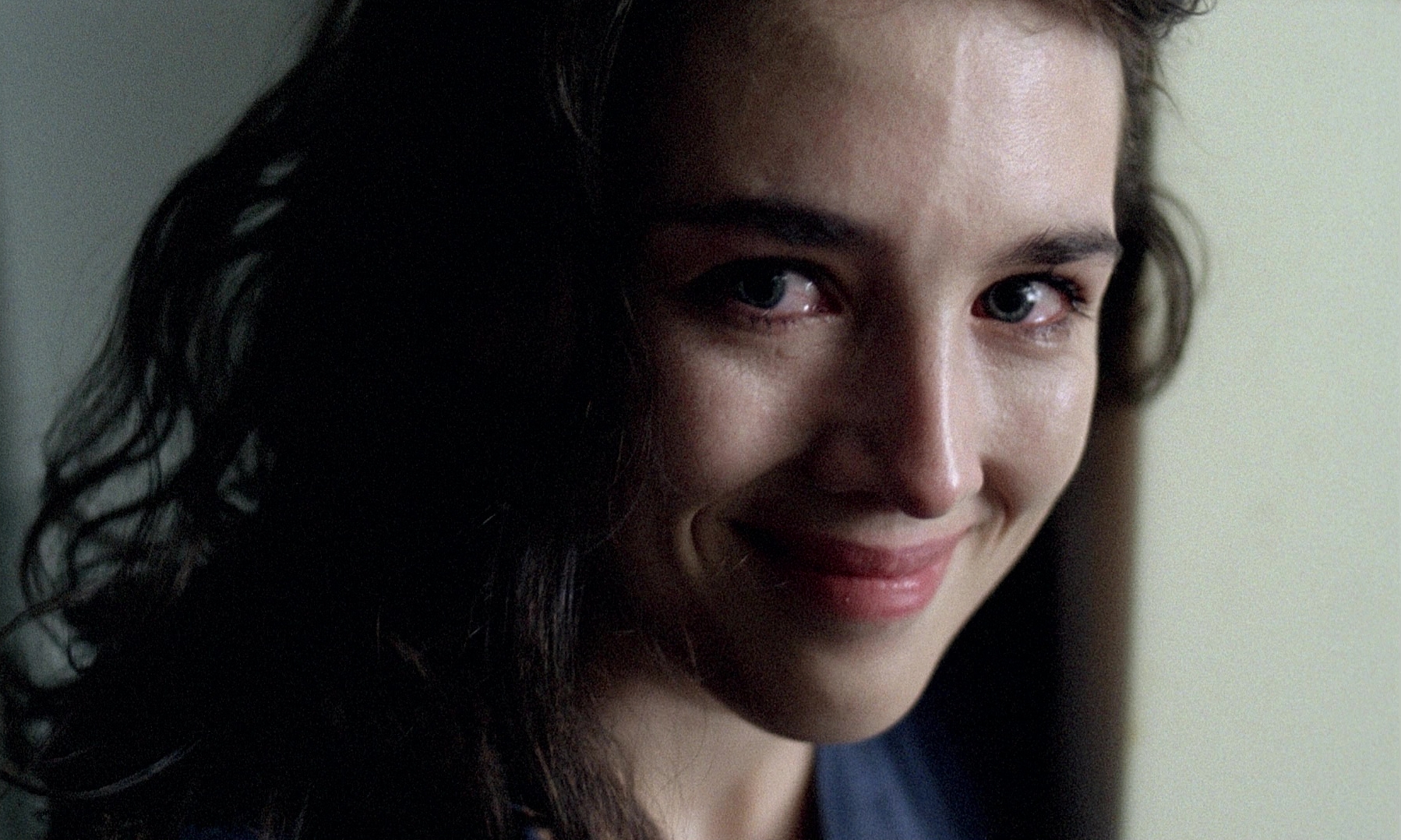
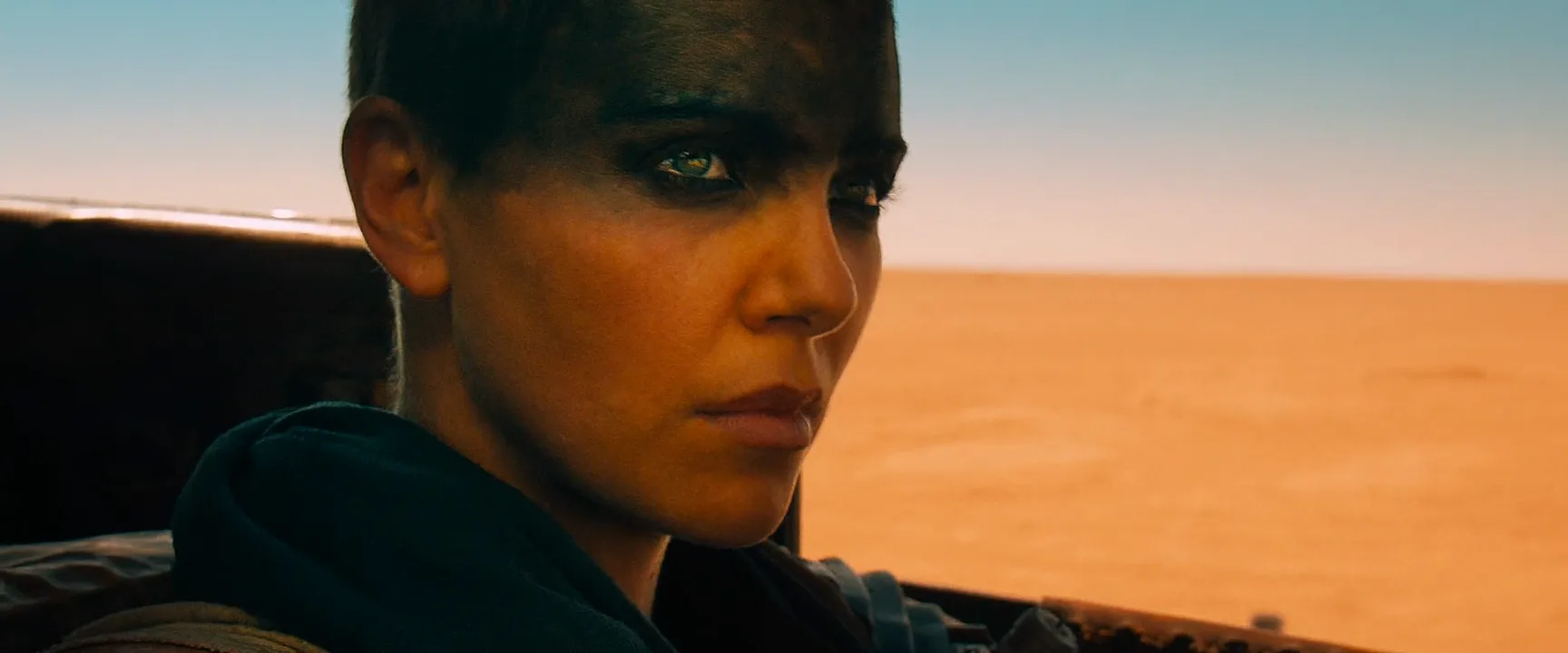
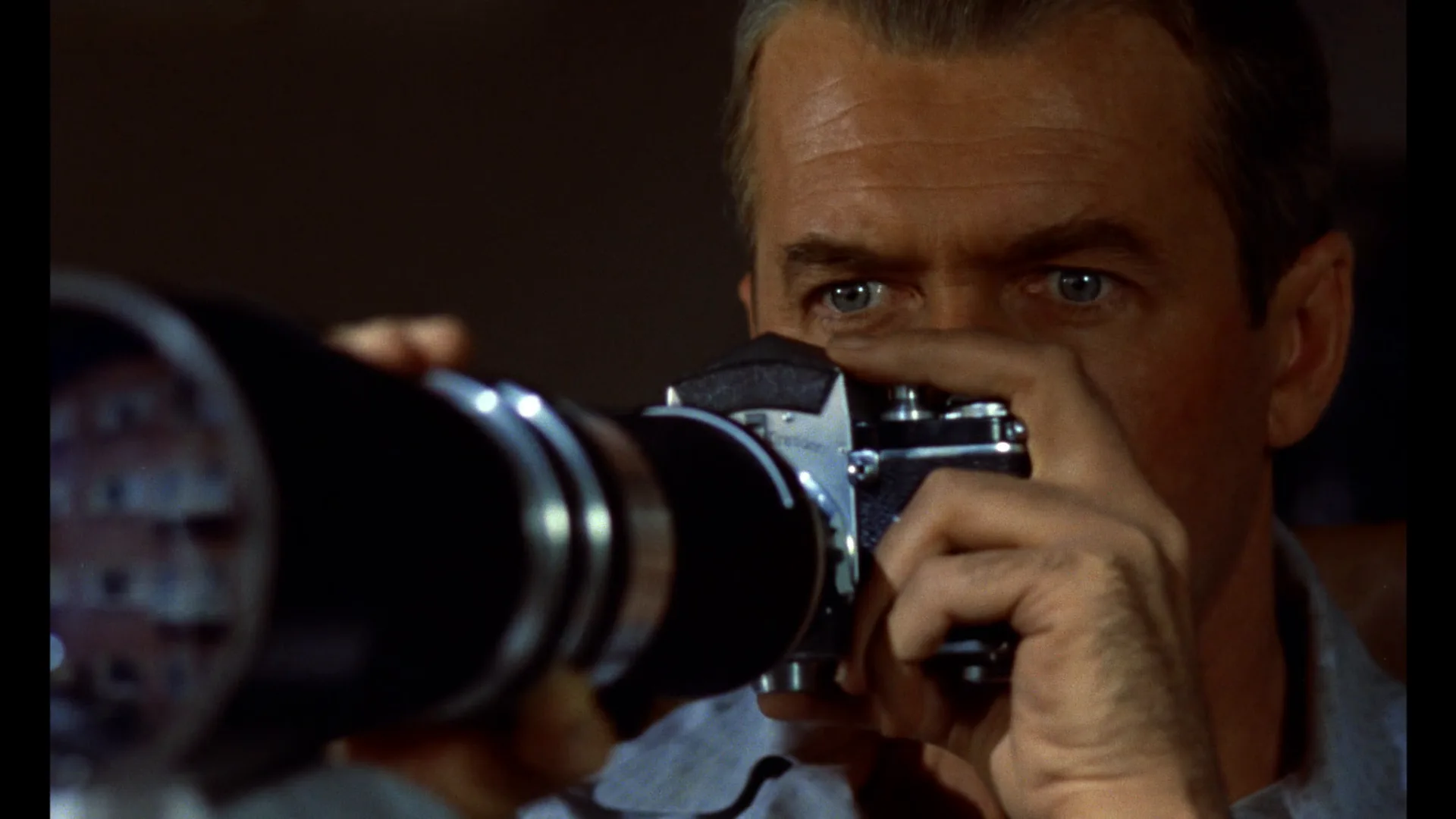
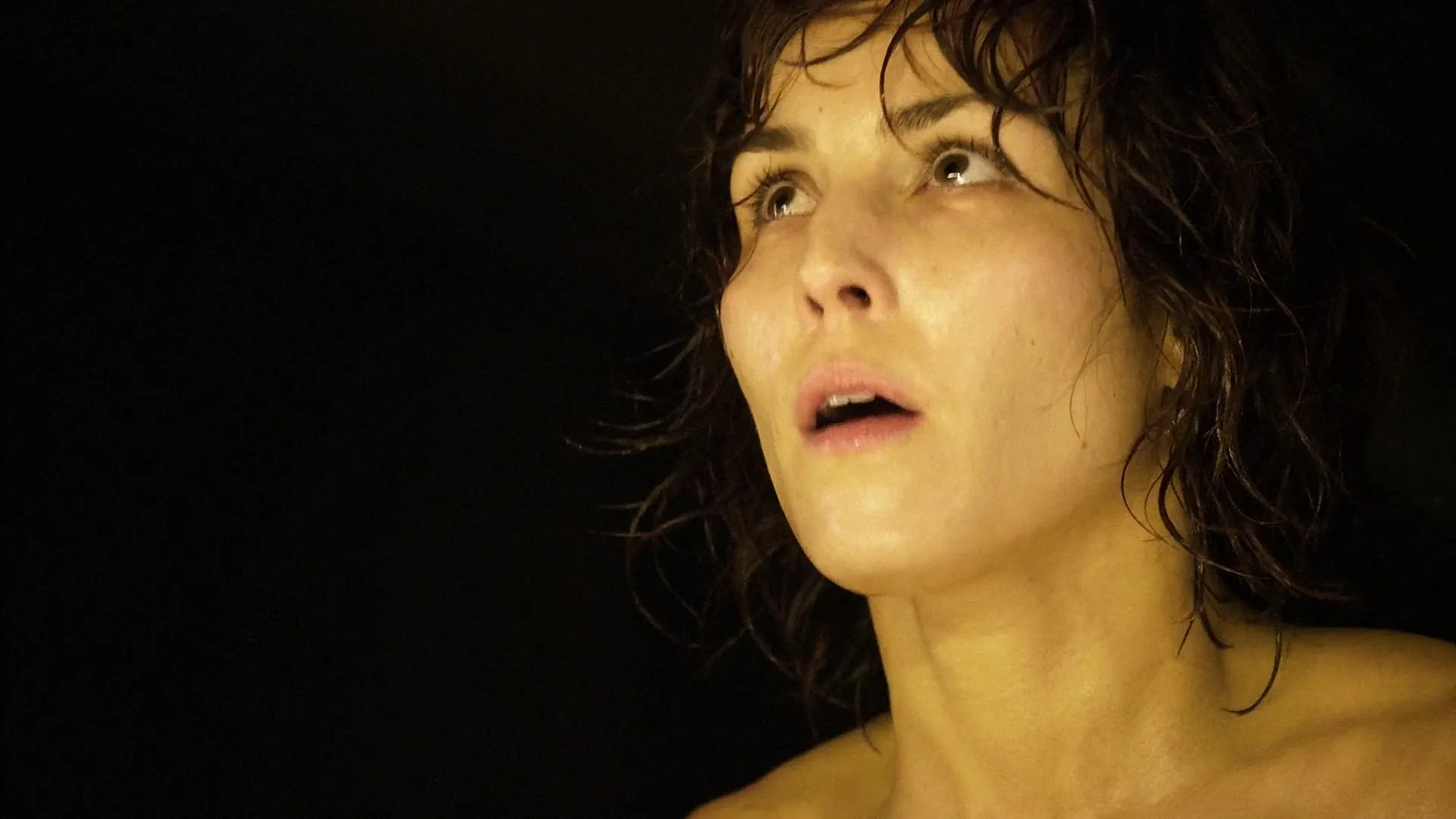
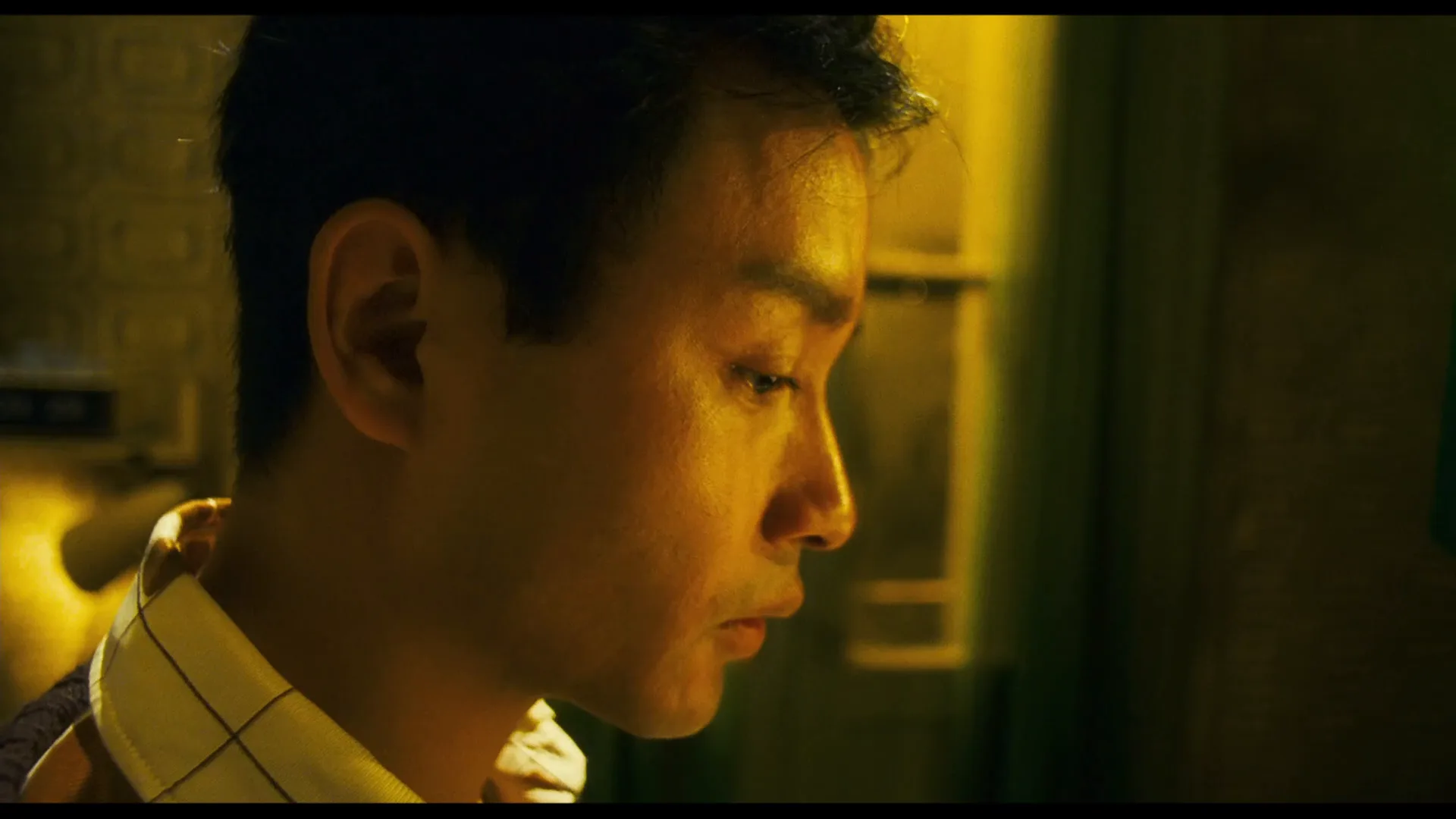
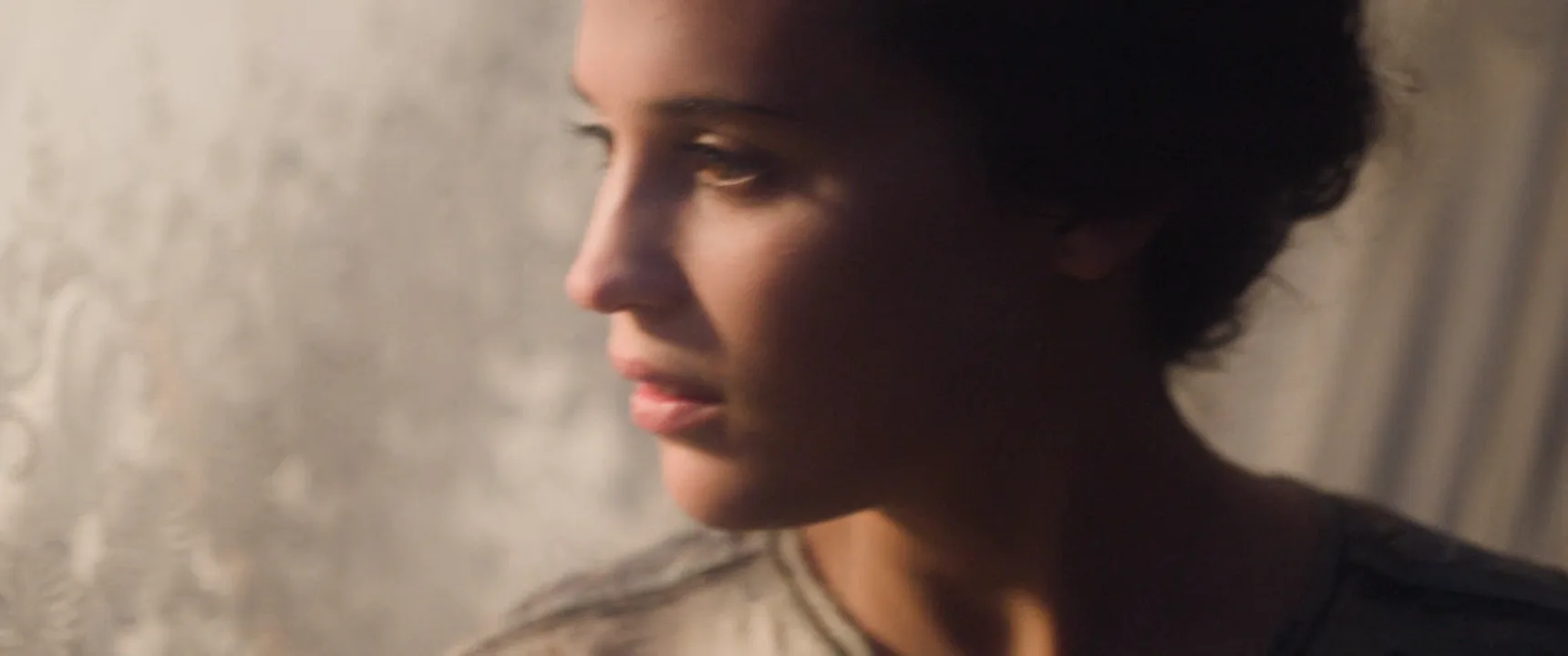
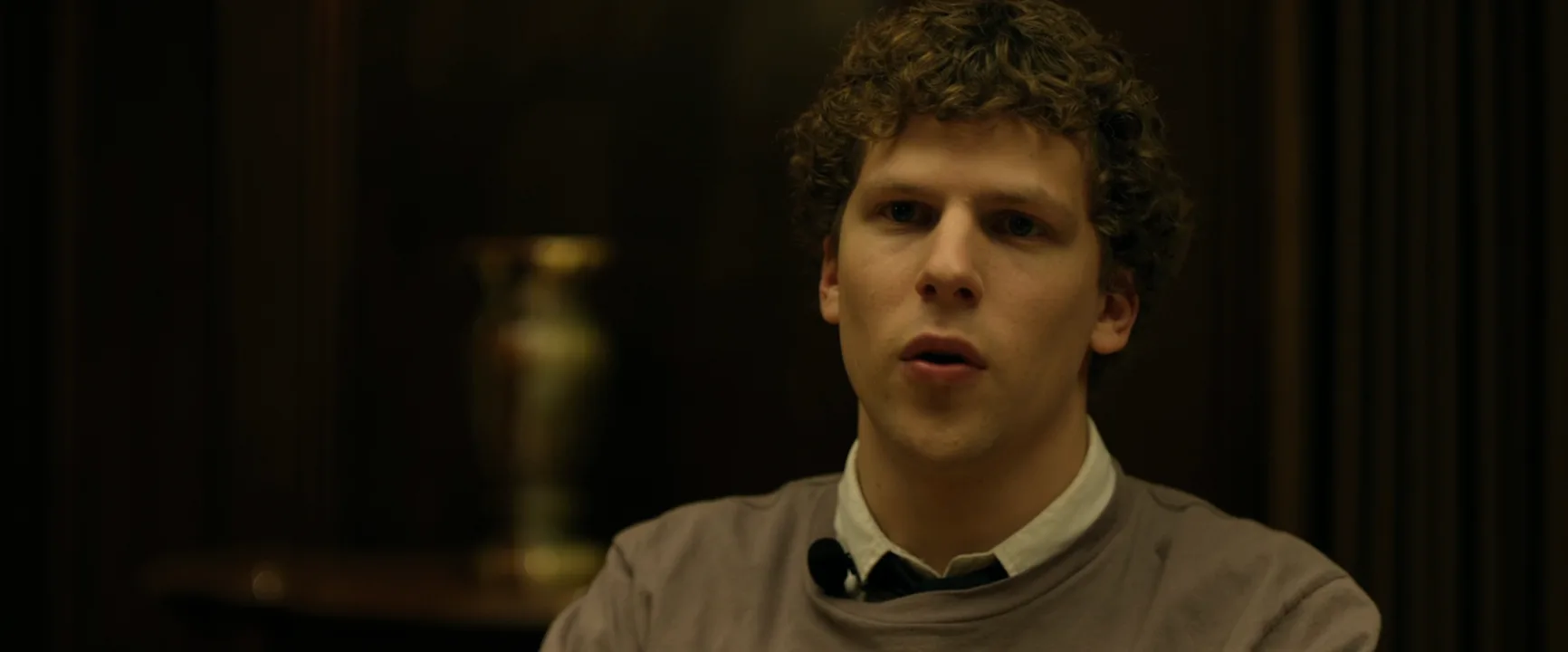
How to create a close-up shot with AI
4 promptsImage and video models default to a medium shot, so a close-up has to be spelled out: where the frame cuts, what lens, where the eyes look and how soft the background is. In FlashBoards, build the start frame with Nano Banana 2 Lite, try a second take with GPT Image 2.5, then hand the best frame to MiniMax H3 Max Turbo to bring the face to life — all on one board next to the film frames you pinned as reference, so takes sit side by side. The fourth prompt re-shoots a real film shot from a text description alone, and the original plays next to the result so you can compare.
Cinematic close-up of a woman in her forties, her face filling the full frame height from chin to hairline, no shoulders in frame, eyes looking just off camera left, 85mm lens at eye level, large soft window key from the left, dark shadow side, visible skin texture and a catchlight in both eyes, background a warm out-of-focus blur, 35mm film still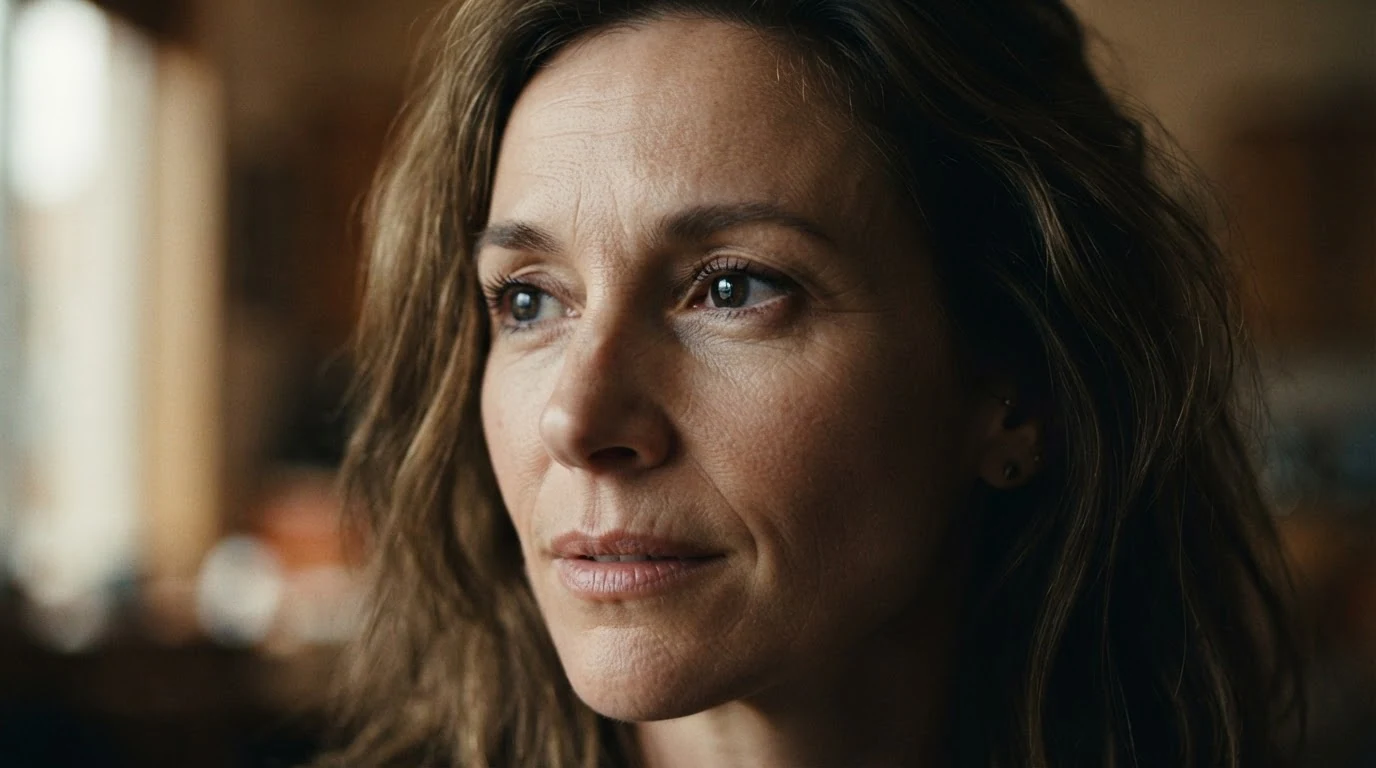
"From chin to hairline" sets the frame lines, which the word close-up alone does not. "85mm at eye level" prevents wide-angle distortion, and "just off camera left" gives a dialogue eyeline instead of a passport stare. This frame is the start frame for the video recipe below.
Open FlashBoardsTight close-up of a young boxer after a fight, frame cuts through his forehead and just under his chin, face on the right third, black negative space to the left, swollen left eye, sweat, hard single overhead light, 100mm lens, shallow depth of field, gritty 35mm film grain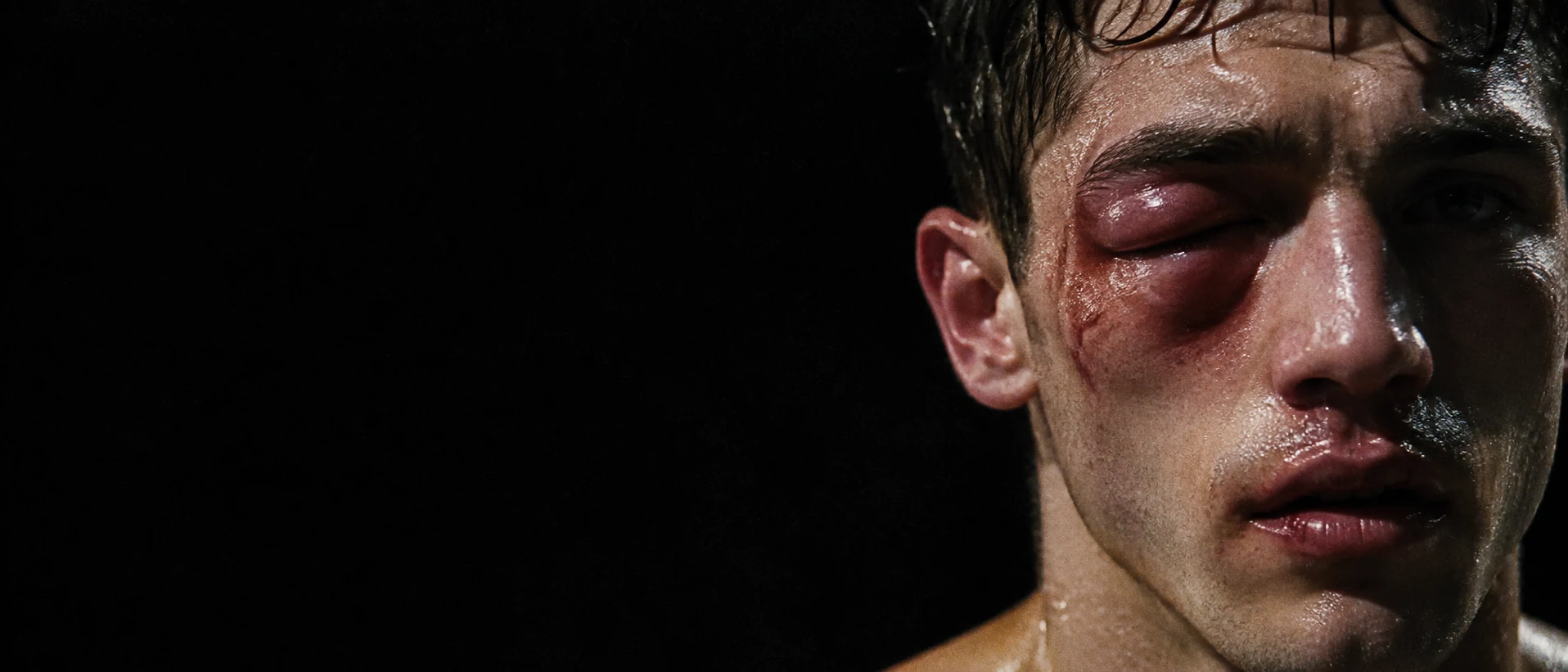
A second take on the size: naming both cut points — forehead and chin — forces a choker instead of a head-and-shoulders portrait. The 21:9 frame with the face on the right third and black space to the left shows how a widescreen close-up uses emptiness, and the hard overhead light removes every competing element.
Open FlashBoardsCamera: slow, steady push-in from this close-up to a tight close-up that cuts through her forehead, ending on her eyes and mouth. Action: from the first frame she is breathing and her eyes are already moving from the window toward someone off camera left. In the middle her jaw tightens and she swallows. At the end her eyes fill with tears and she blinks slowly, still looking off camera left. The window light stays soft and steady, and the background stays a warm blur.The video starts from recipe 1's frame, so size, lens and light are already set; the prompt only says what changes. "Already moving" makes the face alive from the first frame instead of a still that slowly zooms. "From this close-up to a tight close-up" gives the move a start, an end and a speed, and the three beats — look, swallow, tears — keep the performance small enough for the size.
Open FlashBoards{
"output": "Full-screen live-action close-up from Hannibal (2001), from its very first frame: one continuous shot with no cuts. Glossy early-2000s 35mm, low-key night interior, one warm soft key from high in front on screen left, the face floating on pure black, skin in amber and rose, fine film grain.",
"characters": {
"S1": {
"name": "Clarice Starling, played by Julianne Moore",
"look": "woman in her forties, auburn hair pulled tightly back, pale freckled skin, small gold hoop earring in her left ear, thin black dress strap on a bare shoulder",
"voice": "silent in this shot: her lips stay pressed together and never shape a word"
},
"S2": {
"name": "Paul Krendler, played by Ray Liotta",
"look": "never seen: he sits off screen at the same table",
"voice": "off-screen, slurred and smug, a man in his forties"
},
"S3": {
"name": "Hannibal Lecter, played by Anthony Hopkins",
"look": "never seen: he sits off screen at the same table",
"voice": "off-screen, soft, precise, mock-concerned"
}
},
"shots": [
{
"shot": 1,
"camera": "tight close-up from slightly below eye level on a long lens: at the start the top frame line cuts across her forehead at the hairline and the bottom line just under her chin, her face a little right of centre with her left ear near the right edge; a very slow, steady optical zoom out through the whole shot, the camera itself never moves; at the end the frame runs from the top of her head to the top of her bare shoulders, a black strap at the lower edge, black space on the left third",
"action": [
"BEGINNING: alive from the first frame, S1 already holds her head turned three-quarters toward screen left, eyes raised above the lens toward the upper left, wet and shining, lips pressed together, chin tense.",
"THEN: while the off-screen man talks, she keeps her gaze up and to screen left without blinking much; the corners of her mouth pull tight and her chin puckers, holding back tears.",
"THEN: her lower lip trembles once and a thin bitter half-smile tugs at the right corner of her mouth, then fades; her head does not nod.",
"THEN: her eyes drop slowly from above the lens to eye level, still aimed toward screen left, lids heavier.",
"END: her head sinks a little lower, she draws a slow breath through her nose, lips still pressed together, eyes glistening, face composed but close to crying; her mouth stays closed when the name is called off screen."
],
"dialogue": [
{
"speaker": "S2",
"on_screen": false,
"when": "from shortly after the first frame, while S1 looks up to screen left",
"delivery": "slurred, smug, off screen",
"line": "<d>[English] I had plans for that smart mouth, but I'm never gonna hire her, you know.</d>"
},
{
"speaker": "S3",
"on_screen": false,
"when": "near the end, after her eyes have dropped to eye level",
"delivery": "soft, mock-concerned, off screen, said twice",
"line": "<d>[English] Paul? Paul?</d>"
}
]
}
],
"sound": {
"ambience": "hushed room tone, her slow breathing through the nose",
"speech": "exactly these spoken phrases, each said once, in this order, all from off screen; the woman on screen never speaks",
"never_spoken": "no narration and no voice-over: the descriptions, performance notes and step words of this prompt are never spoken aloud",
"music": "a film score under the scene, always below the voices: low sustained strings with a slow, dark pulse, restrained and uneasy",
"subtitles": "none"
}
}Remakes the slow zoom-out close-up of Clarice Starling from Hannibal (2001), dir. Ridley Scott, DP John Mathieson: the prompt kept the tight start frame on black, the upward wet-eyed gaze, the warm top light, the widening to the shoulders and the film's off-screen lines.
With no start frame, the prompt has to carry the whole close-up: the camera field names both frame lines at the start (hairline and just under the chin) and at the end (top of the head to the shoulders), plus the direction and speed of the zoom. The action beats stay inside her face, eyes raised then dropping, a trembling lip, a half-smile that fades, while Krendler's line from the film plays off screen, so the close-up records a reaction rather than a speech.
Common mistakes
- The shot drifts to a medium close-up. Models add chest and shoulders. Name the bottom frame line ("frame cuts just under the chin") and add "face fills the frame".
- Passport stare. Without an eyeline, faces look straight into the lens. Write "looking just off camera left" unless direct address is intended.
- Wide-angle face. A "close" prompt without a lens can produce a bulging nose. Specify 85mm or 100mm.
- Plastic skin. Beauty-retouched faces kill the intimacy of a close-up. Ask for "visible skin texture, pores, film grain".
- Sharp, busy background. Add "shallow depth of field, background out of focus" or the eye wanders.
- Frozen start in video. Given a still and a vague prompt, the video model slowly pushes in on a face that barely moves. Put motion in the first line of
Action:("her eyes are already moving") and give the camera move a start size, an end size and a speed. - Negatives that backfire. "No glasses" or "no second person" tends to add exactly that. Describe what is there — "bare face, empty dark background" — and nothing that is not in the frame.
Keep the reference frames, prompts and every generated take side by side — images and video in one canvas.
FAQ
5 questionsWhat is a close-up shot in film?
A close-up is a shot size in which one subject fills most of the frame — for a person, usually the face from chin to forehead or the head with the top of the shoulders. It removes the setting so the audience reads emotion and small details directly. On shot lists it is abbreviated CU, and in scripts it often appears as "tight on" a character.
What does CU mean on a shot list?
CU stands for close-up. Shot lists and storyboards abbreviate sizes so the crew can read a plan at a glance: MCU for medium close-up, CU for close-up and ECU or XCU for extreme close-up. Many crews add a qualifier, such as a loose CU with shoulders or a tight CU cutting the forehead, because those few centimeters change the shot.
What lens is best for a close-up?
On full frame, 65–100mm is the classic range and 85mm is the portrait default; on Super 35, roughly 50–75mm. These focal lengths keep facial proportions natural at a comfortable working distance of about a meter and a half. Longer lenses flatten and isolate the face; wide lenses pushed in close distort it and feel intrusive.
When should you use a close-up?
Use a close-up when the scene turns on what a character feels, decides or notices: a reaction to news, a lie, a realization. Save it for those beats rather than covering everything tight, because the cut from a wider size to a close-up is what signals importance. Shoot close-ups of both actors on key lines so the editor can choose the moment.
Why do close-ups create emotion?
A close-up enlarges the face to many times life size and removes everything around it, so tiny changes — a tightening jaw, wet eyes, a delayed blink — become the main event. It also places the viewer at the distance we reserve for people we trust or fear. Paired with a strong preceding shot, a neutral face can carry a great deal of meaning.
Related terms
5- Medium Close-UpCamera Shots
A medium close-up frames a person from roughly mid-chest to just above the head — close enough for facial expression, loose enough to keep shoulders and a bit of the setting; it is the workhorse of dialogue coverage.
- Extreme Close-UpCamera Shots
An extreme close-up isolates a tiny part of a subject — an eye, lips, a finger on a trigger, a watch face — so a single detail fills the frame and takes on enormous weight.
- Insert ShotCamera Shots
An insert is a close shot of an object or small action inside the scene — a note, a phone screen, a hand turning a key — cut into the coverage so the audience notices exactly the detail the story needs.
- Reaction ShotCamera Shots
A reaction shot cuts away from an action or line to show how another character responds — usually a close-up of their face — so the emotional meaning of the moment lands through the listener.
- Telephoto LensLenses, Focus & Exposure
A telephoto (long) lens has a narrow angle of view that magnifies distant subjects; used from far away it compresses space, stacking the background onto the subject — the look of long-lens crowd shots, heat-haze chases and isolated faces.
Further reading
Steven D. Katz, Film Directing Shot by Shot (Michael Wiese Productions). Blain Brown, Cinematography: Theory and Practice (Routledge). Daniel Arijon, Grammar of the Film Language (Silman-James Press).