 FlashBoards Learn
Genres · Film language
Screenlife
Also called: screenlife film, desktop film, computer screen film
Screenlife is a film format in which the entire story plays out on a computer or phone screen. Video calls, chat windows, browser tabs, notifications and the cursor itself become the shots and the cuts, so the audience watches a character think, hesitate and panic through the way they type, click and delete.
- What it does
- Turns a desktop or phone into the whole frame, so interface behavior becomes performance and editing.
- Use it when
- The story lives online — a search, a call, a secret in the chat history — and the budget or location is limited.
- Watch out
- Unreadable UI text and a static screen kill it; plan every window, cursor move and notification like blocking.
- Try this prompt
Full-frame laptop desktop, video call window with four webcam tiles at night, cursor hovering over the chat box
What is a screenlife movie?
A screenlife movie never leaves the screen. Every image the audience sees is something displayed on a laptop or phone — a webcam feed, a messenger thread, a search results page. The frame of the film is the monitor.
That changes what counts as a shot and a cut. A window opening is a new angle; switching tabs is an edit; a slow zoom into one webcam tile works like a push-in. The cursor becomes the eye line, a strict form of point-of-view storytelling: we see only what the user sees, in the order they choose.
The label was popularized by producer and director Timur Bekmambetov, whose company produced Unfriended (2014), Profile (2018) and Searching (2018). Among the film genres it is closer to a format than a genre.
Why do filmmakers tell a story on a screen?
That is where private life happens now. Group calls, DMs, a missing person's laptop — showing the screen is the most direct way to show them.
The interface reveals thought. Instead of playing indecision on a face, the film shows a message typed, deleted and retyped, or the cursor hovering over "Send" and pulling away.
Confinement builds tension. We can never step outside the monitor, so a noise behind the webcam becomes a threat — which is why the format suits horror, from Unfriended to Host (2020).
It is cheap. Few locations and small crews make it a natural route for micro-budget filmmaking; Host was made remotely during the 2020 lockdown.
Screenlife movies to study
- Noah (2013), short by Patrick Cederberg and Walter Woodman — a relationship falling apart across chats and video calls.
- Unfriended (2014), dir. Levan Gabriadze — a group call haunted by a dead classmate, played on one laptop in real time.
- Searching (2018), dir. Aneesh Chaganty — a father reconstructs his missing daughter's life from her accounts.
- Host (2020), dir. Rob Savage — a séance over a video call, under an hour long.
- Missing (2023), dirs. Will Merrick and Nick Johnson — a standalone follow-up to Searching.
The Social Network (2010) shows many screens but cuts back to a camera in the room — that is not screenlife.
How to shoot and edit a screenlife film
Write for the interface. The script says which window opens, what gets typed and what gets deleted.
Design the desktop like a set. File names, browser history, wallpaper and photo folders are production design and exposition at once.
Shoot for the webcam. Call footage sits at webcam height, about arm's length from the face, a little compressed and imperfect; overly clean images read as fake.
Capture large, edit small. Recording the desktop above delivery resolution lets the editor add virtual push-ins, pans and insert shots on a chat line without losing sharpness.
Pace the cursor. It is the camera operator: a slow drag reads as dread, a flick between windows as panic. Keep notification and typing sounds; they are the score.
Screenlife vs. found footage
Found footage pretends a camera was carried through the events and edited later; we see the lens view. Screenlife shows the device's display: the camera feed is one window among text, menus and other tiles, and the edit happens live as the user clicks. Found footage fakes a document, like the mockumentary; screenlife is closer to a split screen the character rearranges in real time.
Screenlife examples in film
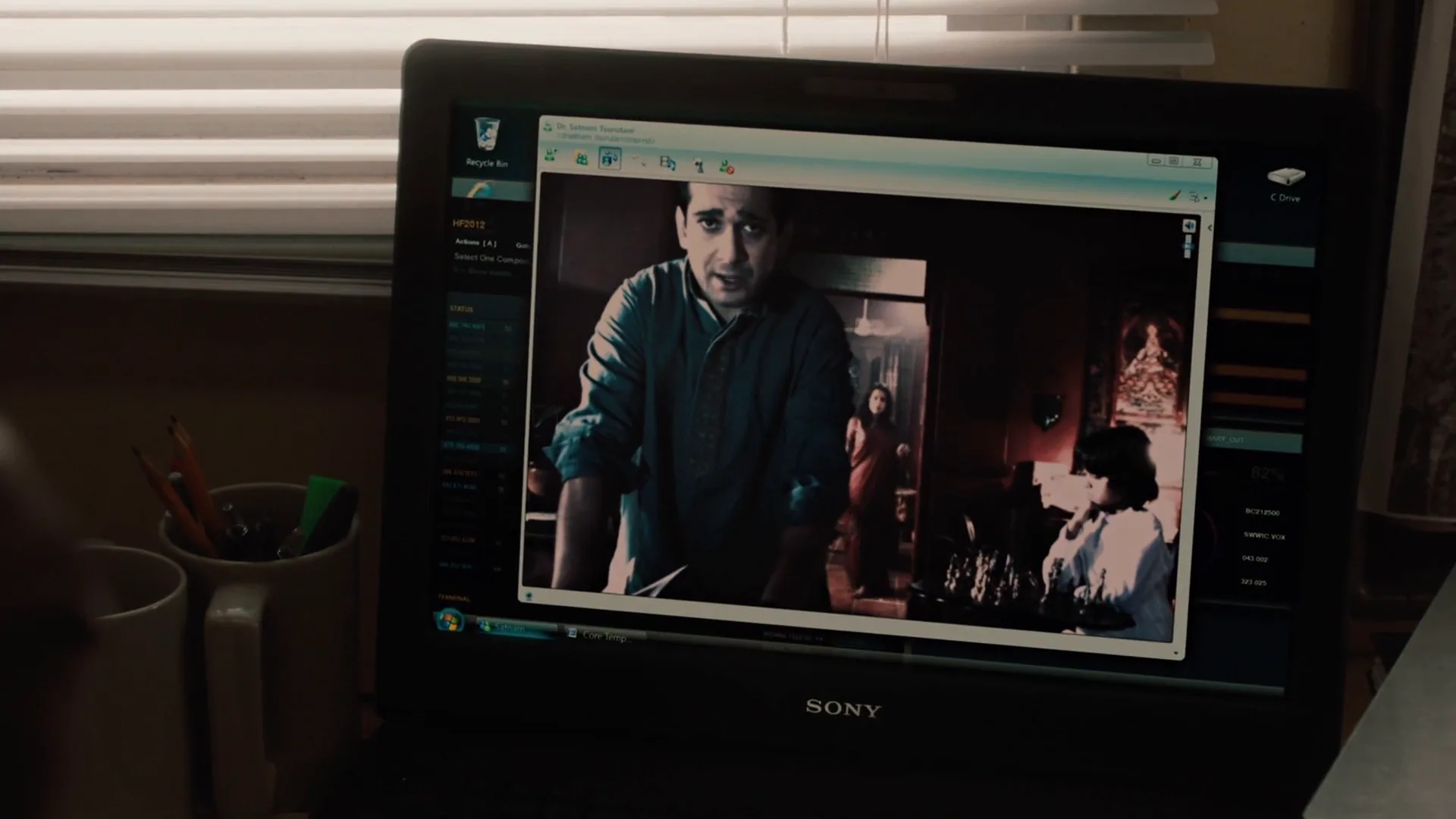
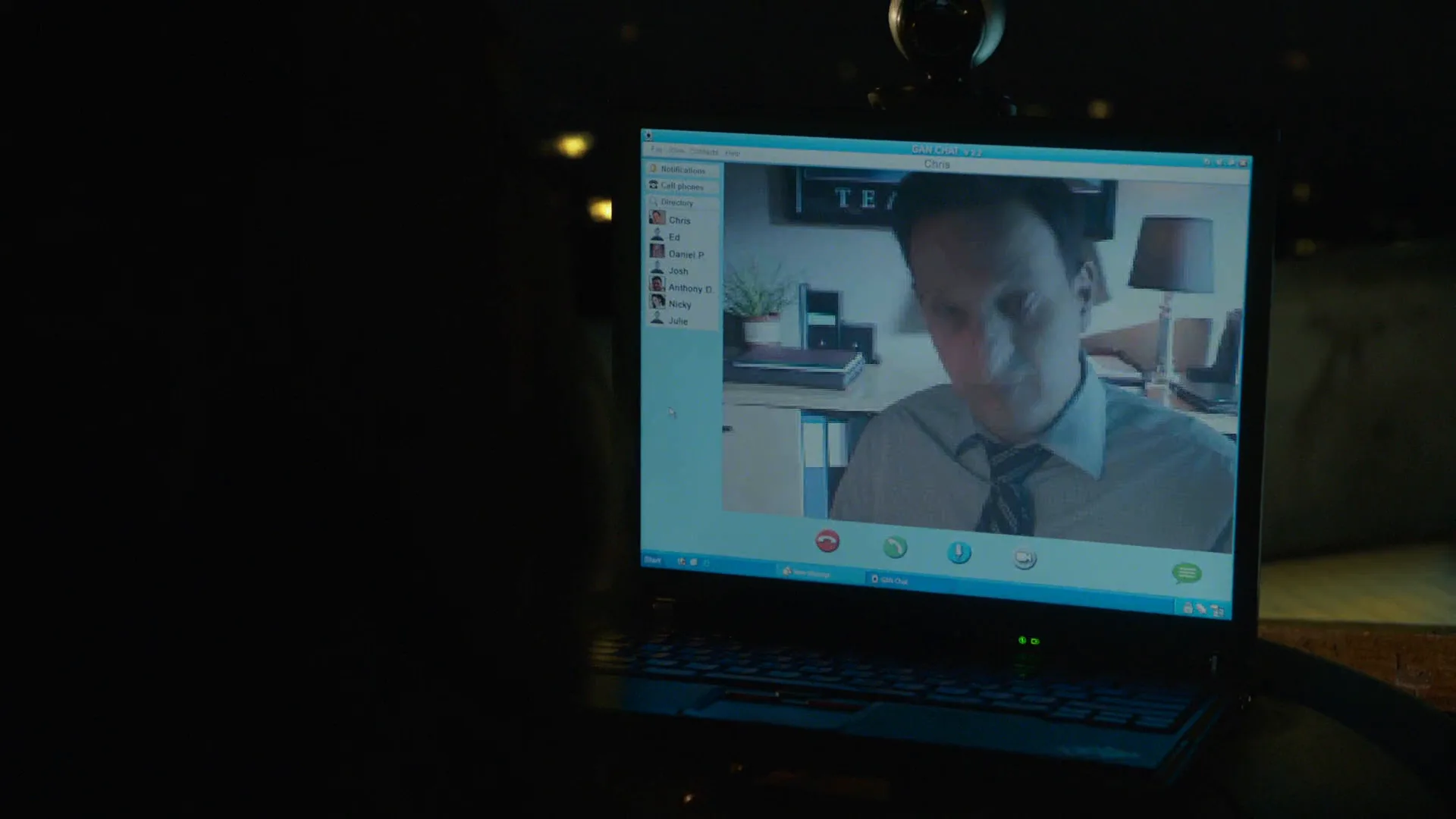
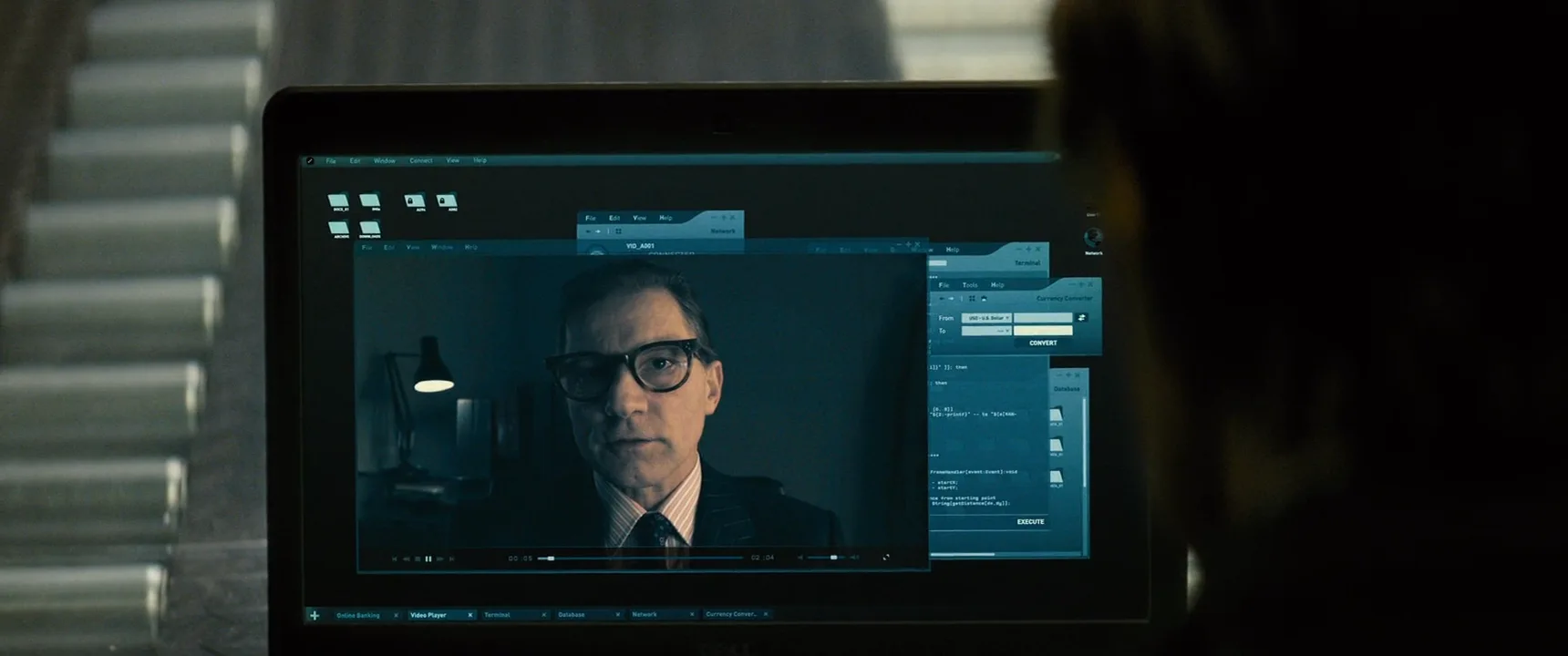
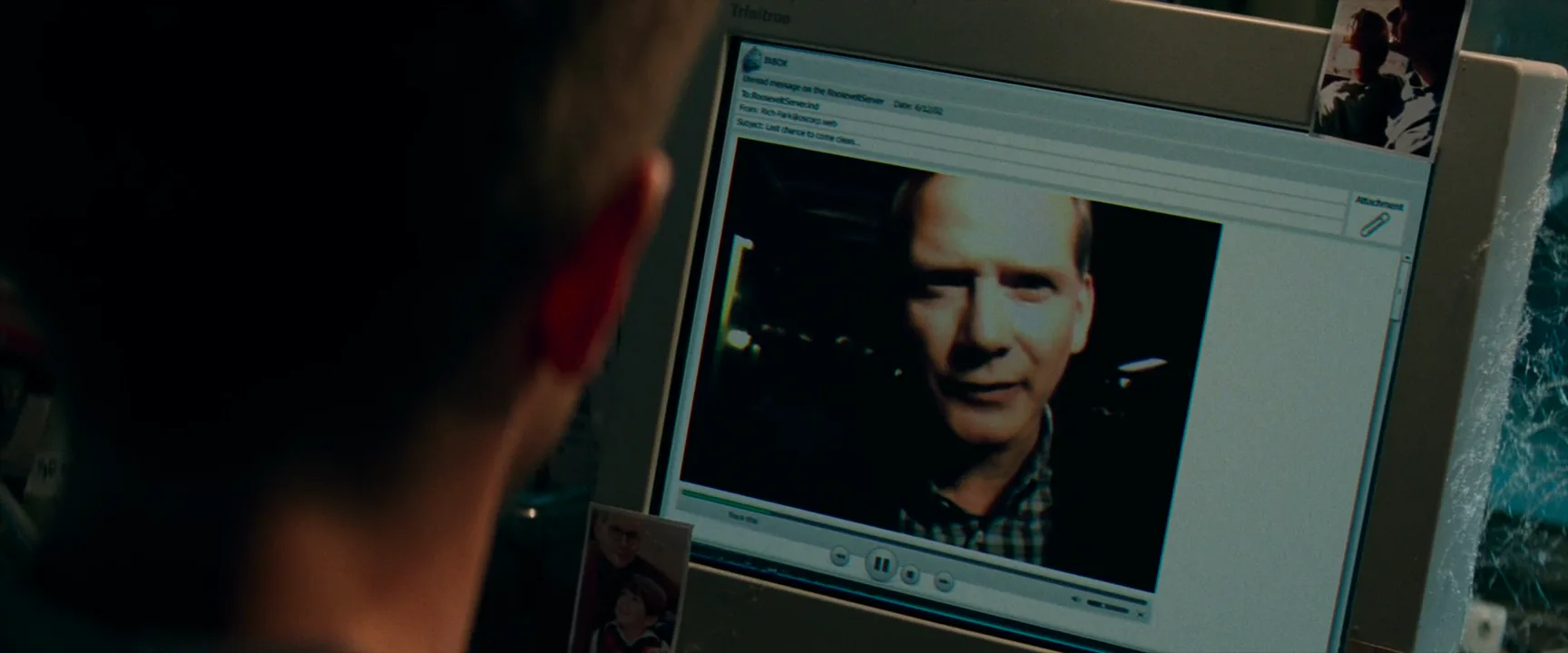
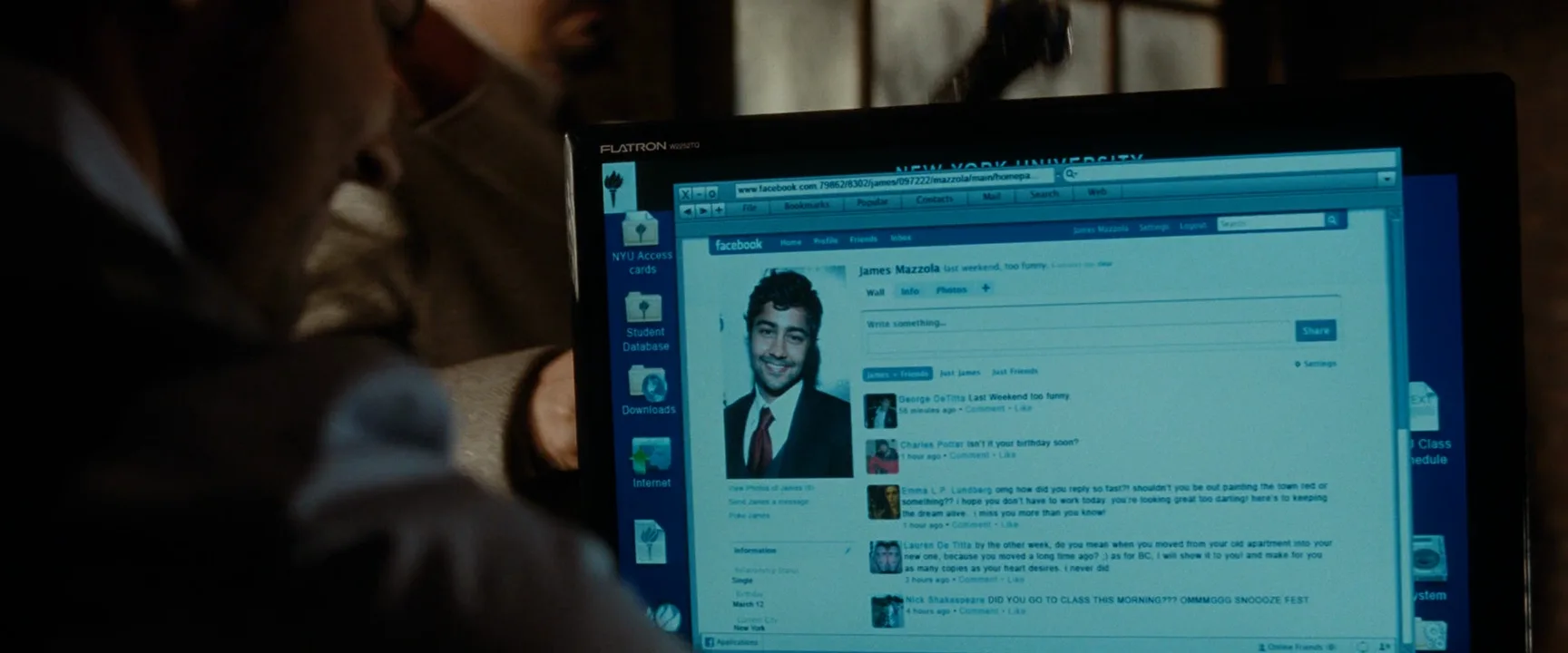
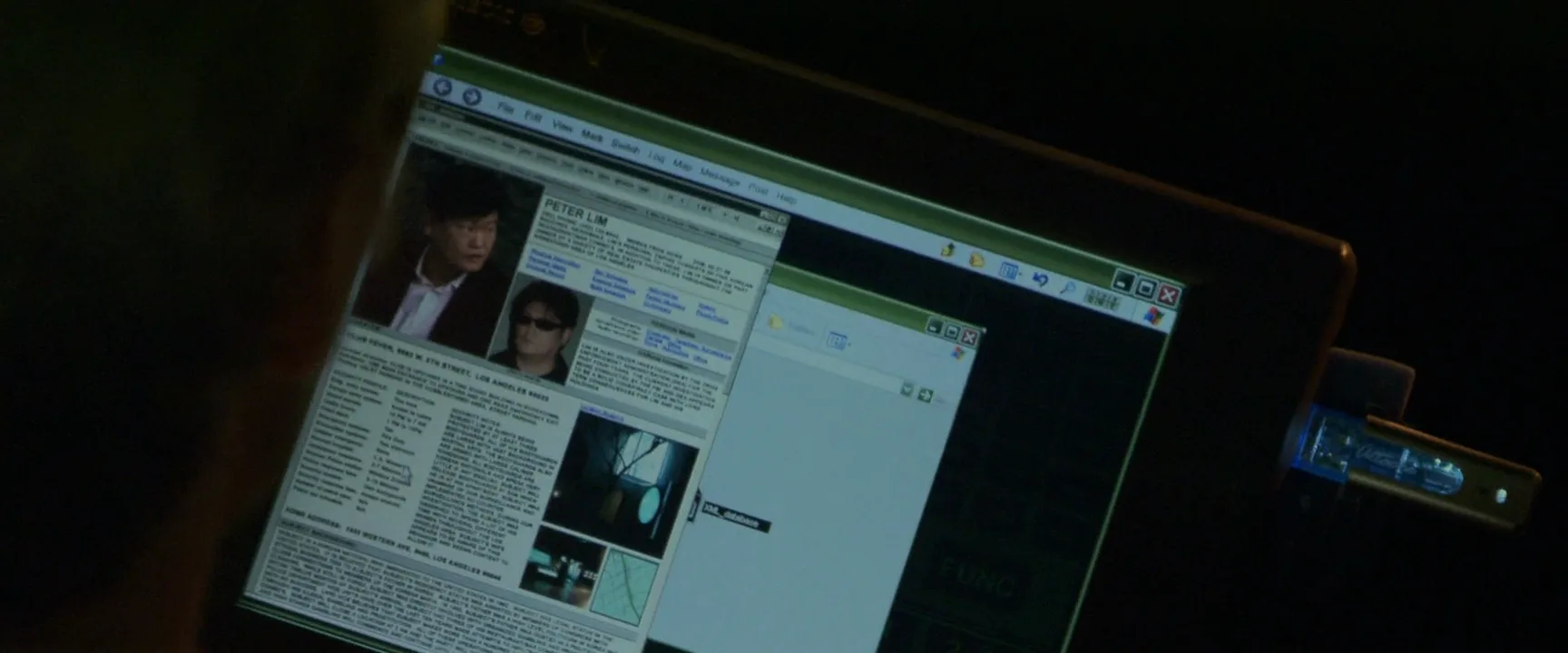
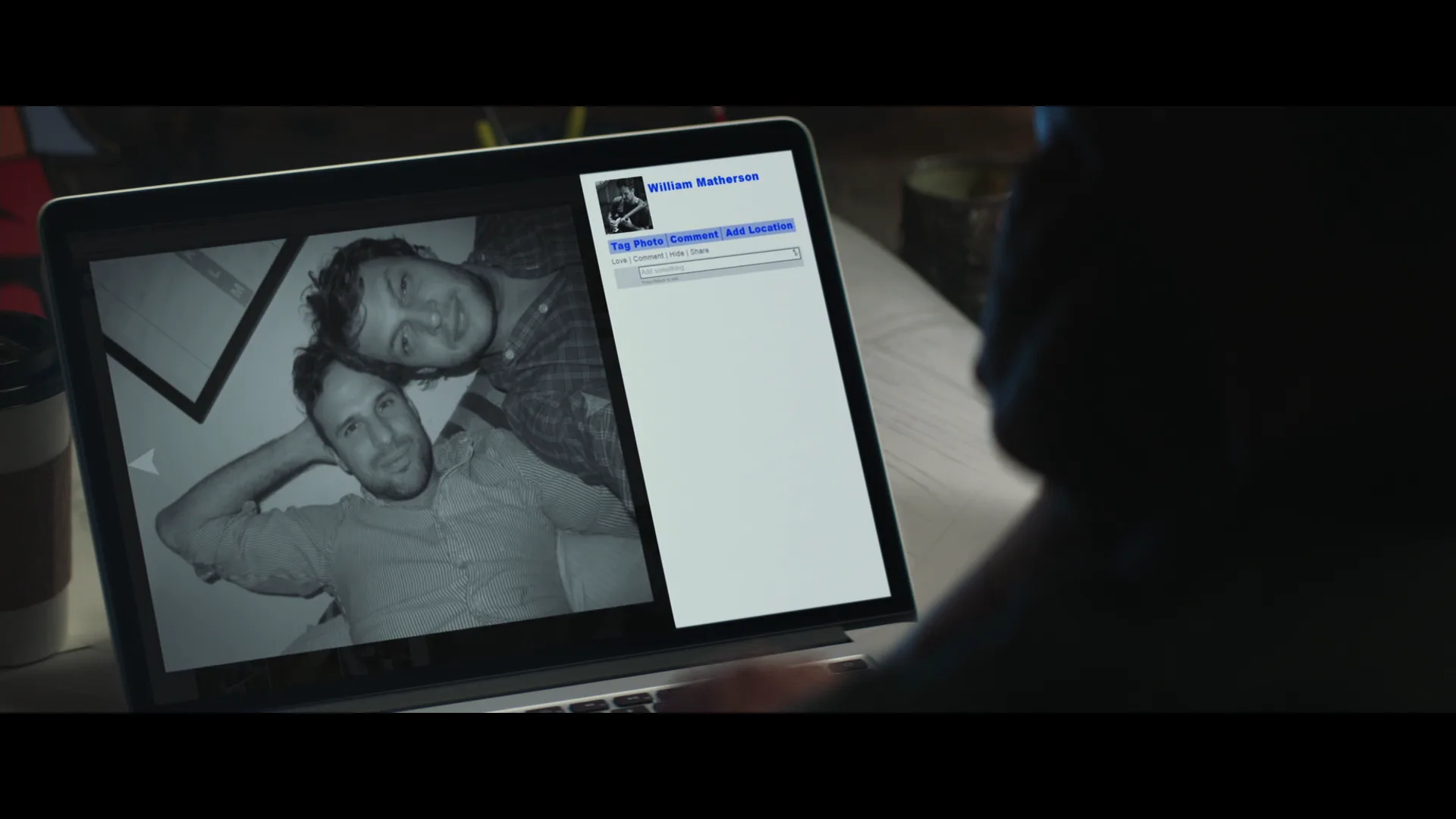
8 framesBefore screenlife, films showed computers as a screen inside the frame — the grammar the format inherited. Screenlife removes the outer frame and keeps only the display.
How to create a screenlife with AI
4 promptsScreenlife is easy to prototype with AI because the frame is a flat interface: design the desktop, then animate what happens inside it. Keep every window, webcam face and cut on one FlashBoards board so the screen story reads in sequence. The fourth prompt re-shoots a real film shot from a text description alone, and the original plays next to the result so you can compare.
Full-frame screen capture of a laptop desktop at night, no room visible, the display fills the entire image. A video call window takes most of the screen with four webcam tiles: a young woman with a shaved head and silver septum ring lit by a desk lamp, a freckled red-haired man in a grey hoodie in a dark bedroom, an older man with a white goatee and reading glasses in a kitchen, and one black tile showing only a username. A chat panel on the right, a mouse cursor hovering over the black tile. Grainy compressed webcam image, cold blue screen light.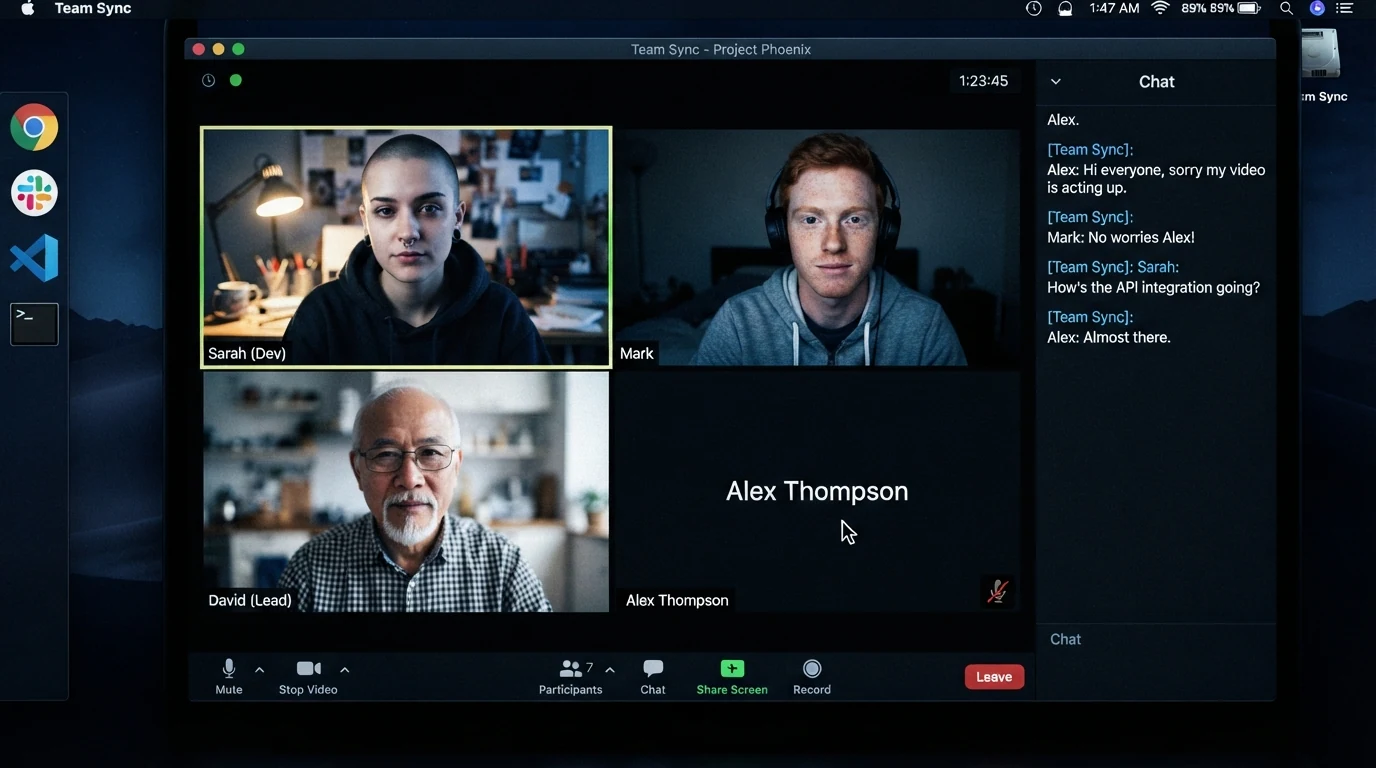
"Full-frame screen capture" and "the display fills the entire image" stop the model from photographing a laptop on a desk. "Grainy compressed webcam image" makes the tiles feel real; the cursor gives the frame a focus.
Open FlashBoardsWide cinematic shot in a dark bedroom at night: a hand holds a smartphone at the center of the frame, its glowing screen the clear subject, sharp and bright, everything around it dark and soft. On the screen a messaging app thread: the last three messages read "are you still there?", "why is your camera off" and "look behind you". Below them a small incoming video call preview shows a teenage girl with braided hair and a yellow raincoat in a dark stairwell, lit only by her phone flashlight. Status bar at the top of the screen with 2% battery. Low light, eerie, realistic phone interface.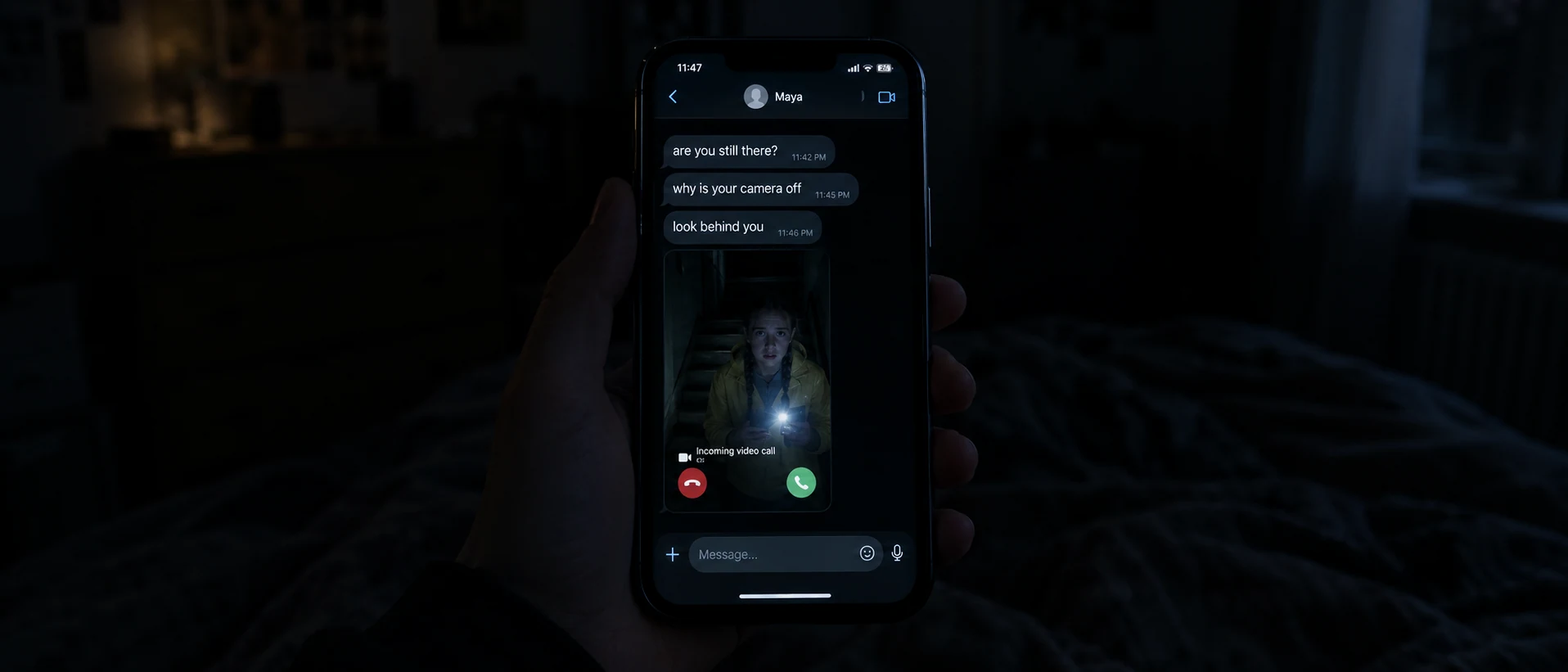
The phone changes intimacy: in the dark room its screen is the only light and the only subject. Quoting exact message text gives legible UI copy, and the 2% battery is a story beat that exists only inside the interface.
Open FlashBoardsCamera: a slow virtual zoom into the video call window, moving steadily from the full desktop toward the black tile on the bottom right, ending with that tile filling half the frame. Action: from the first frame the woman with the shaved head leans toward her webcam and the red-haired man glances off screen while the cursor drifts toward the black tile. Midway the black tile flickers and a dim face appears in it. At the end the other three tiles freeze."Virtual zoom" names a screenlife edit move, with a clear start and end. Every tile acts from the first frame, so the shot is alive immediately.
Open FlashBoards{
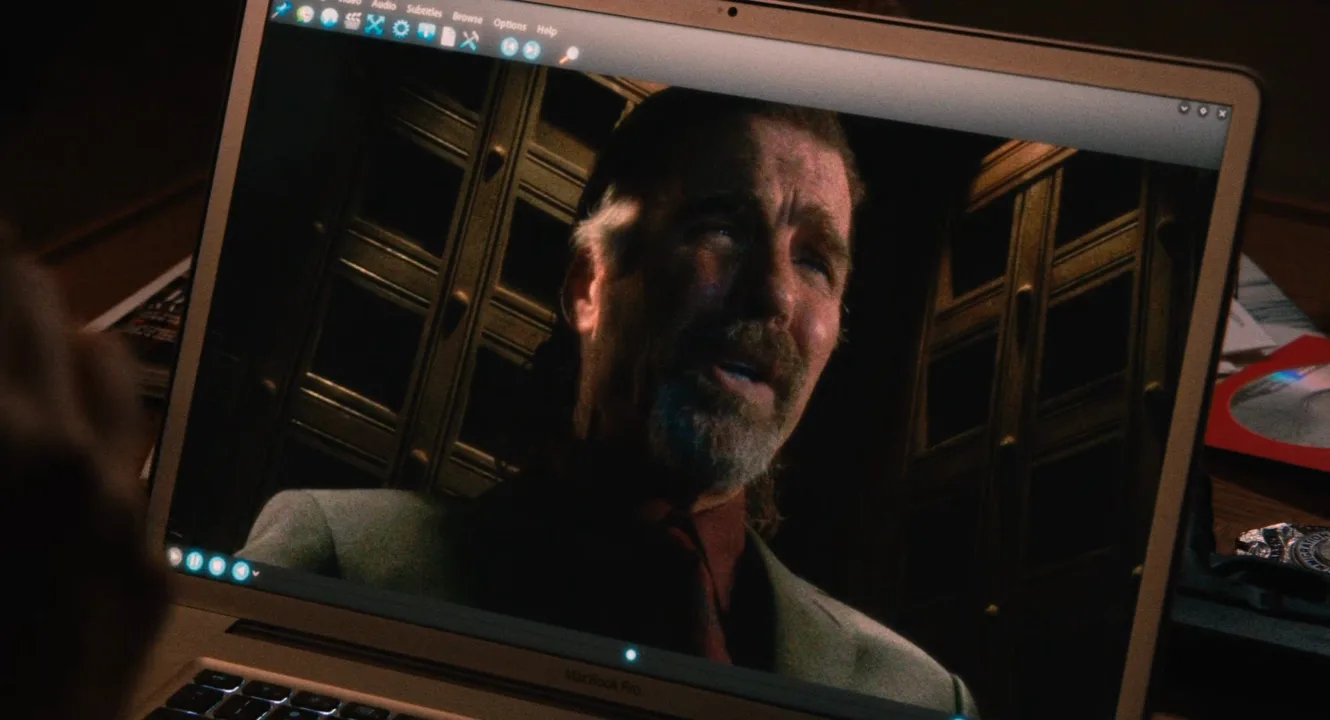
"output": "Full-screen live-action film shot from Machete (2010), one continuous shot from its very first frame, no cuts. Night interior: an open silver laptop on a dark wooden desk seen from above, its screen filling most of the frame and playing a recorded confession video; warm amber lamplight on the desk, cool blue glow from the screen, 35mm grain, deep brown, amber and teal palette.",
"characters": {
"S1": {
"name": "Michael Booth, played by Jeff Fahey",
"look": "seen only inside the video on the laptop screen: man in his fifties, swept-back grey-streaked hair, grey goatee and moustache, light beige jacket over a dark red shirt and dark red tie, sitting in a confessional booth between carved dark wooden lattice panels, warm light grazing his hair from the upper left",
"voice": "low, gravelly male voice with a drawl, hushed like a confession, slightly tinny through the laptop speakers"
},
"S2": {
"name": "Sartana, played by Jessica Alba",
"look": "never seen in the frame; only her voice from just off screen, close to the camera",
"voice": "calm, low, curious female voice"
}
},
"shots": [
{
"shot": 1,
"camera": "static camera, locked off, high angle looking down onto the open laptop, 35mm lens; the screen is turned slightly so its top edge slopes down toward the right and fills about four fifths of the frame; a corner of the keyboard at the bottom left, the dark desk edge and a stack of magazines at the left edge, a red disc sleeve with a silver disc and loose papers at the right edge; focus on the screen",
"action": [
"BEGINNING: alive from the first frame, the video already playing full screen in a media player with a thin toolbar of small icons along the top and round cyan play buttons at the bottom left; Booth fills the centre-right of the video from chest up, filmed from slightly below, head tilted back and turned a little toward screen right, eyes raised to the upper right toward an unseen priest behind the lattice, brows pinched upward, forehead creased; an out-of-focus hand pokes in from the bottom-left corner of the frame in front of the screen, index finger pointing at his face, a small clear glass held in its other fingers",
"THEN: Booth starts speaking, lips moving, head still, eyes still raised; the blurred hand drifts right along the bottom edge and lifts a little, the glass catching the blue screen light",
"THEN: Booth goes on in the same pleading look; the hand rises toward the lower centre of the screen, then swings away to the left and leaves the frame past the left edge",
"THEN: Booth finishes his question, brows lifting higher, mouth half open; the blurred glass passes once low across the bottom of the frame and is gone, the screen clear of any hand",
"THEN: the video window shrinks in one quick move into a smaller window on the right half of the screen, Booth still talking inside it, and a bright blue desktop shows around it; at the same moment a folder window opens on the left half, a dark panel holding a neat grid of twelve identical file icons in three columns and four rows, each icon a red circle with a diagonal slash",
"END: the hand touches down for a moment at the bottom-left corner near the trackpad and withdraws; the frame holds on the split screen, the folder of red icons on the left and the small confession video on the right, the camera never moving"
],
"dialogue": [
{
"speaker": "S1",
"on_screen": true,
"when": "from the first second, spoken by Booth inside the video",
"delivery": "hushed, pleading, self-justifying",
"line": "<d>[English] There's no commandment against,</d>"
},
{
"speaker": "S1",
"on_screen": true,
"when": "right after, after a short breath",
"delivery": "quoting the scripture with a wry weight",
"line": "<d>[English] \"Thou shalt not wing a man,\"</d>"
},
{
"speaker": "S1",
"on_screen": true,
"when": "straight after, just before the video window shrinks",
"delivery": "soft, almost asking forgiveness",
"line": "<d>[English] is there, Padre?</d>"
},
{
"speaker": "S2",
"on_screen": false,
"when": "as the video window shrinks and the folder of red icons opens, never before",
"delivery": "calm, low, pointed",
"line": "<d>[English] But these files over here you got from Booth's office?</d>"
}
]
}
],
"sound": {
"ambience": "a quiet room at night, faint laptop fan hum, the confession's hollow church room tone heard through small laptop speakers, one soft trackpad click as the window shrinks",
"speech": "exactly these spoken phrases, each said once, in this order",
"never_spoken": "no narration and no voice-over: the descriptions, performance notes and step words of this prompt are never spoken aloud",
"music": "a film score under the scene, always below the voices: a low brooding string drone with a muted twangy electric guitar and a slow pulse",
"subtitles": "none"
}
}Remakes the laptop shot from Machete (2010), dir. Ethan Maniquis, Robert Rodriguez, DP Jimmy Lindsey, carrying over Booth's confession video, the blurred hand with a glass, the locked-off high angle and the window that shrinks to reveal a folder of encrypted files as Sartana asks about them.
The interface does the editing: instead of a cut, one action step shrinks the video window and opens a folder of locked files, and Sartana's line is pinned to that beat with never before. Booth's three fragments are the corpus lines word for word, so the confession plays from the laptop, not from a narrator.
Open FlashBoardsCommon mistakes
- Models draw a laptop on a desk; say "full-frame screen capture" to keep the room out.
- Long interface text turns to gibberish; quote a few short lines exactly.
- Webcam tiles look like polished portraits; add "compressed webcam image" and a practical light in each tile.
Keep the reference frames, prompts and every generated take side by side — images and video in one canvas.
FAQ
5 questionsWhat are screenlife movies?
Screenlife movies are films told entirely through a computer or phone screen. Every image comes from the device — webcam calls, chats, browser tabs — and cursor moves and window switches replace camera moves and cuts. Examples include Unfriended (2014), Searching (2018), Host (2020) and Missing (2023).
Who invented the screenlife format?
Desktop storytelling appeared in short films such as Noah (2013), but the term "screenlife" was popularized by producer and director Timur Bekmambetov. His company produced Unfriended, Profile and Searching, and he promoted it as a film language of its own.
Is Searching a screenlife movie?
Yes. Searching (2018), directed by Aneesh Chaganty, takes place entirely on computer and phone screens as a father searches his missing daughter's accounts, messages and videos. It is often cited as the film that took screenlife beyond horror into mystery and drama.
What is the difference between a desktop movie and found footage?
Found footage shows what a camera recorded, as if someone assembled the tapes later. A desktop movie shows a device's display: the camera feed is one window among chats and menus, and the user's clicks do the editing live. Both fake authenticity, but screenlife is built from interface behavior.
Is Her Story a screenlife film?
No. Her Story (2015), by Sam Barlow, uses a desktop-style interface in which the player searches police interview clips, but it is a video game, not a film. The player chooses the searches; a screenlife audience watches a fixed edit.
Related terms
2- POV ShotCamera Angles
A POV shot shows exactly what a character sees by placing the camera at their eyes — usually right after a shot of them looking — so the audience shares their perspective, including movement, obstruction or distortion.
- NarrativeStorytelling
A narrative is a chain of events connected by cause and effect and told from a chosen point of view; in film, it's the story as organized by plot, image and sound.
Further reading
Timur Bekmambetov's public talks and essays on screenlife as a film language; Aneesh Chaganty's interviews on the making of Searching.