 FlashBoards Learn
- Learn
- Camera Shots
- Product Shot
Camera Shots · Film language
Product Shot
Also called: packshot, hero product shot, tabletop shot
A product shot makes an object the hero of the frame. Controlled light, a clean or styled background and precise macro and motion show its shape, material and function, so the viewer reads the thing before anything else. It is the core image of commercials and packshots, and features borrow it whenever an object must look desirable.
- What it does
- Turns an object into the subject: shape, surface and label read instantly and look better than life.
- Use it when
- A commercial, end-card packshot, brand film, or any scene where an object has to look desirable, not just visible.
- Watch out
- Reflective products show every light, flag and crew member; plan the reflections before the camera position.
- Try this prompt
Hero product shot of an amber glass bottle on wet black slate, camera at bottle height, 100mm lens, two strip softboxes drawing white edge lines, dark gradient background
What is a product shot?
A product shot is a frame built to show off one object. Background, props, hands and light all exist to make that object read clearly and look good. The camera sits close, often at the object's own height, and the light is shaped around its surface: glass gets clean edge lines, metal gets long gradients.
The test is function, not content. A bottle can sit in a hundred shots without any of them being a product shot. It becomes one when the frame is organized to demonstrate it: label to the lens, liquid glowing, nothing competing. Among camera shots it overlaps with the close-up and the macro shot, but its purpose is persuasion.
Why do filmmakers and brands use product shots?
In advertising the product shot is the payoff: a spot can spend most of its length on mood, but the last beat returns to the object on a clean background with the logo.
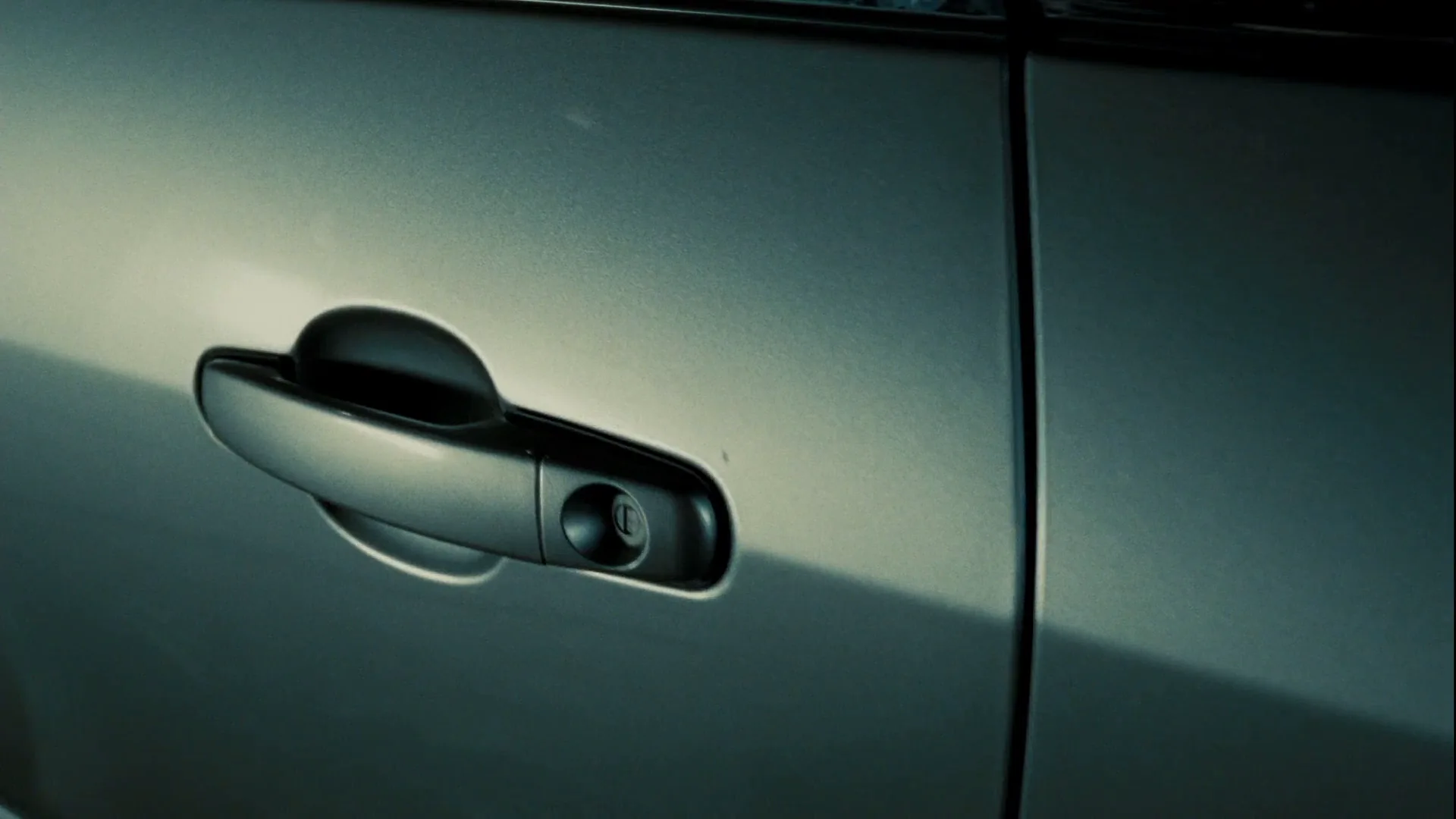
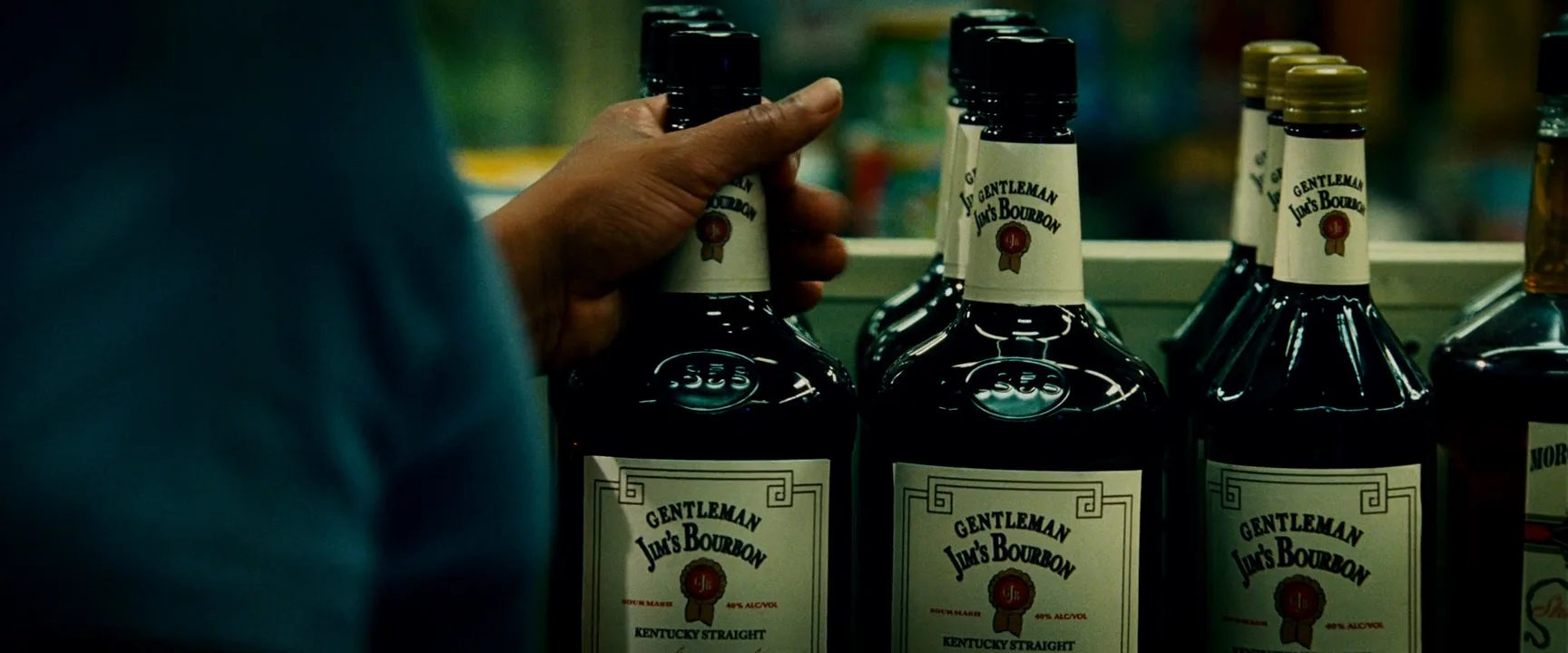
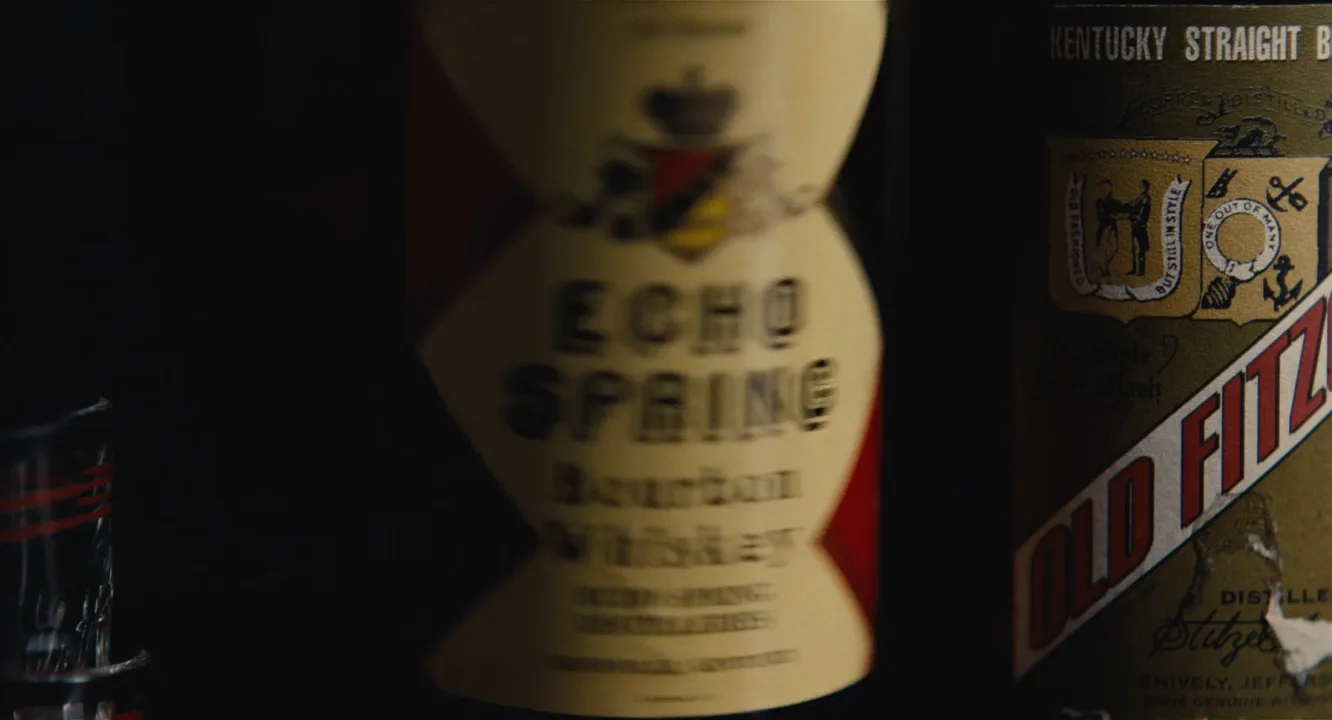
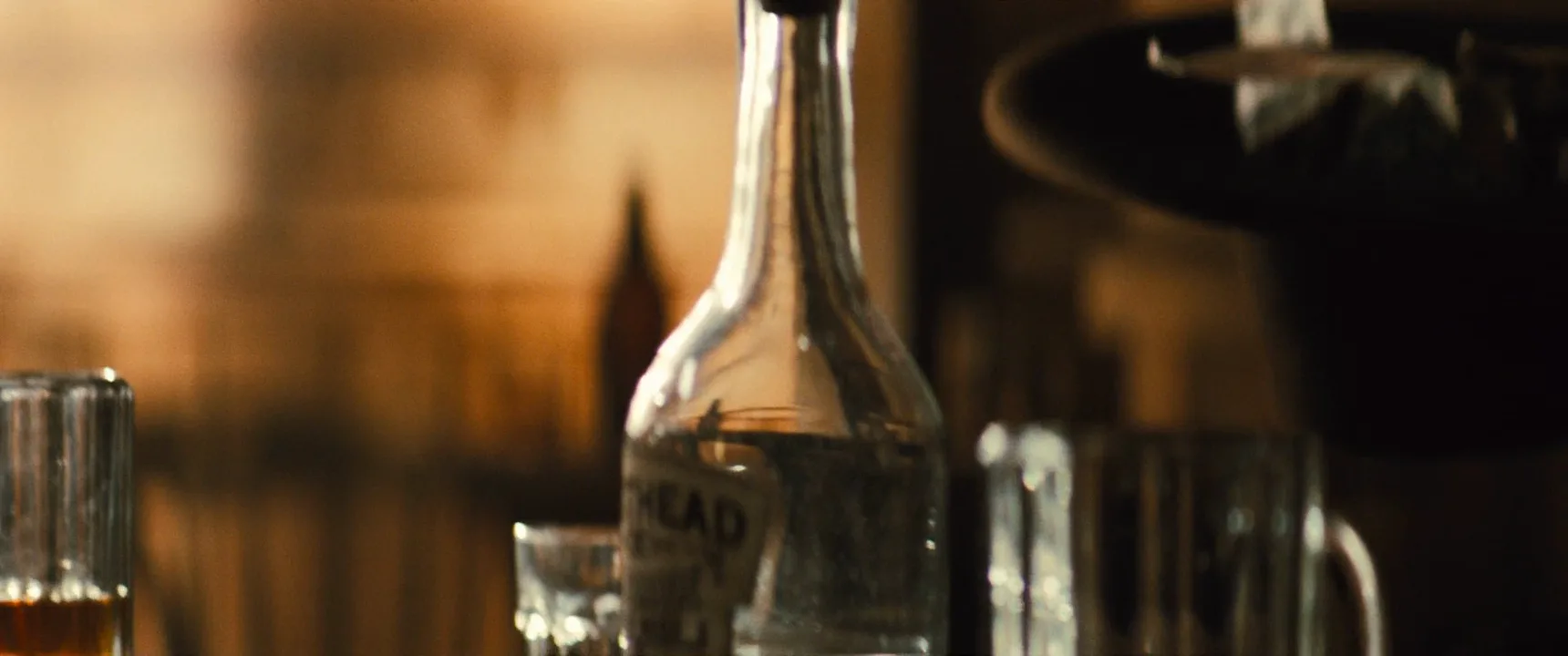
Feature films borrow the grammar for two reasons. One is product placement, where a car or bottle gets a moment of clean, readable framing; bourbon labels squared to camera in the frames below are the tell. The other is story: when an object matters to the plot, cinematographers light it like a commercial so the audience registers its value without dialogue. Either way the effect is heightened attention and desire, with surfaces more perfect than the eye would see them.
How to shoot a product shot
Set. Most product work is tabletop: the object sits on a sweep (curved paper or acrylic with no horizon line) or a styled surface like slate or crushed ice, at least a meter in front of the background so each can be lit separately.
Lens and height. A 90–100mm macro lens is the workhorse; wide lenses near small objects bulge labels. Put the camera at product height, or just below the cap, for a hero angle. Flat-lays are really overhead shots. Stop down to f/8–f/11 when the whole label must be sharp.
Light the reflection. Tall strip softboxes behind and to the sides draw white lines along glass, a big diffusion frame overhead gives metal a smooth gradient, and black flags define the edges. Backlight makes liquid glow; a rim light separates dark products from dark backgrounds.
Motion. Keep it slow and precise: a short slider push, a turntable spin, or an arc shot that sweeps highlights across the surface. Pours and splashes go to slow motion.
Packshot, hero shot and tabletop: what is the difference?
- Packshot: the plain, fully legible view of product and packaging, usually on white or a brand color, often the end card. Shape, label and color must be exact.
- Hero shot: the single most flattering image, with the chosen angle, best light and dramatic edges. It goes on the poster.
- Tabletop: the production category, a small-set studio with macro lenses, motion control and product lighting for food, drinks, cosmetics and watches.
A typical commercial uses all three: tabletop details, one hero shot, the packshot at the end.
Product shot vs. insert shot
Both are close shots of objects and can look alike in a still. The difference is intent. An insert shot delivers story information, like the text on a note, and is lit to match the scene. A product shot makes the object attractive and memorable, so it is lit on its own terms, with cleaner reflections and a controlled background.
When an insert drifts into a product shot, the audience feels it: the light gets too perfect, the label turns too neatly to camera. Use that shift deliberately, to flag an important object or to make a placement feel less like one.
Product Shot in motion


2 clipsThese loops show product shot in motion, where a still frame can't: watch how the effect plays out over a few seconds.
Product Shot stills
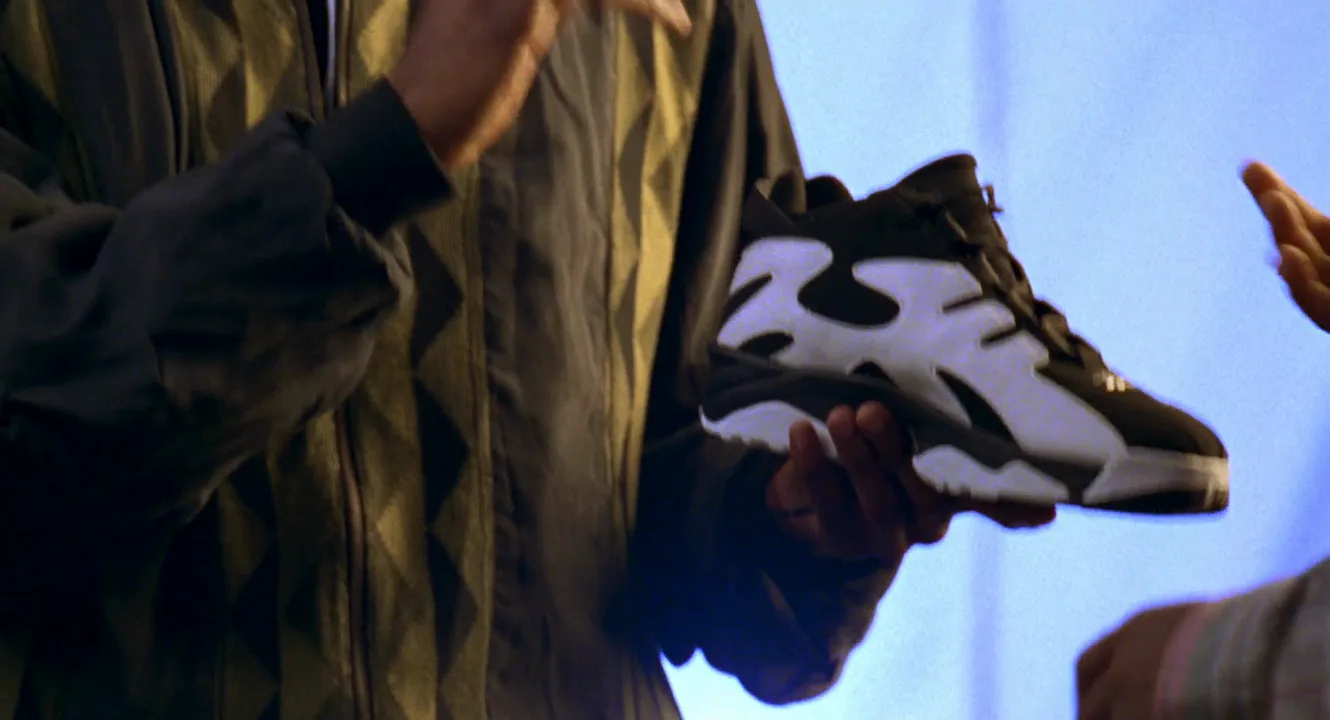
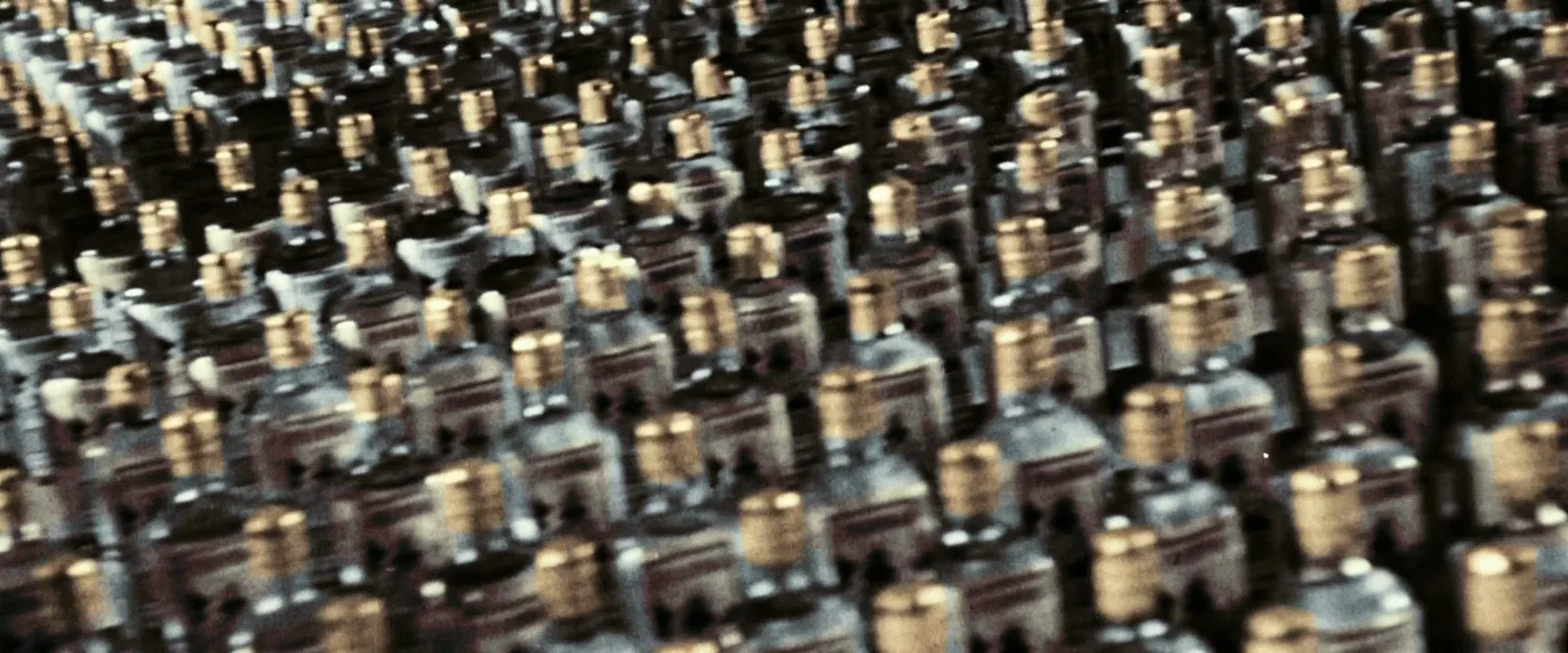
7 framesFrames where an object, not a person, carries the image: feature films that lit a car or a bottle like an advert, plus two commercials for comparison.
How to create a product shot with AI
4 promptsImage models know the commercial look but drop the object into flat, generic light. Name the surface, camera height, lens and where each light sits. Keep references, takes and the final motion on one FlashBoards board to compare lighting variants side by side. The fourth prompt re-shoots a real film shot from a text description alone, and the original plays next to the result so you can compare.
Hero product shot of a squat amber glass bottle with a brushed brass cap and an engraved geometric pattern on the glass, centered on a wet black slate slab, camera at bottle height looking slightly up, 100mm macro lens, low-key studio: two tall strip softboxes behind on both sides draw clean white edge lines down the glass, backlight makes the liquid glow deep orange, smooth dark gradient background, water droplets on the slate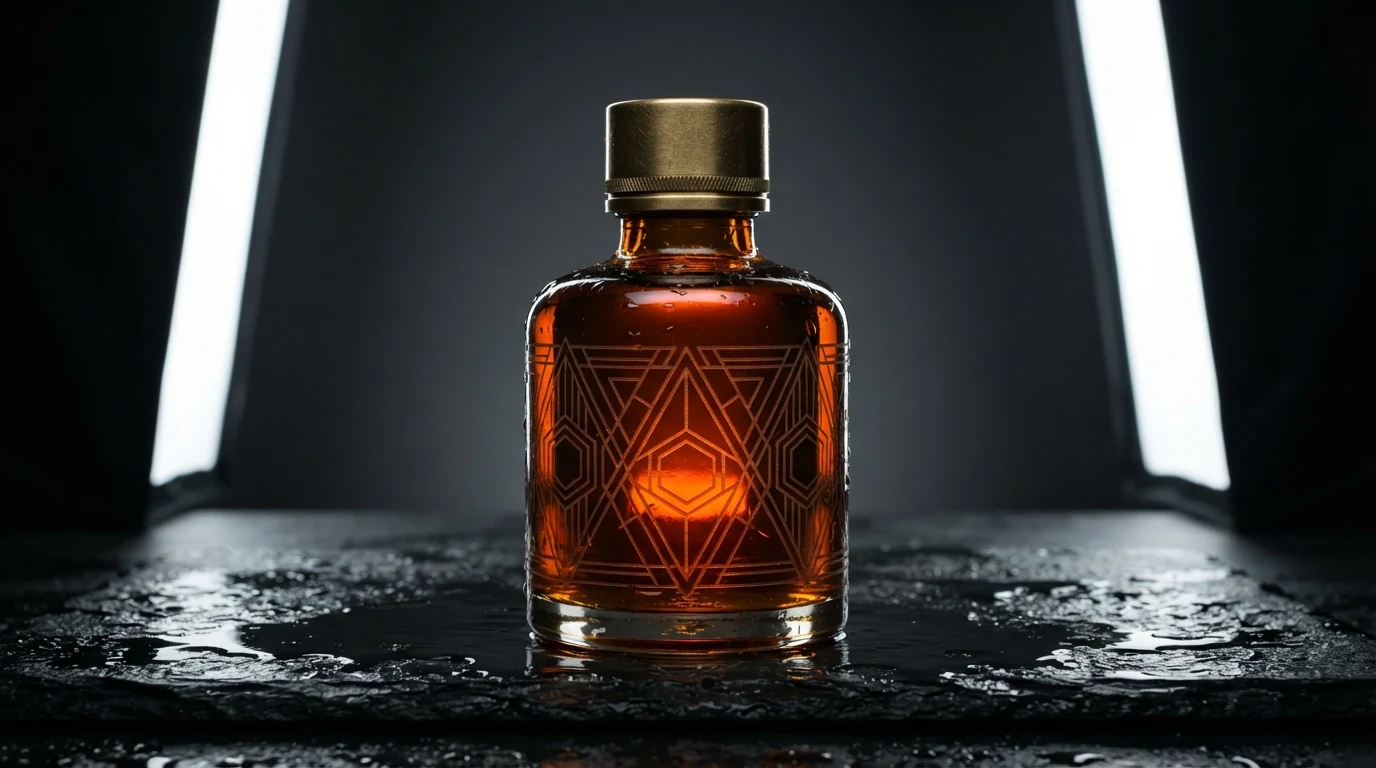
"Camera at bottle height looking slightly up" sets the hero angle; "strip softboxes behind on both sides" is the classic glass setup and keeps the model from front-lighting. The engraving gives detail without a fake brand label.
Open FlashBoardsClean wide product shot of a white knit running sneaker with a translucent orange sole, 3/4 front view, floating at a slight upward tilt on the right third of the frame above a seamless pale sage-green sweep, open empty space on the left, camera at shoe height, 85mm lens, high-key light from a large overhead softbox, soft shadow on the floor below, knit texture and stitching sharp from toe to heel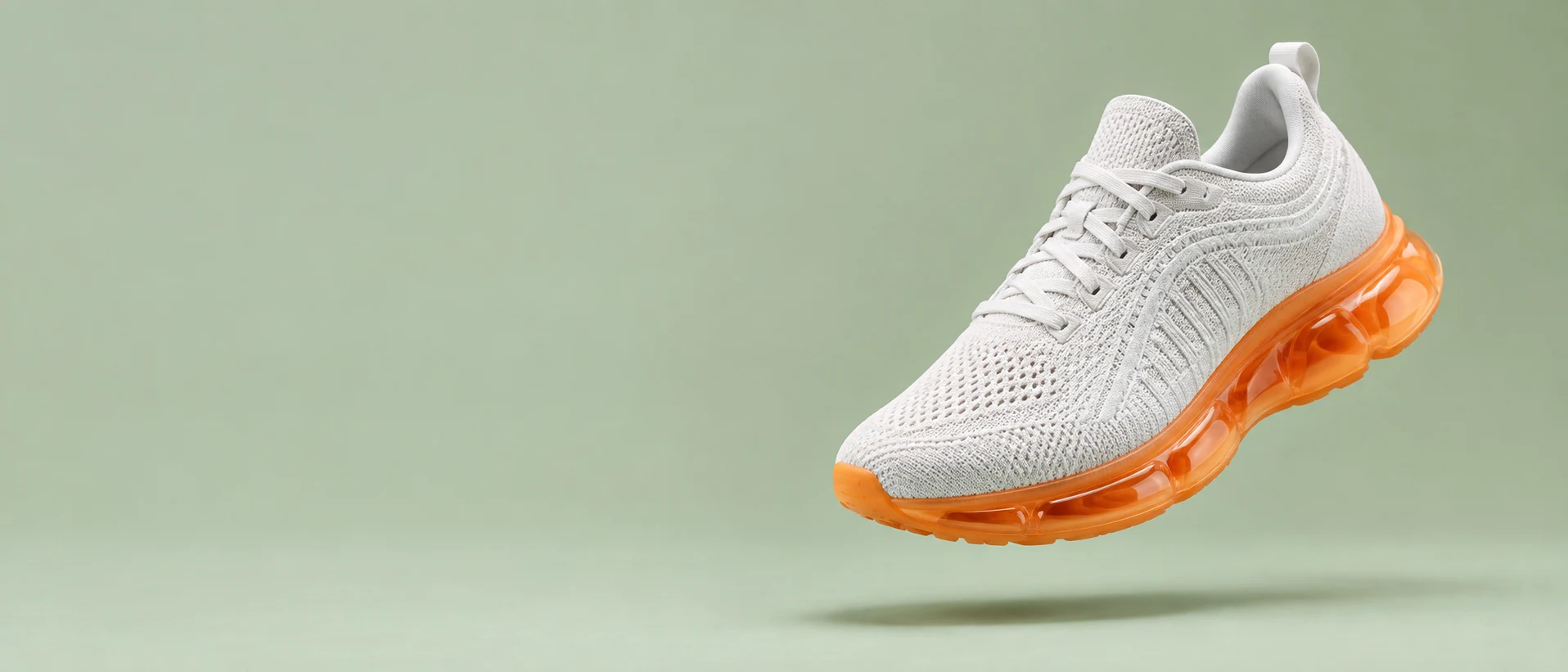
The opposite approach: high key, a wide banner with open space for copy. "Seamless sweep" removes the horizon line and "sharp from toe to heel" stops the model blurring half the product.
Open FlashBoardsCamera: a slow, steady arc around the bottle from left to right, about 30 degrees, at bottle height, constant speed, focus locked on the glass. Action: the white edge lines are already sliding across the glass and the water on the slate shimmers. Midway a single drop runs down the side of the bottle to the slate. At the end the bottle faces the camera squarely, edge lines even on both sides.In product video the moving reflection is the action, so "edge lines already sliding" makes the shot alive from frame one. "About 30 degrees" keeps the arc short, and everything named is already in the start frame.
Open FlashBoards{
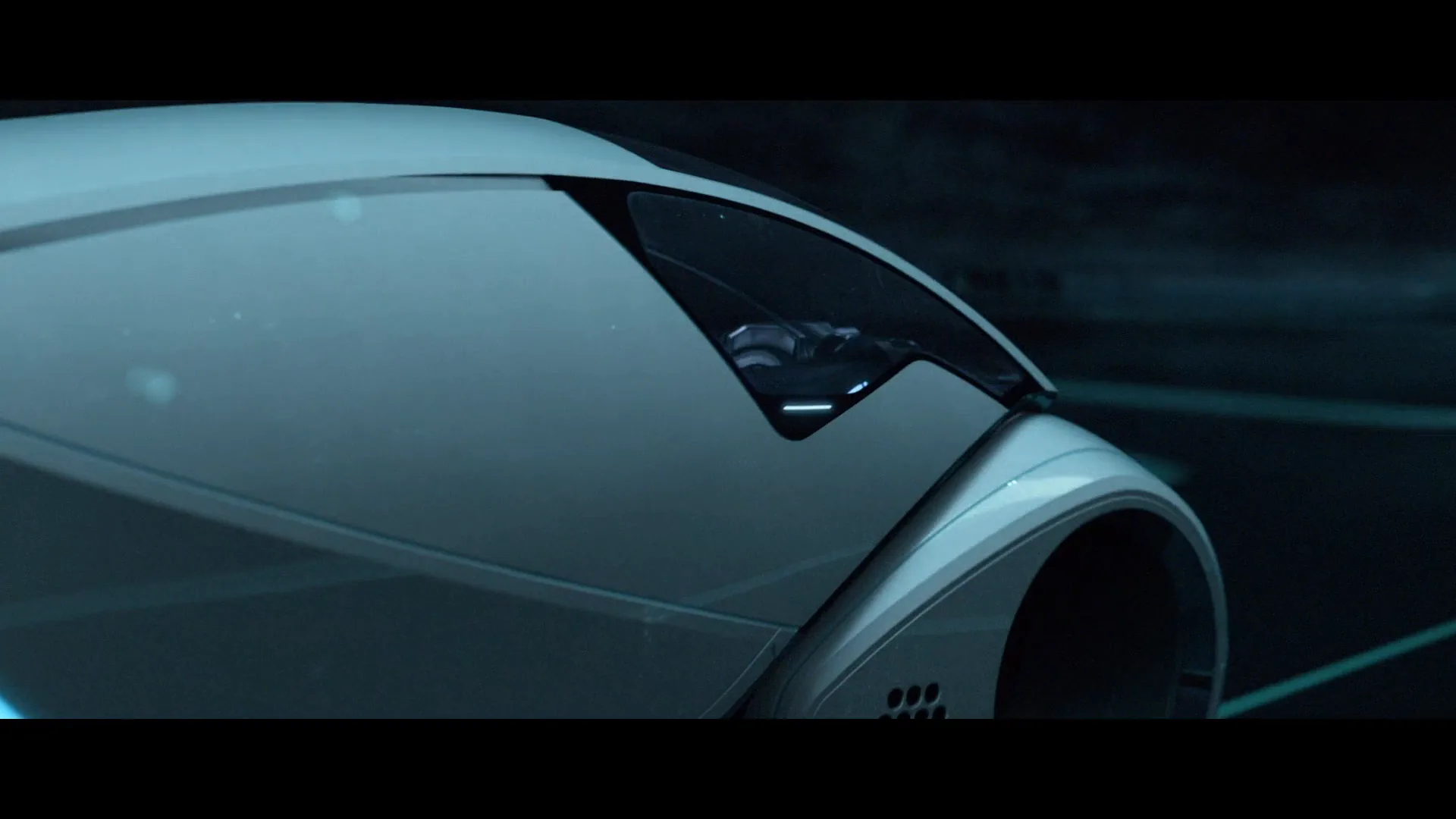
"output": "Full-screen live-action night shot from TRON: Legacy (2010) from its very first frame: one continuous shot that sells a car like a commercial. The hero is the Light Runner, a sleek two-seat futuristic car: a long glossy pearl-white body, a huge rear wheel whose tyre is ringed with glowing cyan light, a glowing cyan chevron light on the flank, round white front wheel pods, a smoked-glass bubble canopy at the front and a curved row of small white LED lights along the nose under the canopy. Glossy 2010 digital cinema, anamorphic 2.39 widescreen, low-key light, a cold teal-cyan palette with pure white highlights, a wet black highway in a dark digital world, drifting mist, a black sky, sparse white lamps on tall posts.",
"characters": {
"S1": {
"name": "the driver of the Light Runner, a character not identified in the corpus",
"look": "a small dim figure seen only through the smoked-glass canopy: short dark hair, a dark suit traced with thin glowing cyan lines, the face lit softly from below by the cockpit's cyan light",
"voice": "never speaks"
}
},
"shots": [
{
"shot": 1,
"camera": "low tracking camera at wheel height, anamorphic lens, one continuous smooth move at an even speed: it starts behind the car's left rear corner at a medium-wide distance, pushes in steadily and arcs to the right around the car's left flank, panning left the whole time to hold the car in frame, rising gently to canopy height, and ends close, directly in front of the nose, head-on and slightly above it; focus stays on the car from start to end",
"voice": "silence: nobody speaks in this shot, no voice at all",
"action": [
"BEGINNING: alive from the first frame, the white Light Runner already rolls slowly forward along the glossy black highway, small in the mid-distance just left of centre, seen from behind its left rear corner; its huge left rear wheel is nearest the camera, the glowing cyan ring of its tyre reflected in the wet road; cyan lane lines run to a thin glowing tower on the horizon at centre; mist drifts across the left of frame.",
"THEN: the camera glides in low toward the car and begins to swing to the right around its left flank, panning left to keep the car centred; the car grows to fill the middle of the frame and the cyan chevron light on its flank comes into view.",
"THEN: a white lamp on a tall post passes high above at the top of the frame; a horizontal lens-flare streak slides across the lower left and the whole frame brightens for a moment, then settles back to dark.",
"THEN: the camera reaches the car's left side, very close at wheel height: the rear wheel slides out past the left edge of frame, the glossy white bodywork fills the frame with soft white highlights sliding along its curved panels, the round front wheel pod at right, cyan road lines streaming past behind it.",
"THEN: the camera rises to canopy height as it keeps moving toward the nose; the smoked-glass canopy fills the upper frame, thin cyan light lines glow in the cockpit, and S1 appears behind the glass in profile, facing screen right, head bowed toward the controls, holding still.",
"THEN: the curved row of white LED lights on the nose slides into frame at the lower right and grows brighter as the camera rounds the front corner of the car.",
"END: the camera settles directly in front of the car, looking back at it head-on and slightly down: the glowing row of white LED lights spans the bottom centre of the frame, the bubble canopy is centred above it with S1 centred behind the glass, head bowed, both hands forward on the controls; a white lamp with a soft flare glows at top centre and more lamps recede along the dark road behind the car."
],
"dialogue": []
}
],
"sound": {
"ambience": "a low electric hum of the car's engine, the soft hiss of its wheels on the wet road and a faint rush of air",
"speech": "no words in this video; the only human sounds are breaths and movement",
"never_spoken": "no narration and no voice-over: the descriptions, performance notes and step words of this prompt are never spoken aloud",
"music": "a film score under the scene, always below the voices: a slow pulsing electronic synth bass under a rising, glowing orchestral string pad",
"subtitles": "none"
}
}Remakes the Light Runner shot from TRON: Legacy (2010), dir. Joseph Kosinski: the prompt carried over the low camera arcing from the rear wheel along the glossy white flank to the canopy and the head-on end on the glowing row of nose lights.
The prompt describes the product before the move: "a long glossy pearl-white body", the cyan wheel ring, the row of nose lights. "Arcs to the right around the car's left flank, panning left the whole time" turns the reveal into one glide from wheel to canopy to nose, as in a car commercial.
Open FlashBoardsCommon mistakes
- Flat front light. Place every source: "strip softboxes behind", "overhead softbox".
- Gibberish logos. Ask for an engraving, pattern or color instead of a brand label.
- Lost hero angle. Without "camera at bottle height" the product is shot from a standing eye line.
- Stray props. Name the background exactly, or the model furnishes it.
Keep the reference frames, prompts and every generated take side by side — images and video in one canvas.
FAQ
5 questionsWhat is a product shot?
A product shot is a frame designed to show off one object, such as a bottle, car or shoe, with controlled lighting, a clean or styled background and precise framing. Its job is to make the product read clearly and look desirable, in commercials and in films using product placement.
What is a packshot?
A packshot is the plain, fully legible view of a product and its packaging, usually on white or a brand color with the logo readable. In commercials it is typically the end card. Unlike a stylized hero shot, it must render shape, label and color exactly.
What lens is best for product shots?
A 90–100mm macro lens covers most product work: it focuses very close, keeps proportions natural and separates the product from the background. For cars, 50–135mm lenses at a distance do the same. Wide lenses close to small products bulge labels and distort edges.
How do you light glass and shiny products?
Light the reflection, not the object. For glass, tall strip softboxes behind and to the sides draw white edge lines, and black cards define the silhouette. For metal, a large diffusion panel above gives a smooth gradient. Backlight liquids so they glow, and keep crew out of reflections.
How do you make product video shots with AI?
Generate a start frame naming the object, surface, camera height, lens and light positions, then animate it image-to-video with one slow move, such as a 30-degree arc. Use reflections sliding across the surface as the action, and mention only things already visible in the frame.
Related terms
4- Insert ShotCamera Shots
An insert is a close shot of an object or small action inside the scene — a note, a phone screen, a hand turning a key — cut into the coverage so the audience notices exactly the detail the story needs.
- Extreme Close-UpCamera Shots
An extreme close-up isolates a tiny part of a subject — an eye, lips, a finger on a trigger, a watch face — so a single detail fills the frame and takes on enormous weight.
- Overhead ShotCamera Angles
An overhead shot looks straight down on the scene from directly above, at about 90 degrees, flattening it into a map-like graphic pattern — also called a bird's-eye or god's-eye view.
- PanCamera Movement
A pan swivels the camera horizontally from a fixed position — left or right around its vertical axis — to follow action, connect two points in space or reveal a scene bit by bit.
Further reading
Fil Hunter, Steven Biver, Paul Fuqua — Light: Science and Magic, the standard text on lighting glass, metal and other reflective products.