 FlashBoards Learn
- Learn
- Directing & Staging
- Master Shot
Directing & Staging · Film language
Master Shot
Also called: master, cover shot
A master shot records an entire scene in one continuous take, framed wide enough to hold every actor and the space between them. It shows the audience who is where and how they move, and it gives the editor a complete, uninterrupted version of the scene to cut closer shots into.
- What it does
- Plays the whole scene start to finish in one frame, so geography, blocking and timing are fixed before any close-ups.
- Use it when
- You need an editorial backbone for a dialogue or group scene, or the staging itself tells the story.
- Watch out
- A lazy master is just a static wide shot; stage depth and movement or it becomes filmed theater.
- Try this prompt
Wide master shot of three people in a small kitchen, all full figures visible, eye level, 28mm, deep focus
What is a master shot?
A master shot is the take that covers a scene from its first line to its last without stopping, usually wide, with every character and every entrance visible. It is normally filmed first, a basic tool of directing and staging.
The master is part of coverage, not an alternative to it. After it, the crew moves in for singles, two-shots, inserts and reactions that repeat the action closer. A master can pan or dolly; it is a master because it runs the full scene with the whole cast readable.
Why do directors shoot a master first?
It locks the geography. The audience learns where everything and everyone is. Every close-up inherits that map, and the master sets the line for the 180-degree rule.
It locks performance and continuity. Actors play the scene whole, and the blocking found here is matched in every closer setup.
It protects the edit. When a close-up fails, the editor cuts back to the master.
It controls emotion by distance. Staying wide lets the viewer choose whom to watch; the later the first close-up comes, the harder it lands.
How to shoot a master shot
- Stage before you frame. The frame must hold the widest moment, not just the opening.
- Lens. 24–35mm on Super 35 for interiors; big rooms often go 40–50mm from farther back.
- Height. Chest to eye height (about 1.3–1.6 m) keeps it neutral.
- Depth. Put people on foreground, mid-room and doorway planes; a row parallel to the lens reads flat. Stop down to T4–T5.6 so faces in depth stay sharp.
- Light the whole room. The setup must work for every position.
- Run it more than once. Shoot two or three full takes before moving in.
With many characters the master often doubles as a group shot; frame size follows the staging, not a rule.
When should a scene play in the master alone?
Some directors never cut away. Alfred Hitchcock built Rope (1948) to look like a few continuous takes; in Children of Men (2006) the car ambush plays as one unbroken shot. It works when the relationship between people in space is the story, or when a cut would release tension. The cost: the edit cannot tighten a slow line.
Master shot vs. establishing shot
An establishing shot is a brief orienting image, often an exterior, that may contain no actors. A master shot is inside the scene: it holds the characters, runs as long as the action and is recorded for editing.
Master Shot examples in film
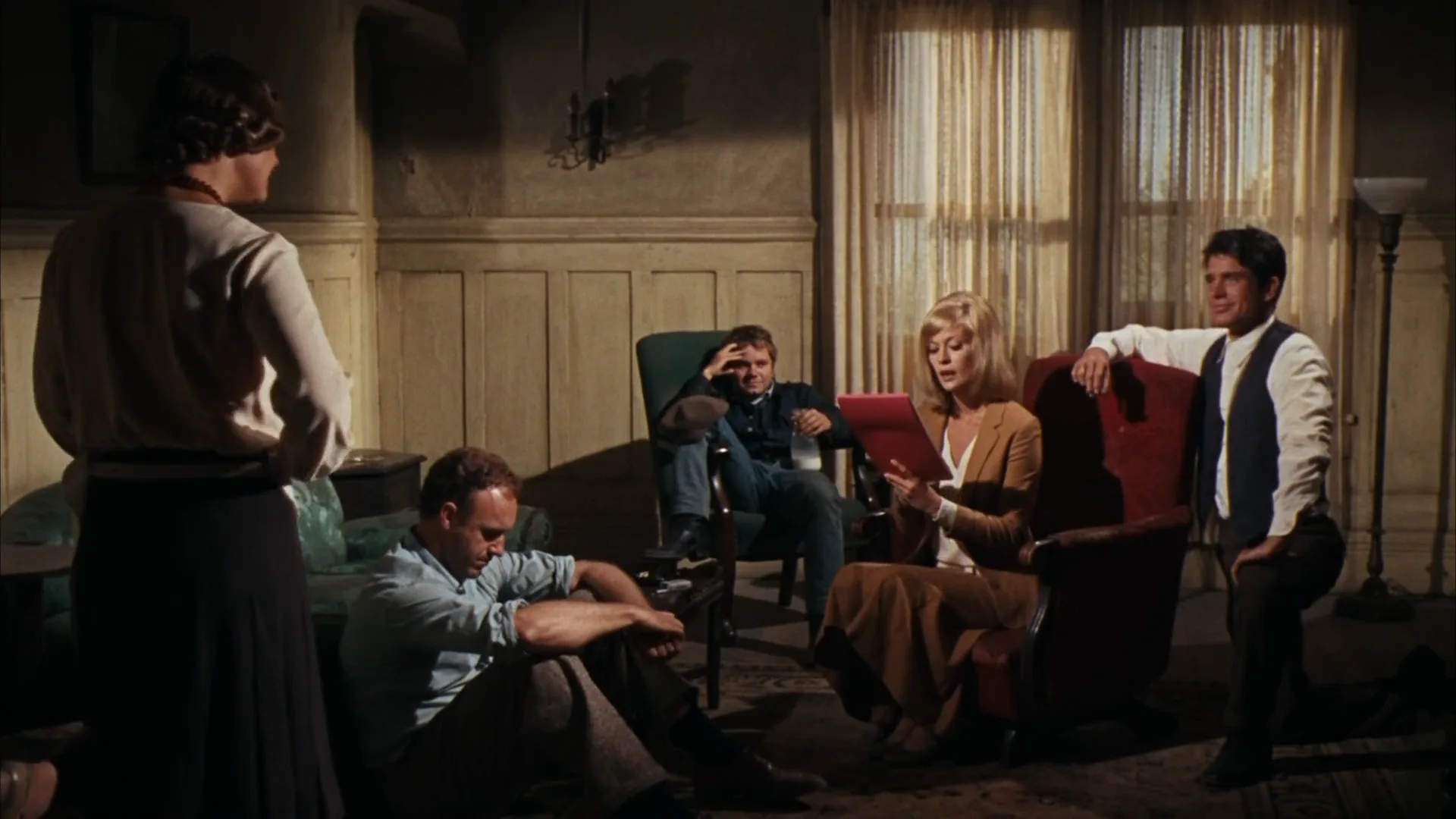
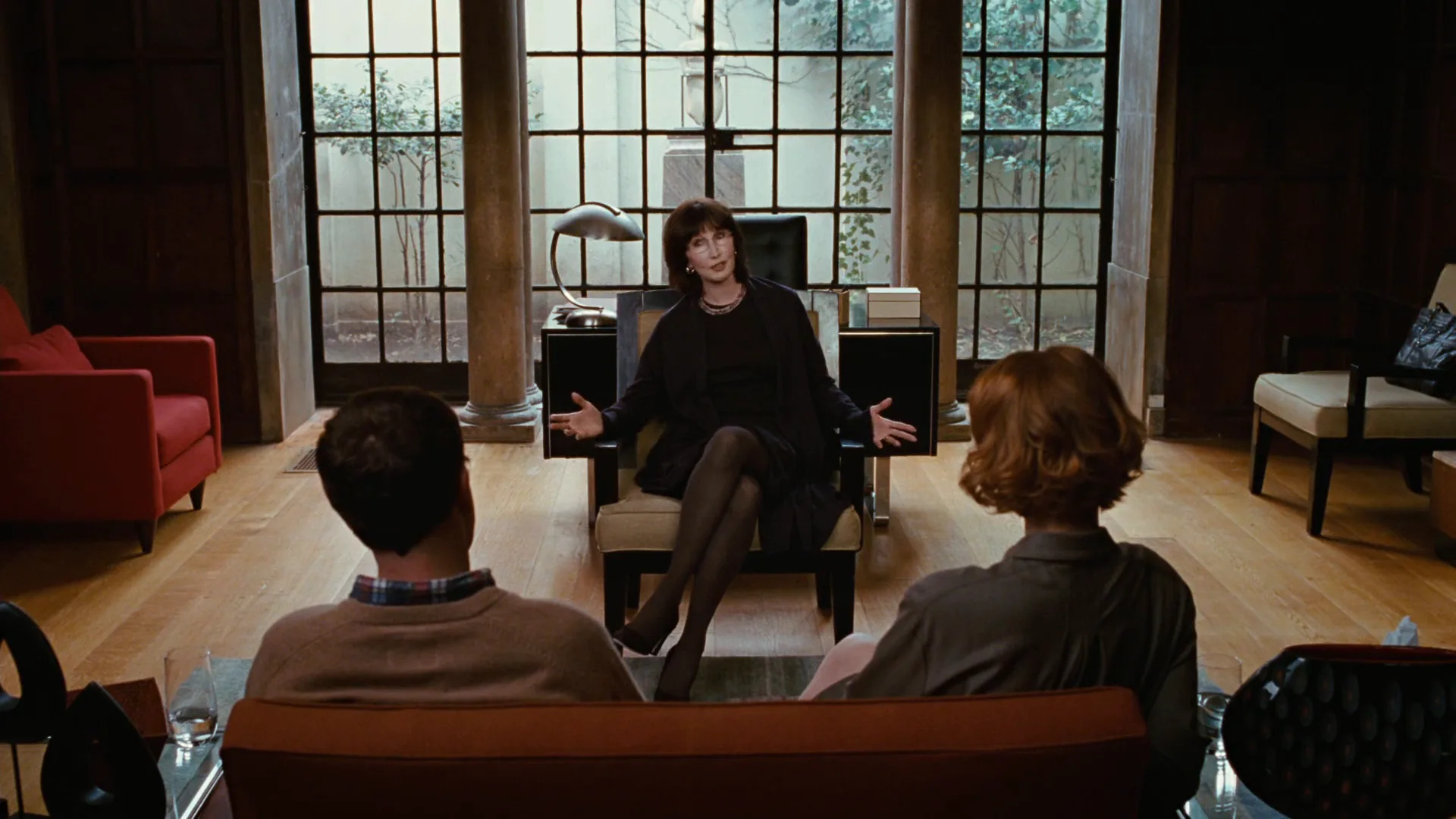
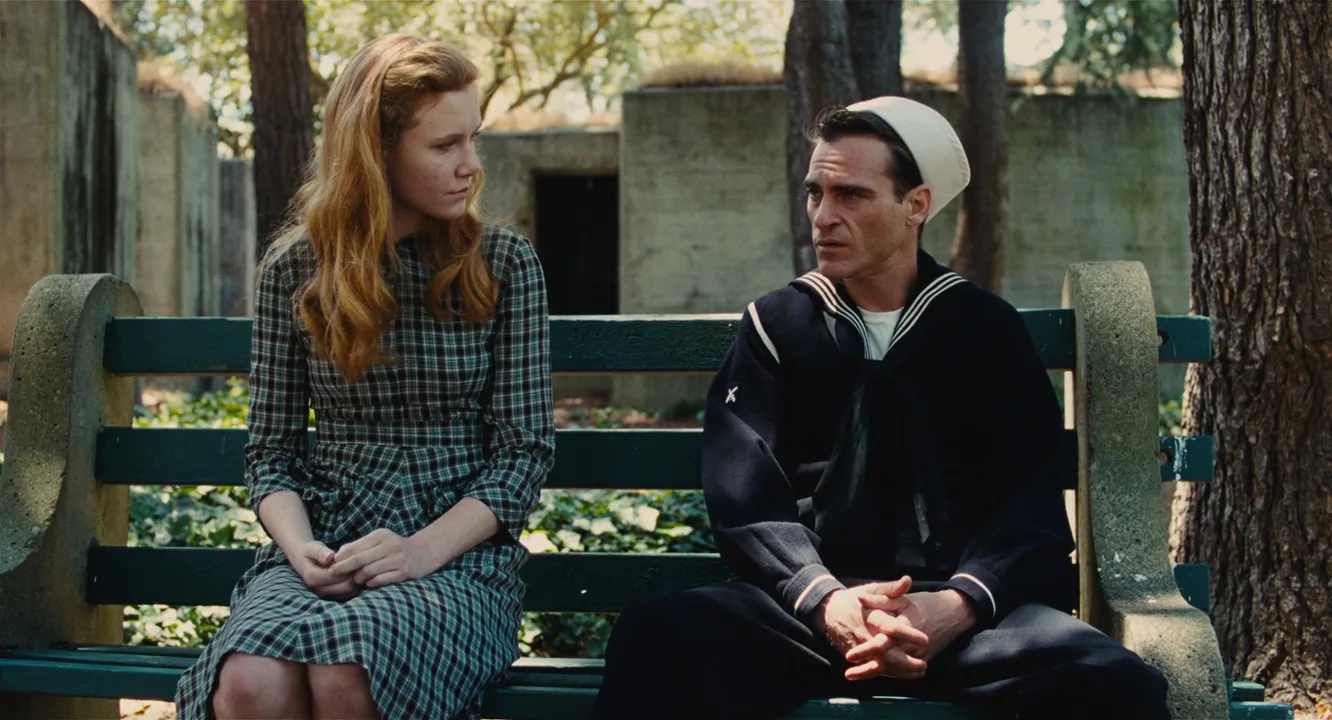
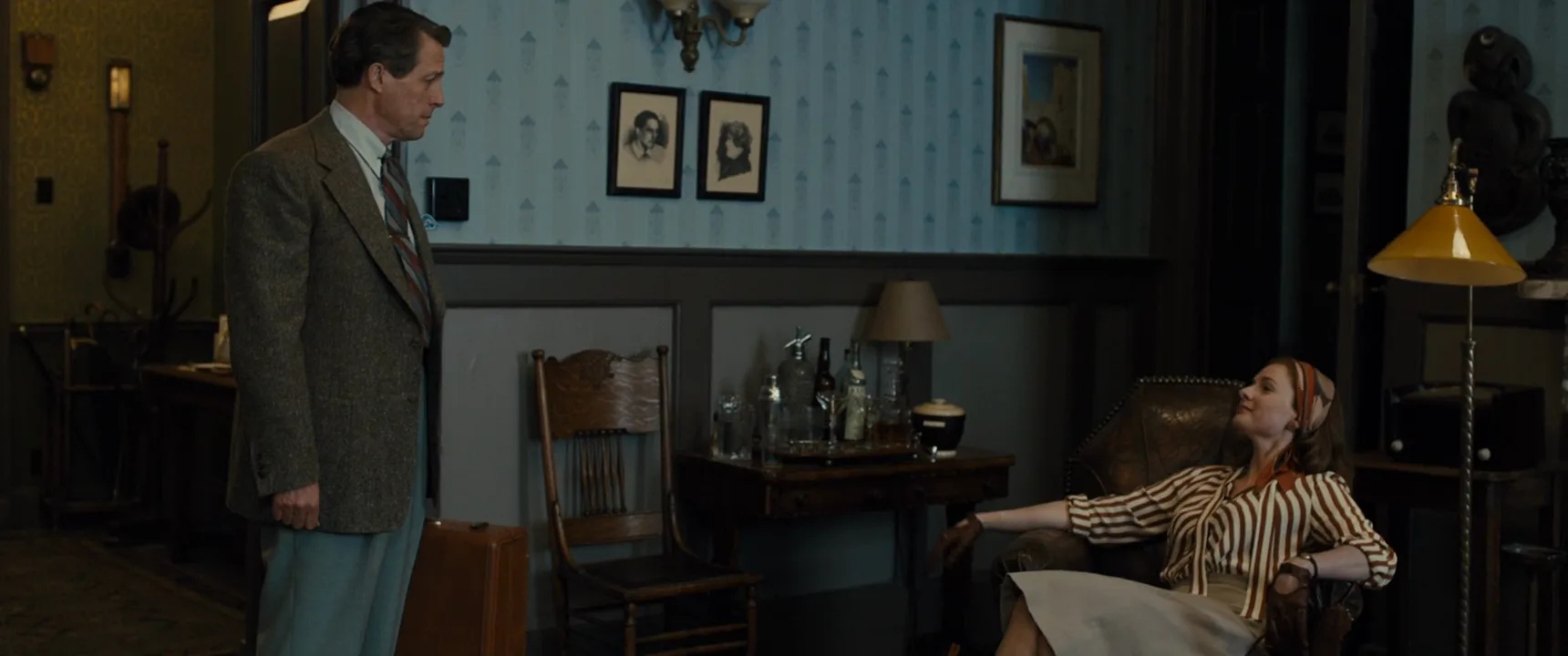
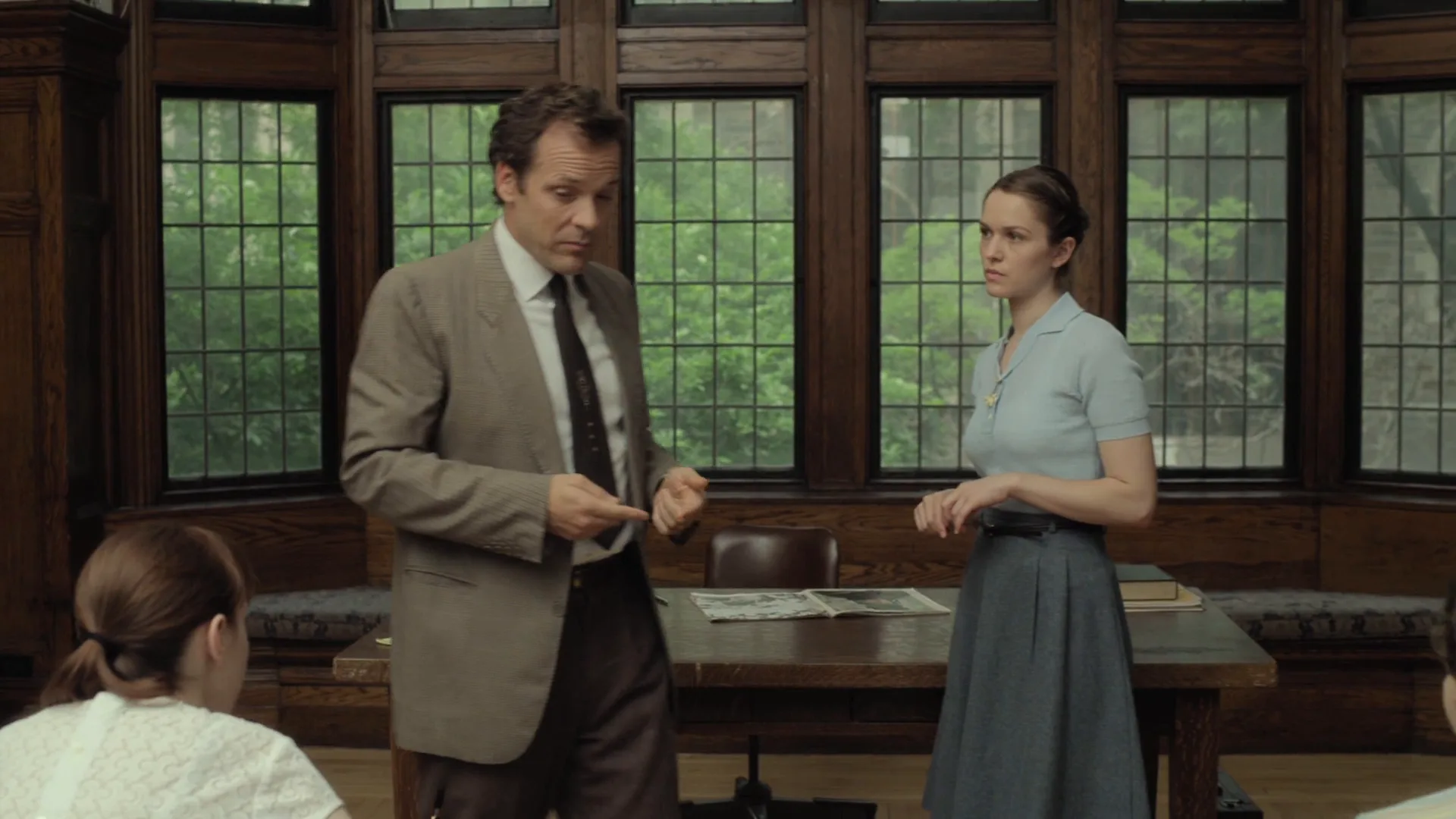
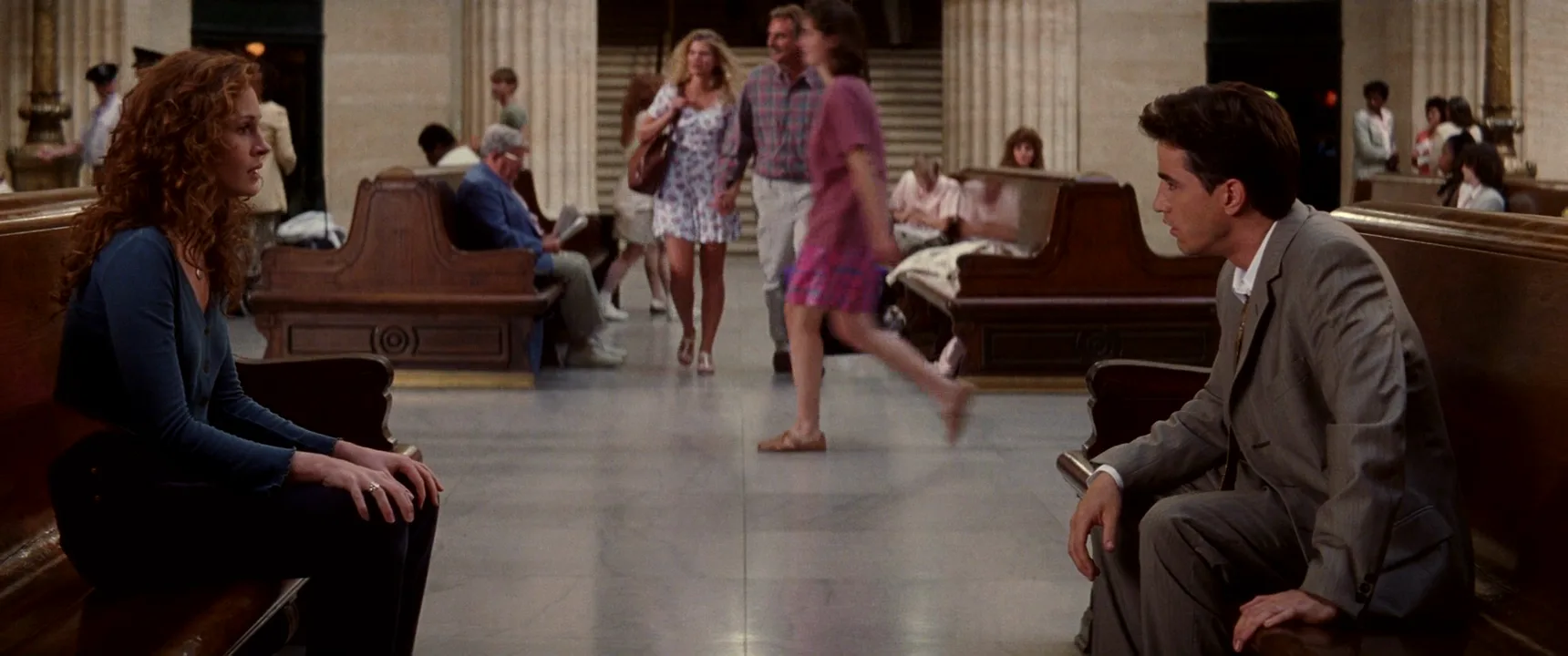
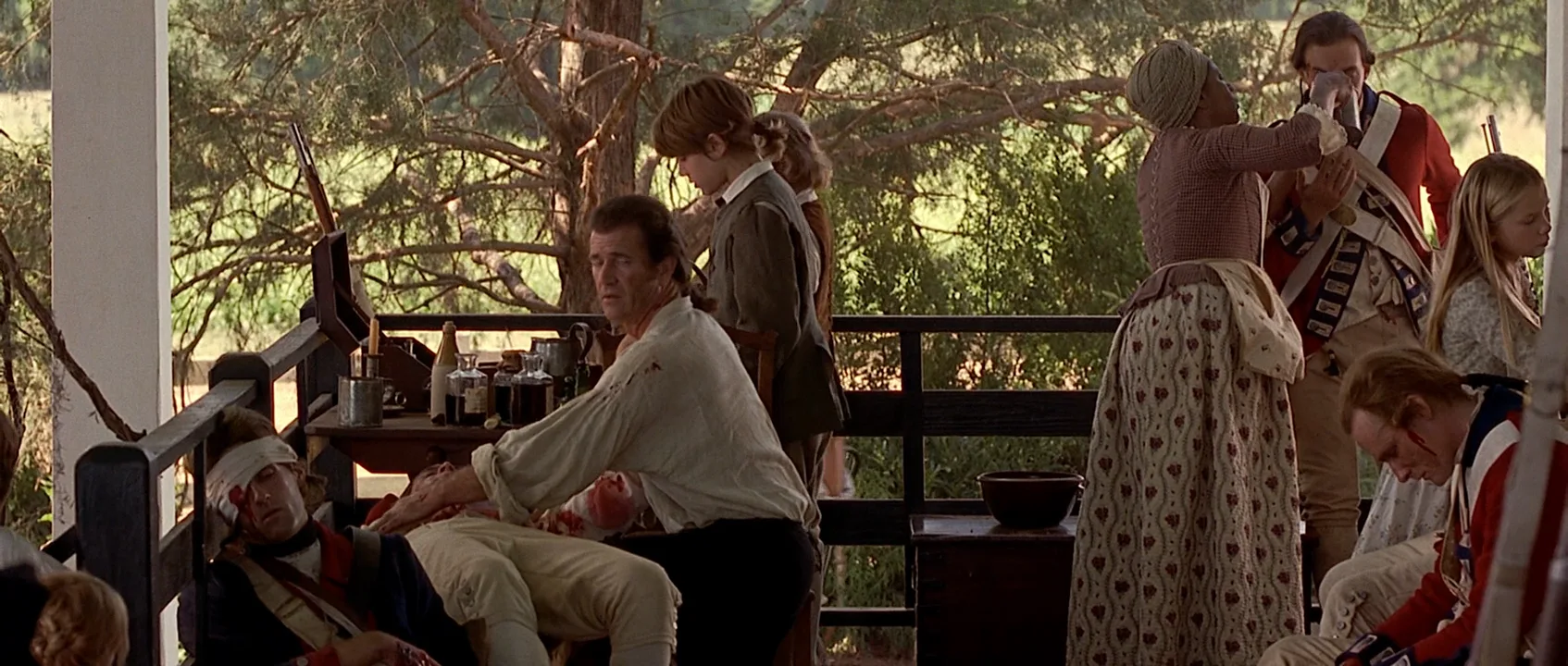
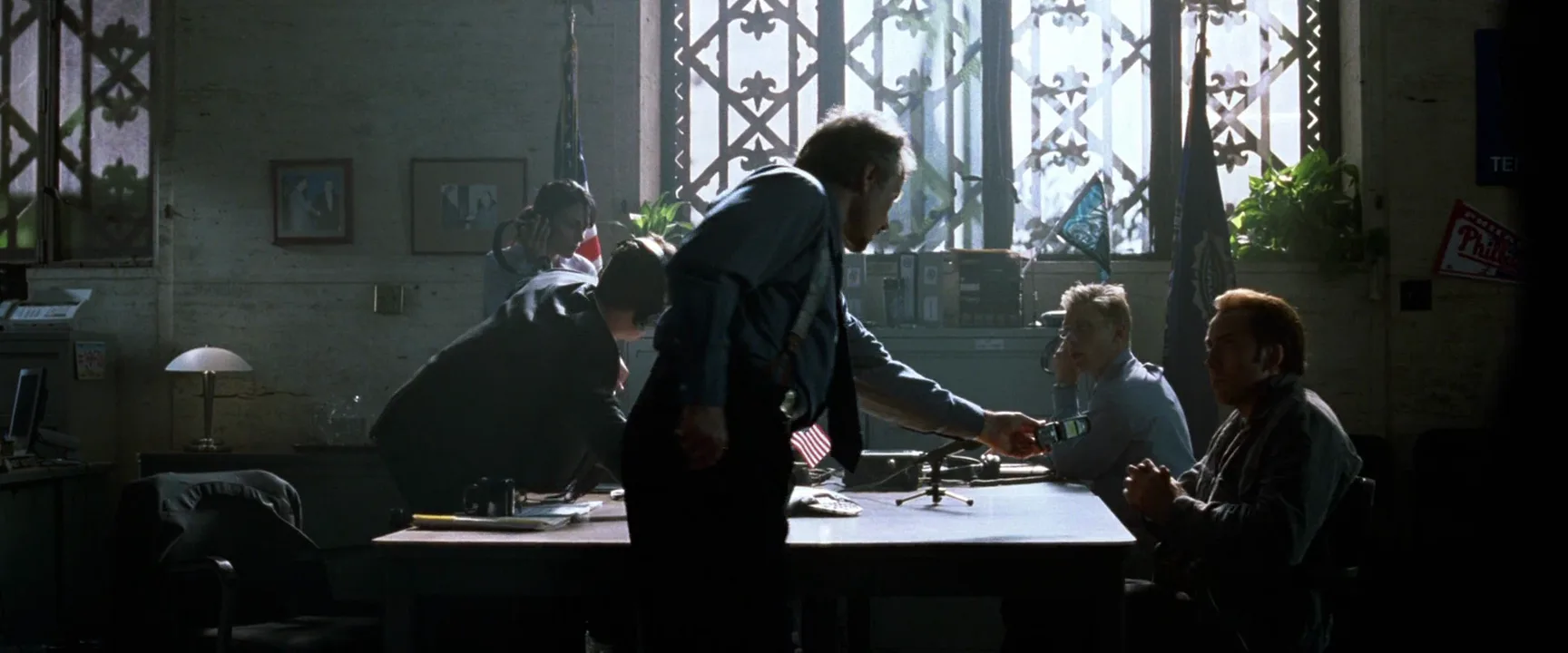
8 framesEach frame holds the whole cast of its scene and the space between them; depth and position carry the information.
How to create a master shot with AI
4 promptsImage models default to medium shots of one or two people, so name every character, where each stands, and that all are fully visible. Pin the master on your FlashBoards board and build closer coverage from it so the geography stays consistent. The fourth prompt re-shoots a real film shot from a text description alone, and the original plays next to the result so you can compare.
Wide master shot of a farmhouse kitchen at dusk, whole scene in one frame: a gray-bearded man in his sixties in a flat cap sits at a wooden table on the left, a woman with a short black bob and mustard cardigan stands at the stove on the right, a lanky teenage boy with curly red hair leans in the back doorway. All three full figures visible. Chest height, 28mm, eye level, deep focus. Warm hanging lamp, cool blue window light.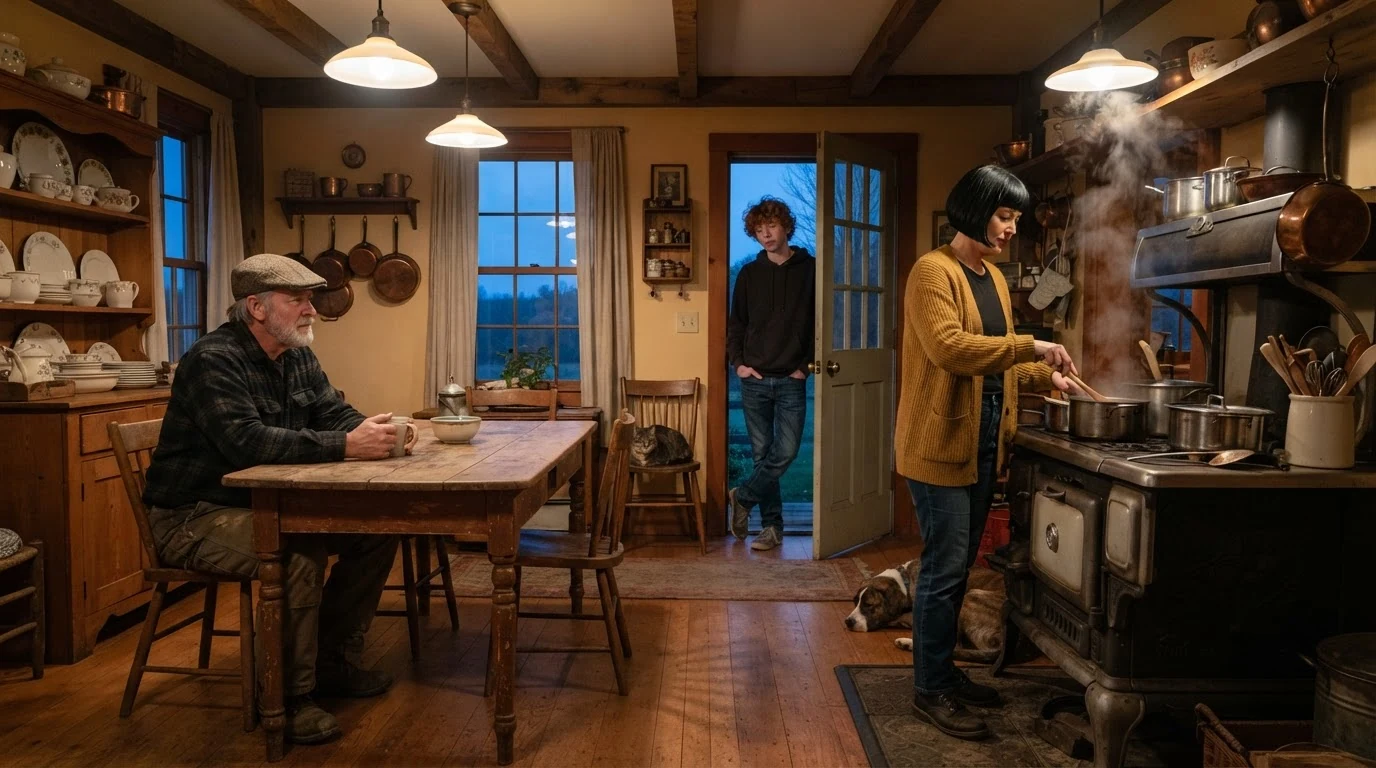
"Wide master shot" and "all three full figures visible" stop the crop to a two-shot. Fixed positions (left, right, back doorway) create three depth planes; "deep focus" keeps the back of the room sharp.
Open FlashBoardsWide master shot of a roadside diner at night from just inside the front door, entire room visible: a heavyset cook with a shaved head behind the counter on the right, an elderly woman with silver braids and a freckled young woman in a green raincoat in a red booth on the left, a thin man in a wet trench coat on a stool mid-room. Everyone full figure and in focus. Eye level, 32mm anamorphic, fluorescent light, neon through rainy windows.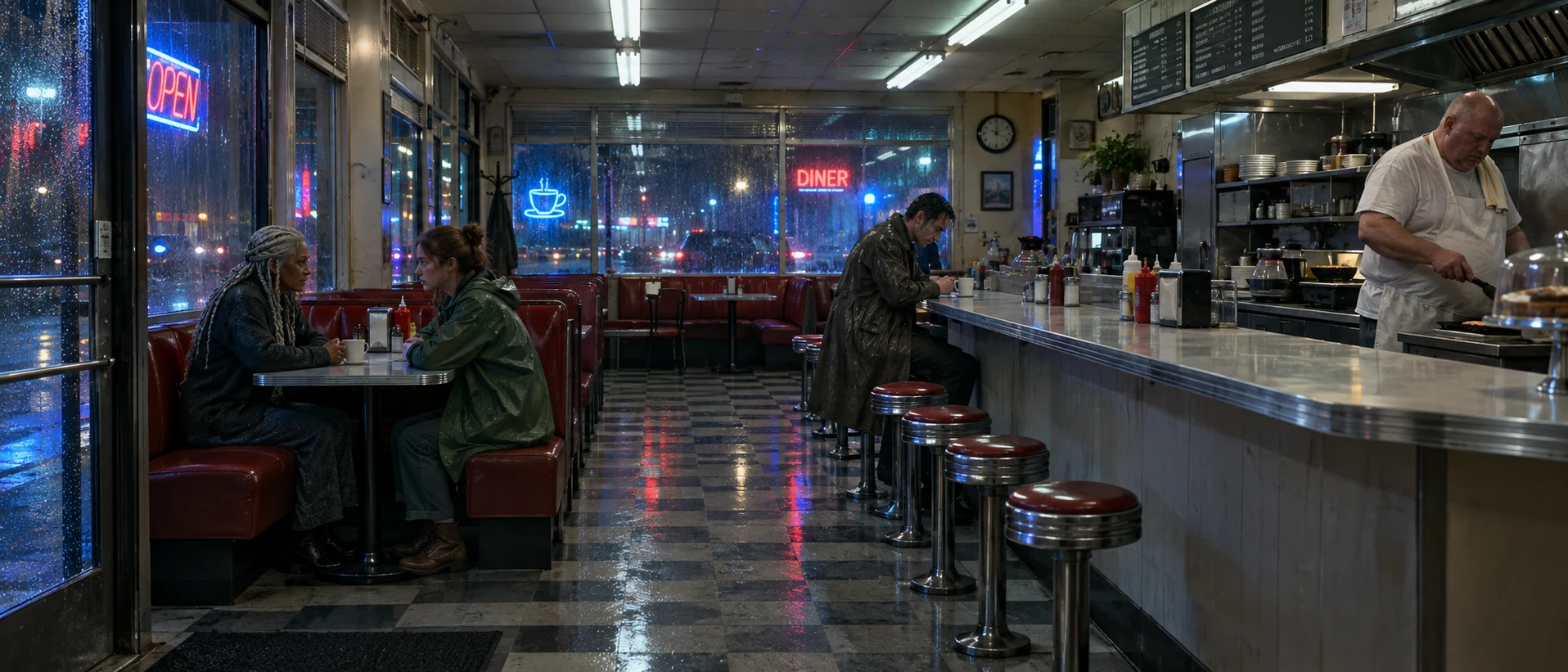
"From just inside the front door, entire room visible" puts the camera at the edge of the set, where a real master lives. Tying each person to furniture gives the model a floor plan instead of a lineup.
Open FlashBoardsCamera: locked off on a tripod at chest height, the wide frame holds still for the whole shot. Action: the boy is already pushing off the doorframe and walking to the table as the woman turns from the stove with a steaming pot. She sets it on the table while the man pulls out a chair. The boy sits, the woman stays standing, and all three look at the man as he starts to speak."Locked off" keeps the master wide instead of drifting into a push-in. Motion starts in the first clause, and the action is a short blocking plan that ends with everyone settled, ready for coverage.
Open FlashBoards{
"output": "Full-screen live-action scene from Bonnie and Clyde (1967) from its very first frame: one continuous wide master shot, a single unbroken take from first frame to last. Warm 1960s 35mm color film stock, a shabby 1930s rented parlor in late afternoon, hard sunlight through two tall windows with sheer yellowed curtains at the back right, cream wood-panelled walls, deep brown shadows, ochre, rust, bottle-green and deep red palette.",
"characters": {
"S1": {
"name": "Bonnie Parker, played by Faye Dunaway",
"look": "slim woman, blonde chin-length bob, cream blouse under a tan belted cardigan and a long tan skirt, sitting in a deep red wingback armchair just right of centre in the middle distance, holding an open red folder of pages in both hands",
"voice": "soft, measured, reading her own verse with quiet pride"
},
"S2": {
"name": "Blanche, played by Estelle Parsons",
"look": "dark hair in short pinned waves, cream long-sleeved blouse, long black skirt, standing at the left edge in the near foreground, seen from behind, her body and head turned toward the group on the right",
"voice": "silent"
},
"S3": {
"name": "Buck Barrow, played by Gene Hackman",
"look": "stocky, balding man, pale blue work shirt with rolled sleeves, grey trousers, sitting on the floor in the lower left foreground just right of S2, back against a green sofa, knees up, forearms resting across his knees",
"voice": "silent"
},
"S4": {
"name": "C. W. Moss, played by Michael J. Pollard",
"look": "round-faced young man, fair tousled hair, dark jacket over a work shirt, slouched in a bottle-green armchair in the back middle, left of S1, one hand pressed to his forehead",
"voice": "silent"
},
"S5": {
"name": "Clyde Barrow, played by Warren Beatty",
"look": "lean dark-haired man, white shirt with long sleeves, dark buttoned vest, dark trousers, half-kneeling on one knee just right of the red armchair, his right forearm draped over the top of its high back, left hand on his raised knee",
"voice": "silent"
}
},
"shots": [
{
"shot": 1,
"camera": "locked-off tripod, completely static for the whole shot, eye level, wide lens, deep focus: the whole parlor and all five people sharp and visible, S2 closest to the lens at the left edge, S3 on the floor lower left, S4 in the green armchair back middle, S1 in the red armchair right of centre, S5 half-kneeling at the right, the two sunlit curtained windows behind S1 and S5",
"action": [
"BEGINNING: alive from the first frame, S1 is already reading aloud from the red folder held in both hands, eyes down on the page; S3 on the floor has his face turned up and to the right toward S1; S2 stands still with both arms hanging at her sides, looking right at S1; S4 sits slumped with one hand on his forehead, looking at S1; S5 leans on the chair back, looking down at S1.",
"THEN: S3 slowly lowers his head and looks down at the floor between his knees, forearms still resting on his knees.",
"THEN: S2 turns her shoulders toward the right so her face shows in profile, and sets her right hand on her hip; her gaze stays on S1.",
"THEN: S5 tilts his head a little further down toward the page in S1's hands; his forearm stays on the chair back.",
"END: S1 keeps reading without looking up; S4 keeps his hand on his forehead; S3 sits with his head bowed; S2 stands in profile with her hand on her hip; nobody changes place and the five positions in the room stay exactly where they were."
],
"dialogue": [
{
"speaker": "S1",
"on_screen": true,
"when": "from the first frame, while she reads from the folder",
"delivery": "soft, even, reading aloud from the page",
"line": "<d>[English] If you get right down to the point.</d>"
},
{
"speaker": "S1",
"on_screen": true,
"when": "right after a short pause, while S2 turns and puts her hand on her hip, running to the last frame and cut off there",
"delivery": "soft, a little sharper, still reading",
"line": "<d>[English] You've heard of a woman's glory Being spent on a downright cur--</d>"
}
]
}
],
"sound": {
"ambience": "quiet room tone of a still afternoon parlor, faint creak of a chair, distant birds heard from outside",
"speech": "exactly these spoken phrases, each said once, in this order, all by S1; nobody else speaks",
"never_spoken": "no narration and no voice-over: the descriptions, performance notes and step words of this prompt are never spoken aloud",
"music": "a film score under the scene, always below the voices: a soft, wistful melody of low strings and a slow, lonely acoustic guitar",
"subtitles": "none"
}
}Remakes the parlor master from Bonnie and Clyde (1967): the prompt kept the static eye-level wide, the five positions in depth and Bonnie's two lines of verse, read while the others listen.
One locked-off wide angle, every character named and placed in depth, and Bonnie's two corpus lines. Small beats (Buck bowing his head, Blanche turning) play out while the END phase holds everyone in place.
Open FlashBoardsCommon mistakes
- The model crops in. Without "all full figures visible" you get a medium two-shot.
- Actors in a row facing the lens. Assign foreground, middle and doorway positions.
- Soft background faces. Add "deep focus"; "bokeh" or "85mm" fights a master.
- The video camera creeps forward. State "locked off" and start the action in the first sentence.
Keep the reference frames, prompts and every generated take side by side — images and video in one canvas.
FAQ
4 questionsWhat is a master shot in film?
A master shot is a continuous take that records an entire scene from beginning to end, usually framed wide enough to include every actor. It establishes geography and blocking and gives the editor a complete version to fall back on.
What is the difference between a master shot and coverage?
Coverage is the whole set of shots filmed for a scene: the master plus singles, over-the-shoulders, inserts and reactions. The master is the widest piece of that set and plays the full scene. The other shots repeat the action from closer so the editor can shape pace.
Does a master shot have to be a wide shot?
Usually, but not by definition. The master must hold every character in the scene for its full length, so for a group it is a wide or long shot, while for two people seated close together it can be a medium two-shot. It can also move, as long as the whole scene stays readable.
Is a master shot the same as a long take?
Not always. Every master is a continuous take, but most are intercut with coverage and only parts survive the edit. A long take, or oner, plays on screen without cuts. When a director keeps the master uncut in the final film, it is both.
Related terms
5- Establishing ShotCamera Shots
An establishing shot opens a scene or sequence by showing where — and often when — it takes place, typically a wide view of a building, street, city or landscape before the film cuts closer to the characters.
- CoverageDirecting & Staging
Coverage is the full set of shots filmed for one scene — master, singles, over-the-shoulders, inserts, reactions — that gives the editor choices of pace, emphasis and performance.
- BlockingDirecting & Staging
Blocking is the planned choreography of actors and camera within a scene — where people stand, when they move, how they relate in space — so that movement itself tells the story and gives the editor usable shots.
- Group ShotCamera Shots
A group shot holds several characters in one frame as a unit, letting the audience read their positions, hierarchy and reactions at once instead of cutting between singles.
- Long ShotCamera Shots
A long shot (wide shot) shows the full figure with plenty of surroundings around it, so the audience reads both a character's body language and their relationship to the place.
Further reading
Steven D. Katz, Film Directing Shot by Shot (1991). Walter Murch, In the Blink of an Eye (1995).