 FlashBoards Learn
Color · Film language
Selective Color
Also called: color splash, spot color, partial color
Selective color keeps one hue, or one object, in color while the rest of the frame is black-and-white or heavily desaturated. Because the eye goes straight to the only saturated thing on screen, that object stops being a prop and becomes a sign the story asks you to remember: a coat, a flag, a pair of lips.
- What it does
- Turns one object into the focal sign of the scene by making it the only color the eye can find.
- Use it when
- An object or person must be singled out from a crowd, marked as meaningful, or tracked across the film.
- Watch out
- Used often, it turns into a gimmick; make the rule clear, use it sparingly and let it pay off later.
- Try this prompt
black-and-white wide shot of a rainy cobblestone square, one yellow umbrella as the only color in the frame, 35mm, film grain
What is selective color in film?
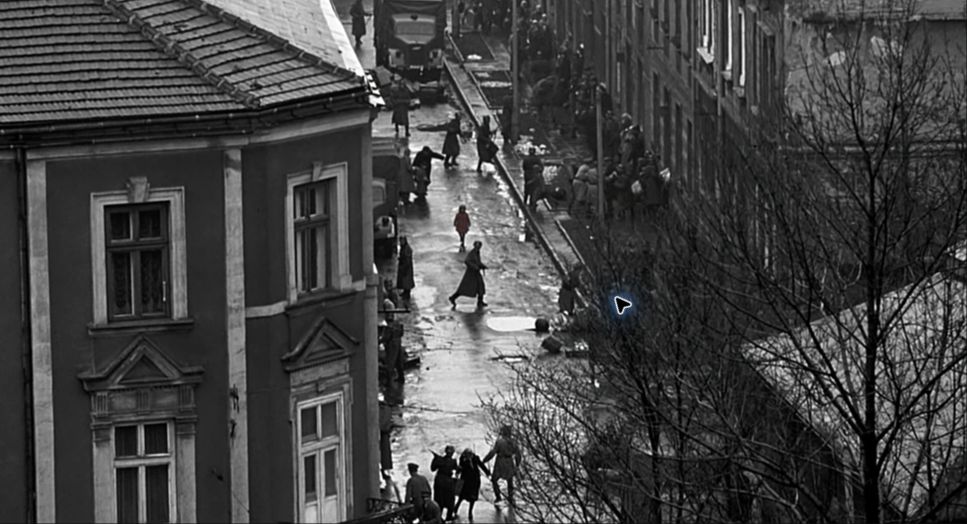
Selective color is a frame, shot or sequence where almost all color has been removed and one hue survives. Editors and photographers also call it color splash, spot color or partial color. The classic version is a black-and-white image with a single colored object in it: the girl in the red coat in Schindler's List (1993), the red lips and dresses in the otherwise monochrome Sin City (2005), the colored fighting fish in Francis Ford Coppola's black-and-white Rumble Fish (1983).
In practice the term covers a range of intensity:
- True selective color. The image is fully black-and-white; one object keeps its natural or boosted color. This is almost always built in post, with keys and masks.
- Partial desaturation. The grade drains most of the frame toward grey but lets one hue family through, so reds or greens stay rich while everything else goes pale. It sits between selective color and a desaturated look.
- In-camera accent. Nothing is removed digitally; production design and costume simply keep the set grey, beige and muted and put one saturated object into it. It reads less graphic but works in the same way.
What all three share is ratio. The colored element is small, usually well under a tenth of the frame, and the rest is neutral enough that the accent has no competition. That is the difference between selective color and an ordinary colorful frame that happens to include a red car. It is one of the sharpest tools in the color toolbox, because it is the one viewers notice consciously.
Why do filmmakers use selective color?
A black-and-white frame tells the eye to read shape, light and faces. Put one saturated patch into it and every other cue loses. That makes selective color the most direct way of directing the viewer's eye, and filmmakers use that power for a few distinct jobs.
To pick one person out of a mass. In Schindler's List the red coat lets the audience, and Schindler watching from a hill, follow one small child through the chaos of the ghetto liquidation. A crowd scene that would otherwise be about numbers becomes about an individual. When the same coat reappears later in the film, no dialogue is needed to explain what happened to her.
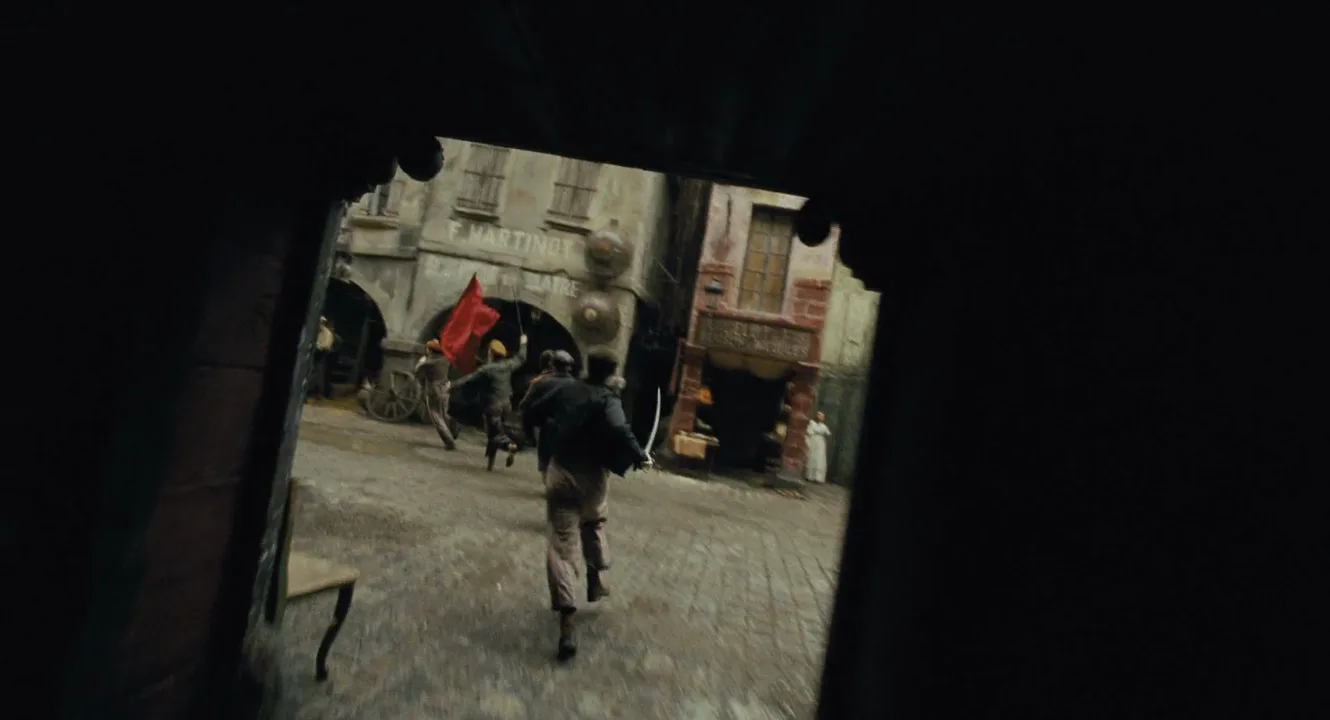
To make an object a sign. Once color is rare, whatever carries it gets loaded with meaning. This is color symbolism at maximum volume: the viewer does not have to decode a palette, only notice that this one thing is allowed to be red. In Sergei Eisenstein's Battleship Potemkin (1925) the mutineers' flag was hand-colored red on the black-and-white print, turning a piece of cloth into the film's political statement.
To show something breaking through. Akira Kurosawa's High and Low (1963) is black-and-white until pink smoke rises from a chimney, a planted signal that exposes the kidnapper; the one color is literally the clue. Pleasantville (1998) builds its whole story on the device, with people and objects in a black-and-white TV town turning to color as they change.
To stylize a world. Sin City uses selective color as comic-book graphics: high-contrast black-and-white, with red blood, yellow skin or blue eyes punched into it. Here the color is less a clue than a design system, and the style is the point.
The effect on the viewer is a mix of attention and unease. Selective color feels constructed, which is useful: it tells the audience that the filmmaker is pointing at something, so they remember it.
How to create selective color: on set and in the grade
Selective color is decided in prep and finished in the grade. If you only think about it in the color suite, you will spend days fighting everything else in the frame that happens to share your hue.
1. Choose one hue and clear it from the set. If the accent is red, remove every other red from wardrobe, props, signage and background extras: brake lights, fire extinguishers, lipstick, a stripe on a bus. Anything left behind will pop through the key along with your object. Pick a hue that sits far from skin tones; red and orange overlap with faces, so they need tighter keys than blue, green or yellow.
2. Make the accent strong and the rest neutral. Paint and dress the key object in a clean, saturated version of the hue, and keep the surroundings in greys, browns and dull neutrals. The farther apart they sit in color saturation, the cleaner the key. For in-camera accents that stay in color, this step is the whole technique.
3. Always shoot color. Even if the finished film is black-and-white, record full color in log or raw so the grade has hue information to key from. Converting to monochrome is easy; recovering a single hue from a black-and-white image means rotoscoping and colorization.
4. Light without colored spill. Gels or colored practicals in the key hue will stain nearby surfaces and faces, which then survive the key. Keep the light close to neutral and let the object carry the color itself.
5. Key it in the grade. In a grading tool the usual chain is: an HSL qualifier selects the hue, you refine hue width, saturation and luminance ranges until only the object is white in the matte, add a little softness (blur and edge feathering), then invert the selection and pull saturation outside it to zero or near zero. Check the result on the vectorscope: everything should collapse to the center except one spike.
6. Isolate with windows and roto when the key is not enough. A shape or mask tracked to the object stops the effect leaking into matching colors elsewhere. When the object shares its hue with skin or background, a hand-drawn roto shape, frame by frame, is the only reliable route; that is how the red coat in Schindler's List was isolated from color footage.
7. Watch compression. A lone saturated object on neutral grey is where banding, chroma noise and blocky edges show first. Deliver at a healthy bitrate, add a touch of grain to the whole image so the accent does not look pasted on, and check it on a phone as well as a monitor.
How to keep selective color meaningful
The effect burns out fast. The first appearance is an event; the tenth is wallpaper. A few rules keep it working:
- Set the rule early and keep it. Decide what earns color: one object, one character, one emotion, one world. If a stray color shows up later for no reason, the audience starts reading meanings you did not intend.
- Ration it. In Schindler's List the red coat appears in only a couple of short moments of a three-hour film, and that scarcity is why people remember it. One scene with color can outweigh a whole film of it.
- Pay it off. A colored object is a promise. Bring it back, change it or take it away, and the audience will feel the change. Losing the color can hit harder than gaining it.
- Think about the transition. A cut to a selective-color shot announces itself; a slow drain of color around the object over a few seconds feels more like memory or dissociation. Decide which you want before the edit.
- Match the texture. In a monochrome film, the accent should share its grain, softness and contrast with the black-and-white around it. When it looks sharper or cleaner, it reads as a compositing layer instead of a choice.
A related device is the tinted or toned image: a whole frame in amber, blue or sepia tone. That is a single-color treatment of everything, not a single color inside a neutral frame, and it does not direct the eye in the same way.
Selective color vs. color palette accents and colorization
Selective color vs. an accent in a color palette. Every well-built color palette has an accent: a small saturated note, often 10% of the frame or less, set against a dominant scheme. Selective color is the extreme end of that idea. In a palette the accent competes with other colors that are merely quieter; in selective color there is nothing else to compete with, because the rest of the frame has no hue at all or almost none. A mustard coat in a teal-and-grey film is an accent. The same coat in a black-and-white frame is selective color. The first guides the eye; the second forces it.
Selective color vs. colorization. Colorization adds color to images that were shot in black-and-white, historically by hand-painting prints, today by digital or AI methods, usually across the whole frame. Selective color starts from the opposite direction: it removes color and keeps one. The methods overlap only in older films, where a single object in a monochrome print was hand-painted, as with the red flag in Battleship Potemkin. Today the colored object nearly always comes from color footage, not from paint.
Selective color vs. a transition to color. When The Wizard of Oz (1939) moves from sepia Kansas to Technicolor Oz, the whole image changes world. That is a color shift between sections of a film, not selective color, because no single object is singled out.
Selective Color examples in film
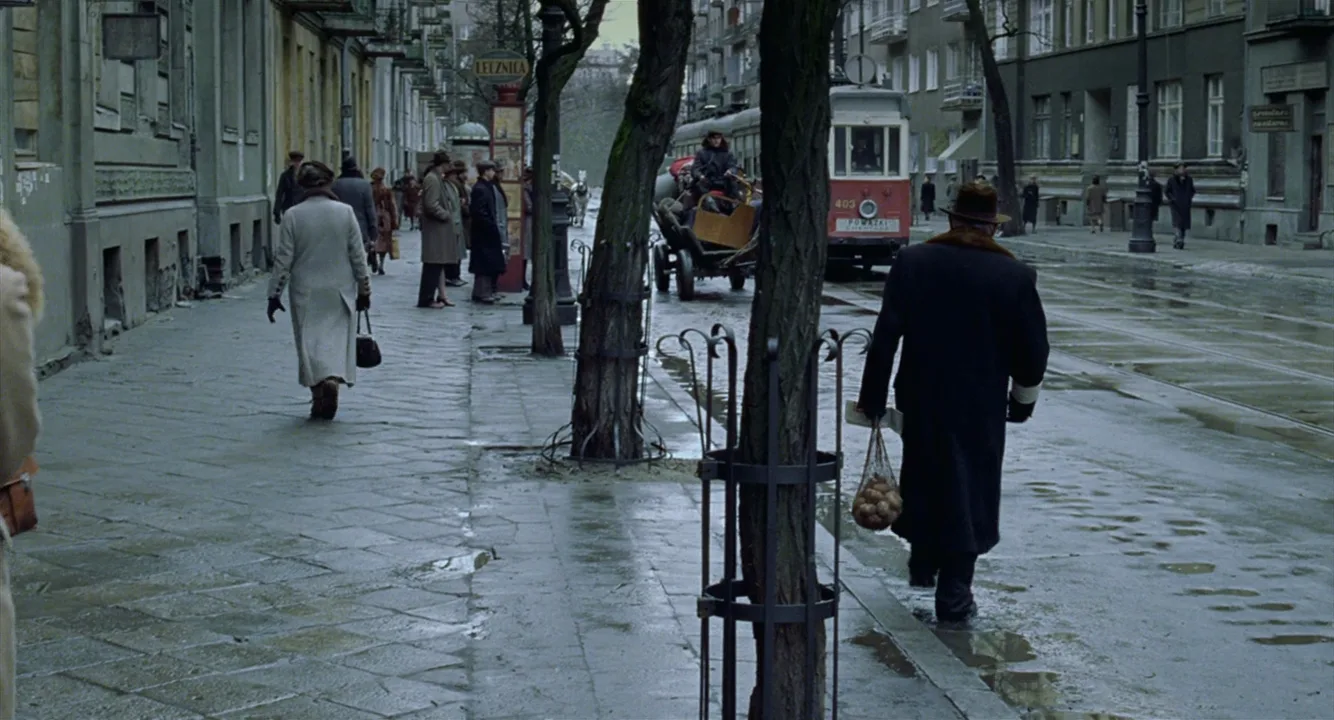
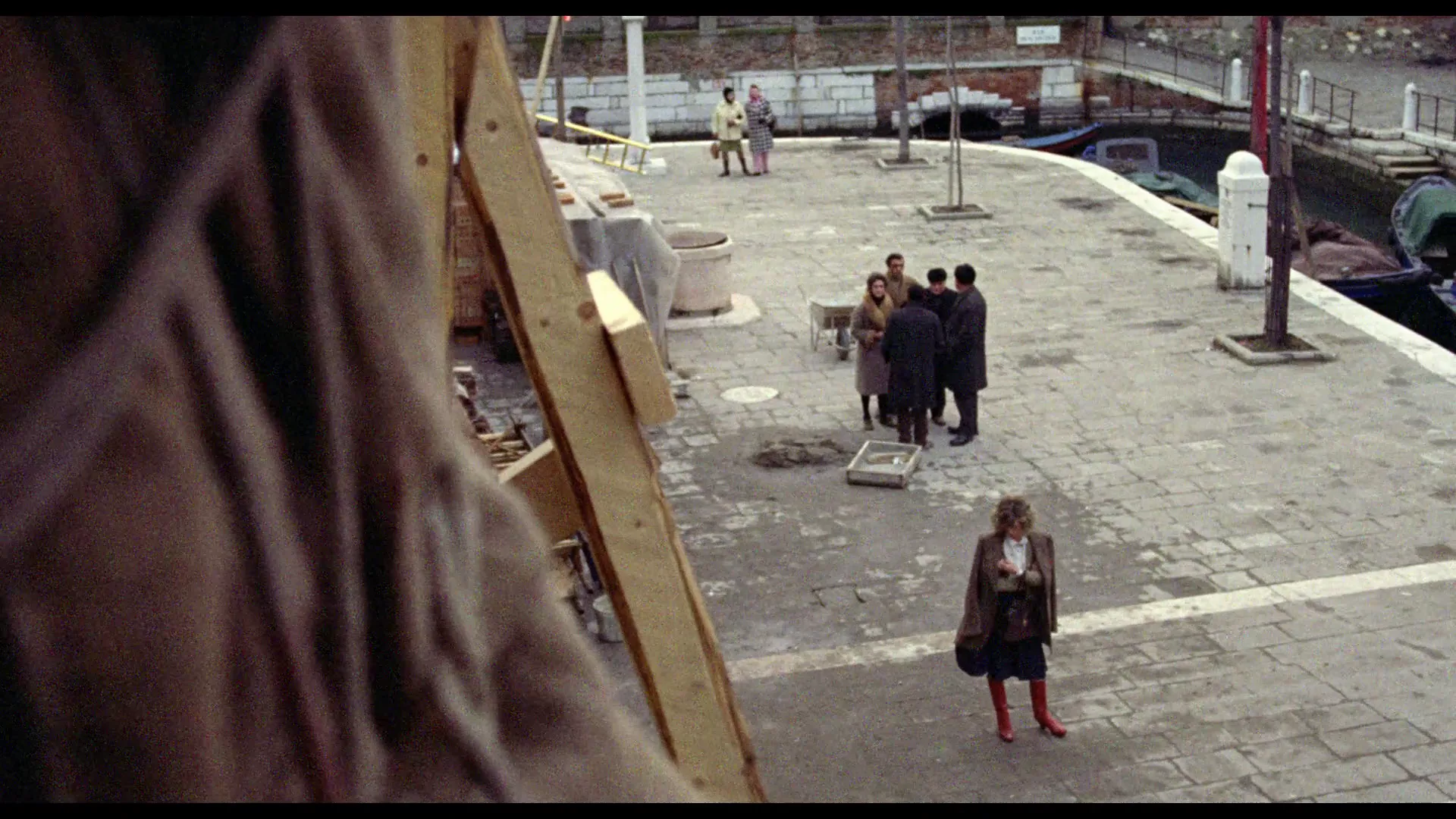
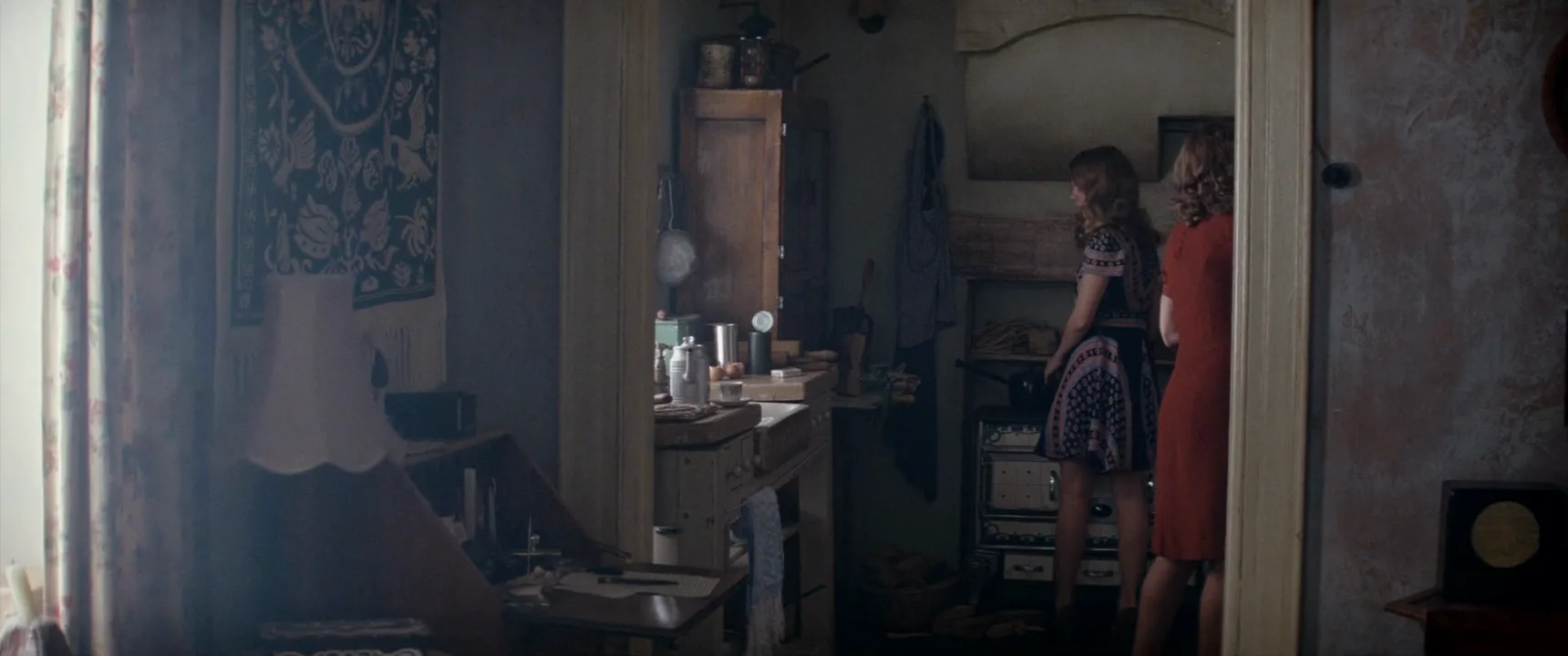
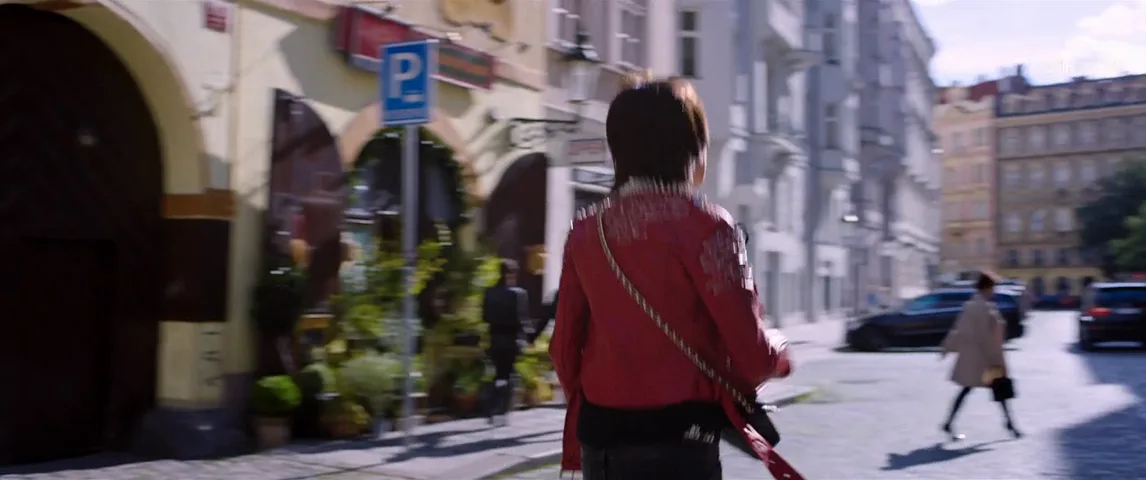
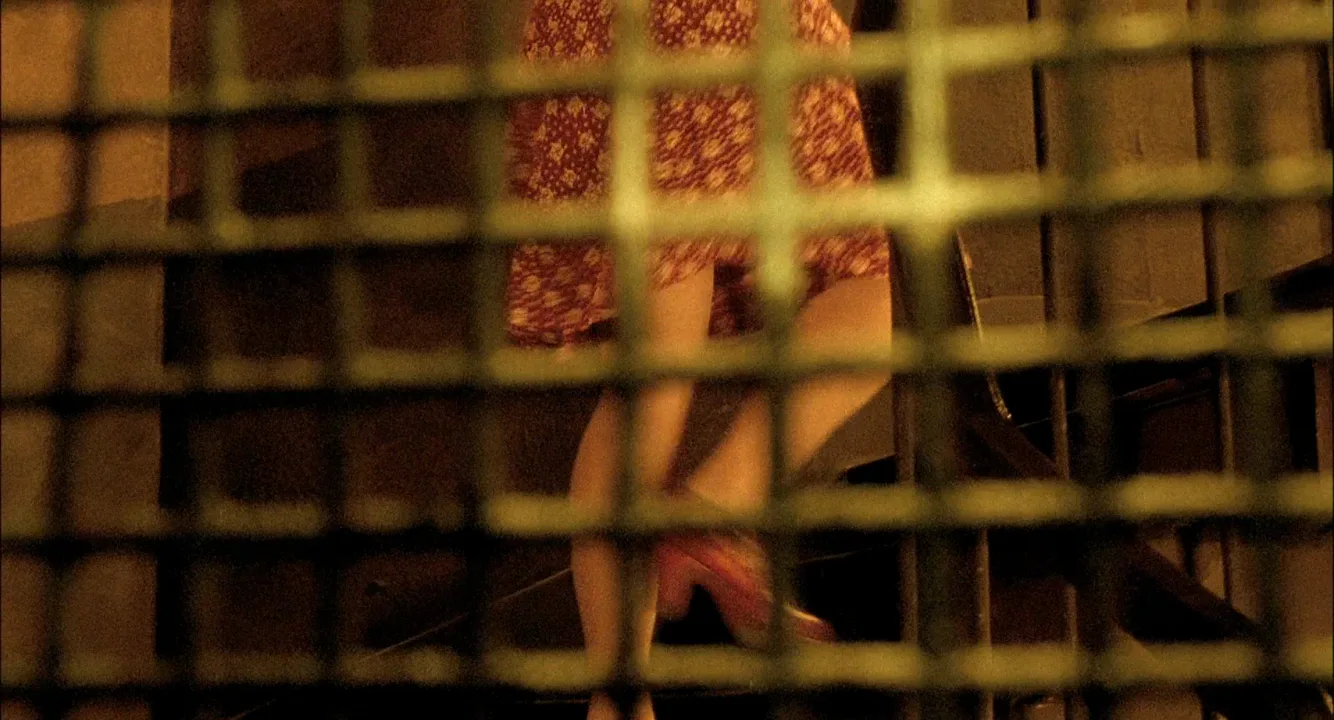
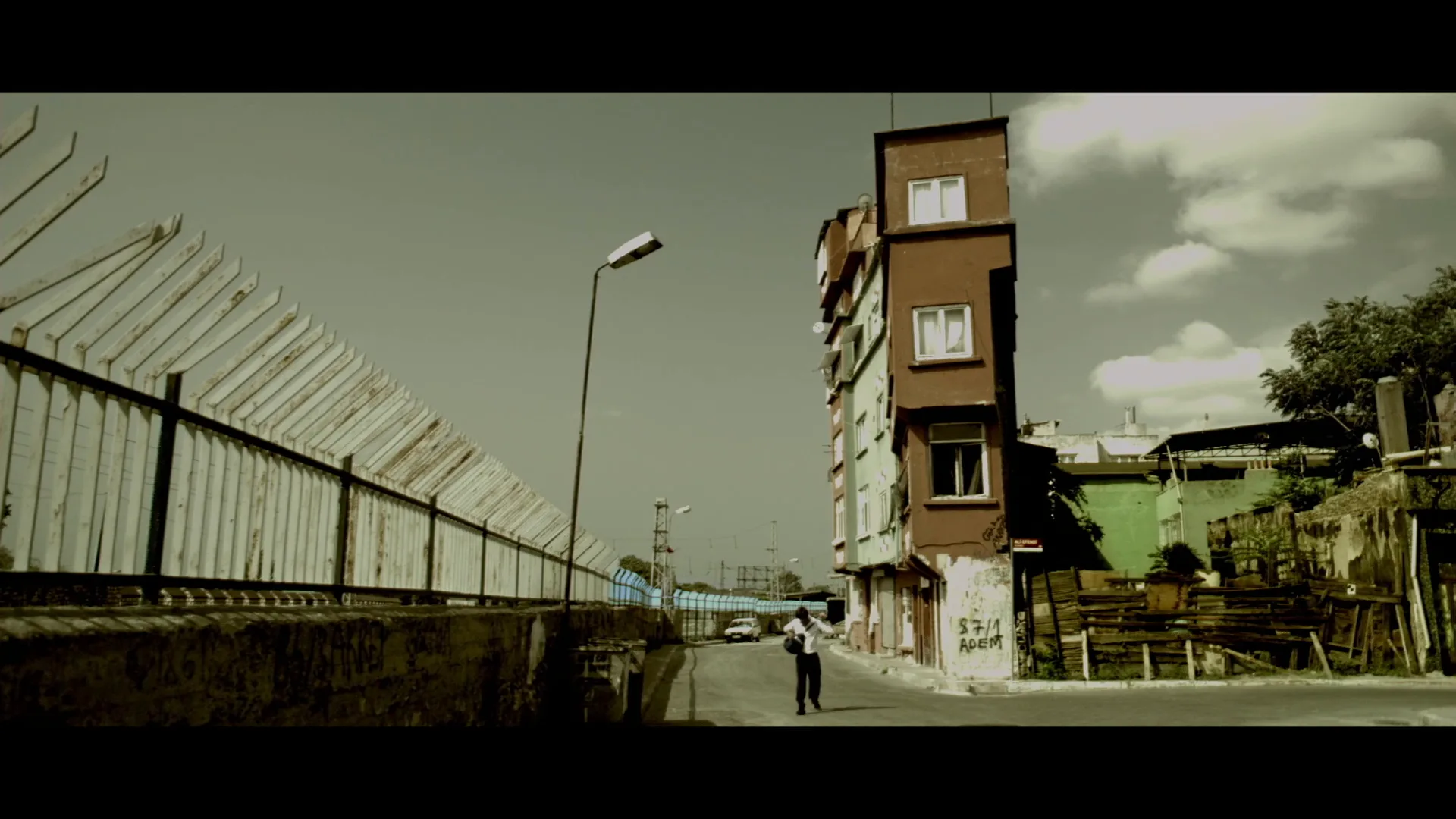
10 framesFrames from films that single out one hue, from a fully black-and-white image with one colored figure to muted grades and designed sets where a single saturated object carries the frame.
How to create a selective color with AI
4 promptsImage models understand selective color when you name the rule in one plain sentence: the whole frame is black-and-white, and one named object is the only color. Give that object a clear hue and position, keep everything around it neutral in the description, and state the lens and light as you would for any shot. Keep your references, the generated takes and the notes about which hue carries meaning on one FlashBoards board, so you can compare takes side by side and keep the accent consistent from shot to shot. The fourth prompt re-shoots a real film shot from a text description alone, and the original plays next to the result so you can compare.
Black-and-white wide shot of a rain-soaked cobblestone market square at dusk, the whole frame monochrome in silver greys and deep blacks, except one saturated yellow umbrella carried by a small girl of about eight with a short black bob and a grey wool coat, walking away from the camera through a crowd of people in dark coats. The yellow umbrella is the only color in the frame. 35mm lens at eye level, soft overcast light, wet reflections on the stones, fine film grain.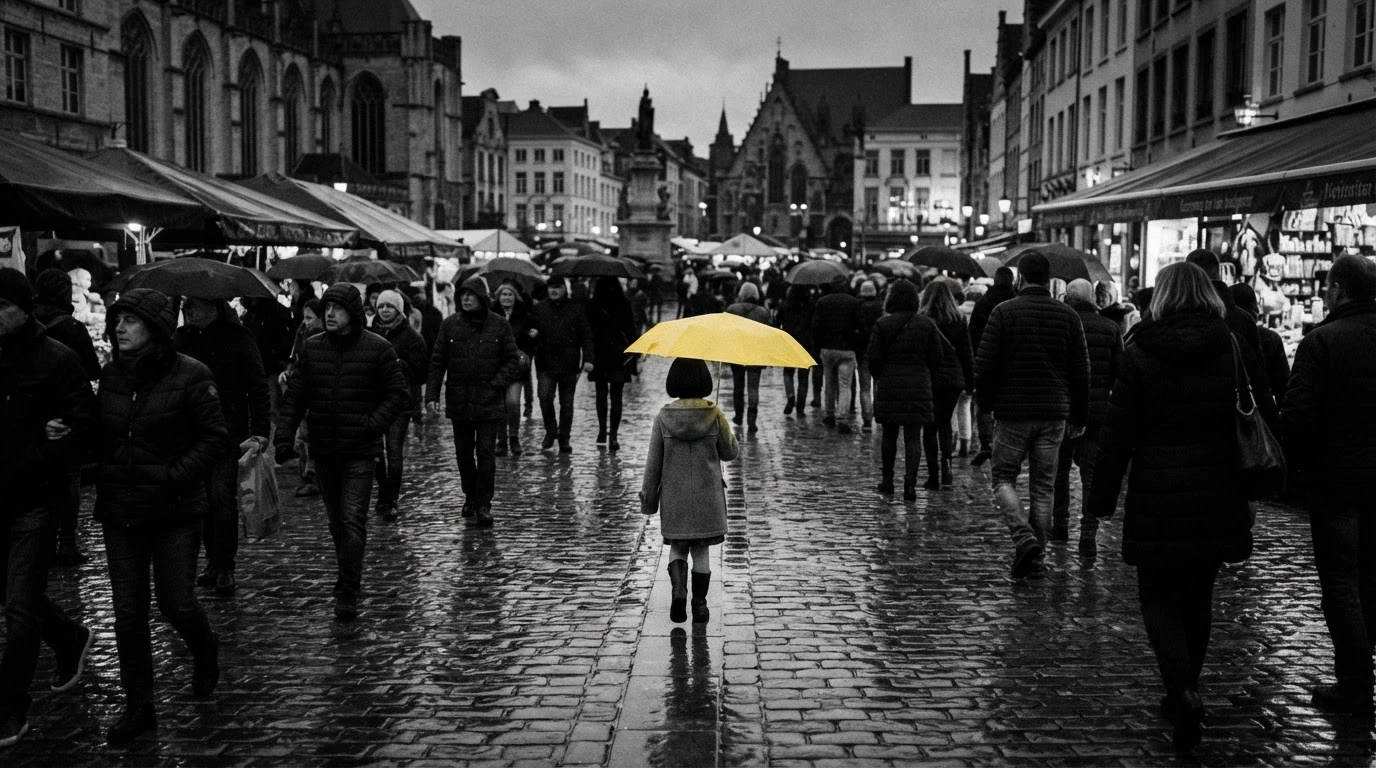
The whole frame monochrome and the only color in the frame state the rule twice, which is what keeps the model from tinting the crowd. Naming the hue on one specific object, a yellow umbrella, gives the key a hue far from skin tones, so faces stay grey. Dark coats and silver greys describe what the rest of the frame is instead of listing what it is not.
Open FlashBoardsCinematic 21:9 medium-wide shot of an empty railway platform in winter, graded to near black-and-white with cold grey concrete, pale fog and dark steel pillars. A tall man in his sixties with a close-cropped white beard, wire-rimmed glasses and a charcoal overcoat sits alone on a bench, holding a bright red paper lantern on his knees. The red lantern is the only saturated color; the man, the platform and the fog stay grey. 85mm lens at chest height, soft side light from the fog, shallow depth of field.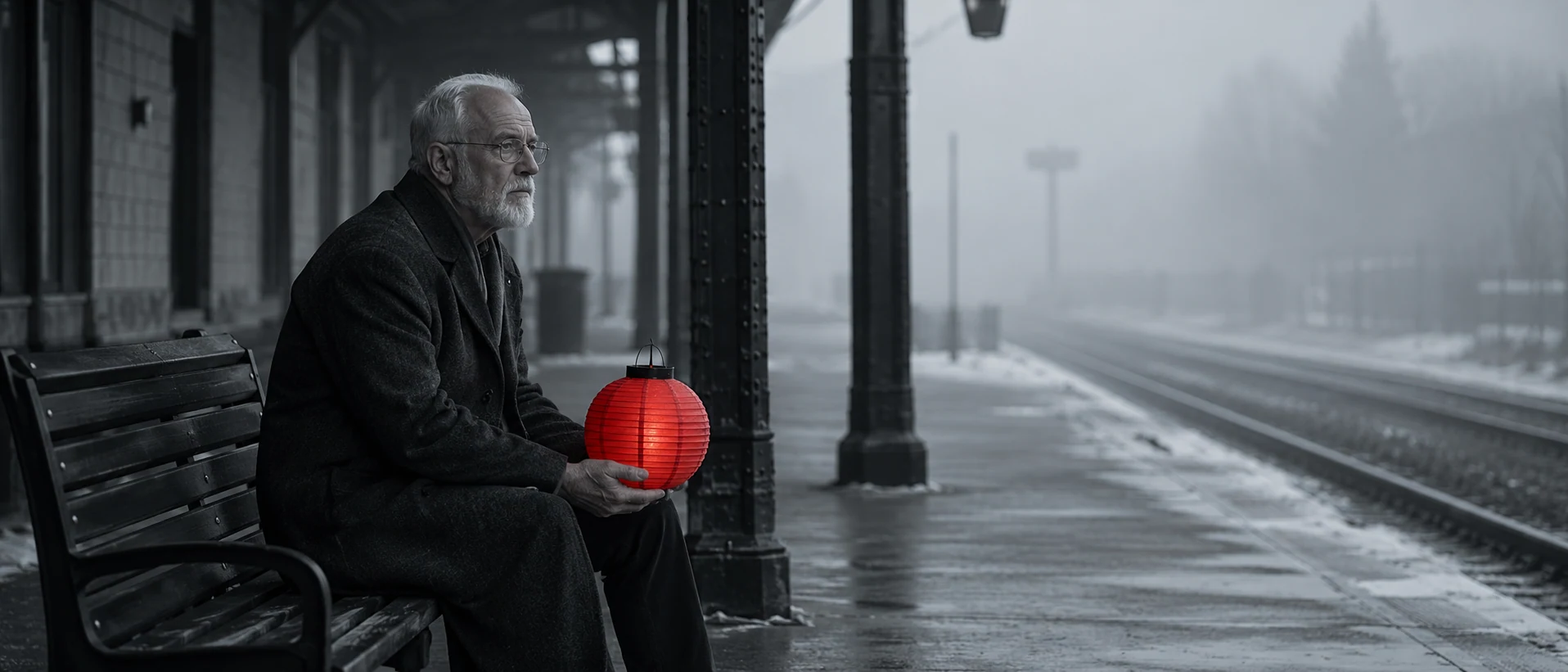
This take moves the technique to a quieter, closer frame and a longer lens. Graded to near black-and-white asks for partial desaturation rather than pure monochrome, so the image keeps a trace of cold tone while the red lantern stays rich. The 85mm lens and shallow focus isolate the man, and the lantern on his knees puts the accent close to his face, where the eye will already be looking.
Open FlashBoardsCamera: a slow, steady tracking shot at walking pace, following behind the girl from the first frame and holding her in the center while the crowd passes on both sides. Action: rain is already falling and the girl walks away through the square, her yellow umbrella bobbing with each step. People in dark coats cross in front of her and briefly hide the umbrella, then it reappears. By the end she has pulled a few steps ahead, still in the center, and the yellow umbrella remains the only color in a black-and-white frame.The shot is alive from the first frame: rain and walking are stated in the first action sentence, so the model does not start with a slow push on a still. Passing figures that briefly hide the umbrella use the accent to make the viewer search for it, which is exactly how selective color works in a crowd. Repeating the only color in a black-and-white frame at the end helps hold the effect steady across the clip.
Open FlashBoards{
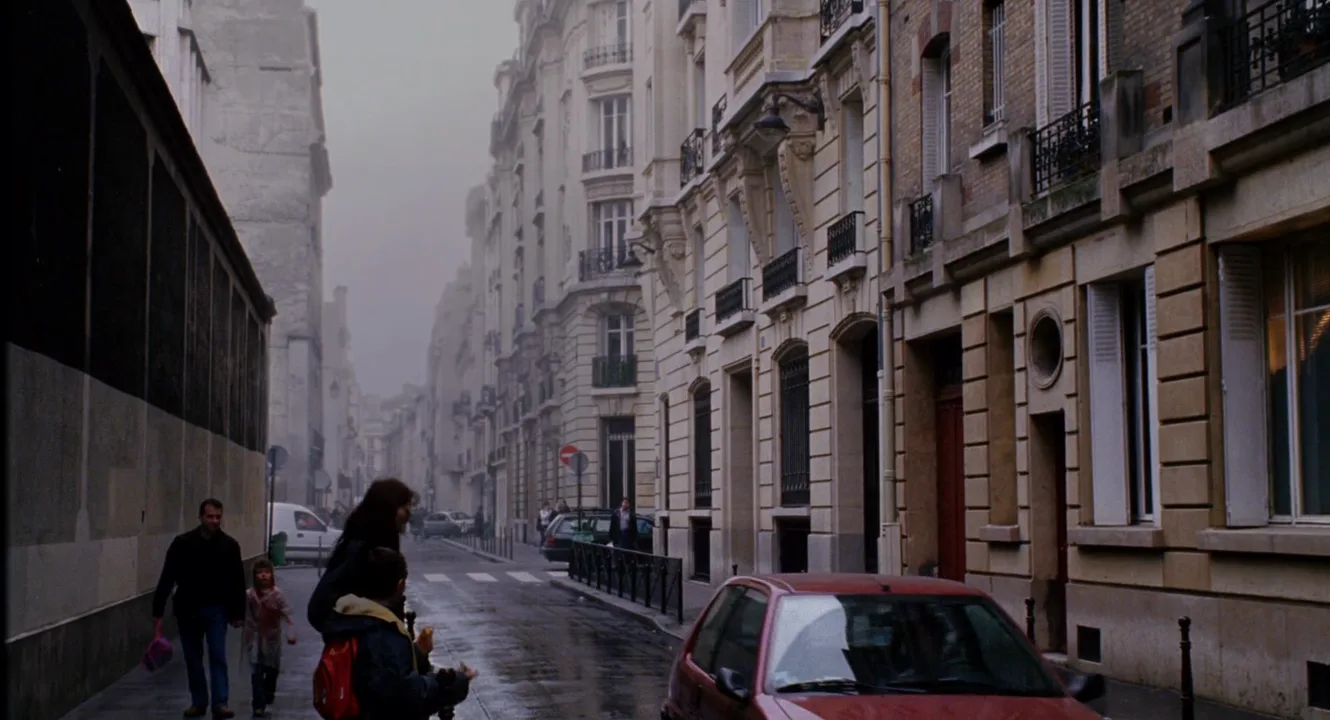
"output": "Full-screen live-action scene from its very first frame: one single continuous shot from Big Fish (2003). 35mm film look, a narrow Paris residential street on a misty, drizzly winter morning, graded almost to black-and-white: stone facades, mist, wet asphalt, coats and skin all drained to cold silver-grey. One small red hatchback car is the only fully saturated color in the frame, a deep glossy red the eye finds at once; the boy's small red backpack is the only other touch of red. Soft, flat, shadowless overcast light, fine grain.",
"characters": {
"S1": {
"role": "a father walking his small daughter along the pavement, an unnamed passer-by",
"look": "a man in his thirties, short dark hair, black zip jacket, dark jeans, a faded pink plastic shopping bag hanging from his right hand",
"voice": "silence: he does not speak"
},
"S2": {
"role": "his daughter",
"look": "a girl of about five with light brown hair, a faded dusty-pink coat and scarf, her free arm swinging at her side",
"voice": "silence: she does not speak"
},
"S3": {
"role": "a mother waiting to cross the street, an unnamed passer-by",
"look": "a woman in her thirties, long dark brown hair loose over the back of a dark navy coat",
"voice": "silence: she does not speak"
},
"S4": {
"role": "her son",
"look": "a boy of about ten, short dark hair, dark navy parka with a cream-lined hood, a small red backpack on his back, a snack in his hand",
"voice": "silence: he does not speak"
}
},
"shots": [
{
"shot": 1,
"camera": "locked-off static camera at eye level, wide lens, wide shot looking straight down the street. A dark building wall runs along the left edge of the frame with a narrow pavement beside it, short black bollards along its kerb; tall pale stone Haussmann buildings with black wrought-iron balconies fill the right half; the street recedes just left of centre into the mist, with a white van parked at the far end of the left pavement, a zebra crossing, a few parked cars and tiny distant pedestrians fading into grey. The camera never moves.",
"action": [
"BEGINNING: alive from the first frame, the red car with its headlights on is already rolling slowly toward the camera down the middle of the street, just right of centre. On the left pavement S1 walks toward the camera beside the dark wall, holding S2's hand with his left hand, the pink bag in his right hand on screen left, his head turned toward screen right; S2 walks at his side on screen right. At the kerb left of centre, in the near foreground, S3 and S4 stand with their backs half to the camera, facing screen right toward the street; S4 stands in front of her and lifts the snack to his mouth.",
"THEN: S4 raises his near arm high, reaching toward screen right, as the red car comes closer and drifts toward the lower right of the frame, growing larger and glossier red against the grey stone.",
"THEN: S1 turns his head from screen right to face straight ahead toward the camera and keeps walking at an easy pace; the red car now fills the bottom right corner, its red bonnet and misted windscreen passing close to the lens.",
"THEN: S4 lowers his arm; S3 leans forward behind him, and the two of them step off the kerb into the road and cross it sideways, walking from left to right across the lower half of the frame, S3 looking down at S4, the red backpack bobbing on his back.",
"THEN: the red car slides out of frame past the bottom right corner, and the street is left almost colorless.",
"END: S3 and S4 are in the lower right third, close to the camera and cut off by the bottom edge, still walking toward the right edge; S1 and S2 are nearer now in the left third, still walking toward the camera, S1 looking ahead, S2 looking ahead beside him; the whole street is silver-grey again, mist, stone and wet asphalt still and colorless."
],
"voice": "silence: nobody speaks in this shot, no voice at all",
"dialogue": []
}
],
"sound": {
"ambience": "a quiet city street on a damp morning: tyres hissing on wet asphalt, a small car engine purring past close to the camera, footsteps on the wet pavement, a soft distant hum of traffic",
"speech": "no words in this video; the only human sounds are breaths and movement",
"never_spoken": "no narration and no voice-over: the descriptions, performance notes and step words of this prompt are never spoken aloud",
"music": "a film score under the scene, always below the voices: a soft, wistful solo piano over light strings in a slow, melancholy waltz",
"subtitles": "none"
}
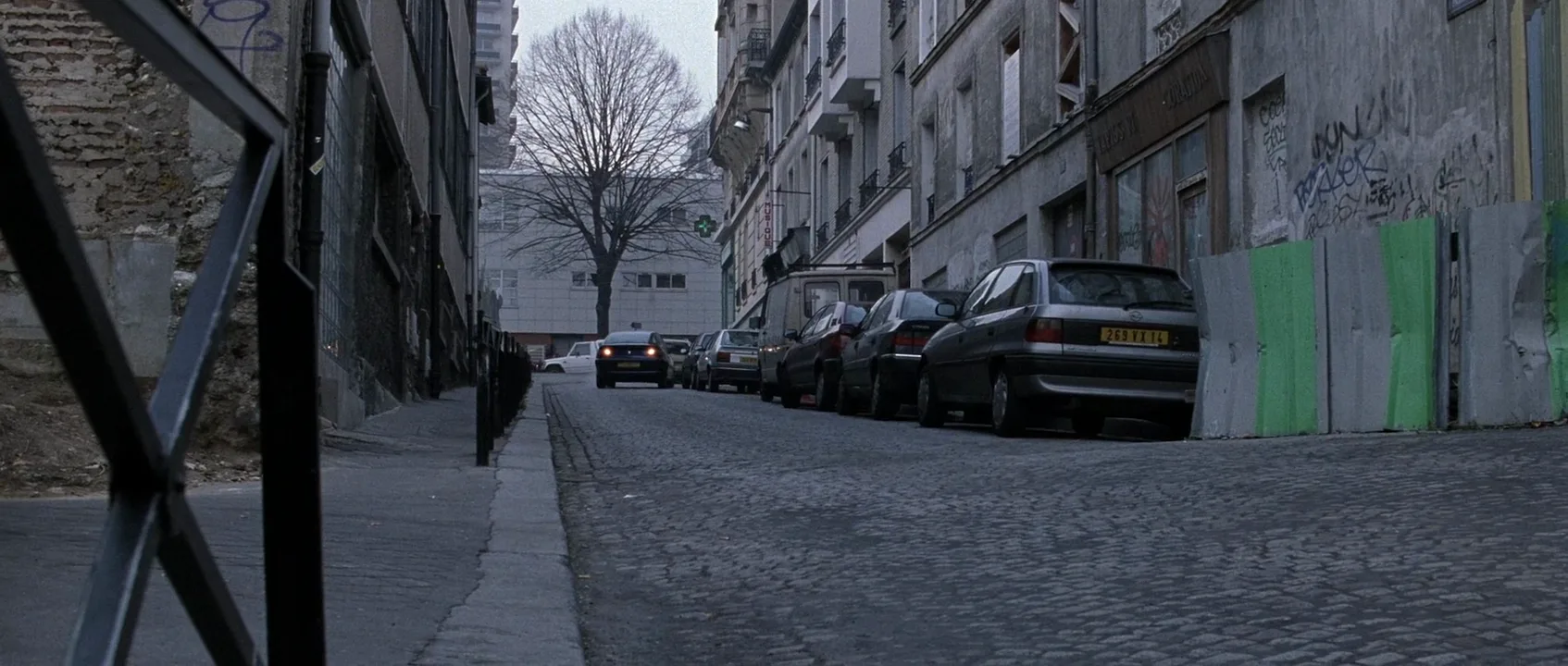
}Remakes the misty street shot from Big Fish (2003), dir. Tim Burton, DP Philippe Rousselot: the locked-off view down a grey Paris street, the red car rolling toward the lens and out of frame, the boy with the red backpack and the family on the pavement carried over, with no dialogue, as in the original.
The street in Big Fish is not strictly black-and-white, so the prompt names the grade in plain words, with stone, mist, asphalt and skin drained to cold silver-grey, and makes the red car the only saturated color. The beats follow the original in order: the car rolls in, fills the lower right corner and leaves, so you watch the street lose its one color.
Open FlashBoardsCommon mistakes
- Color leaks into other objects. Models often add a second yellow sign, warm skin or colored reflections. Restate the rule at the end of the prompt (the umbrella is the only color in the frame) and describe the rest with neutral words: grey, charcoal, silver.
- The whole image goes sepia or tinted. Asking for an old or vintage look pulls the frame toward amber. Say black-and-white or monochrome in silver greys and leave vintage out.
- The accent is too big or too dull. If the object fills a third of the frame, it stops reading as a sign. Name it as small in a wide shot, and describe its hue as bright or saturated.
- Hue near skin tones. Red and orange accents tend to color faces too. Choose yellow, blue or green when a clean result matters, or keep faces turned away or small.
- The accent fades in video. Over a longer clip the colored object can lose saturation or its color can spread. Keep clips short, repeat the rule in the video prompt, and for final shots consider generating in full color and doing the selective color in the grade, where you control the key.
Keep the reference frames, prompts and every generated take side by side — images and video in one canvas.
FAQ
6 questionsWhat is the color splash effect in movies called?
In filmmaking it is usually called selective color; color splash, spot color and partial color are common alternative names, especially in photography and editing apps. All of them describe the same idea: most of the frame is black-and-white or heavily desaturated, and one object or hue keeps its color so it becomes the focal point of the shot.
What movie is black and white with one color?
The best-known example is Schindler's List (1993), where a little girl's coat is red in an otherwise black-and-white film. Others include Rumble Fish (1983), with its colored fighting fish, High and Low (1963), with its pink smoke, Sin City (2005), which punches red, yellow and blue into black-and-white, and Pleasantville (1998), where color spreads through a monochrome town.
Why is the girl's coat red in Schindler's List?
The red coat singles out one child in a crowd of victims, so the audience follows her through the ghetto liquidation as Schindler does from a distance. It turns an abstract mass into one person. The coat appears again later in the film, and recognizing it tells you what happened to her without a word of dialogue. It is usually read as a symbol of innocence and of suffering that was visible yet ignored.
How do you do selective color in video editing?
Shoot in color, then in the grade use an HSL qualifier to select the hue you want to keep, refine the matte until only the object is selected, soften the edges, invert the selection and reduce saturation outside it to zero. Add a tracked window or roto mask if other objects share the hue, and check the vectorscope to confirm only one color remains.
Is selective color the same as colorization?
No. Colorization adds color to footage that was shot in black-and-white, usually across the whole frame. Selective color starts from color footage and removes almost all of it, keeping one hue or object. The two overlap only in early cinema, when single objects were hand-painted onto black-and-white prints, such as the red flag in Battleship Potemkin.
Can AI image and video models create selective color?
Yes, if the prompt states the rule plainly: the frame is black-and-white and one named object is the only color. Choose a hue away from skin tones, keep the object small, and describe the rest of the frame in neutral terms. For video, repeat the rule in the prompt. For full control, generate in color and do the selective color in the grade.
Related terms
5- Color PaletteColor
A film's color palette is the limited set of colors that dominates its images — in sets, costumes, light and grade — chosen to give the film a coherent look and emotional temperature.
- ColorizationPost-Production & VFX
Colorization adds color to black-and-white footage, once by hand-painting frames and now digitally frame by frame or with AI models.
- Desaturated LookColor
A desaturated look drains color intensity across the frame without going fully black-and-white, giving a muted, cold, war-weary or documentary feel.
- Color SymbolismColor
Color symbolism uses colors as signs — red for love, danger or power, green for envy or sickness — but in film the meaning is set by context and repetition inside the story, not by a universal chart.
- MaskPost-Production & VFX
A mask blocks or isolates part of the frame with a shape — an iris circle, a binocular or keyhole outline, a hand-drawn window — in front of the lens, in an optical printer or in compositing, to limit what we see, reveal a second image or treat one area separately.
Further reading
Steven Spielberg, dir., Schindler's List (1993), cinematography by Janusz Kamiński. Alexis Van Hurkman, Color Correction Handbook: Professional Techniques for Video and Cinema (Peachpit Press). Patti Bellantoni, If It's Purple, Someone's Gonna Die: The Power of Color in Visual Storytelling (Focal Press, 2005).